
What’s Changed: When Talkie AI bots set to private on their own despite you choosing public, it is rarely a simple toggle problem. It is usually one of five states: still pending review, shadowbanned, age or region gated, force privated by reports, or a web versus app display glitch. Each one has a different check and a different fix, and most creators chase the wrong one.
If your Talkie AI bots set to private even though you picked public, you are running into one of the most confusing parts of the platform. The toggle says one thing, the app shows another, and there is usually no message explaining why.
The reason this is so maddening is that “showing as private” is not a single problem. It is five different states wearing the same face, and the fix for a shadowban does nothing for a region block or a stuck review.
Most guides lump this in with bots failing review. That is only one of the five causes, and treating every case like a rejection sends you down the wrong path.
So I am going to give you the diagnosis first, then the fix for each state. The single most useful thing here is a hidden menu check that tells you in five seconds whether your bot is secretly shadowbanned, which is the case nobody can see without it.
Why Are My Talkie AI Bots Set to Private
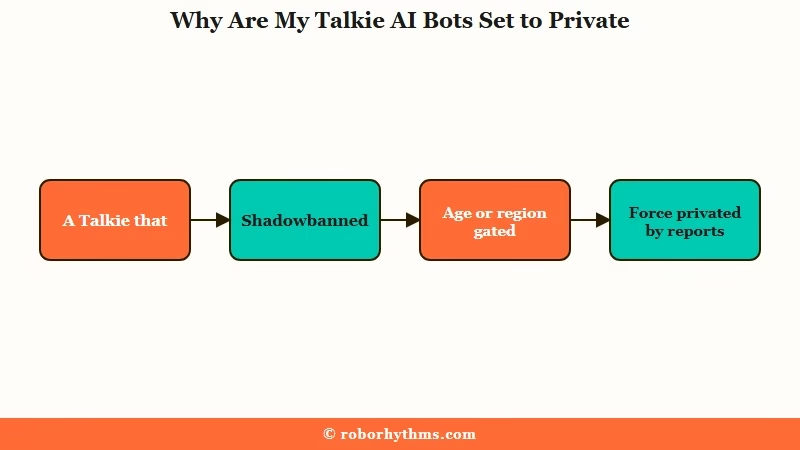
Your Talkie AI bots set to private for one of five reasons: the bot is still in review, it was shadowbanned, it is age or region gated, it was force privated by reports, or the app is showing a stale state.
Only some of these are anything you did.
The trap I see people fall into is assuming they toggled something wrong. Sometimes you did, but more often the platform changed your bot’s visibility behind your back and never told you.
Here is what drives each case. New bots are private until they pass review, so a fresh bot showing private may just be waiting. An older bot that was fine yesterday is usually a retroactive moderation action, not a setting.
The frustrating part is that the same symptom, a bot that should be public sitting at private, hides completely different causes underneath. The reference below lays out all five so you can spot which one you have.
| State | What it means | Can others see it |
|---|---|---|
| Pending review | A new bot waiting to clear moderation | Not until it passes |
| Public and live | Approved and genuinely listed | Yes, everyone eligible |
| Shadowbanned | Marked public but secretly hidden | No, only you |
| Age or region gated | Hidden by rating tier or country rules | Some users, not all |
| Force privated | Pulled by reports or a filter update | No, until you fix it |
The first move is always to check for the invisible case, the shadowban, since it is the one you cannot see without a trick.
What is a shadowban: A hidden penalty where your bot is approved and marked public but secretly removed from search and feeds, so only you can see it and no notification is ever sent.
How to Check if Your Talkie Is Shadowbanned
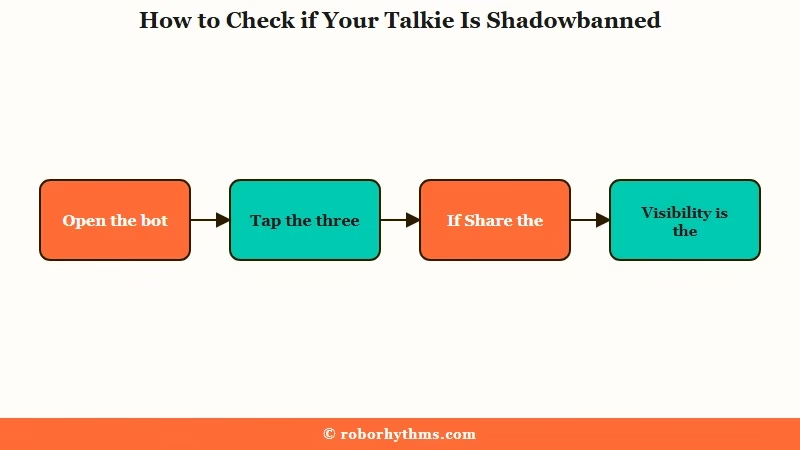
You can confirm a Talkie shadowban in about five seconds using a hidden menu, which is the only proof you get since the platform never notifies you.
This is the check to run before you touch anything else.
This is the trick most creators never learn, and it is the reason they waste days. A shadowbanned bot looks completely normal to you, so without this you cannot tell it apart from a bot that is genuinely public.
Here is the exact sequence I would run first.
- Open the character and tap into the bot’s info page.
- Tap the three dots in the top right corner.
- Look at the menu. If “Share the Talkie” is there, the bot is genuinely public.
- If “Share the Talkie” is missing and “Visibility” is the first option, the bot is shadowbanned.
- For a second opinion, paste the Talkie ID into search from a different account and see if it appears.
If that menu test comes back clean but people still cannot find your bot, you are likely looking at a different state, age or region gating, which I cover next. If it comes back shadowbanned, skip ahead to the fix section.
One more honest note. The “Under Review” tag vanishing without an approval or rejection message is the classic shadowban tell. The platform quietly drops the label and hides the bot, so no news is not good news here.
Public but Invisible to Others
A Talkie can be fully approved and public yet still invisible to certain users because of a hidden age-rating system and regional content filters.
That is not a shadowban, and editing the bot will not fix it.
What is age-rating gating: A hidden backend rating Talkie assigns each bot that decides which user accounts are allowed to see it, so a public bot stays invisible to anyone below its tier.
This one surprised me the most. Your bot can pass the menu check above and still be unreachable for a chunk of your audience, and there is nothing broken on your end.
Talkie runs an internal age rating that decides which users see which characters, so a bot rated higher is hidden from accounts that do not qualify. On top of that, content filtering shifts by country, so a character visible to you may be blocked entirely for someone in a stricter region.
The regional piece is bigger than people think. After a 2024 removal from the US App Store, Talkie was geo-fenced and rebranded on iOS as a separate 17 plus app, so users in different countries are on different rule sets.
The Australian eSafety Commissioner even issued formal guidance on Talkie flagging how its filters and open search affect younger users.
If your bot is age or region gated, there is no clean fix, only awareness. Toning down the content can lower the age rating over time, and the details behind Talkie’s safety rules explain what trips the higher tiers.
How to Get a Talkie Stuck on Private Public Again
To recover a shadowbanned or stuck Talkie, edit something and resubmit it for a fresh review, and if the image is the trigger, change the image.
The catch is that the safest fix depends on whether the bot is currently live or already hidden.
Here is the genuinely useful sequence once you know the bot is shadowbanned or stuck.
- Make a small change, even adding a period or retyping a word, to force a new review pass.
- Resubmit and let it re-scan, since a different reviewer may clear it.
- If text changes do nothing, swap the image, which is the most common hidden trigger.
- On the web version, use the inline painting tool to fix the flagged part of an image, like extending clothing.
- If the bot is locked while “Under Review,” try editing through the additional section, or switch to a saved backup image to nudge it through.
Now the part most guides get dangerously wrong. There is a real contradiction in the community, and both sides are right in different situations.
Before: Your bot is live and fine, but it sits near the content line, so you “clean up” a typo to be safe. That tiny edit triggers a fresh scan, a stricter reviewer catches it, and now it is hidden.
After: You leave the live borderline bot completely alone and never poke it. You only use the period trick on a bot that is already shadowbanned or stuck, where there is nothing left to lose.
That is the rule I would follow. Never edit a borderline bot that is currently visible, but do force a re-review on one that is already buried.
For why the underlying rejections happen at all, the reasons a Talkie fails review and the tighter 2026 filter cover the moderation side in depth.
When the App and Web Show Different States
Sometimes your bot is fine and the app is just showing a stale state because Talkie’s web and mobile versions do not always sync visually.
Before you start editing, rule out a display glitch.
This catches a lot of PC users specifically. Seeing private on a desktop while the bot is set to public is a classic sync mismatch, not a real visibility change.
The backend usually syncs even when the screen does not. To force the app to refresh what it shows, tap the suggestions or regenerate buttons in a chat, or close the app fully and reopen it.
Here is how I would tell a real visibility problem from a fake one.
| What you see | Most likely state | What to do |
|---|---|---|
| New bot showing private | Still pending review | Wait for the review to clear |
| “Share the Talkie” missing | Shadowbanned | Resubmit, then change the image |
| Public to you, hidden to others | Age or region gated | No fix, lower content over time |
| Was live, now forced private | Mass reports or filter update | Resubmit for a fresh review |
| Web and app disagree | Sync display glitch | Refresh, reopen, do not edit |
If the disagreement clears after a refresh, your bot was never private, and you would have wasted a resubmit chasing a ghost. When the whole app is misbehaving rather than one bot, the Talkie not working fixes cover cache and login resets.
Should You Keep Fighting the Moderation Queue
If invisible shadowbans and silent reverts are draining the fun out of creating, a platform with a saner publishing flow is the honest fix.
Talkie’s reach is real, but so is the moderation roulette.
The way I see it, the draw of Talkie is its huge audience, and that is worth tolerating some friction for. What is not worth it is pouring days into characters that get quietly buried with no explanation and no appeal.
If you want to keep building your own bots without the shadowban guessing game, SpicyChat has a looser public validation flow, so what you publish is far more likely to stay visible. You keep the maker experience without the invisible penalties.
And if you are honestly tired of being a moderator for your own characters, Candy AI skips the public-review gauntlet entirely, since it is a hosted companion you just chat with. Talkie can still be where you reach people, it just should not be the thing quietly deciding whether your work is allowed to exist.
Frequently Asked Questions
Why are my Talkie bots set to private when I set them to public?
It is usually one of five states: still pending review, shadowbanned, age or region gated, force privated by mass reports, or a web versus app display glitch. Check for a shadowban first using the three-dot menu before assuming anything.
How do I know if my Talkie is shadowbanned?
Open the bot’s info page and tap the three dots top right. If “Share the Talkie” is missing and “Visibility” is the first option, it is shadowbanned. You can also search the Talkie ID from another account to confirm.
Can a public Talkie become private on its own?
Yes. Mass user reports can force a public bot private, and retroactive filter updates can quietly unapprove an older bot that was previously fine, both without any notification to you.
Why does editing my Talkie make it disappear?
Any edit triggers a full re-scan, and a stricter reviewer or updated filter can reject something that passed before. Even a tiny text change can cause the image to be rejected, so never edit a borderline bot that is currently live.
My Talkie is public and approved but no one can find it. Why?
A hidden age-rating system and regional content filters can keep an approved public bot invisible to certain users. That is not a shadowban and editing will not fix it, since it depends on the viewer’s account and country.
How do I fix a Talkie stuck “Under Review”?
Try editing through the additional section if the interface allows it, or switch to a saved backup image to nudge the review through. Resubmitting with a tiny change can also assign a new reviewer who clears it.
Quick Takeaways
- A Talkie showing private despite a public setting is five different states, so diagnose before you fix.
- Run the three-dot shadowban check first, missing “Share the Talkie” plus “Visibility” listed first means hidden.
- An approved public bot can still be invisible through age-rating and regional gating, which no edit will fix.
- Use the resubmit and period trick only on a bot already buried, and never edit a borderline bot that is currently live.
- If the silent moderation roulette is killing your motivation, SpicyChat publishes more reliably and Candy AI skips review entirely.
