
What’s Changed: A Swerve invite code adds 125 gems to a brand-new account when you enter it in the Free Gems row of the in-app shop. That row disappears 48 hours after sign-up, so the code has to go in during your first two days. The 400-credit code SWERVENEW400 belongs to swerveai.app, a browser site that Swerve says has no tie to its app.
A Swerve invite code is a six-character code that adds 125 gems to a new account. Swerve: AI Chat & Stories is an iPhone-only roleplay app from MSPW Labs, and gems are what its chat messages cost.
The box is easy to miss because it sits on the gems page of the in-app shop, and it only stays there for your first 48 hours.
Claiming it is an easy yes for me, because it takes a minute and costs nothing. It is a small starter boost, though, and worth far less than the posts trading codes make it sound.
Below is where the code goes, what 125 gems buy, where fresh codes appear, why a code fails, and how to spot a fake promo code.

Where Do You Enter a Swerve Invite Code?
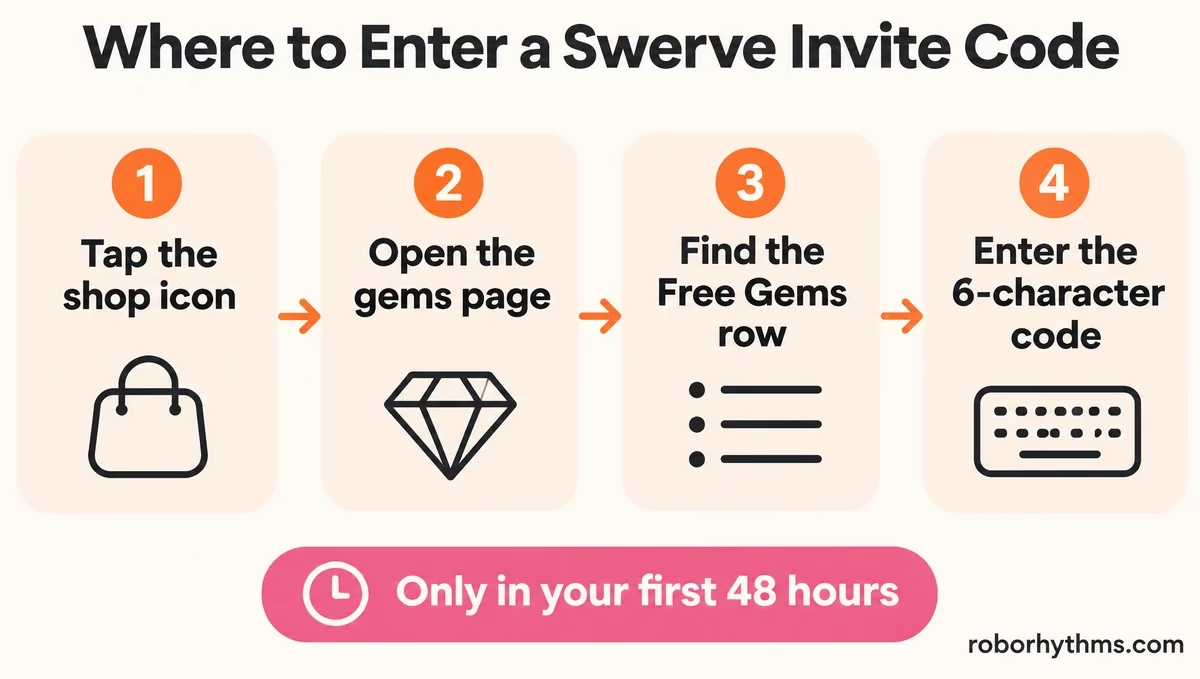
A Swerve invite code goes in the Free Gems row on the gems page of the in-app shop, which you reach from the shop icon in the bottom bar. That row only shows during your first 48 hours on the app.
A reply in r/SwerveApp places the box as the first row under Free Gems, and a newer thread points to the shop icon near your profile. My advice is to do it on day one, before you start any chat.
Swerve app > shop icon (bottom bar, next to your profile) > Gems > Free Gems > invite code row- Install Swerve from the App Store on an iPhone and create an account.
- Tap the shop icon in the bottom bar, next to your profile.
- Open the gems page and find the first row under Free Gems.
- Enter the six-character code exactly as shared, then submit it and check your gem balance.
If the window has already closed and you are weighing other character roleplay apps, Nectar AI is the one I point anime and character-card fans to first.
What Does a Swerve Invite Code Give You?
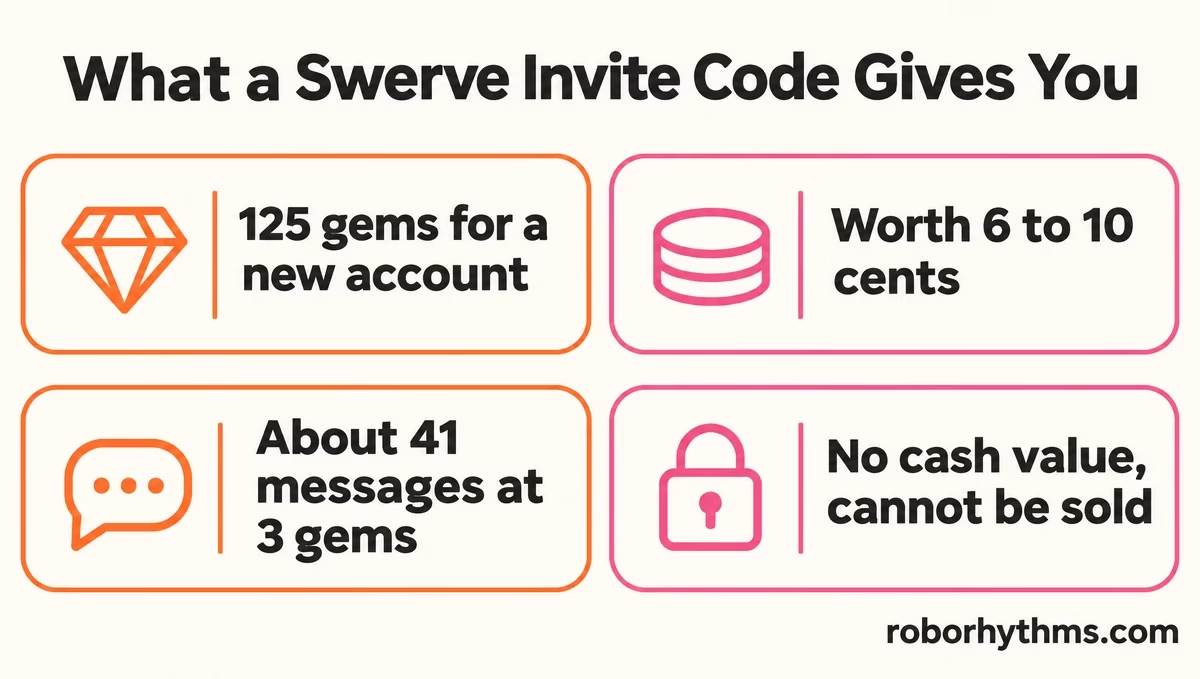
A Swerve invite code gives the new account 125 gems, the currency Swerve charges for chat messages. At App Store prices, those 125 gems are worth between 6 and 10 cents.
Posts sharing codes repeat the same promise, as in this r/SwerveApp invite thread: “if you use it you can redeem 125 gems FOR FREE!”
The person who shares the code gains too, since one poster sharing a code wrote that it “helps me and you get gems”, although Swerve’s support page and terms never say how many.
The dollar value surprised me. These are the gem packs on Swerve’s US App Store listing, checked November 10, 2026:
| Gem pack | Price | What 125 gems cost at this rate |
|---|---|---|
| 3,000 gems | $2.49 | about 10 cents |
| 5,500 gems | $2.99 | about 7 cents |
| 8,000 gems | $3.99 | about 6 cents |
| 13,200 gems | $9.99 | about 9 cents |
| 57,600 gems | $39.99 | about 9 cents |
In Apple’s UK store, a June review puts a chat message at 3 gems and a rewarded video at 100 gems. At that rate, 125 gems would cover about 41 messages, which is a nice first evening and not much more.
Swerve also pays gems for promotion. Its Video Rewards Terms, last updated August 14, 2026, offer gems for approved TikTok or Instagram videos about Swerve, posted with your Swerve username in your bio, and the gems arrive in Support Chat.
The same terms say gems “have no cash value and cannot be transferred, sold, or redeemed for money.”
Where Can You Find a Working Swerve Invite Code?
The steadiest source of working Swerve invite codes is r/SwerveApp, where people post their own six-character codes most days. Pick one from a recent post and enter it before your first 48 hours run out.
The subreddit’s newest posts are the place to look, with titles like “Free gems for new users” and “Code for new users” turning up several times a week.
Each code belongs to the person who posted it and earns them gems too, so I would rather send you to the source than copy codes onto this page.
A real Swerve code is six letters and numbers, like the ones in those posts, and you type it inside the iPhone app.
A “code” that arrives with a link to a website or an Android download is something else, because Swerve has no official web or Android version yet.
Invite systems like this one fill a subreddit fast, as Clank World’s invite codes did before it, though a Swerve code only adds gems to an account anyone can open.
Why Is My Swerve Invite Code Not Working?
A Swerve invite code usually fails for one of four reasons. The account is past its first 48 hours, it shares a phone with an earlier account, the code is mistyped, or the code belongs to a different site.
The 48-hour cutoff is the rule I most wish Swerve spelled out, since neither its support page nor its terms mention invite codes at all.
The where-to-enter thread adds that a second account on the same device will not qualify.
| Symptom | Likely cause | Fix |
|---|---|---|
| No Free Gems row in the shop | The account is older than 48 hours | The row is gone, so the code cannot go on this account |
| Code rejected on a second account | Same iPhone as an earlier account | Only a new account on a new device qualifies |
| Code not recognized | A typo, such as the letter O typed for a zero | Re-type all six characters exactly |
| Code gives credits, or is not 6 characters long | It likely comes from a different site | Use a six-character code from a Swerve user |
| Swerve is missing on Android or the web | No official version exists yet | Swerve runs on iPhone only for now |
If you are on Android, there is no official Swerve app to wait for yet, and Candy AI is the browser-based option I recommend instead.
For story apps closer to Swerve’s style, these Tipsy Chat alternatives cover iPhone and Android.
Is SWERVENEW400 a Real Swerve Code?
SWERVENEW400 is a 400-credit code from swerveai.app, a browser chat site, and Swerve says no site offering Swerve chat in a browser is affiliated with its iPhone app.
The swerveai.app changelog lists “Claim 400 credits” with that code on September 15, 2026, and the site runs on credits while the official app runs on gems. Swerve’s support page says “there is no official web version yet.
Any site offering Swerve AI chat in the browser today is not affiliated with us,” and its web page adds that such a site “is not from us and may be unsafe.”
The official app is Swerve: AI Chat & Stories, listed on the App Store by MSPW Labs and rated 18+ in the US store. That rating matters more since Apple announced 18+ rules for AI companions with romantic or sexual content, starting November 16.
Lookalikes are a pattern in this niche, as a PolyBuzz copycat listing showed this month. My rule is simple: a site that borrows the Swerve name never gets my Apple or Google login.
Quick Takeaways
- A Swerve invite code adds 125 gems to a new account, entered in the Free Gems row of the in-app shop.
- The row disappears 48 hours after sign-up, and a second account on the same phone does not qualify.
- At App Store prices, 125 gems are worth 6 to 10 cents, roughly 41 messages at 3 gems each.
- Fresh codes appear most days in r/SwerveApp; a real one has six characters and goes in the iPhone app.
- SWERVENEW400 is a credits code for swerveai.app, a browser site Swerve says it has no tie to.
