
What’s Changed: A PolyBuzz violation means its automated review flagged something in a character, usually the avatar, name, intro, greeting or background, and the character is now hidden from everyone but you. The notice never says which part broke the rules, so check every field, edit it, and resubmit. If the flag is a mistake, contact support with your user ID, the character ID and screenshots.
A PolyBuzz violation is the least helpful error message I know of in any chat app.
The popup names four possible problems at once, saying your content “may involve explicit material, minors, violence, or hate speech”, according to the wording quoted on r/polybuzz. It never tells you which one, or which field set it off.
PolyBuzz’s own staff have said the system gets things wrong. In April 2025, its official Reddit account wrote that “Some errors may occur during the review process” while explaining why even private characters get reviewed.
That leaves you doing the detective work. This guide covers what the label means, what PolyBuzz checks and how to fix and resubmit a flagged character.
It also covers what happens to your chats and account, and how to ask for a human review when you think the flag is wrong.
My advice is to fix the character before you argue with the flag. A clean resubmission is the only path PolyBuzz documents, and it is also the fastest one.
What Does a PolyBuzz Violation Mean?
A PolyBuzz violation means PolyBuzz’s automated review decided a character breaks its community guidelines.
The character becomes visible only to its creator, other users can no longer find it or chat with it, and its avatar may reset to a default image.
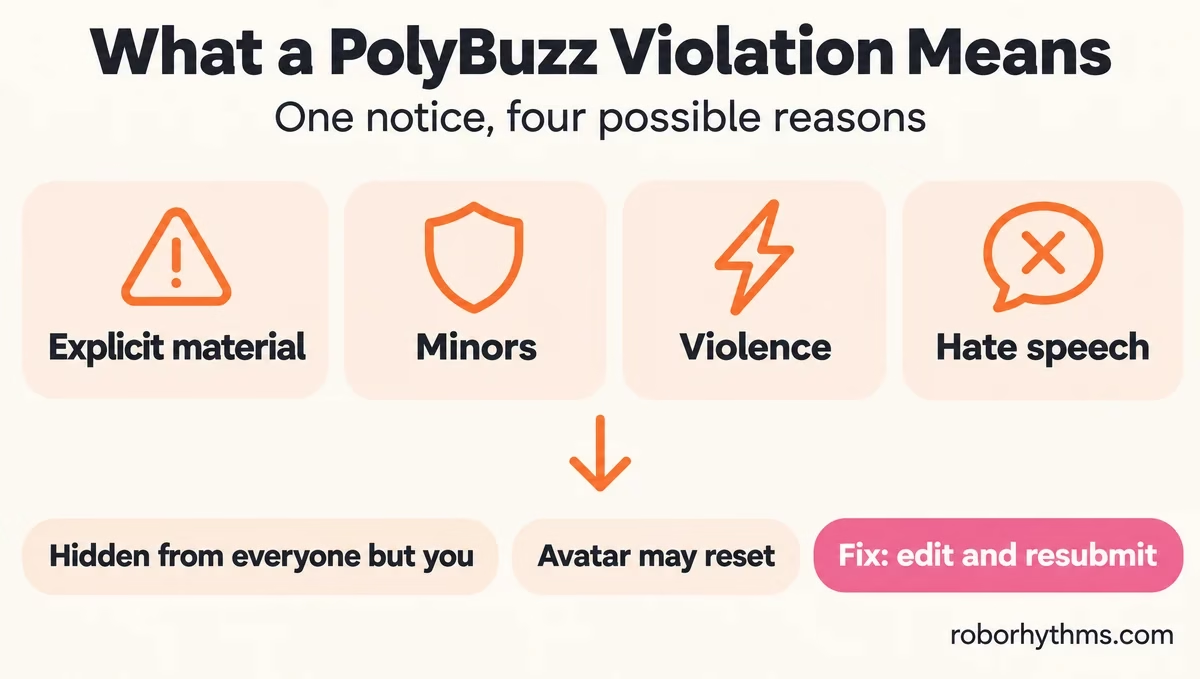
PolyBuzz’s FAQ lists the usual reasons as “content related to pornography, minors, inappropriate language, or sensitive topics.”
The popup adds violence and hate speech, and its own header, “Character Avatar and Info”, tells you the review looks at the picture and the written fields together.
I count the single block of four categories as the worst part of the design. A character flagged for one word in its backstory gets the same message as one with an explicit avatar, so the notice cannot tell you where to start.
Neither PolyBuzz’s FAQ nor its Terms explain why the notice stays this vague. It looks deliberate to me: naming the exact word or image would show people how to slip past the filter, and honest creators pay for that with guesswork.
| Part of the character | What can trip it | What to check first |
|---|---|---|
| Avatar image | Sexual or suggestive images, and anyone who looks under 18 | Swap in an image of a plainly clothed adult |
| Name and intro | Strong language, sexual wording, ages under 18 | Remove any age under 18 and any crude word |
| Greeting | Sexual openers, graphic violence, slurs | Rewrite the opening scene in neutral terms |
| Background and example dialogue | Sensitive topics such as self-harm, abuse or hate | Cut graphic detail and any reference to minors |
If your chat shows “permission change, conversation currently unavailable” instead, that is a different message about access to a bot, covered in how PolyBuzz works.
A blurred reply inside a chat is the separate content filter explained in the PolyBuzz compliance policy guide.
Why Does PolyBuzz Flag Private Bots and Personas?
PolyBuzz flags private bots because it reviews every character, public or not, to stop illegal content involving minors, and personas get a similar check.
Its official account said so in April 2025: private characters are reviewed “in order to prevent some users from attempting to create NSFW characters for use in certain illegal ways through pedophilia or underage pornography.”
I don’t buy the FAQ’s opening promise of “Free, Private, and Unrestricted AI character chats” for that reason. Private only means other people cannot see your character. PolyBuzz still checks it.
Personas get checked as well, even though only you ever see them, and a flagged persona comes with no more explanation than a public bot does.
How Do You Fix a PolyBuzz Character Violation?
You fix a PolyBuzz character violation by editing the flagged character and resubmitting it for review.
PolyBuzz’s FAQ says to “review the character’s content, make necessary edits, and resubmit for approval to restore its visibility.” No other fix is documented.
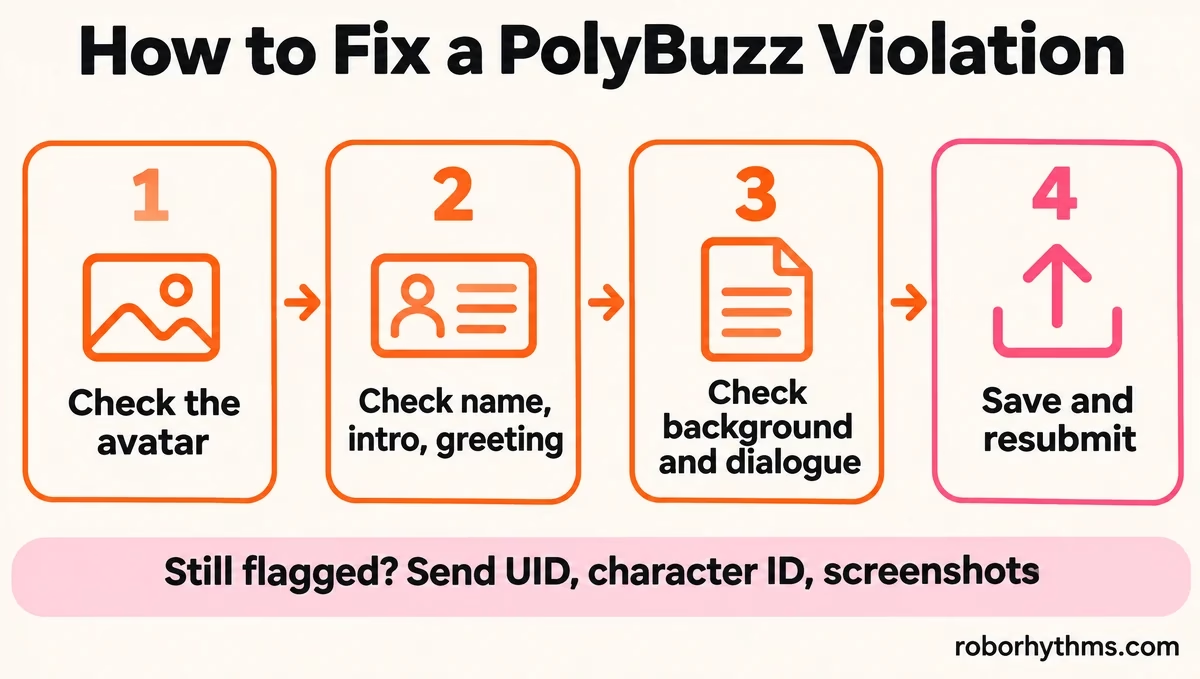
Because the notice will not say which field failed, I go through the whole character in a fixed order rather than guessing:
- Open the character from your profile and choose to edit it.
- Replace the avatar first if it shows anyone who could look under 18, or anything revealing.
- Read the name, intro and greeting for strong language, sexual wording and any age under 18.
- Read the background and example dialogue for graphic violence, self-harm detail, slurs and minors.
- Save the edits and resubmit the character for approval.
Fix the content itself. Rewording a minor’s age or a sexual scene so the filter misses it still breaks the guidelines, and the Terms allow PolyBuzz to suspend or close accounts that do.
| What you see | What it usually means | What to do |
|---|---|---|
| “Violation” on your own character | The automated review flagged one of its fields | Edit every field and resubmit |
| Your avatar is back to a default image | The flag reset it | Add a compliant image before resubmitting |
| Someone else’s bot shows Violation and will not open | The creator’s character was flagged | Only the creator can edit it |
| Your persona is flagged | Personas are reviewed too | Edit the persona text and save |
| A blurred or blocked reply inside a chat | The message filter, not a character flag | See the compliance policy guide |
Can You Fix a Violation on a PolyBuzz Bot You Did Not Make?
You cannot fix a violation on someone else’s PolyBuzz bot, because only the creator can edit and resubmit it.
Until they do, the bot stays closed to you, including chats you had already started.
In late April 2025, other creators’ flagged bots stopped opening at all, and a user summed it up as “I knew I should have saved some of those chats.”
My habit with any bot I care about is to keep my own copy of the story notes, because the chat can disappear behind a flag overnight.
What Happens to Your PolyBuzz Account After a Violation?
A PolyBuzz violation hides the character, and PolyBuzz’s Terms let it warn you, suspend you or close the account for breaking its rules.
PolyBuzz’s Terms of Use, last updated October 27, 2026, allow “giving you a warning, requesting for correction within a time period, and suspending or permanently terminating your account.”
The character side got stricter in 2026. In September 2026, flagged characters stopped working on the website too, according to a September 8 complaint on Reddit: “Now characters with a violation can’t even be used on the website.”
The missing strike count worries me more than the badge. PolyBuzz publishes none, so you cannot tell how close a second flag puts you to losing the account.
Can PolyBuzz Report You to the Police?
PolyBuzz can report users to the police under its Terms, which reserve the right “to report such acts to law enforcement or regulatory authorities.”
The Terms also say breaches of the law and the Terms “will be recorded by our device at back-end office and may be submitted to the relevant government authorities as evidence.”
The illegal content its staff named, sexual material involving minors, is the case that clause exists for.
A false flag on a fantasy backstory is a different thing, and once you edit and resubmit the character, it is not something I would lose sleep over.
How Do You Appeal a PolyBuzz Violation?
You appeal a PolyBuzz violation by contacting support, because the app has no appeal button.
PolyBuzz’s FAQ points to its Discord, and its Terms list support@mail.polybuzz.ai. Send your user ID (UID), the character ID (CID) and screenshots in one message.
That request comes from PolyBuzz itself. Its official account has asked for “your UID and screenshots of the problem” on false flags on private characters, and for the character’s CID in the April 2025 thread.
The catch is that a flagged character can be hard to open, so its CID is hard to find. A user in a May 2025 thread put it plainly: “since the character is no longer available.
I can’t check the CID.” Copy each character’s ID somewhere safe while it still works, and send the name, a screenshot and the date of the flag if the ID is already out of reach.
If you live in the EU, you can ask for more than a generic reply. Article 17 of the EU Digital Services Act says hosting services must give “a clear and specific statement of reasons” when they restrict the visibility of something you posted. The message I would send looks like this:
Vague: “My character got a violation. Please fix it.”
Specific: “UID [your ID]. My character [name], CID [ID, or a screenshot if hidden], was marked Violation on [date]. I removed [what you changed] and resubmitted on [date], and it is still flagged. Please tell me which field or rule triggered it, and send the statement of reasons required by Article 17 of the EU Digital Services Act.”
Leave out the last request if you live outside the EU.
Is polybuzzai.app the Official PolyBuzz Help Site?
No, polybuzzai.app is not PolyBuzz’s site, even though its help pages rank for this error.
PolyBuzz lives at polybuzz.ai, and on November 12, 2026 the polybuzzai.app homepage advertised a different AI girlfriend app.
Its “PolyBuzz Character Violation” page is written as if PolyBuzz wrote it, and Google’s AI answer for this search leans on it. I would only trust advice that matches PolyBuzz’s own FAQ and Terms.
Even PolyBuzz’s FAQ is out of date in one place. It still tells people to download the app from the App Store.
A US App Store search for PolyBuzz on November 12 returned no PolyBuzz app, only other chat apps and look-alikes such as one called PollyBuzz.
Whether PolyBuzz is banned covers what happened to the iPhone app.
If PolyBuzz’s rules keep costing you characters, these apps like PolyBuzz are worth a look.
Quick Takeaways
- A PolyBuzz violation hides the character from everyone but its creator, and the notice never says which field failed.
- The only documented fix is to edit the character and resubmit it; check the avatar, name, intro, greeting and background in that order.
- Private bots and personas are reviewed too, and PolyBuzz says it checks private characters to stop illegal content involving minors.
- To appeal, contact support with your UID, the character’s CID and screenshots, and save each character’s ID while it still opens.
- EU users can ask for a statement of reasons under Article 17 of the Digital Services Act.
