
Bottom Line: Perchance AI image generator is the best free image tool for users who want zero-friction generation with no signup, decent prompt adherence, and a forgiving content filter. It is not the right pick if you need photorealism, tight aspect-ratio control, or commercial-grade output. The trade-off is clear once you have run a few prompts.
Perchance AI image generator is the strange middle child of free AI image tools. It sits between throwaway novelty generators and serious paid tools, gets recommended on Reddit constantly, and most reviews of it skip the parts that matter to a casual user.
I spent the last week running it through the same 25-prompt test set I have used on FLUX.1, OpenArt, and the new GPT Image 2.0. The results surprised me, both in what Perchance does well and in where it gives up. This is the review I would have wanted before opening the tool myself.
If you have been searching “perchance ai image generator” or “perchance image” on Bing (where this query has been gaining position over the last 30 days), the gap between what works for you and what does not is mostly about expectations. Set them right and Perchance is genuinely useful. Set them wrong and you will fight the tool.
What Is Perchance AI Image Generator
Perchance AI image generator is a free, browser-based image generation tool that runs without account creation, uses community-contributed generators, and accepts text prompts for both SFW and creative roleplay imagery.
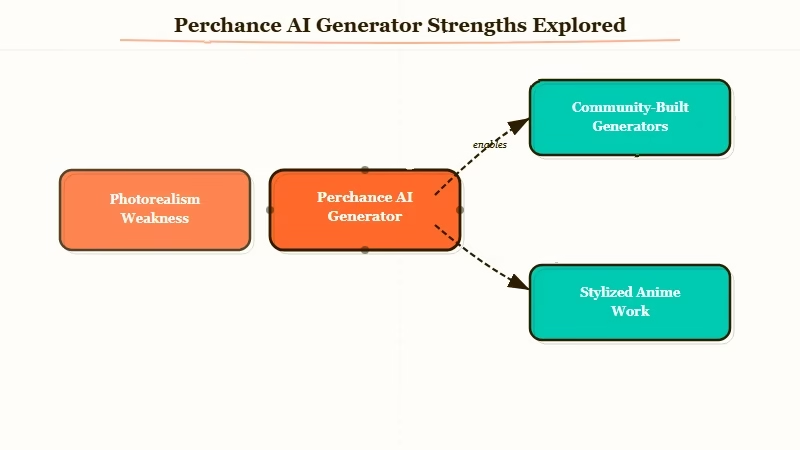
The Perchance platform itself is older than the AI boom. It started as a generator-of-generators for tabletop RPG content, name pickers, and random text tools. The AI image side launched in 2023 as a community-built generator, which is why the interface looks unlike any other image tool you have used.
There is no signup, no email, no credit card. You go to the site, pick a community generator (the most popular for general use is “AI Character Image”, and “AI Image Generator” for non-character work), type a prompt, click generate. Output appears in 10 to 30 seconds.
What surprised me, having used DALL-E 3 and Midjourney for years, is how fast Perchance gets out of your way. There is no quota gate, no plan upsell, no “you have used 3 of 5 generations today” wall. You can run 50 prompts in a row at 3am and nothing complains.
How Perchance Performs on Real Prompts
Perchance produces serviceable output for character art, anime-style illustrations, and stylized scenes, but loses to paid alternatives on photorealism, complex compositions, and brand consistency across multiple generations.
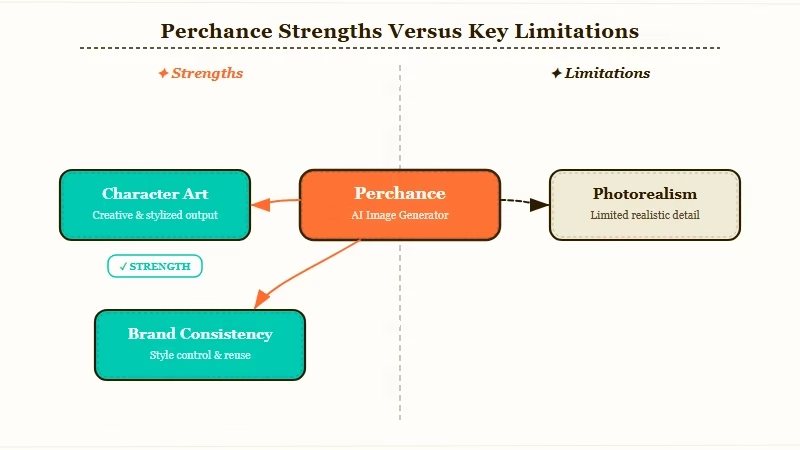
I ran the same 25 prompts through Perchance and three other generators. The results land in three buckets, and the bucket your prompt falls into matters more than anything else.
| Prompt category | Perchance result | Better alternative |
|---|---|---|
| Anime / illustrated character | Solid, often surprising on detail | None needed for casual use |
| Stylized scene (cyberpunk, fantasy, dreamy) | Good, especially with mood prompts | OpenArt for cleaner output |
| Photorealistic portrait | Weak, faces drift, hands unreliable | GPT Image 2 or FLUX.1 |
| Brand or commercial asset | Inconsistent across generations | Midjourney or Adobe Firefly |
| Specific aspect ratio | Limited control, mostly square or 3:4 | Any paid tool |
| NSFW / suggestive (within ToS) | More forgiving than DALL-E or Imagen | Use the dedicated character generator |
The way I see it, Perchance is the right tool when you want anime or stylized illustration and you do not want to think about it. It is the wrong tool when you need a specific product shot, a real-looking person, or a series of consistent images of the same character.
The one thing that genuinely impressed me was the prompt forgiveness. Vague prompts on most tools produce generic mush. Perchance interprets vague prompts in a way that feels closer to what you would have asked for if you had thought about it longer. That is unusual and useful for casual use.
Vague: “moody anime girl in a cafe”
Specific: “anime-style illustration, young woman with dark hair sitting in a window seat at a Tokyo cafe at night, neon reflections in the window, melancholy mood, detailed background, soft lighting”
Both prompts produce decent output on Perchance. The second produces noticeably better output on every other tool I tested, where the first produces filler. If you write loose prompts (most people do), this matters.
Perchance Pricing and What You Get for Free
Perchance is fully free, ad-supported, with no hidden tier and no paid plan as of April 2026.
There is no “Perchance Pro”. There are no monthly limits. The tool is sustained by website ads on the generator pages. From what I have seen, the ad load is light enough to ignore on desktop and mildly annoying on mobile.
| Tier | Cost | Generations | Resolution | Commercial use |
|---|---|---|---|---|
| Free (only tier) | $0 | Unlimited | Up to 768×1024 | Per generator’s own license |
| Paid tier | Does not exist | n/a | n/a | n/a |
The lack of a paid tier is itself the story. Most reviews that compare Perchance to OpenArt, Leonardo, or Midjourney miss this completely. You cannot pay Perchance for better quality, more resolution, or commercial rights. If you need any of those things, you need a different tool. RR’s chatgpt image gen 2 review covers the OpenAI side at the $20 paid tier, which is where serious image work has converged.
For most casual users, that limit does not matter. For anyone running an SEO content shop, an Etsy store, or any work that depends on consistent output, the lack of a paid tier is disqualifying.
Perchance Pros and Cons
Perchance excels at zero-friction stylized generation but falls short on photorealism, consistency, and commercial-grade output, making it a strong free tool for casual use and a poor primary tool for production work.
I want to be honest about both sides. Most “Perchance review” posts I have read either oversell it (because the writer wants to recommend something free) or undersell it (because they compared its anime output to Midjourney’s photorealistic output and called it weak). Both miss the actual pattern.
Pros:
- Zero-friction access. No signup, no credit card, no quota wall, working in 30 seconds.
- Forgiving prompt interpretation. Loose prompts produce reasonable output, where most tools produce mush.
- Strong on anime and stylized illustration. The community generators have been tuned hard for this.
- More permissive content filter than DALL-E or Imagen, within the platform’s ToS.
- Genuinely free, no upsell loop.
Cons:
- Photorealism is weak. Faces drift, hands break, photographic detail is not the strength.
- No character consistency across generations. The same prompt twice gives two different characters.
- Limited aspect ratio control. Mostly square or 3:4, no widescreen.
- No commercial rights guarantee. Each community generator has its own terms; defaults are unclear.
- Resolution caps at 768×1024, below modern standards for print or high-density display.
- Ad load on mobile is more intrusive than on desktop.
If your use case lives in the pros column, Perchance is genuinely the best tool of its kind. If you need any item on the cons list, you need to spend money, and RR’s best AI image generators coverage tracks the paid options worth that money.
Who Should Use Perchance and Who Should Skip It
Perchance fits hobbyists, RPG players, casual creators, and anyone who wants a fast no-signup image tool. It does not fit small business owners, content marketers, or anyone who needs consistent commercial-grade output.
The decision is cleaner than most “should I use this” questions in AI tooling. There are two specific user types where Perchance dominates, and three where it actively wastes time.
Use Perchance if:
- You want a quick character portrait for a tabletop RPG or a discord avatar.
- You enjoy iterating on prompts as a creative exercise, not a deadline.
- You want to test prompt ideas before paying for a tool.
- You generate anime or illustrated content and do not need brand consistency.
Skip Perchance if:
- You sell digital products and need commercial-cleared output.
- You need a series of consistent images (same character, same style) across an article or video.
- Your work requires photorealistic faces, hands, or product shots.
- You need specific aspect ratios for social media or video covers.
For the second group, RR’s character ai definition template coverage is more useful than any free image tool review, because consistent character visualization starts with consistent character writing.
How Perchance Compares to the Alternatives
Among free image tools, Perchance is the strongest for stylized illustration and the most permissive on content; among paid tools, Bing Image Creator and the GPT Image 2 free tier offer better photorealism for $0.
If you want a paid tool built more around character portraits than general illustration, SoulGen sits in that lane. Our SoulGen AI review covers where its character consistency beats a free generator like Perchance and where it falls short.
I tested the same prompt set on Perchance, Bing Image Creator (free), GPT Image 2 free tier, and OpenArt (free credits). The verdict is not “Perchance wins” or “Perchance loses”. It is more granular.
Statista’s 2024 generative AI usage data shows free image tools are now the most common entry point for casual AI users, ahead of paid subscriptions. That matters here because the decision is rarely “Perchance vs. Midjourney”. It is “Perchance vs. Bing Image Creator vs. GPT Image 2 free tier”.
| Tool | Best for | Worst for | Free tier reality |
|---|---|---|---|
| Perchance | Stylized, anime, RPG | Photorealism, consistency | Truly unlimited |
| Bing Image Creator | Photorealism, faces | Niche styles, NSFW | 25 fast credits/day, slow after |
| GPT Image 2 free | Text in images, infographics | Anything stylized | Limited per-day caps |
| OpenArt free | Mid-range quality across types | Heavy use | Credit-based, runs out |
Perchance’s “truly unlimited” is the differentiator. The other three free tools all have a quota wall you hit faster than you expect.
Verdict on Perchance AI Image Generator
Perchance is the best free AI image tool for casual stylized work, no-signup access, and prompt experimentation. It is a poor primary tool for any work that depends on consistency, photorealism, or commercial use.
I would not recommend Perchance as anyone’s only image tool. I would recommend it as a complement to one paid tool, or as a pure starting point if you are not sure you want to spend money on AI image generation at all.
The way I see it, the right stack for most casual users in 2026 looks like: Perchance for stylized character work and quick iterations, Bing Image Creator for photorealism within the daily quota, and one paid subscription if and when you start needing brand consistency. RR has tracked this stack in detail through the chatgpt image gen 2 review for the OpenAI side and the broader image-tool coverage on the site.
Final pick. If you want one fast no-signup tool that holds up for casual use and never charges you, Perchance is the best free option in this category. If your output ever has to look professional, Perchance is not it, and no amount of prompt-engineering will close that gap.
Frequently Asked Questions
Is Perchance AI image generator really free?
Yes. Perchance has no paid tier, no credit card requirement, and no per-day quota wall. The tool is sustained by ads on the generator pages, with the ad load being light on desktop and more intrusive on mobile.
Can I use Perchance images commercially?
The default answer is no, with caveats. Each community-contributed generator has its own license terms; most default to non-commercial use. Check the specific generator’s notes before any commercial use.
Does Perchance have NSFW restrictions?
Perchance is more permissive than DALL-E or Imagen, but it does enforce its platform-wide Terms of Service. The dedicated character generator handles suggestive content within the ToS; explicit content is not supported.
How does Perchance compare to Bing Image Creator?
Perchance wins for stylized and anime work and unlimited generations. Bing Image Creator wins for photorealism and faces but caps at 25 fast credits per day. Most casual users benefit from using both.
Is the resolution good enough for printing?
At 768×1024 maximum, Perchance is suitable for screen use, social media, and small-format printing. It is not high enough resolution for posters, large-format prints, or commercial product photography.
Why does Perchance struggle with consistent characters?
The community generators do not include a character lock or persistent style anchor across generations. Each new generation is independent, so the same prompt produces different-looking characters each time. Paid tools with reference image features handle this better.
