
Most tutorials show you the same three things: a weather check agent, a news summary bot, and a reminder that pings you when a calendar event is coming up.
These are fine for getting started, but they don’t give you any sense of what OpenClaw can actually do once someone decides to push it.
I wanted to know what power users were building. Not the showcase demos, but the workflows they’d quietly deployed on a VPS and left running while they got on with other things.
The range is genuinely surprising.
You’ll walk away with concrete automation ideas across business, finance, development, and personal life, with enough specifics to start building one today.
OpenClaw is free to download at openclaw.ai and runs locally or on any Linux VPS. The community marketplace has hundreds of shared skills, and the Telegram integration means you can control agents from your phone without touching a terminal.
What Most People Miss About How OpenClaw Actually Gets Used
The demos show agents running once when you prompt them. The interesting use cases run on schedules, respond to triggers, and hand off between each other. That architectural shift is where the real value sits.
The pattern I kept seeing from serious users is what I’d call the VPS-Telegram stack. You deploy OpenClaw on a cheap VPS (a $6/month DigitalOcean droplet is enough for most agents), connect it to a Telegram bot, and suddenly you have a persistent automation layer you can query or redirect from anywhere.
Your agents run while your laptop is closed. You get results in your pocket.
The second pattern is agent specialization. Rather than building one agent that tries to do everything, the most effective setups use multiple narrow agents, each with one job, that pass outputs between them.
An extraction agent feeds a scoring agent feeds a message-draft agent. The key is scoping your agents narrowly: one job, one schedule, one output.
OpenClaw for Business Automation
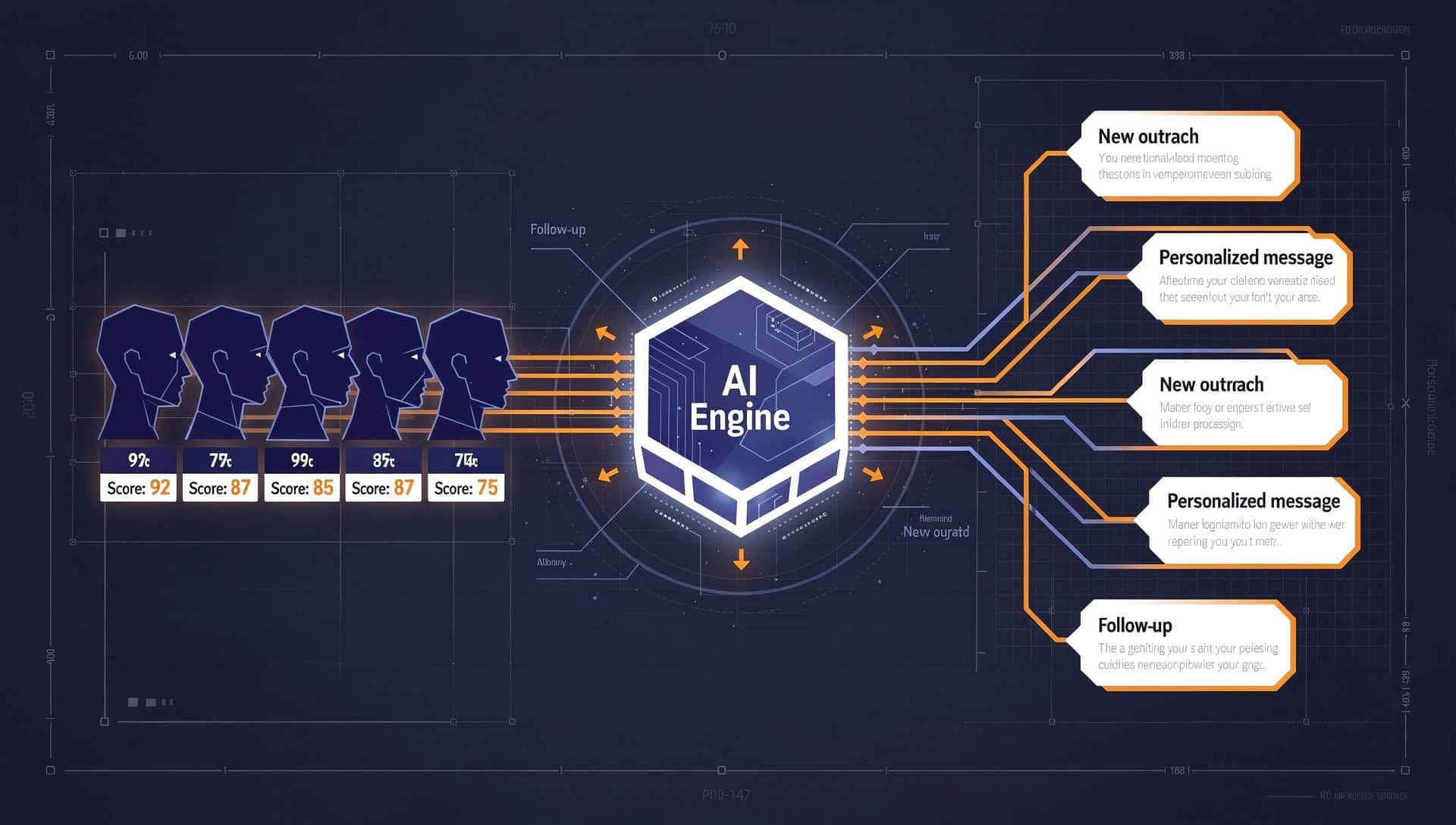
This is where the community has gone deepest. B2B workflows are a natural fit because the tasks are repetitive, the data is structured, and the ROI is easy to measure.
The most-cited setup I’ve seen is a LinkedIn prospecting pipeline using the BeReach community skill. The agent scrapes target profiles matching specific criteria (job title, company size, recent activity), scores them against your ideal customer profile, and drafts personalized outreach messages for your review.
The whole pipeline runs overnight and leaves you a sorted queue in the morning. What used to take a full day of manual research gets compressed into a 20-minute review session.
A few other business use cases worth noting:
- Client report generation: An agent that pulls data from multiple sources (Google Analytics, a CRM, a spreadsheet), formats it into a weekly report template, and emails it to a distribution list automatically every Friday
- Competitor monitoring: Agents that watch competitor pricing pages, product pages, and job boards, then alert you when something meaningful changes
- Invoice and contract processing: An extraction agent reads incoming PDFs and routes the structured data to the right place, whether that’s a spreadsheet, an accounting tool, or a Slack channel
- Lead enrichment: After a prospect fills out a form, an agent pulls their LinkedIn, company website, and recent news before a call, and drops a brief into your notes app
| Workflow | Time saved per week | Complexity to build | |
|---|---|---|---|
| LinkedIn prospecting pipeline | 8-12 hours | Medium | |
| Competitor price monitoring | 2-3 hours | Low | |
| Weekly client reporting | 3-5 hours | Medium | |
| Invoice routing and extraction | 4-6 hours | Low | |
| Lead enrichment before calls | 1-2 hours | Low |
If you want a ready-made toolkit for building custom agent pipelines like these, Dynamiq gives you a visual builder that handles the orchestration layer and connects to most business tools out of the box.
OpenClaw for Finance and Investing

Personal finance automation is the second category where I’ve seen genuinely sophisticated setups. These range from simple price alerts to multi-signal research agents that run before you decide to buy anything.
The most useful setup for anyone managing a portfolio is a morning briefing agent. It pulls overnight price moves for a watchlist, scans recent headlines for any companies you hold, checks for earnings announcements in the next two weeks, and formats everything into a two-minute read that lands in Telegram before you’ve made coffee.
According to a 2024 Statista survey, 43% of retail investors say they miss actionable signals because they don’t have time to monitor sources manually. This is the direct fix for that.
More advanced versions I’ve come across:
- A crypto arbitrage monitor that watches spreads across exchanges and notifies you when a gap exceeds a threshold you set
- A dividend tracking agent that logs payout dates across a portfolio and reminds you seven days before each one
- A news-to-sentiment pipeline that reads earnings call transcripts and scores them on a simple positive/negative/neutral scale before you read the full thing
- A subscription tracker that monitors your bank statement exports and flags new recurring charges you haven’t categorized
The finance use cases work especially well because the data is available, the outputs are personal and private (no concern about sending AI-generated content to customers), and the stakes are high enough that even a small time advantage is worth building for.
OpenClaw for Software Development Teams
One of the more creative applications I’ve seen is using OpenClaw to build a lightweight AI development team, where different agents handle different parts of the workflow.
A project lead agent breaks down a feature request into tasks. A code review agent checks PRs for common issues before a human reviewer sees them. A documentation agent keeps a running changelog updated after each merge.
None of these agents write production code autonomously. That’s not the point. The point is removing the coordination overhead that slows teams down: the back-and-forth on unclear tickets, the documentation that never gets written, the review queue that builds up on Friday afternoons.
Individual developers use OpenClaw for:
- Auto-generating test scaffolding from function signatures
- Drafting commit messages and PR descriptions from diffs
- Monitoring error logs and grouping recurring issues before a daily standup
- Pulling open issues from GitHub and sorting them by priority score based on labels, comments, and age
The Dynamiq platform handles multi-agent coordination particularly well if you’re building something where agents need to pass structured data between each other reliably.
For single-agent dev workflows, the community skill library inside OpenClaw has most of what you need already built.
OpenClaw for Personal Life
The use cases here are less flashy than the business ones, but they’re the ones people keep running the longest because the value is immediate and personal.
Family automation came up repeatedly in what I’ve seen from long-term users. A medication reminder agent that checks a shared family calendar and sends a Telegram message to whoever needs to take something.
A grocery restocking agent that monitors a shared list and adds items to an online order when they drop below a threshold. A kids’ activity tracker that pulls upcoming school events from an email inbox and formats them into a weekly family summary.
Other personal automation worth building:
- A reading list agent that monitors RSS feeds for articles matching topics you care about, scores them by relevance, and surfaces the top five each morning
- A travel deal monitor that watches flight prices for routes you search repeatedly and notifies you when a price drops below your threshold
- A home maintenance scheduler that tracks service dates for appliances and reminds you before warranties expire or service intervals pass
- A weekly review agent that pulls your completed tasks, calendar events, and notes from the week and generates a brief summary to help you plan the next one
The Telegram integration makes personal agents stick in a way that email-based alerts don’t. A message in a Telegram channel you’ve named “Home Agents” feels different from another notification in an already-noisy inbox.
If you want a browser-based AI assistant that handles research and content tasks while your local agents handle data and monitoring, Sider AI pairs well with an OpenClaw stack.
How to Build Your First Non-Demo Agent
If you’ve only run the tutorial examples, here’s the sequence I’d suggest for building something genuinely useful:
- Pick one repetitive task you do manually at least once a week. Not something ambitious. Something boring.
- Map the inputs and outputs. What data does the task need? What should it produce? Where should the output go?
- Check the community skill library first. Someone has likely built 80% of what you need. Fork it and adjust rather than starting blank.
- Deploy on a schedule, not on-demand. Agents you trigger manually rarely become habits. Scheduled agents run whether you remember to start them or not.
- Use Telegram for output delivery. Email gets lost. Telegram messages in a dedicated channel are easy to scan and act on.
- Add one agent at a time. Get one working reliably before you build the next one. Multi-agent systems are much easier to debug when you know each piece works independently.
The first agent you build won’t be the most impressive one. It’ll be the one that saves you 45 minutes next Tuesday without you having to do anything. That’s the one worth starting with.
