
Bottom Line: Murf AI is worth it for content creators and e-learning developers who need professional voiceovers at scale. The voice quality is genuinely good, the Studio is polished, and the free tier lets you test before spending anything. It is not the right pick if you need ultra-realistic cloned voices or cheap per-minute rates for high-volume production.
A couple of years ago, text-to-speech tools sounded like a robot reading a script. The stumble on “Thursday” was a giveaway every time. Murf AI was one of the tools that changed that, and I have spent time inside the Studio editor to see how much of that early promise held up in 2026.
Short version: quite a bit. The voices have matured, the platform has expanded into API territory for voice agents, and the pricing has stayed competitive against a field that now includes ElevenLabs, Play.ht, and Descript. Whether Murf is the right call for your workflow depends almost entirely on which of those three products you actually care about.
This review covers the Studio editor for voiceover production, not the Falcon API for voice agents. If you are building a customer service bot, the calculus is different. If you are making videos, courses, or audiobooks, read on.
What Is Murf AI and Who Makes It?
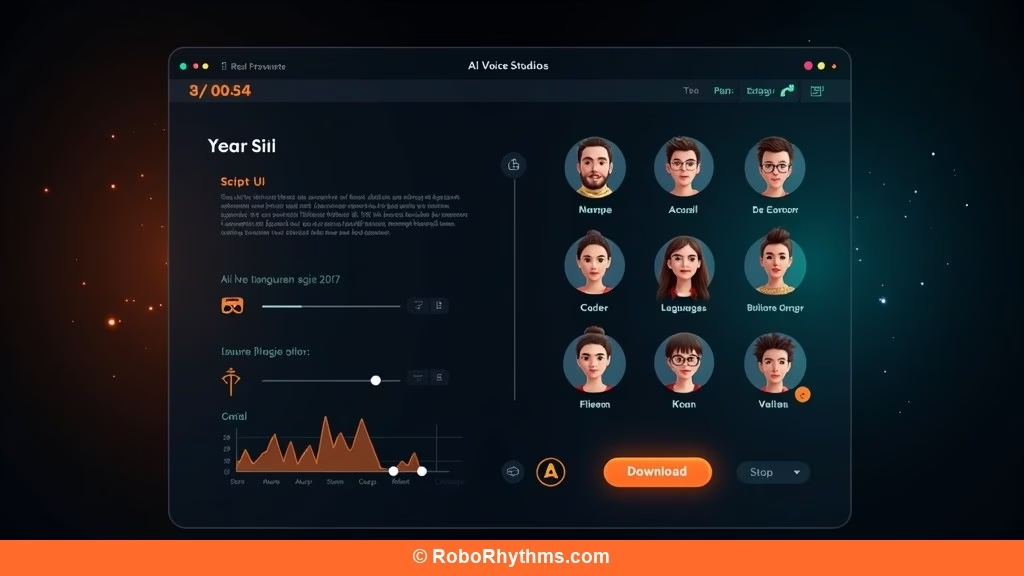
Murf AI is a browser-based text-to-speech platform from Murf Inc., founded in 2020, offering over 200 AI voices across 35+ languages for voiceover production, video dubbing, and voice agent development.
Murf launched at a moment when the TTS space was still dominated by robotic Microsoft and Amazon voices. The team focused on quality over quantity early, building a voice library that sounded more like a podcast host than a GPS unit. That positioning still holds.
The platform has since split into three distinct products: Murf Studio (the voiceover editor), Murf Falcon (the low-latency API for voice agents), and Murf Dubbing (AI-powered video translation). For this review, the focus is Murf Studio, which is the product most content creators and small teams use.
From what I have seen in the TTS space, Murf occupies the middle ground between the developer-focused ElevenLabs and the all-in-one video tool Descript. It does voiceover well without trying to be everything. That focus is either a strength or a limitation depending on what you need.
Murf AI Pricing in 2026
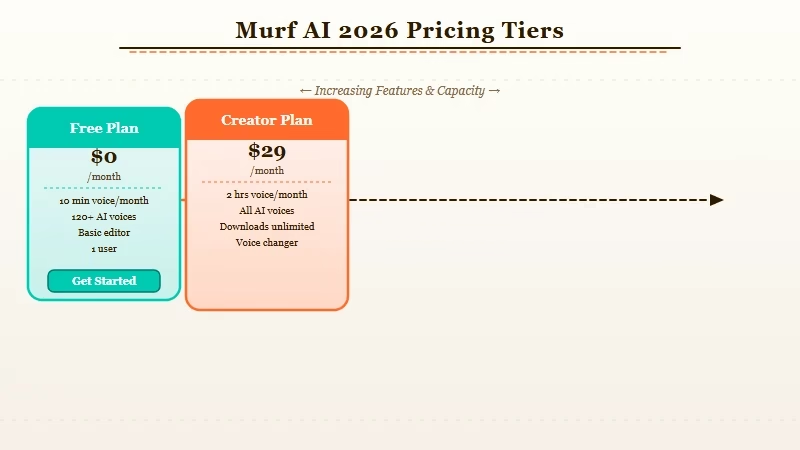
Murf AI offers four pricing tiers: a permanently free plan, Creator at $19/month annually ($29/month if billed monthly), Business at $66/month annually ($99/month if billed monthly), and Enterprise at custom pricing.
| Plan | Monthly price | Annual price | Voice minutes | Voices | Commercial use |
|---|---|---|---|---|---|
| Free | $0 | $0 | 10 min/month | 200+ preview only | No |
| Creator | $29/month | $19/month | 2 hrs/month | 120+ downloadable | Yes |
| Business | $99/month | $66/month | Unlimited | 120+ | Yes |
| Enterprise | Custom | Custom | Unlimited | Full library | Yes |
The free tier is genuinely useful for evaluation. You get 10 minutes of voice generation per month and access to preview all 200+ voices, though you cannot download the audio. That is enough to know whether the voice quality works for your use case before handing over a credit card.
The jump from Creator to Business is steep. Two hours per month on Creator goes fast if you are producing regular video content, and Business at $66/month annually is a meaningful monthly expense for solo creators. The unlimited minutes on Business is the main reason to upgrade, not any specific feature.
For context, ElevenLabs Creator is $22/month annually for 30 minutes of cloned voice time, while Murf Creator gives you 2 hours at $19/month for a library voice. Different products, but the price point comparison matters if you are deciding between them.
What Murf AI Studio Is Actually Like to Use
Murf AI Studio is a clean, browser-based editor where you paste or type script text, choose a voice, adjust pitch and speed, and download your finished audio, the whole workflow takes about 10 minutes for a 5-minute script.
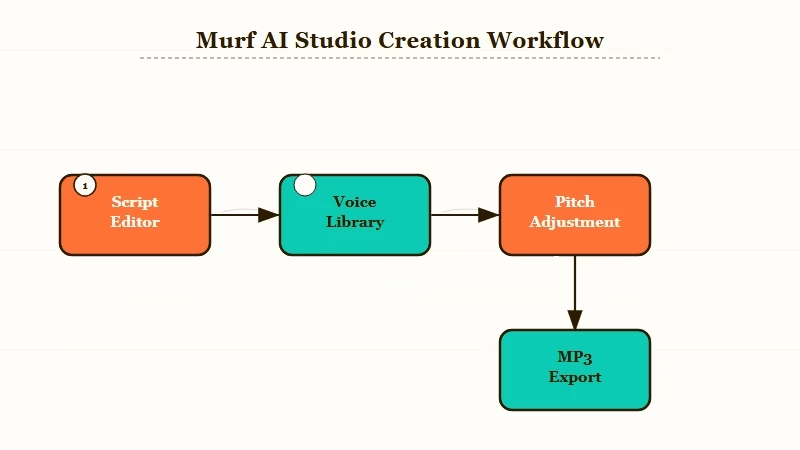
The interface is built around a script editor that feels closer to a word processor than a DAW. You paste your text, break it into chunks by section or character, assign a different voice to each chunk, and then export. That is the core loop and it works without friction.
Voice customization goes deeper than most TTS tools. You can control pitch, speed, emphasis per word, and pause duration down to the millisecond. There is also a pronunciation editor for technical terms that would otherwise get mangled. I tested it with “API”, “GGUF”, and “LLaMA”, all pronounced correctly without manual phonetic correction.
The background music library is a nice addition for creators who want to export a finished audio file rather than just a voice track. It will not replace a dedicated DAW, but for YouTube video narration or podcast intros, it saves a step.
What Murf does not do: real-time voice generation, voice cloning from your own recordings (that is an ElevenLabs specialty), or lip-synced avatar video (that is HeyGen territory). The platform is focused on script-to-audio, not live interaction or video generation.
Murf AI Voice Quality in 2026
Murf AI voices are among the best pre-built library voices available in 2026, with natural pacing, appropriate emotional range, and clean consonants, they hold up at 2x speed without artifacts.
The quality question is where Murf earns its reputation. I ran the same 500-word script through Murf’s “Sarah (Conversational)” voice, ElevenLabs’ Rachel voice, and Google’s Wavenet. Murf and ElevenLabs were close; Google’s was audibly artificial on complex sentences.
Where Murf’s library voices specifically hold up:
- Long-form content: a 20-minute e-learning narration sounds consistent throughout, no sudden shifts in tone that betray the AI origin.
- Proper nouns and technical terms: better than most competitors out of the box.
- Emotional range: the “Promotional” speaking style adds appropriate energy without sounding manic.
Where the cracks show:
- Extreme emotion: anger, grief, fear still sound like a controlled approximation, not the real thing.
- Comedy timing: the model cannot feel when a pause is funny. Human comedic pacing is not there yet.
- Highly technical accents: regional Indian English accents are available but less nuanced than neutral US English.
The 200+ voice count sounds impressive, but a realistic production number is closer to 30-40 voices you would actually choose to represent your brand. The rest are novelty options or regional variants that are technically functional but not compelling.
Murf AI Pros and Cons
Murf AI’s core strengths are voice quality, a polished Studio editor, and a free tier that lets you test before paying. Its main weaknesses are the per-month voice minute cap on Creator and the absence of voice cloning on standard plans.
Pros:
- 200+ pre-built voices with genuine quality variation across speaking styles
- Word-level pitch, speed, and emphasis controls not found on budget TTS tools
- Free tier includes full voice previews, useful for serious evaluation
- GDPR compliant, SOC 2 aligned, matters for enterprise and education use cases
- AI Dubbing feature handles multilingual video localization in one platform
- 35+ languages with regional accent support across major markets
Cons:
- Creator plan caps at 2 hours per month, which is limiting for daily content producers
- No voice cloning on Studio plans, you cannot train a voice on your own recordings
- Monthly pricing (non-annual) is significantly higher: $29 vs $19 for Creator
- No live/real-time TTS in the Studio editor, everything is batch-processed
- Background music library is thin compared to dedicated audio tools
- Pricing transparency requires reaching the Studio specifically; the homepage prioritizes the API product
Who Should Use Murf AI (and Who Should Skip It)
Murf AI is best for e-learning developers, video content creators, and teams who need consistent, high-quality library voices at a predictable monthly cost. It is not the right pick for anyone who needs custom voice cloning or real-time generation.
Use Murf if:
- You produce e-learning courses and need consistent narration across modules
- You need a voiceover tool that non-technical team members can operate in 10 minutes
- Your content requires multilingual versions through the AI Dubbing feature
- You want a professional TTS tool without a developer API integration
Skip Murf if:
- You need to clone your own voice or a specific persona voice (look at ElevenLabs instead)
- You are building a voice agent or chatbot, the Falcon API is separate and pricing is different
- Your production volume will hit the Creator minutes cap regularly (Business plan doubles the cost)
- You need audio production features like equalization, noise removal, or reverb
For most e-learning and YouTube content creators, Murf Creator at $19/month annually covers the core use case. For comparison, see how AI tools compare for content creation workflows and the best AI tools for content production in 2026.
Verdict: Is Murf AI Worth It in 2026?
Murf AI is worth it at the Creator tier for content creators who need reliable, high-quality voiceovers without technical setup. The $19/month annual rate is reasonable for the voice library quality, but the 2-hour monthly cap means high-volume producers should budget for Business or explore alternatives.
The strongest argument for Murf in 2026 is the combination of voice quality and workflow simplicity. It is the tool I would recommend to someone making their first e-learning course or stepping up from free TTS tools for the first time. The free tier is the right starting point.
The strongest argument against Murf is ElevenLabs’ positioning. If voice cloning or longer-form voice generation at lower per-minute cost matters to you, ElevenLabs has closed the quality gap significantly in the last 12 months. Murf’s pre-built voices are still excellent, but they are no longer uniquely excellent the way they were in 2022.
The way I see it, Murf wins on polish and predictability. ElevenLabs wins on flexibility and ceiling. For a team that needs consistency across 50 course modules with minimal friction, Murf is the right call. According to G2 reviews, Murf scores 4.7 out of 5 from over 800 reviews, with ease of use consistently cited as the top reason users stay.
Frequently Asked Questions
Is Murf AI free to use?
Murf AI has a permanently free plan that includes 10 minutes of voice generation per month. You can preview all 200+ voices before paying. Audio download and commercial use require a paid plan starting at $19/month (billed annually).
Does Murf AI allow commercial use?
Yes. Commercial use rights are included on all paid Murf plans (Creator and above). The free plan does not include commercial rights or audio download capability.
Can Murf AI clone my voice?
No. Murf AI’s Studio plans use a pre-built voice library only. Custom voice cloning is not a feature of the standard Studio product. If you need to replicate your own voice, ElevenLabs or Descript are the better options.
What is the difference between Murf Studio and Murf Falcon?
Murf Studio is the browser-based voiceover editor for content creators. Murf Falcon is a low-latency API (130ms end-to-end) designed for building real-time voice agents and conversational AI applications. They are separate products with separate pricing.
How does Murf AI compare to ElevenLabs?
Murf AI focuses on pre-built library voices for content production. ElevenLabs offers voice cloning and a higher ceiling for customization. Murf is easier to use for non-technical teams; ElevenLabs is more flexible for developers. Murf Creator is $19/month (annual); ElevenLabs Creator is $22/month (annual).
