
The Verdict: n8n wins for developers and AI agent workflows, especially if self-hosting is an option. Make.com wins for non-technical users and teams that need the fastest path to a working automation. The pricing model difference is the most important factor: Make charges per operation, n8n charges per execution run.
I have built automations in both. The tools are more different than they look at first glance.
Make.com looks like n8n. Both have visual workflow editors with nodes and connections. Both connect to hundreds of services. Both can run on a schedule or on a trigger. The similarity ends there.
The gap shows up when you try to build something with more than five steps, or when you try to connect an LLM to your workflow and have it make real decisions. At that point, the two tools behave very differently and the pricing model becomes a practical problem.
If you have already set up basic workflow automation and want to extend it with Claude or another AI model, the MCP and Claude AI employee guide covers that architecture in more detail. This comparison focuses on choosing the right base platform before you build anything.

What Make.com and n8n Are
Make.com is a visual no-code automation platform designed for non-technical users; n8n is an open-source workflow builder designed for developers who want full control. Both automate tasks between apps but they serve fundamentally different audiences.
Make.com (formerly Integromat) connects 3,000+ apps through a drag-and-drop visual canvas. You build a scenario, set a trigger, and connect modules without writing a line of code. Anthropic, HubSpot, Slack, Notion, Google Workspace, all available out of the box.
n8n has 400+ native nodes plus 600+ community-built ones. The interface has a visual editor but it still expects you to understand HTTP requests, JSON structures, and basic scripting.
The payoff is n8n 2.0’s native AI Agent node with LLM integration and ReAct-style reasoning. No other mainstream automation platform has anything comparable as of April 2026, which matters a lot if AI decision-making is part of your workflow.
The self-hosting option separates them further. Make.com is cloud-only. n8n’s Community Edition is free, open-source, and runs on any server you control. For regulated industries or anyone with data residency requirements, n8n is the only realistic option between the two.
Make.com vs n8n Pricing Compared
Make.com charges per operation, n8n charges per execution run, and this difference makes n8n dramatically cheaper for complex multi-step workflows. If your automation has 10 steps and runs 1,000 times per month, Make counts 10,000 operations. n8n counts 1,000 executions.
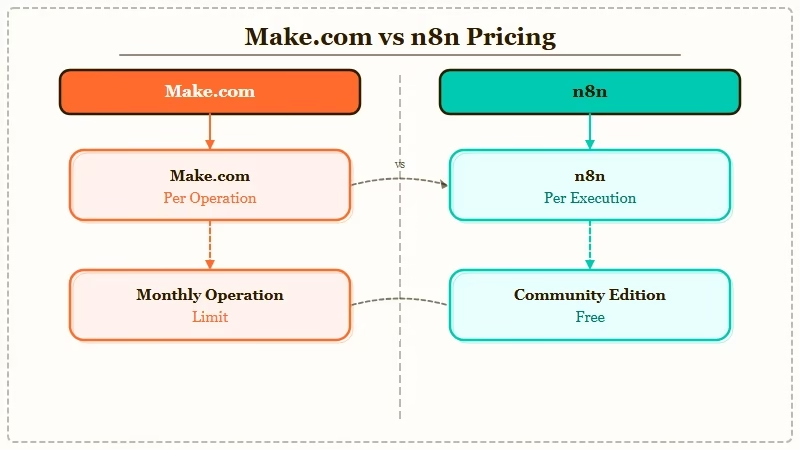
Here is the full pricing breakdown:
| Plan | Make.com | n8n |
|---|---|---|
| Free | $0 (1,000 ops/month) | $0 (self-hosted, unlimited runs) |
| Entry paid | $9/month (10,000 ops) | $24/month (2,500 executions) |
| Mid tier | $16/month Pro (10k+ ops, custom vars) | $60/month (10,000 executions) |
| Teams | $29/month (10k+ ops, role-based access) | $800/month Business (50,000 runs) |
| Enterprise | Custom | Custom |
The free tier gap is the biggest practical difference. n8n self-hosted is genuinely free with unlimited runs. The only cost is your server, which can be as low as $4/month on Hetzner. Make.com’s free tier caps at 1,000 operations per month, which is easy to exhaust in a week of active use.
For teams on the cloud-only path, Make’s Core plan at $9/month is more accessible than n8n’s $24/month Starter. But once workflows grow beyond a few simple steps, the per-execution model makes n8n more predictable and often cheaper.
Which Platform Handles Complex Workflows Better
n8n is the stronger platform for AI agent workflows, multi-step data processing, and any use case that involves LLM decision-making. Make.com is stronger for rapid prototyping with non-technical stakeholders. The divergence is most visible when you try to build something that requires branching logic or LLM tool calls.
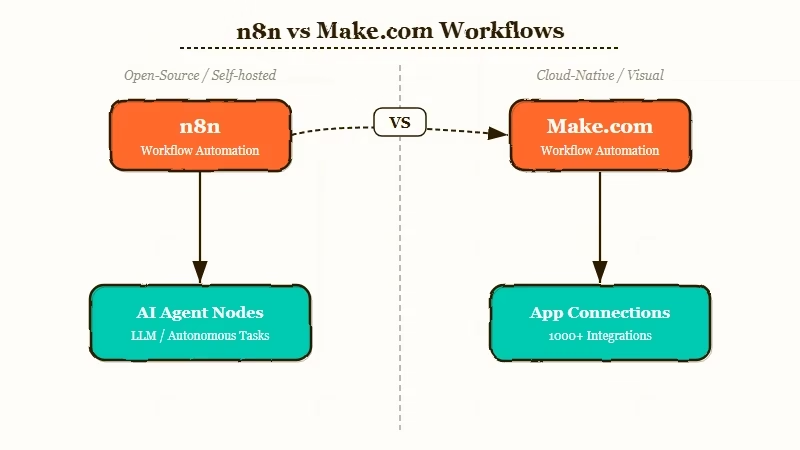
Here is where each platform stands on specific capabilities:
- AI agent nodes: n8n has dedicated LLM nodes, an Agent node with ReAct reasoning, and native integrations with Anthropic, OpenAI, and Gemini. Make.com has basic HTTP request nodes that can call AI APIs but no native agent architecture.
- Error handling: n8n gives you granular error flow control per node. Make.com handles errors at the scenario level, which is simpler but less flexible.
- Data transformation: n8n supports JavaScript execution inside the workflow. Make.com is limited to its built-in operators without third-party tools.
- Scheduling: Both platforms support cron-based scheduling. Make.com’s minimum interval is one minute on paid plans. n8n has no effective minimum.
- Version control: n8n workflows are JSON files you can commit to Git. Make.com workflows live in the cloud with no native version history.
From what I have seen in production, the breaking point for Make.com users tends to be around 8 to 10 node workflows. Past that, the operations cost and the visual canvas both become harder to manage.
Make.com’s free plan is a fast way to test whether the visual canvas works for your specific use case before committing to a paid tier.
Who Should Choose Make.com
Make.com is the right choice if you need automations running in days, not weeks, and the people configuring them are not developers. The visual interface, the 3,000+ pre-built app connectors, and the documentation quality are genuinely better than n8n for non-technical users.
The strongest Make.com use cases:
- Small teams where the ops person, not an engineer, will build and maintain automations
- Agencies that build workflows for non-technical clients who need to edit them later
- Simple CRM-to-email or form-to-spreadsheet pipelines that don’t require custom logic
- Companies where cloud-only SaaS is the default and self-hosting adds complexity
The best Claude Code skills guide covers how AI coding assistants are starting to bridge the gap for less technical users, but for people who genuinely do not write code, Make.com is still the faster starting point.
Who Should Choose n8n
n8n is the right choice if you want to build AI-connected workflows, self-host your automation infrastructure, or run complex multi-step pipelines without worrying about per-operation costs. The steeper learning curve pays back quickly once you need anything beyond simple app-to-app syncing.
The strongest n8n use cases:
- Developers building internal tools that connect APIs and external services
- AI agent pipelines where Claude, GPT, or a local model needs to make decisions mid-workflow
- Teams with data residency requirements that rule out cloud-only platforms
- High-volume workflows where per-operation pricing on Make would become expensive
The execution-based pricing is the practical clincher. A 15-step workflow running 5,000 times per month costs Make.com potentially 75,000 operations. On n8n’s $60 Pro plan, it costs 5,000 executions, well within the 10,000-execution monthly limit.
Make.com vs n8n Final Verdict
Make.com wins on ease of use and speed to first automation; n8n wins on pricing, AI agent capability, and long-term scalability. The right choice depends on who is building the workflows and how complex they need to be.
The Claude Code source leak published this week revealed KAIROS, Anthropic’s internal autonomous agent using webhooks and cron cycles. That architecture maps directly onto n8n’s strengths, which is probably not a coincidence.
| Criterion | Make.com | n8n |
|---|---|---|
| Ease of setup | Winner | Steeper curve |
| Pricing model | Per-operation (less predictable) | Per-execution (more predictable) |
| Free tier | 1,000 ops/month | Unlimited (self-hosted) |
| AI agent support | Basic | Native LLM nodes + Agent node |
| Self-hosting | No | Yes (Community Edition) |
| Best for | Non-technical teams | Developers + AI workflows |
| Entry price | $9/month | Free (self-hosted) or $24/month (cloud) |
If you are just getting started and need something working this week, Make.com. If you are building AI-connected workflows or need to keep costs predictable at scale, n8n.
