
Bottom Line: Make.com is the right pick if you are building multi-step AI workflows with conditional logic, fan-out branches, and HTTP calls to APIs that Zapier does not natively support. It is the wrong pick if you want set-and-forget simplicity, because the credit system bleeds operations on filters, polling triggers, and routers in ways the headline pricing hides. Solo operators usually find the Pro tier at $18.82 per month the honest floor for real production work.
Make.com is the platform every “I built an AI agent in a weekend” Twitter thread eventually points back at, and after a few months of building real automations on it, the picture is more interesting than the marketing suggests.
The visual canvas is real. The 3,000-plus app integrations are real. The “3 to 5 times cheaper than Zapier” line is also real, but only if you count operations the way Make’s accounting does, which is not the way most reviewers count them.
The way I see it, the conversation about Make.com versus Zapier has been stuck in surface-feature comparisons for two years.
The real question for a 2026 AI operator is: which platform survives contact with a workflow that calls three APIs, branches conditionally, retries on failure, and runs every five minutes for a quarter without breaking the budget? On that test, Make wins on flexibility and loses on predictability, and the trade is worth understanding before you commit.
What you get in this review is the honest math on the credit system, the four pricing tiers explained in real-operator terms, the AI features that ship today versus the ones still positioning as roadmap, and a clear answer on who should pick Make versus the two main alternatives in the same niche.
What Is Make.com in 2026?
Make.com is a visual workflow automation platform that connects 3,000-plus apps via a node-based canvas, billed per operation rather than per task.
It is the second-largest no-code automation platform after Zapier, with a strongly different cost model and a more flexible branching engine. The 2026 product line includes the visual builder, Make Grid for cross-scenario observability, Make Code for inline JavaScript and Python execution, and a growing set of AI agent modules.
The conceptual model is straightforward. Each scenario is a chain of modules. Each module that fires consumes one operation.
A scenario triggered by a webhook with five action modules consumes six operations per run. That is the simple case. The interesting case is what happens when you add filters, routers, iterators, polling triggers, and AI calls, because each of those also consumes operations in ways that are not obvious from the brochure.
Make.com has been positioning itself as the operator-friendly automation platform since the rebrand from Integromat in 2022, and the 2026 product looks like that positioning has matured.
The visual debug view shows the exact JSON payload at every node, the error handlers let you build retry-with-backoff branches without external code, and the Make Code module lets you escape into JavaScript or Python when the no-code path stops being faster than just writing the function.
The Make versus n8n comparison covers the n8n alternative for self-hosted setups, but for most solo AI operators Make is the more shippable starting point.
Make.com Pricing Tiers and the Credit Trap
Make.com bills on operations, not tasks, and the credit math gets dangerous around filters, polling triggers, and AI calls.
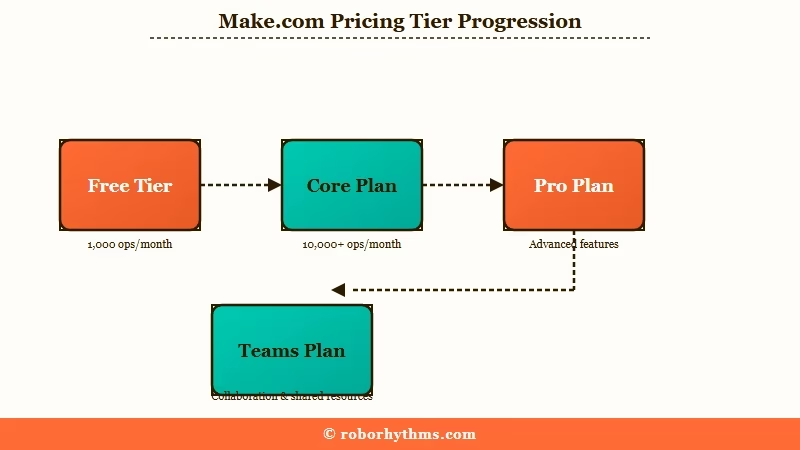
The five tiers cover Free, Core, Pro, Teams, and Enterprise. Annual billing knocks roughly 20 percent off monthly rates. Real cost-of-ownership for a solo operator running production workflows lands at the Pro tier, not Core, because of how operations get consumed in practice.
| Tier | Monthly (annual) | Operations | Scenarios | Scheduling min | Best for |
|---|---|---|---|---|---|
| Free | $0 | 1,000 | 2 active | 15 min | Trying the canvas |
| Core | $10.59 | 10,000 | Unlimited | 1 min | Testing real flows |
| Pro | $18.82 | 10,000 | Unlimited | 1 min | Solo production work |
| Teams | $34.12 | 10,000 | Unlimited | 1 min | Small agency or startup |
| Enterprise | Custom | Custom | Unlimited | 1 min | High-volume agencies |
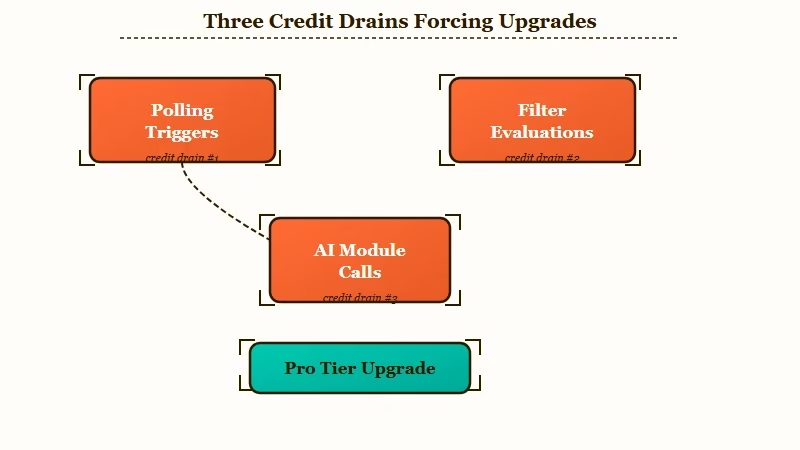
The numbers look generous until you start running real scenarios. Three credit drains catch new operators in the first month, and they are worth naming explicitly because the platform does not flag them in the UI until you have already burned through the month’s allowance.
Drain 1 is the polling trigger. If your scenario is set to “check for new rows in this Google Sheet every 15 minutes,” that trigger fires 96 times per day or 2,880 times per month, and each fire consumes one operation regardless of whether new data showed up. A workflow that runs only when something new arrives still pays for the entire month of empty checks.
Drain 2 is the filter. Every filter you add to a scenario is billed as an operation when it evaluates, even when the filter returns “do not proceed.” If a workflow runs 10,000 times a month and has three filters in the chain, that is 30,000 filter evaluations on top of the action operations. The Core tier evaporates fast under that load.
Drain 3 is the AI module. A single AI agent call can consume 2 to 10 operations depending on the model, the function calling, and the response parsing. AI workflows look cheap on the per-call dashboard until you add up the multi-step chains, at which point Pro tier is the practical floor.
The honest math for a solo operator running real production work is that Core is a tryout tier and Pro is the real entry point. Teams matters only when you have multiple humans editing the same scenarios, and Enterprise is the call-us tier for high-volume agencies. Anyone telling you Core is enough for production has not run filters at scale.
Vague: “Make.com gives you 10,000 operations a month so you can run a lot of automations.”
Specific: “Make.com Core gives you 10,000 operations. A single scenario with three filters, two routers, an AI agent call, and four action modules consumes 11 to 14 operations per run. At 1,000 runs per month that scenario alone burns 11,000 to 14,000 operations and overruns the tier. Pro tier at $18.82 per month is the realistic floor for a solo production operator running anything more complex than a webhook-to-Slack relay. Sign up for Make.com here.”
What Make.com Does Well in 2026
Make.com wins on flexibility, error handling, and observability, three places where Zapier and most lighter automation tools still trail it.
The visual canvas plus the per-step debug view plus the built-in error handler combine into a platform you can run a real business on, even if the credit math demands discipline.
Five capabilities are worth calling out specifically.
- Branching and routing. The router module lets a single scenario fan out into multiple parallel branches with different conditions per branch. Zapier requires paid tiers for multi-step branching and the visual flow is harder to follow. n8n offers the same primitive but the hosted experience is rougher.
- Inline code execution. The Make Code module accepts JavaScript or Python at 2 credits per second of execution. For an AI operator who wants to call an internal API, parse a response, or transform data on the fly without standing up a separate function, this is the unlock. The cost-cutting router pattern covers when to drop into code versus stay in modules.
- Detailed execution logs. Every scenario run produces a step-by-step log with the input and output JSON at each module. Debugging a broken workflow takes minutes, not the hour it usually takes in Zapier’s collapsed task history. Pro tier adds full-text search across logs which is the feature that earns the upgrade.
- Error handlers and retries. Each module can have an attached error handler branch with conditional logic: retry with exponential backoff, send to a dead-letter scenario, alert via Slack, or roll back partial work. This is the production discipline that makes Make survive contact with real APIs that go down at 3am.
- HTTP module for any API. When Make does not have a native integration for a tool you need, the HTTP module accepts any REST API call with custom headers, query parameters, and JSON payloads. The 3,000-plus native integrations cover most needs, but the HTTP escape hatch covers the rest.
What this combination buys is the ability to ship workflows that look like real software rather than glue. The multi-agent distributed pattern leans on this kind of orchestration when you have multiple agents calling tools across services, and Make is one of the platforms where that pattern reliably runs without weekend pager duty.
Where Make.com Falls Short
The credit accounting, the learning curve past the basics, and the AI module gap are the three places where Make.com costs you more than the price tag suggests.
Each one is fixable with experience, but they are not flagged anywhere in the marketing and they catch every operator in the first month.
Four honest criticisms worth knowing before signing up.
- The credit system rewards expertise, not naivety. A new operator who builds a “good enough” scenario typically uses 2 to 3 times the operations of an experienced operator solving the same problem. The 19-hour Make Academy estimate floating around the community for production-grade competence is plausible. Budget that time.
- AI modules are positioned as native, but they are not. Make markets itself as “AI-native,” but in practice you bring your own OpenAI, Anthropic, or other API keys, manage your own rate limits, and pay for the model usage separately. The AI modules in Make are convenience wrappers, not bundled inference. This is fine for operators who already pay for AI APIs but misleading for first-time buyers.
- No SOC 2 below the Enterprise tier in most regions. For regulated clients (financial services, healthcare-adjacent, EU-resident data) the compliance floor is Enterprise pricing, which is opaque and quote-based. Solo operators serving regulated clients should know this before pitching.
- The mobile experience is unusable for real work. The canvas is desktop-only in practice. Tablet works for monitoring, not for editing. If you build on the road this matters.
The compounding effect of all four is that Make is the right answer for an operator who has already chosen automation as a competence and is willing to invest in it. It is the wrong answer for an operator who wants automation as a side-effect of running a different business.
| Workflow type | Best on Make | Best on Zapier | Best on n8n |
|---|---|---|---|
| Simple two-app relay | OK | Best | OK |
| Multi-step AI agent chain | Best | Slow and expensive | Tied |
| Self-hosted with custom code | OK | Not available | Best |
| Regulated industry workflows | Enterprise tier only | Enterprise tier only | Self-host wins |
| Webhook to internal API | Best | OK | Best |
Who Should Pick Make.com and Who Should Skip It
Pick Make.com if you are an AI operator building multi-step workflows with conditional logic, error handling, and HTTP calls into APIs that Zapier does not natively support.
Skip Make.com if you want set-and-forget simplicity, if your workflows are mostly two-step linear relays, or if you need SOC 2 below the Enterprise tier.
The decision tree the way I would draw it for a stranger.
- Do you run workflows that branch on conditions, call APIs Zapier does not have native modules for, and need detailed logs for debugging? Pick Make.
- Do you want the simplest possible “this trigger fires, this action runs” experience without thinking about credit accounting? Pick Zapier.
- Do you want full control, self-hosting, and a community ecosystem that ships nodes faster than the vendor? Pick n8n. The Make versus n8n comparison covers the trade in detail.
- Are you a solo operator running production AI agent workflows with conditional logic? Pick Make Pro at $18.82 per month and budget 15 to 20 hours of Make Academy learning in the first month. Start a Make.com account.
For solo AI operators specifically, the Pro tier is the honest entry point. Core is too tight on operations once filters and routers enter the picture.
Teams is overkill until you have a second human editing scenarios. Enterprise is for agencies with compliance requirements.
According to Zapier’s own pricing comparison, the platforms agree that Make wins on cost-per-operation while Zapier wins on simplicity. Coming from the platform with the most reason to undersell the competitor, that is a useful concession. The AI agent infrastructure patterns cover the broader production-grade context this fits into.
Frequently Asked Questions
What counts as an operation in Make.com?
Every module execution counts as one operation. Triggers, actions, filters, routers, iterators, aggregators, and error handlers all consume operations when they fire. AI modules can consume 2 to 10 operations depending on the model and the function calling. A scenario with five modules running once consumes five operations.
Is Make.com really cheaper than Zapier?
Yes by a meaningful margin when measured per operation, but the gap is roughly 2.5 times, not the 3-to-5 times the marketing implies. Zapier counts tasks, Make counts operations, and a single Zapier task often equals 3 to 8 Make operations. The savings are real for high-volume workflows but smaller than headline numbers suggest.
What is the Make.com free plan good for?
The 1,000-operation free tier is a tryout tier, not a production tier. It is enough to test a workflow concept, validate that an integration works, or run a personal scenario like “post this RSS feed to Slack.” For any business workflow you will exhaust 1,000 operations in days.
Do AI modules in Make.com include AI API costs?
No. You bring your own OpenAI, Anthropic, or other API keys. Make charges operations for the module fire, you pay the AI vendor for the underlying tokens. Budget both line items when costing out an AI workflow.
Can Make.com run JavaScript or Python?
Yes via the Make Code module, billed at 2 credits per second of execution time. This is the most powerful single module for an AI operator because it lets you parse responses, transform data, and call internal APIs without standing up a separate Lambda or function.
How long does it take to learn Make.com properly?
Plan 15 to 20 hours of Make Academy plus a few weekends of building real scenarios before you are fluent. The visual builder is intuitive for a 5-module scenario in 10 minutes. Production-grade work with iterators, error handlers, and AI agent chains takes the longer investment.
The Honest Verdict
Make.com earns 8 out of 10 for an AI operator who is willing to invest the learning curve and budget the Pro tier as the floor. The platform is genuinely more capable than Zapier on branching, observability, and error handling. The credit accounting is honest but demanding. The AI positioning is louder than the native AI integration on offer, which is bring-your-own-key.
The buy signal is simple. If you are building workflows that branch, retry, call multiple APIs, and need to debug step-by-step when they break, Make is the right answer at the Pro tier.
If your workflows are simpler than that, Zapier costs more but pays for itself in saved learning time. If you want self-hosting, n8n is the better answer.
Sign up for Make.com at the Pro tier if you fit the profile. The free tier is enough to validate the canvas first if you want to confirm the visual model fits how you think before committing to the monthly bill.
