
What’s Changed: Janitor AI quietly added a length cap to proxy prompts in the latest UI update, and the cap is shorter than what most paid-proxy users have been running. The site already enforces a 10,240 character limit on messages, and the new proxy-prompt cap stacks on top. Here is how to identify whether your prompt is over the cap and how to rebuild it without losing your character’s behavior.
If you opened Janitor AI today and your custom proxy prompt suddenly refused to save, you are not alone. The platform pushed a UI update over the last 24 hours that added a length cap on proxy prompts, and users on r/JanitorAI_Official have been working through the rebuild process all day.
The official help docs have not been updated to name the new cap, which is making the workaround conversations on Reddit do most of the heavy lifting.
I have been watching the proxy-prompt scene on Janitor AI long enough to recognise this pattern. Every time the platform changes a structural limit, the first 48 hours are chaotic, and then the community settles on a stable rebuild template that everyone copies.
What follows is the practical version of that template, plus the diagnosis steps that tell you whether the cap is your real problem or whether the issue is the platform’s separate 10,240 character message limit hitting at the same time.
What Changed in the Janitor AI Proxy Prompt Limit
Janitor AI added a character cap on the proxy prompt field in early May 2026 that is shorter than the prior cap, breaking long custom system prompts that users had built around DeepSeek, Kimi K2, and OpenRouter proxies.
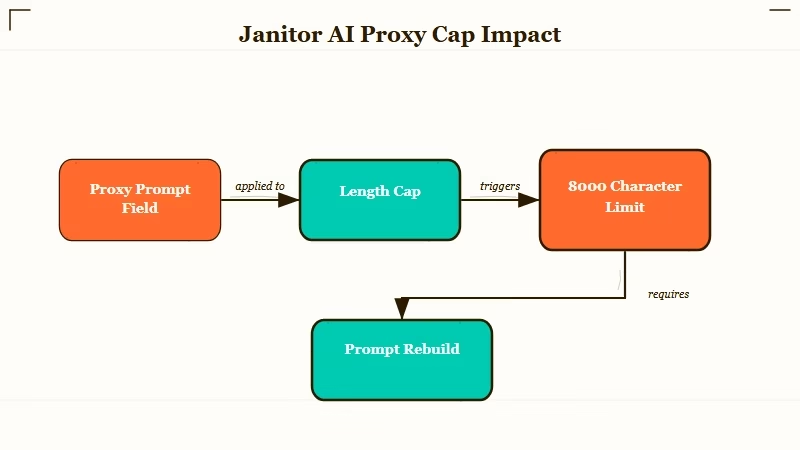
The new cap is structural, not optional. If your saved proxy prompt exceeds the new threshold, the platform refuses to save the prompt at all.
Some users are seeing a generic “message too long” warning that mirrors the existing 10,240 character message limit error, which is causing confusion about whether they are hitting the new cap or the old one.
The two limits are different and they stack:
| Limit | Threshold | Where it applies | Error message |
|---|---|---|---|
| Message size | 10,240 characters | Each message you send during chat | “message must be shorter than or equal to 10240 characters” |
| Proxy prompt size | New cap (likely 4,000 to 8,000 chars based on community reports) | The system prompt field in proxy settings | Generic “too long” or save failure |
| Daily message count (OpenRouter free) | 50 messages/day | Free OpenRouter tier through Janitor | OpenRouter rate limit error |
| Context window | 16,384 tokens recommended | Total context the model carries | Model performance degrades above 16k |
The community is still validating the exact threshold for the new proxy prompt cap. Reports on r/JanitorAI_Official cluster around 4,000 to 8,000 characters depending on the specific proxy backend, but the official help docs have not yet posted the canonical number.
For background on Janitor AI’s existing memory and context limits, the Janitor AI message limit breakdown covers what each model caps at, and the recent DeepSeek V4 proxy review walks through the proxy connection that is most affected by today’s change.
Why the Proxy Prompt Cap Matters
The proxy prompt is the system prompt that tells the external AI model how to behave inside Janitor AI, and a shorter cap forces users to rebuild prompts that have been refined over months without losing character voice, formatting rules, or output structure.
This is the part that is going to frustrate experienced users most. A well-built proxy prompt for a serious AI roleplay setup can run 6,000 to 12,000 characters once you account for the persona, the formatting rules, the dialogue conventions, the “do not do this” guardrails, the response-length guidance, and the context-anchor list.
If the new cap lands at 4,000 characters (the most pessimistic community estimate), most serious proxy users have to rebuild their prompts from scratch.
The reason the platform did this is almost surely cost-related. Every character in the system prompt gets sent to the proxy backend on every single message, which means a 12,000 character system prompt costs the platform real tokens against OpenRouter, DeepSeek, or Kimi K2 quotas multiplied by every message every user sends. Capping the prompt is the cleanest way to reduce that cost without raising prices.
The user impact is uneven across the community:
- New users with short basic prompts will not notice the change.
- Mid-tier users running 3,000 to 5,000 character prompts may need to trim a section but mostly still fit.
- Power users with 8,000+ character prompts get hit hardest and have to do real surgery on prompts they have spent months tuning.
If you fall into the third group, the rebuild work is real, but the structure that comes out the other end is usually leaner and runs faster anyway, since shorter system prompts produce more consistent model behavior at the same token budget in my experience.
What I would recommend before you rebuild is taking ten minutes to read your old prompt and circle the sections that have been load-bearing for character voice versus the sections that were padding you added during a frustrating session months ago. The padding usually accounts for half the character count.
How to Diagnose and Fix Your Prompt
The fix is to count your proxy prompt’s character length, identify the three sections that always run long, and rewrite each one using a tighter pattern that the community has validated for shorter caps.
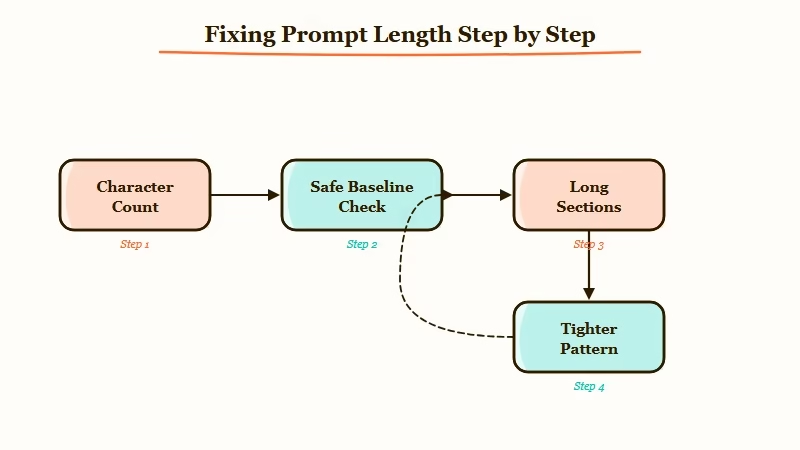
Run this five-step diagnostic before assuming the new cap is what is breaking you:
- Open your proxy prompt in a text editor that shows character count (most do, including VS Code, Notion, Apple Notes, Google Docs).
- Paste in your full proxy prompt and read the character count at the bottom or in the document properties.
- If the count is under 4,000 characters, the new cap is probably not your issue, and you may be hitting the older 10,240 message limit instead. Check your message length, not your prompt length.
- If the count is between 4,000 and 8,000, you are in the gray zone, and the right move is to trim to 4,000 as a safe target until the official cap is published.
- If the count is over 8,000 characters, you are definitely over the new cap, and the rebuild work is structural rather than cosmetic.
The three sections that always run long are the persona description, the formatting rules, and the example dialogue block. The rebuild pattern that survives a 4,000 character cap looks like this:
Before (typical bloated proxy prompt section): “You are an AI character named X. You have these personality traits: [long list]. You speak in a specific way: [paragraphs of voice rules]. You always do this: [list of behaviors]. You never do that: [list of guardrails]. Here are 5 example exchanges showing how you respond to different types of input: [200 lines of example dialogue].”
After (tightened to fit shorter cap): “You are X. Voice: [3 traits, 1 line each]. Format: [3 rules, 1 line each]. Examples: [1 short exchange showing voice, format, and tone in 5 lines].” Cut from ~3,500 chars to ~800 chars while preserving the model’s behavior.
The example dialogue is the section where most users overspend characters. Three short exchanges of 4 to 6 lines each will usually outperform one long 50-line example, because the model learns the pattern from variety rather than from depth.
What to Do If You Cannot Save Your Prompt
If the proxy prompt save button keeps failing and you have already trimmed below 4,000 characters, the issue is likely a different platform error stacked on top of the cap, and the workaround sequence below resolves it for most users.
The errors I have seen reported in r/JanitorAI_Official today fall into four buckets:
| Symptom | Likely cause | Fix |
|---|---|---|
| Save button greys out, no error | Browser cache holding stale UI state | Clear cache, reload, paste prompt fresh |
| “Message too long” error on save | Hitting either the 4,000 to 8,000 char proxy cap or the 10,240 char message cap | Count chars; trim to under 4,000 as safe baseline |
| Save works but prompt does not apply at chat time | Proxy backend (OpenRouter, DeepSeek) caching old prompt | Disconnect proxy, reconnect, paste prompt again |
| Prompt saves but chats now feel different | Cap may have stripped silent characters or formatting | Re-paste from a clean text editor, not from another browser tab |
For users who have lost their original prompt to the cap and cannot remember the full text, the recovery move is to check your browser history for the Janitor AI page from yesterday or earlier today.
Many users have the prompt cached in browser autofill or session state for the proxy settings page. If that fails, the community on r/JanitorAI_Official is sharing rebuild templates organized by character archetype, which is the fastest path to a working short prompt.
If today’s experience pushed you over the edge with Janitor AI’s platform changes, Nectar AI ships a similar AI roleplay platform with a longer system prompt budget and no daily message cap, which is the obvious switching destination for proxy users frustrated by today’s change.
For a wider view of what to switch to, the Janitor AI face photo verification fix covers another recent platform change that has been pushing users to look elsewhere.
Frequently Asked Questions
What is the new Janitor AI proxy prompt length limit?
Janitor AI added a length cap on the proxy prompt field in the latest UI update. The community is still validating the exact threshold, with reports clustering around 4,000 to 8,000 characters. Treat 4,000 characters as the safe baseline until the official help docs publish the canonical number.
Why is my Janitor AI proxy prompt not saving?
Three common causes: the prompt exceeds the new cap (count characters in a text editor), the browser is caching stale UI state (clear cache and reload), or the proxy backend is holding an old prompt (disconnect and reconnect the proxy).
Is the 10,240 character limit the same as the new proxy prompt cap?
No. The 10,240 character limit applies to individual messages you send during chat. The new cap applies to the system prompt in your proxy settings. The two limits are independent and you can hit either one separately.
How do I shorten my Janitor AI proxy prompt without losing character voice?
Trim three sections: the persona description (cut to 3 traits, 1 line each), the formatting rules (cut to 3 rules, 1 line each), and the example dialogue (use 1 to 3 short exchanges of 4 to 6 lines each instead of long single examples). Aim for under 4,000 characters total.
Are there alternatives to Janitor AI with longer prompt budgets?
Yes. SpicyChat, CrushOn AI, and Nectar AI all support longer system prompts and do not have today’s new cap. SillyTavern run locally has no cap at all but requires more setup. The right alternative depends on whether you want a hosted UX (CrushOn or Nectar) or maximum control (SillyTavern).
Did Janitor AI announce the new proxy prompt limit?
Not as of this writing. The change appeared in the UI update without a corresponding help-docs update, which is why the community on r/JanitorAI_Official is doing most of the validation work. Expect an official post within 48 to 72 hours based on past Janitor AI rollout patterns.
According to Statista’s AI companion adoption data, Janitor AI sits among the top five most-used AI roleplay platforms, which is the user base the platform is balancing against the cost pressure that drove this change. Expect the cap to settle into a stable number within a week.
