
What’s Changed: If your Janitor AI bots are disappearing from your profile, the cause is almost always a display bug or a keyword shadowban, not a permanent deletion. Both are recoverable. This guide shows you how to tell which one you are facing and exactly how to get your bots back.
You log in, open your profile, and a chunk of your bots are gone. No warning, no email, no notice that anything broke a rule. If your Janitor AI disappearing bots problem looks like that, take a breath first, because the odds are strongly in your favor that they are not gone for good.
This exact panic plays out over and over, and the pattern barely changes. Someone loses ten or twenty characters overnight, assumes a moderator nuked them, and only later finds the bots were sitting there the whole time, just hidden. The first thing I check is which of three things really happened.
Here is what I will walk you through: how to tell a temporary bug apart from a keyword shadowban apart from a real removal, the exact steps to bring hidden bots back, and how to back everything up so a glitchy site update never costs you a character again.
Why Janitor AI Bots Disappear in the First Place
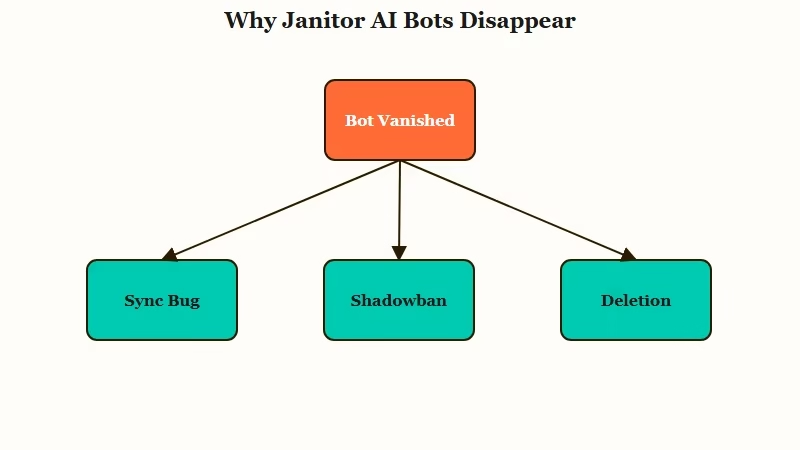
Janitor AI bots disappear for one of three reasons: a display or sync bug after a site update, a silent keyword shadowban, or a genuine deletion by you or moderation.
The first two are reversible and far more common than the third.
The reason this matters so much is scale. Most of Janitor AI’s traffic is direct, returning users, more than three-quarters of its desktop visits by Similarweb’s count. These are daily users with months of saved characters, so when the profile grid blanks out, it hits people who have real history on the platform.
A sync bug is the most frequent culprit. After a site update or a database migration, bots vanish from your public grid while staying fully reachable through direct links and your chat history. Nothing was removed; the page just failed to render your library.
The second cause is sneakier, and it is the one almost nobody diagnoses correctly on the first try. I will come back to the shadowban in detail, because the trigger behind it surprised even me.
What a Shadowban Really Looks Like
A Janitor AI shadowban hides your bot from public search and your public profile while keeping it visible to you, and it is usually triggered by a flagged word in the bot’s bio.
You stay able to see and chat with it; strangers cannot find it.
A different vanishing act catches people the same way and is worth ruling out first. If it is your saved list that looks empty rather than your bots, our write up on Janitor AI favorites not showing explains why that is usually a display fault rather than deletion.
What is a shadowban: A silent moderation hide where your content is filtered out of public view without any notification, while still appearing normal to you, the creator.
The trigger list is where it gets strange. The community has pinned down familial terms like “daddy,” “daughter,” and “bro” as words that can flip a clean bot into hidden status. The platform deliberately does not publish the full list, because a public list would just teach people how to dodge the filter.
The part that genuinely caught me off guard: the filter matches on substrings, not whole words. So an innocent word like “stockbroker” trips the “bro” trigger, and a perfectly tame character gets buried because of three letters sitting inside a longer word.
If a bot you know is clean vanished from search, scan its bio for accidental matches like that before you assume anything worse.
How to Tell a Bug From a Shadowban From a Ban
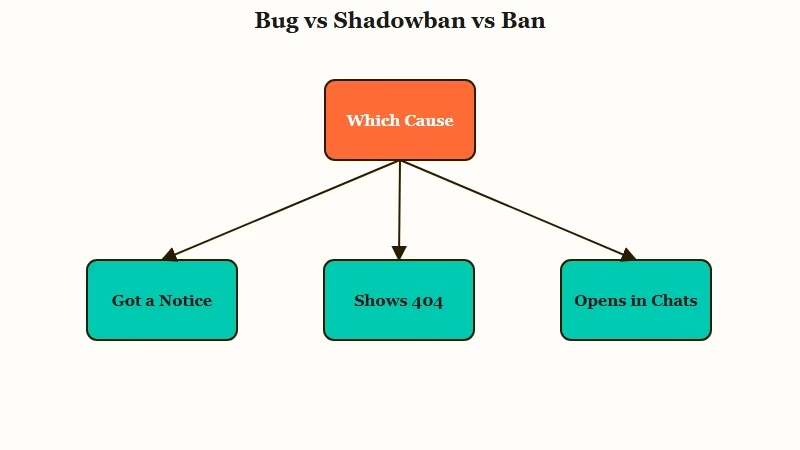
You diagnose a disappearing bot by checking three signals: whether you got a notification, what the character page shows, and whether the bot still opens from My Chats.
Each points to a different cause and a different fix. When the removal turns out to be automated rather than a bug, our write-up on what triggers Janitor AI automod flagging covers the patterns that set it off and the notice you get.
Here is the quick-reference I use to sort it out fast.
| Symptom | Likely cause | Fix |
|---|---|---|
| Bots gone from grid, still open from My Chats, no notice | Display or sync bug | Soft reset the bot, or wait for the site to catch up |
| Bot visible to you but not in public search | Keyword shadowban | Reword the bio to clear flagged substrings |
| Your own bots missing only for you | Blocked tags in your settings | Clear the blocked tag in account settings |
| Character page shows Status 404 “Oops. Can not find this character” | Deleted or set private | Recover via chat history, or rebuild from a backup |
| Email or in-app notice about a guideline violation | Genuine moderation removal | Backup is your only recovery path |
A few of these deserve a closer look. The blocked-tag trap is a real one: if you turned on blocked tags hiding your bots in your own settings, Janitor AI will hide your own characters from you if they carry a tag you blocked. The bots are fine; your account is filtering them out.
The notification check is the cleanest tell for the worst case. A real removal for a Community Guidelines violation, the kind that can come alongside an account restriction, arrives with a notice.
If you never got one, you are almost certainly looking at a bug rather than the platform being down or a removal. And a “Deleted or Privated” label on the right side of a character box in My Chats means a human action, not a 502 server hiccup.
What to Do to Get Your Bots Back
To recover bots lost to a bug, find them in My Chats, open the character page, toggle the bot private then public, and edit the description by one letter to force a refresh.
This soft reset clears most display glitches in seconds.
The toggle trick works far more often than people expect, because it forces the database to re-save and re-index the character. Here is the sequence I would run, in order:
- Open My Chats and find any bot that vanished. If you have an existing chat with it, it will still be there.
- Click through to the Character Page. Since the bot is yours, you can still open it even when it is hidden.
- Set the bot to Private, save, then set it back to Public and save again.
- Edit the description by at least one character, a single letter is enough, and update it. This re-commits the record.
- If a shadowban is the cause, rewrite the bio to remove flagged substrings before you re-save.
That last step is worth a worked example, because “reword your bio” is vague until you see it.
Before: “He is a ruthless stockbroker who answers to no one.”
After: “He is a ruthless trader who answers to no one.”
The swap kills the hidden “bro” substring inside “stockbroker” while keeping the character intact. Small change, and the bot comes back into public search.
If none of that works and you are sure the bot is yours, the official route is to raise a ticket through the help desk rather than asking subreddit moderators, who cannot restore anything.
For a bot that was fully wiped, pasting its old URL into the Wayback Machine sometimes pulls up an archived copy of the page so you can rebuild the character from what it shows.
How to Back Up Your Bots Before They Vanish
The reliable way to never lose a character is to export it yourself as a character card, which embeds the full personality, scenario, and example dialogue into a portable file.
Once you have that, no site bug can erase your work.
What is a character card: A PNG image with the bot’s full definition hidden in its metadata using the Tavern V1 text-chunk format, so the picture doubles as a complete, portable backup.
Community userscripts make this easy. Tools like the Janitor AI Suite and the open-source janitor-exporter on GitHub let you download your chats as plain TXT or JSONL files and save each bot as a Tavern-compatible PNG. Those cards import straight into other front ends, so your characters survive even if the platform itself loses data.
That risk is not hypothetical. Janitor AI’s own help docs admit some chats from 2023 and 2024 are still missing after incomplete database migrations, and that data lost during a server migration cannot be restored. Most disappearances are recoverable bugs, but the rare permanent loss is real, which is why I keep my own copies of every bot I care about.
Here is how the main backup options compare.
| Method | What it saves | Format | Best for |
|---|---|---|---|
| janitor-exporter | Chats and character definitions | TXT, JSONL, PNG card | Creators who want everything saved |
| Janitor AI Suite | Bot cards and personas | Tavern V1 PNG | Moving bots to other front ends |
| Manual copy | Definition text only | Notes or doc file | A handful of favorite bots |
If You Want Characters That Just Stay Put
The deeper fix for chronic disappearing bots is a platform where your companion lives server-side with persistent memory, so a site update cannot wipe your library.
That is the trade some users make after one too many vanishing acts.
I get why people stick with Janitor AI for the creative freedom, and backing up your cards covers most of the risk. Still, if you are tired of rebuilding characters every time the grid glitches, the alternatives are genuinely built differently. On Candy AI, your companion’s profile and memory are stored on its side, so the character you shaped does not depend on a fragile front-end render to show up.
If your real frustration is the character forgetting who it is rather than the bot itself, that is more of a memory not carrying over problem. For that, Nectar AI leans hard into long-term memory, so the relationship and context build up over weeks instead of resetting. Either way, the appeal is the same: characters that persist without the backup gymnastics.
Frequently Asked Questions
How do I know if my Janitor AI bot was banned or is just bugged?
Check for a notification first. A genuine removal for a guideline violation comes with a notice, while a bug is silent. If the bot still opens from your My Chats list or a direct link, it is a display bug, not a ban.
Are my disappearing bots gone forever?
Usually not. Bots that vanish from your grid almost always remain reachable through chat history or direct links, and a soft reset brings most of them back. The rare exception is data lost during a server migration, which cannot be restored.
Why is my bot visible to me but missing from public search?
That is the signature of a shadowban. A flagged word in the bio, sometimes a substring inside a longer innocent word, hides the bot from public search while leaving it visible to you. Reword the bio to clear it.
Can I still chat with a deleted or hidden bot?
Often yes. Open an existing conversation with that bot in My Chats, then use the settings menu to start a new chat. A recent site update has restricted this for fully deleted bots, but it still works for most hidden ones.
How do I stop losing my bots in the future?
Export them. Use a userscript like janitor-exporter to save each bot as a Tavern PNG character card plus a TXT or JSONL chat log. With local copies, you can rebuild any character even after permanent platform loss.
Quick Takeaways
- Disappearing Janitor AI bots are usually a display bug or a keyword shadowban, not a deletion, and both are reversible.
- Diagnose by three signals: a notification means a real removal, a 404 page means deleted or private, and a bot that still opens from My Chats means a bug.
- The fastest bug fix is the soft reset: toggle the bot private then public and edit the description by one letter.
- Watch for substring shadowban triggers like “bro” hiding inside “stockbroker,” and reword the bio to clear them.
- Back up every bot as a Tavern PNG character card now, so no future site glitch or migration can cost you your work.
