
What’s Changed: Janitor AI’s app Version 2.0.0 rebuilt the My Chats screen, so your conversations are no longer grouped by bot in one place. They are now split into per-bot folders sorted by recency, and the old recents view plus in-chat search are gone. Your chats are not deleted. The app reorganized them, and this guide shows you how to find and manage them fast.
If you opened the app this week and found your Janitor AI chats not grouped by bot anymore, you are not imagining it, and your conversations are not gone.
The mobile app pushed a redesign that scattered every chat into a recency-sorted list and a manual folder system. To a lot of people it looked like the app had wiped months of roleplay overnight.
What most users miss is that this was a deliberate change, not a bug you can wait out. The official Version 2.0.0 patch notes describe it as “Rebuilt My Chats with folders, better loading states, smoother pagination, and faster folder switching,” and it shipped in the exact same update as the new Janitor+ subscription at $12.99 a month.
That detail matters because it tells you the fix is learning the new layout, not hoping for a rollback. Janitor AI ranks among the most-used consumer AI apps in a16z’s Top 100 consumer apps report, so this redesign hit a very large group of people at once.
Most of what looks alarming here turns out to be panic, and the official help docs plus the app store version history make it easy to tell the difference.
You will walk away knowing exactly what changed, how to tell a display glitch apart from real data loss, how to rebuild a usable chat layout in minutes, and when it is smarter to move to a steadier app.
Why Your Janitor AI Chats Are Not Grouped by Bot Anymore
Janitor AI chats are not grouped by bot because Version 2.0.0 replaced the old grouped list with a manual folder system sorted by recency.
The update removed automatic bot grouping on purpose, so chats with the same character no longer collect in one place unless you file them yourself.
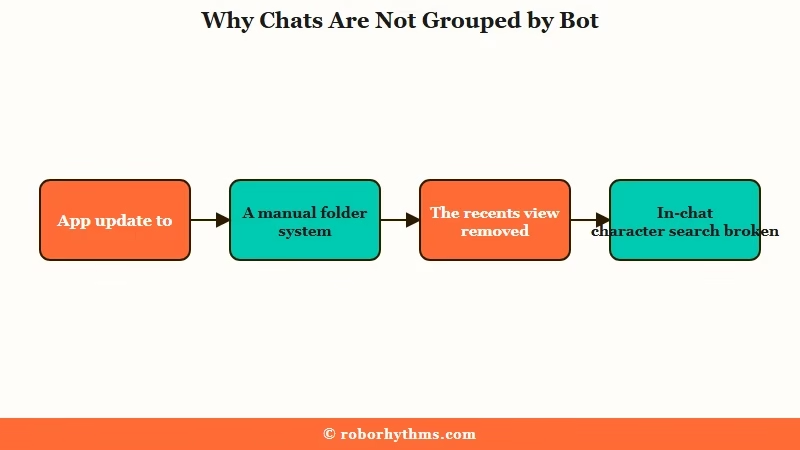
The official app patch notes spell it out: “Rebuilt My Chats with folders, better loading states, smoother pagination, and faster folder switching.” What reads like a feature on a changelog reads like chaos on a phone, especially for anyone juggling a few hundred bots and alts.
The same release removed the old recents view and broke the in-chat search that let you type a character name to jump to your chats with them. That lost search bar is the single biggest reason the new layout feels broken, because scrolling a recency-sorted wall is slower than searching ever was.
What is Rebuilt My Chats: The Version 2.0.0 app feature that swapped the old grouped chat list for a manual folder system sorted by how recently you opened each chat.
There is a money angle worth naming. The redesign landed alongside the paid Janitor+ tier and was built to slot in “smarter upgrade prompts in chat, model settings, and the right menu,” so the cramped new shell exists partly to make room for subscription upsells. Knowing that, I stopped waiting for the old view to come back and started adapting.
Are Your Old Chats Deleted or Just Hidden
Your old Janitor AI chats are almost never deleted, they are reorganized or hidden by a display sync issue.
The official Missing Chats help article confirms that a chat missing inside a roleplay is usually still there, and that sending a new message then refreshing the page often brings it back.
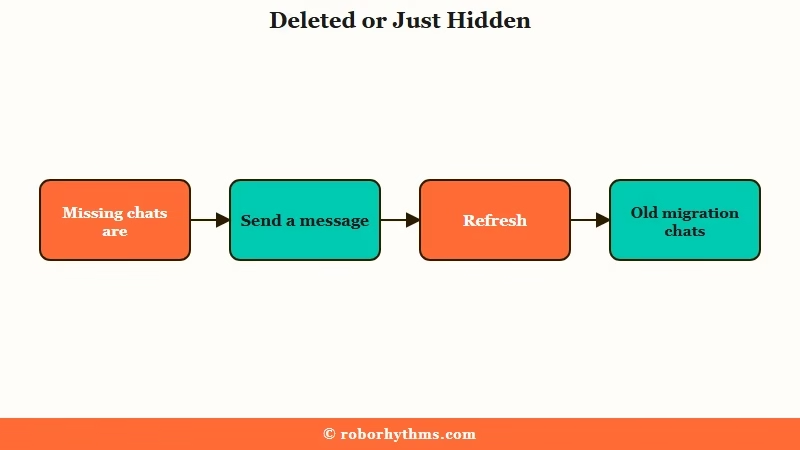
A second cause is older and narrower. Janitor’s own documentation notes that some chats from 2023 and 2024 are absent because they have not finished an incomplete database migration, not because anyone erased them, and they are expected to return to the main database.
What is a database migration: Moving stored data from one system to another. While it runs, some older records can temporarily show as missing before they are restored.
Two other situations look like data loss but are not. A bot that shows a 404 or a “Deleted or Privated” message means the creator made it private or moderation pulled it, which is different from your own chats vanishing.
And a chat that reloads showing only your messages while the bot “forgets” everything is usually a session or cache desync, or a connected proxy that hit a zero balance, the same family of problems covered in why Janitor AI memory fails.
Here is the quick reference I use to triage what I am looking at before touching anything.
| Symptom | Likely cause | Fix |
|---|---|---|
| Chats scattered, not grouped by bot | V2.0.0 folder system, by design | Build folders and use recency sort |
| A chat looks missing inside a roleplay | Display sync hiccup, not deletion | Send a new message, then refresh |
| Chats from 2023 to 2024 gone | Unfinished database migration | Wait for restore, they are not deleted |
| Bot reset, only your messages show | Cache desync or proxy balance at zero | Clear cache, relog, or fork the chat |
| Bot shows 404 or “Deleted or Privated” | Creator privated it or moderation removed it | Not your fault, pick another bot |
How to Find and Rebuild Your Chats in the New Folder UI
You find your chats by opening My Chats, working from the recency-sorted list, and filing your most-used bots into folders first.
The layout punishes you for trying to organize everything at once, so I treat it as a triage job, not a cleanup marathon.
Fifteen minutes of setup makes the new screen livable, and here is the sequence I would walk through first.
- Open the app and tap My Chats to load the new recency-sorted list.
- Make folders for your five to ten most-used bots only, not all of them.
- Drop the active chats for those bots into their folders and ignore the long tail for now.
- To reach every chat with one character, open any chat with that bot, then tap through to its character page.
- When the app feels stuck, log into the full desktop website in a mobile browser to bulk-find older chats.
- Pin or favorite a handful of daily bots so they sit at the top instead of sinking by recency.
The trick is accepting that recency sort is now the default and folders are the override. Once your daily rotation lives in folders, the wall of old chats stops mattering because you rarely scroll it.
Before: You open My Chats, face 200 ungrouped conversations sorted by recency, and scroll for two minutes hunting one bot.
After: You build five folders for your most-used bots, drop their active chats in, and pin your daily rotation, so the next session is one tap to the right chat.
Workarounds for the Bugs That Came With the Update
The update shipped several bugs alongside the folder change, and most have a clean workaround.
The pattern here is that the app version breaks something the web version still does fine, so the browser becomes your escape hatch.
Hidden character definitions are the most reported. The new shell often greys them out, and the reliable bypass is to open a chat with the bot first, then navigate to its character page from inside the chat, which forces the older layout to load the definition. When even that fails, the desktop website reads them without trouble.
What is chat forking: Branching a new chat from an earlier message, so you continue from a clean point instead of a corrupted thread.
For a “profile not found” error or a crash right after updating, the login cycle clears it: clear the app cache, log out of the app, log into the website, then log back into the app.
If a thread is stuck repeating or the bot’s memory is scrambled, fork a fresh chat from the last good message rather than fighting the broken one.
Proxy users have one extra trap. The update also disturbed the delete-message button, and on a paid API a hallucination you cannot delete keeps poisoning the context for the rest of a long chat, which is the exact failure I broke down in the delete-messages bug guide.
When in doubt, fork instead of deleting. The table below is how I decide whether I am staring at a glitch or genuine loss.
| What you see | Display glitch (recoverable) | Real loss (rare) |
|---|---|---|
| A chat missing from the list | Refresh or send a message, it returns | Only for some 2023 to 2024 migration chats |
| Bot memory wiped mid-chat | Cache or proxy balance, fork to recover | Almost never, the log still exists |
| Character definition greyed out | UI bug, open via desktop or character page | No, the bot data is intact |
Developer Reasoning Versus the User Backlash
Janitor’s team frames the redesign as an upgrade while power users call it a step backward, and both sides have a point.
Defenders in the community note that scripted lorebooks, chat forking, and persona switching have genuinely improved, with longtime users arguing that stability has gotten better even as people fixate on what changed.
The backlash is just as loud. One widely shared complaint put it bluntly, asking how an update manages to “break the ability to scroll through text,” and power users keep flagging that the new shell punishes heavy use by disturbing the delete button and shrinking the proxy prompt editor.
The way I see it, the technical root cause sits underneath both takes. The platform leans on randomized interface class names that shift with every patch, so each minor update has a habit of cracking something that worked yesterday, which is why outages and odd glitches keep recurring across the year, a pattern I tracked in the Janitor AI downtime breakdown.
Where everyone agrees is the bigger signal. Janitor is scaling fast and shipping through real growing pains, and if your bots have started quietly vanishing between updates, the disappearing bots guide covers that adjacent headache.
When to Stop Waiting and Switch to a Steadier App
You should consider switching when the monthly UI churn costs you more time than the platform saves you.
I am not anti-Janitor, the free models and bot variety are hard to match, but if every update means relearning where your chats live, a more stable companion app starts to look worth it.
For most people who want their conversations to stay put, Candy AI is the steadier pick. It runs a guided setup with server-side memory, so your companion remembers context without a folder system you rebuild every release, and the interface does not reshuffle itself every month.
If what keeps you on Janitor is the huge character library, Crushon AI keeps that marketplace feel with a deeper catalog of community bots while staying calmer between updates. The honest tradeoff is real. You give up Janitor’s free-proxy flexibility, and you gain a layout that holds still.
My take is to keep Janitor for experimenting and run a stable app for the chats you care about most, so the next disruptive update is an annoyance instead of a crisis.
Frequently Asked Questions
Did the Janitor AI update delete my chats?
No. The Version 2.0.0 update reorganized chats into recency-sorted folders rather than deleting them. If a chat looks missing inside a roleplay, send a new message and refresh the page, which usually restores it.
How do I get the old grouped chat view back?
There is no toggle to restore automatic bot grouping, since the change is by design. The closest fix is building folders for your most-used bots, or using the desktop website, which still offers a fuller view.
Why can’t I see character definitions in the app now?
The new app shell hides some definitions as a UI bug, not censorship. Open a chat with the bot first, then tap through to its character page, or read the definition on the desktop website.
Why does my bot forget everything after I leave the chat?
That is usually a cache or session desync, or a connected proxy that ran out of balance, not lost data. Clear the cache, log out and back in, or fork a new chat from the last good message.
Is the new folder system permanent?
Treat it as permanent. It shipped in the official patch notes alongside the Janitor+ subscription, so a rollback is unlikely, and adapting to folders is the dependable move.
Quick Takeaways
- Your chats are not deleted. Version 2.0.0 replaced grouped chats with a recency-sorted folder system on purpose.
- The fastest fix is filing your five to ten daily bots into folders and pinning them, not organizing all 200 at once.
- Send a message and refresh to recover a chat that looks missing; fork instead of delete when a bot’s memory scrambles.
- Use the desktop website to read greyed-out character definitions and to clear “profile not found” errors.
- If the monthly UI churn keeps costing you time, a steadier app like Candy AI keeps your chats and memory in one place.
