
What’s Changed: Grok subscriptions bill through four separate channels, and cancelling in the wrong one leaves the charge running. Your already-generated images and videos stay viewable after you drop to the free tier, so you rarely need to keep paying to protect an archive. Refunds route differently on every channel, and most guides get the Android route backwards.
People are cancelling Grok in waves right now, and a surprising number of them are still being billed a month later. The reason is almost never that they forgot to click the button. They clicked a button, it said the right thing, and the money kept leaving anyway.
That happens because “your Grok subscription” is not one product with one off switch. It is up to four different billing relationships that all deliver the same chatbot, and each one has its own cancel path, its own refund authority, and its own way of failing quietly.
The mistake that costs people the most is treating the cancellation as the first step. It is the second step. The first is working out who is taking the money.
This guide walks through both, plus the two questions nobody answers well. What happens to everything you already made, and whether you have any realistic shot at a refund.
How Do I Cancel My Grok Subscription?
To cancel a Grok subscription you must cancel it wherever you bought it, which is one of four places: grok.com billing settings, your Apple subscriptions list, your Google Play subscriptions list, or your X Premium settings.
Cancelling on grok.com does nothing to an Apple-billed plan.
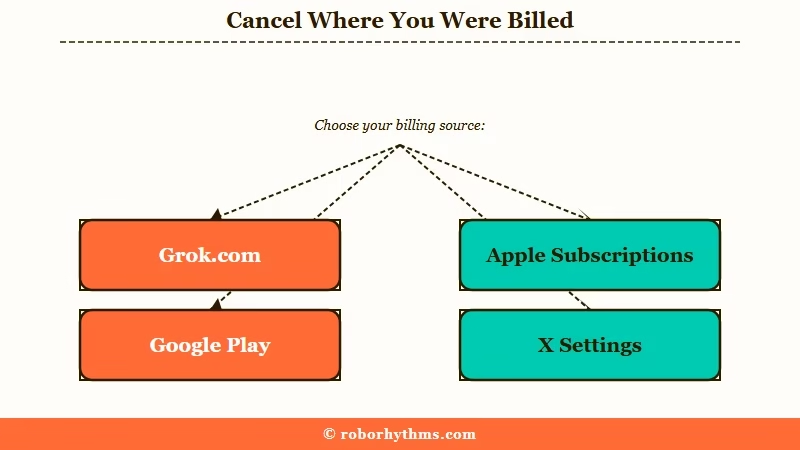
The first thing I check is which company is taking the money, because every other step depends on that answer. Signing out, deleting the app, or letting the account go idle stops nothing.
Here is the whole map in one place. Find your row before you touch anything.
| Where you subscribed | Where you cancel | Who handles refunds | The trap |
|---|---|---|---|
| grok.com (web) | Settings, then Billing | xAI, via its refund request form | Ad blockers stop the billing portal from opening at all |
| Apple App Store | iOS Settings, your name, Subscriptions | Apple, at reportaproblem.apple.com | grok.com shows no cancel button, only upgrade offers |
| Google Play | Play Store, Payments and subscriptions | xAI, not Google, after the first 48 hours | Cancel and refund live in two different companies |
| X Premium bundle | x.com, Settings and privacy, Subscriptions | X, through its Help Center | You also lose the checkmark and post editing |
Note the third row. On Android you cancel at Google but you ask xAI for the money, which is the single most counterintuitive part of this whole process.
How Do I Know Who Is Billing Me for Grok?
Open your last receipt or card statement and read the merchant name. A charge from xAI or SpaceXAI means you bought direct on the web, a charge from X means it is bundled with X Premium, and a charge from Apple or Google means you subscribed inside a phone app.
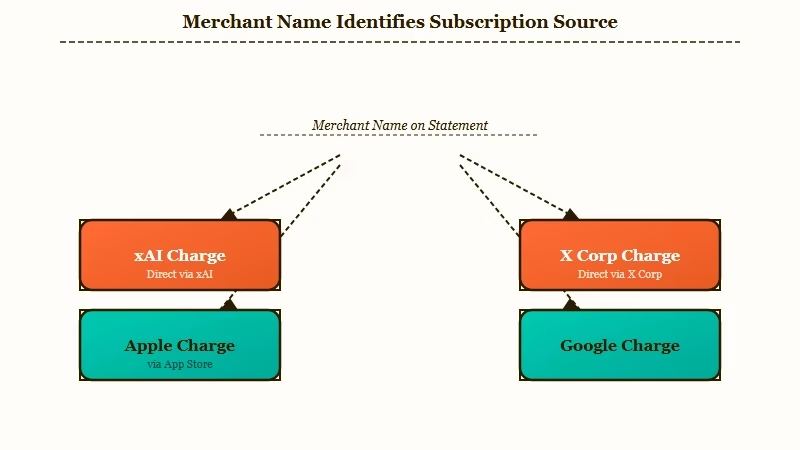
I search the card statement before I search my inbox, because the merchant name is the only thing that settles it. Hunting for the word “Grok” alone is not enough, because the company’s own branding has drifted.
xAI’s product documentation now carries SpaceXAI branding, and its image models appear on the public arena leaderboards under that name rather than plain xAI. If you scan a statement looking only for “Grok” or “xAI”, a line item under a different corporate name can slide straight past you.
Search your email and your statement for all five of these: Grok, xAI, SpaceXAI, X Corp, and the amount itself. The amount is the most reliable of the group, since a recurring charge repeats to the cent on roughly the same date each cycle.
One more trap before you go hunting. If you signed up through Apple with Hide My Email switched on, the purchase is tied to a private relay address, which is why the subscription can look invisible from the web account you normally log into.
How Do I Cancel Grok on the Web, iPhone, Android, or X?
Each channel takes under two minutes once you know which one you are in. The web path is Settings then Billing on grok.com, and the shortcut grok.com/?_s=billing jumps straight there while you are logged in.
I keep the receipt open in a second tab while I work through these, because the confirmation screen is the only proof you will get.
For a web subscription bought on grok.com:
- Log in at grok.com and go to Settings, then Billing.
- Open the billing portal with the Manage button.
- Choose Cancel subscription from the dropdown.
- On the confirmation dialog, click the small “Continue to cancel” link rather than the large “Keep” button, which is the default.
- Screenshot the confirmation screen and the cancellation date.
For an iPhone or iPad subscription:
- Open the iOS Settings app, not the Grok app.
- Tap your name at the top, then Subscriptions.
- Select Grok or SuperGrok, then Cancel Subscription.
For an Android subscription:
- Open the Google Play Store and tap your profile icon.
- Go to Payments and subscriptions, then Subscriptions.
- Select the Grok entry and confirm Cancel subscription.
For Grok access bundled into X Premium, go to x.com, open More, then Settings and privacy, then Subscriptions, and cancel there. Losing the bundle takes the blue checkmark and longer posts with it, so if you want to keep those and only drop the AI, the cleaner move is to stay on a lower X tier.
Time it with a day to spare. Cancel an app store subscription at least 24 hours before the renewal date, since same-day cancellations can land after the charge has already been authorised.
Why Is the Grok Cancel Button Missing or Looping?
A missing cancel button means you are looking in the wrong place, and a looping or half-loaded billing page is usually a browser extension blocking the payment portal script.
The billing screen is a third-party payment portal loaded into the page, so tracker blockers and ad blockers routinely break it.
That failure looks exactly like a broken website rather than a blocked script, which is why people give up and assume cancellation is deliberately impossible.
| Symptom | Likely cause | Fix |
|---|---|---|
| Manage button does nothing | Ad blocker or tracker blocker killing the portal script | Retry in an incognito window with extensions off |
| Only “Upgrade” and “Get SuperGrok” show, no cancel | You subscribed through Apple or Google, not the web | Cancel in the phone’s subscription settings instead |
| Confirmation page half loads then stalls | Script error mid-flow, cancellation never submitted | Different browser, then email support@x.ai with your invoice number |
| Subscription not listed on any account | Signed up via Apple Hide My Email or a second login method | Check the Apple relay address and every sign-in option you own |
| Console says “cancelled” but billing continues | Business console cancels seats, not the master subscription | Email support@x.ai and demand the underlying subscription be terminated |
That last row is the nastiest one on the list, and it is the one I would escalate fastest. In the Grok Business admin console, “Cancel licenses” removes individual user seats while the recurring contract underneath keeps billing, and the interface reports everything as cancelled the whole time.
If the web path fails twice, stop clicking and start a paper trail. Email support@x.ai with your account email, the platform you subscribed on, and the invoice or transaction number from your receipt.
Will I Lose My Grok Images and Videos If I Cancel?
No, dropping to the free tier does not wipe your gallery. Past generations stay viewable and downloadable, but you lose the ability to create new ones, and editing, upscaling, or regenerating an old file all count as new generation.
My position is that you export first and cancel second, every time. The default behaviour is read-only survival of your archive, and that is what most people experience, but there are complaints on record from paid users whose rendered images and videos vanished from their accounts without notice.
Read-only access to old work is also the reason one popular piece of advice is a waste of money. People downgrade to the cheapest paid tier specifically to keep their files, when viewing and downloading those same files survives on a free account anyway.
What is SuperGrok Lite: The entry-level paid tier at $10 a month, launched in March 2026, covering basic image and short video generation at reduced resolution.
Paying $10 a month purely to protect an archive costs $120 a year for something the free tier already gives you. Downgrade only if you still want to generate at a lower volume.
Two things genuinely do expire, so handle them before you cancel. Purchased Extra Usage Credits run out exactly one year after purchase and are not refundable, and anything you delete yourself is gone once the retention window closes.
Can I Get a Refund on a Grok Subscription?
Grok subscriptions are non-refundable by default under xAI’s terms, with access continuing to the end of the period you already paid for and no proration for unused days. Three narrow routes still work.
The refund routing caught me out too, and it is documented backwards in most guides you will find. Competing cancellation articles send Android users to Google Play’s refund tools, while xAI’s own documentation states plainly that Google Play refunds are handled by xAI through its refund request form. Following the wrong one burns time you do not have.
The three routes that do pay out:
- The EU withdrawal right. European consumers get a 14-day cooling-off period on digital services and can claim it by emailing a withdrawal notice to support@x.ai. This is a legal entitlement, not a favour.
- Google Play inside 48 hours. A Play purchase can be refunded through your Google order history for the first 48 hours. After that the decision moves to xAI.
- Apple’s own tool. Anything bought on iOS goes through reportaproblem.apple.com, and Apple typically updates the status within a couple of days.
Everything else runs through xAI’s refund request form, signed in with the subscribing account, with approved refunds landing on the original payment method in roughly five to ten business days.
Vague complaints get nowhere. A request that names the specific thing that changed, and when, is a different document entirely.
Vague: “The service got much worse and I want my money back.”
Specific: “I subscribed to SuperGrok on 3 July for $30/month through grok.com, invoice INV-xxxx. On 7 August the image model was replaced and output quality for photorealistic prompts dropped materially, and blocked generations continue to consume my weekly usage pool while returning nothing. I am requesting a refund of the current period under the material change in service delivered.”
Two more facts belong in that email. Consumer frustration here is documented at scale rather than anecdotal, with 873 FTC complaints mentioning Grok logged by July 2026, many about billing loops and unannounced limit cuts.
And in May 2026 standalone subscribers saw daily caps cut by up to 90% with no notice, which is the strongest material-change argument most people have.
Do not reach for a chargeback as a first move. It works, and banks have reversed large annual Grok charges after their own reviews, including one $3,600 annual plan, but platforms routinely suspend or permanently ban accounts with an open dispute. Winning a chargeback and losing the account takes your gallery with it.
One myth to drop before you write anything. There is no federal click-to-cancel rule in force in the United States: the FTC’s 2024 amendments were vacated by the Eighth Circuit in July 2025 and never took effect.
Your real leverage is state auto-renewal law, which around 30 jurisdictions including California, Colorado, and New York still enforce.
Should I Cancel Grok or Downgrade Instead?
Cancel if you have stopped generating. Downgrade only if you still create most weeks and the volume cap is the part you no longer want to pay full price for.
I’d downgrade only if you still generate every week, because the archive argument does not hold and the cheaper tier is a real product with real limits rather than a storage plan.
If the personality change is what soured you rather than the price, it is worth reading what happened to Grok’s unhinged mode before you decide, because downgrading does not bring it back.
Keep the scale in perspective while you decide. SpaceX’s IPO filing put Grok at 117 million monthly active users as of March 2026, so a loud cancellation wave on one subreddit signals product direction rather than a service winding down.
The thing people are cancelling over is real, even though the benchmarks say the opposite. Grok Imagine Image 2.0 shipped on 7 August 2026 and ranks second on both the text-to-image and image-editing arena leaderboards, behind OpenAI’s model.
Users posting the same prompt side by side call the newer output plastic and video-game-like, with lighting and skin texture visibly worse.
Both things are true at once. Arena rankings reward prompt adherence and editing precision, which the new model genuinely improved, while photorealism on portrait prompts is a different axis that those standings do not isolate. Support has acknowledged the regression to users who sent examples, thanking them and saying there is no fix date yet.
The other half of the frustration is arithmetic rather than aesthetics. Blocked generations still consume your weekly quota, so a moderation-heavy week burns paid capacity and returns nothing, a mechanic covered in moderated generations still cost you.
That quota maths is easier to follow alongside the breakdown of the weekly usage pool. If you are weighing the money rather than the exit, whether SuperGrok is worth it goes through it line by line.
What Should I Switch To After Cancelling Grok?
Match the replacement to the job you were using Grok for. Image and video generation, open-ended chat, and companion roleplay are three different products, and no single tool replaces all three well.
Candy AI is the one I point most people toward when they leave Grok mid-cycle, because the complaint driving most of these cancellations is inconsistent moderation on character work rather than raw model quality.
Candy AI keeps character memory across sessions and does not meter you against a shared weekly pool that failed generations can drain.
If your priority is a companion that holds a consistent persona over long conversations, Nectar AI is the alternative worth a look, particularly for illustrated character styles.
For pure image and video generation, the migration running through the community is toward locally run open models, with MiniMax H3 through ComfyUI the name that comes up most.
That route trades a monthly bill for a learning curve and a capable GPU, which is a fair trade for heavy users and a bad one for casual ones. A gentler comparison of hosted options sits in the rundown of Grok Imagine alternatives.
Whatever you pick, wait out the period you already paid for. Cancelling turns off the renewal and nothing else, so there is no reason to stop using what is already bought.
Frequently Asked Questions
Does cancelling Grok delete my account?
No. Cancelling ends the paid plan and drops you to the free tier at the end of the current period. Your account, chats, and past generations remain, and deleting the account is a separate action in Data Controls.
Why am I still being charged after cancelling Grok?
Almost always because the cancellation happened in the wrong channel. Cancelling on grok.com does not stop an Apple, Google, or X Premium charge. Check the merchant name on the charge and cancel there instead.
Do I keep Grok until the end of the month if I cancel?
Yes. Paid features stay active through the billing period you already paid for, and there is no prorated refund for unused days. Cancelling early costs you nothing extra.
Can I cancel Grok from the app?
Not from inside the Grok app. iOS cancellations happen in the iOS Settings app under Subscriptions, and Android cancellations happen in the Google Play Store under Payments and subscriptions.
What happens to my Grok credits when I cancel?
Purchased Extra Usage Credits are non-refundable and expire one year after purchase. Spend them before the period ends, since cancelling does not extend or return them.
Is cancelling X Premium the same as cancelling SuperGrok?
No. They are separate subscriptions that can both be active at once. Cancelling one leaves the other billing, so check for two charges if you signed up for both.
Quick Takeaways
- Cancel where you bought it. The merchant name on your statement decides the path, and grok.com cannot cancel an Apple or Google plan.
- Search receipts for SpaceXAI and X Corp as well as Grok and xAI, since the branding no longer matches the product name.
- On Android you cancel at Google but request the refund from xAI, which is the reverse of what most guides tell you.
- Your existing images and videos survive on the free tier, so do not pay $10 a month purely to keep an archive you already own.
- Export anything you care about, screenshot the confirmation, and let the paid period run out rather than walking away early.
