
Bottom Line: HeyGen is the best AI avatar video generator available in 2026 if you produce structured, script-driven content at volume. The $29 Creator plan is worth it for regular publishers. The credit system is genuinely confusing and burns faster than the marketing implies. This review covers what you need to know before you subscribe.
The first time I watched an Avatar IV render, I had to rewatch it twice to confirm I was looking at AI.
Full-body motion. Head turns that land at natural pause points. Hand gestures that sync with emotional tone in the script. This is not the stiff, blinking mannequin that was “good for AI” two years ago. HeyGen’s Avatar IV, released August 2025, is the first AI avatar model I’d put in front of a client without an explanation.
That said, I’ve also burned through $29 of credits testing it and gotten three “your account has reached its daily limit” prompts in an afternoon. The quality is real. The pricing confusion is equally real.
Here is what matters for your decision.
What Is HeyGen and How Does It Work in 2026?
HeyGen is an AI video generator that creates talking-head videos using AI avatars and synthetic voices, no camera or studio required. You write a script, select an avatar, choose a voice, and the platform renders a video of a realistic AI presenter reading your content.
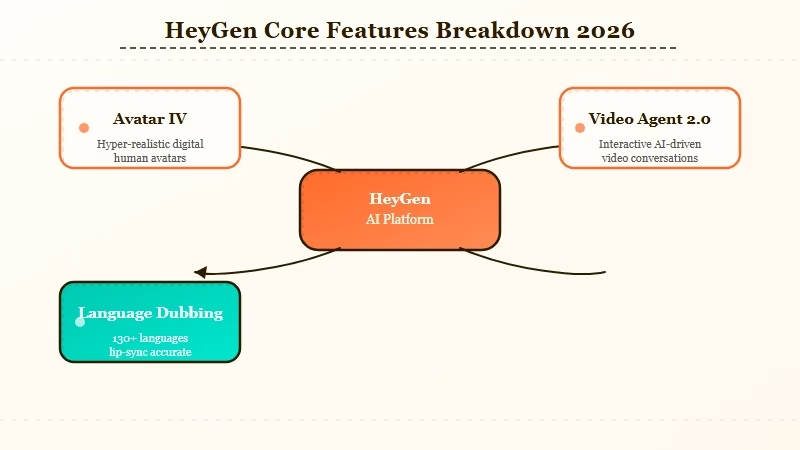
The current workflow is built around three main entry points. The classic Avatar Studio lets you pick from 300+ stock avatars or clone your own.
Video Agent 2.0 (their latest feature) takes a single text prompt and automates the entire script-to-video pipeline, including script writing, avatar selection, and scene structuring. The AI Studio editor gives you a drag-and-drop environment with 75+ templates for editing the result.
Video translation is the feature I see underused most often. HeyGen supports dubbing and lip-sync translation into 175+ languages, including voice cloning so the translated version sounds like the same presenter.
If you have an existing video library and want it in Spanish, French, or Mandarin, HeyGen handles that in minutes per video.
For teams building AI-automated content pipelines, HeyGen connects to Zapier and HubSpot on the Business plan. The API is available on Pro and above.
How Much Does HeyGen Cost in 2026?
HeyGen pricing ranges from free to enterprise custom, with the Creator plan at $29/month being the entry point most individual creators and small teams need to evaluate. The gap between what plans advertise and what they deliver in practice is where most users get surprised.
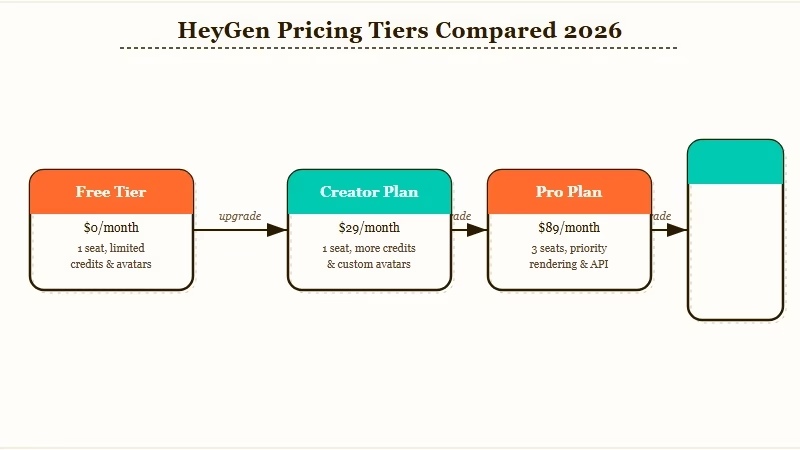
Here is the full pricing breakdown:
| Plan | Monthly Price | Annual Price | Video Minutes | Key Limits |
|---|---|---|---|---|
| Free | $0 | $0 | 1 min/month | Watermark, 1 credit/month |
| Creator | $29/mo | $24/mo | 15 min/month | 1 user, no API |
| Pro | $99/mo | $79/mo | 30 min/month | 3 users, API access |
| Business | $149/mo + $20/seat | Custom | 60 min/month | Team features, SSO |
| Enterprise | Custom | Custom | Unlimited | Dedicated support |
The “unlimited videos” language in HeyGen’s marketing refers to the number of video drafts, not rendering minutes. Every final render consumes credits from your monthly allocation.
Avatar IV renders burn credits faster than older avatar models, which catches a lot of Creator plan users off guard mid-project.
According to G2 reviews of HeyGen in 2026, the most common complaint is discovering the credit system’s actual behavior after subscribing. The tool is excellent; the onboarding around billing expectations is not.
What Does HeyGen Do Best in 2026?
HeyGen’s strongest capabilities are avatar realism, multilingual dubbing, and automated video production for structured content like training videos, product demos, and marketing explainers. These are the use cases where it is genuinely faster and cheaper than any alternative.
Avatar IV is the clearest upgrade. The jump in realism between Avatar III and IV is not marginal. Micro-expressions, natural blink patterns, head tilt responses to punctuation, and hands that move at appropriate moments during the script all show up consistently in my tests.
For short videos under three minutes, the output passes a basic “is this real” test from non-technical viewers.
The translation feature is where I’d direct anyone with an existing content library. I ran a three-minute English explainer through HeyGen’s dubbing pipeline and got a Spanish version with matching lip sync in 8 minutes. The voice retained the original tone profile. This alone justifies the Pro plan if multilingual content is on your roadmap.
Video Agent 2.0 is useful for volume content creators who need ten product explainers per week. Hand it a product name and a target audience, and it outputs a script, selects an avatar, and renders a draft. The output needs editing, but it cuts 80% of the setup time.
Where Does HeyGen Fall Short?
HeyGen has no timeline-based video editor, which means any content requiring precise pacing, cuts, or multi-scene storytelling requires exporting to a separate tool. For purely script-to-talking-head content this is fine. For storytelling-driven content it is a real constraint.
The credit system is the biggest operational frustration. Every iteration of a rendered video counts against your monthly allocation, not just the final approved version. If you’re testing four versions of a script, you’ve used four credits. This compounds quickly when you’re mid-project on a Pro plan with 30 minutes of credits.
Support quality is a consistent complaint across Capterra’s 2026 HeyGen reviews. The first response is often a generic knowledge base link rather than a direct answer. Resolution times run long.
The “unlimited” language in lower-tier marketing persists despite the 2026 credit system changes. Several Creator plan users report hitting a daily rendering queue during high-usage days, which moves non-priority jobs into a 5-to-24 hour hold. This is not disclosed prominently before checkout.
HeyGen Pros and Cons
Pros:
- Avatar IV is the most realistic AI avatar model currently available at this price point
- 175+ language dubbing with voice cloning preserves the original presenter’s voice profile
- Video Agent 2.0 automates script-to-video production from a single text prompt
- 75+ templates in AI Studio reduce editing time for common video formats
- SCORM export for corporate training without additional tools
- API and Zapier/HubSpot connections on Pro and Business plans
Cons:
- No timeline editor; multi-scene or storytelling-heavy videos require external editing tools
- Credit system behavior differs significantly from “unlimited” marketing language
- Support first-response quality is below average for the price tier
- Avatar IV renders consume credits faster than older avatar models
- Daily rendering queues on Creator plan during high-usage periods
- Free plan is nearly unusable: one minute per month with a permanent watermark
Who Should Use HeyGen and Who Should Skip It?
HeyGen is worth paying for if you produce structured, repeatable video content at volume. It is not the right tool if your content needs timing control, emotional storytelling, or frequent iteration cycles that would burn through monthly credits fast.
Use HeyGen if you:
- Produce product explainers, training videos, or marketing demos on a recurring schedule
- Need the same content in multiple languages and can’t budget for separate voice talent
- Are replacing a talking-head presenter role and need the output to hold up to casual scrutiny
- Work with teams that need a shared video production platform
Skip HeyGen if you:
- Need precise timing, cuts, or pacing between scenes (use a proper NLE like DaVinci Resolve or CapCut Pro instead)
- Only need one or two videos per month (the credit math does not work in your favor)
- Need consistent emotional range across long-form scripts (Avatar IV still shows limitation beyond 90-second clips)
If you’re building any kind of automated multi-agent content workflow, HeyGen’s API access on Pro makes it one of the more plug-in-ready options.
It connects to the same orchestration patterns you’d use for any output-producing agent in a pipeline.
I’d start with the free trial via this link before committing to the Creator plan, specifically to test how Avatar IV renders on your script type.
The free tier is too limited to evaluate properly, but one render will tell you whether the avatar quality meets your threshold.
Frequently Asked Questions
The most common HeyGen questions are about credits, avatar quality, and how it compares to Synthesia.
Is HeyGen worth the $29 per month?
If you publish more than four videos per month and need an AI avatar presenter, yes. The $29 Creator plan gives you 15 minutes of rendering time monthly. That covers roughly eight to ten short explainer videos. If your output volume is lower, the credit math works against you.
How realistic is HeyGen’s Avatar IV?
Avatar IV is the most realistic AI avatar model at this price point in 2026. Full-body motion, micro-expressions, and script-synced gestures are all present. Short clips under 90 seconds pass casual scrutiny. Longer clips show more AI tells, especially in emotional range.
What is the difference between HeyGen’s Pro and Creator plans?
Pro adds API access, three user seats, 30 minutes of monthly credits versus 15, and the ability to export SCORM files for corporate training. Creator is fine for solo creators with moderate output. Pro is the right plan if you need the API to connect HeyGen to external workflows.
Does HeyGen work for YouTube content?
Yes, with caveats. HeyGen works well for structured educational or product-demo YouTube content. It does not handle entertainment-style pacing, reaction content, or anything where timing and cuts are central to the format. Use HeyGen for the presenter layer and a separate tool for editing.
What happens if I run out of credits mid-month?
You can purchase add-on credit packs at a per-minute rate. Alternatively, videos queue to the next billing cycle. On Creator and Pro plans, once the monthly allocation is used, renders move into a priority queue that can take 5 to 24 hours during peak periods.
How does HeyGen compare to Synthesia?
Both target the same corporate training and marketing demo use case. HeyGen’s Avatar IV delivers better realism than Synthesia’s current avatar tier at the same price. Synthesia’s support quality is consistently rated higher. For teams where support reliability matters more than avatar quality, Synthesia is worth comparing before deciding. The discussion on why AI tools fail in production applies directly to this decision: prioritize the tool that fits your workflow reliability requirements.
