
What’s Changed: Grok Imagine limits switched from daily caps to a single weekly compute bucket, with no separate image or video counter, just an “Imagine 100% used” bar that empties on a rolling reset. Worse, generations that the safety filter blocks still come out of that bucket, so you can pay for work Grok never delivers. Midjourney and Kling refund blocked jobs, which makes Grok an outlier.
Grok Imagine limits changed overnight, and most subscribers found out from a popup telling them they had burned through a quarter of a weekly allowance nobody announced. One day you had a daily cap you understood, the next you had a single weekly bucket that drains in ways you cannot see.
The part that stings is what counts against that bucket. A generation the safety filter blocks still gets deducted, so you can spend your quota on nothing and have no result to show for it.
The new system does not bill the way other major generators do, and that gap is what makes the frustration land. With Grok pulling roughly 117 million monthly users per Business of Apps, a quiet change to how limits and credits work hits a lot of paying people at once.
Here is exactly what changed, why you cannot see your real count, why blocked generations still cost you, and where the math stops making sense compared to the alternatives.

What Changed With Grok Imagine Limits
Grok Imagine limits moved from separate daily caps to one shared weekly compute bucket, where images, edits, and 480p and 720p videos all draw from the same pool shown only as a percentage used.
The change rolled out without an in-app announcement.
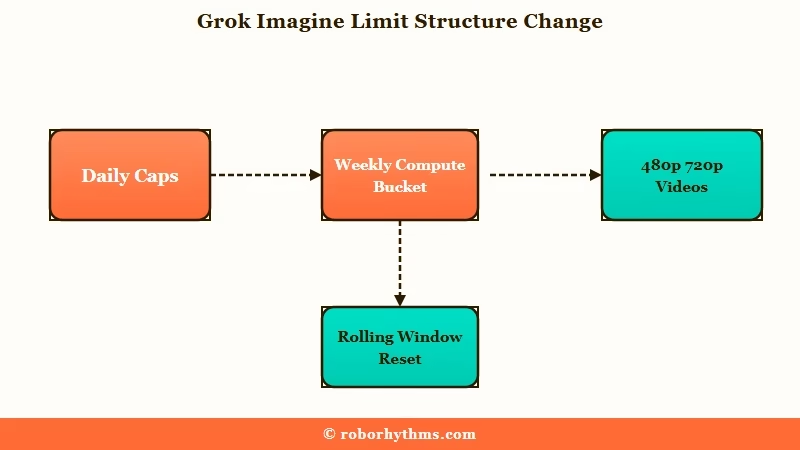
In practice the new bucket holds something like 80 to 90 ten-second 720p videos before it empties, though that figure drops fast if you lean on higher resolution or longer clips. Because everything shares one pool, a heavy video session can quietly leave you with no image generations left for the rest of the week.
The reset is the part I find genuinely confusing. The limit does not refresh at a clean midnight, it runs on a rolling window where older requests age out to free up room, and under heavy server load that window can stretch from a couple of hours to 24 or more.
That rolling behavior is why people wake up locked out for no obvious reason. Their older generations have not aged out of the queue yet, so the bucket still reads full even though a full day has passed.
How to Check Your Own Grok Weekly Limit
Open Settings and then Usage. That screen is the only authoritative number for your account: it shows the percentage of your weekly pool already spent and the date it resets. There is no fixed image or video allowance that applies to everyone, which is why two people on the same plan report different ceilings.
Two different ceilings catch people out here. The weekly pool is your total, and a 720p video reportedly takes a couple of percent of it on the $30 SuperGrok tier, while the per-day throttling described further down is a separate brake that server load applies on top. Neither number multiplies cleanly into the other, so the percentage on your own Usage screen is the figure worth trusting.
Images and edits draw from the same bucket as video. Every picture you generate is a fraction of a video you cannot make later, which is the part that surprises people who used the old per-feature daily limits.
Grok confirmed the design when the change shipped, describing it as one shared, flexible pool across Chat, Imagine, Build and other products that replaced the old per-feature daily limits in June 2026. The official Grok product FAQ is the reference for what each plan includes. Chat draws on that same pool too, which the guide to Grok’s weekly usage limit for text chats covers in detail.
Why You Cannot See Your Image or Video Count
You cannot see a real image or video count because Grok collapsed every generation type into one opaque percentage, and several features secretly spend far more of that quota than a single generation.
The interface tells you how full the bucket is, not what filled it.
What is the compute bucket: It is a single weekly allowance of generation capacity that images, edits, and videos all pull from, displayed as one percentage rather than a per-item count.
The hidden drain is the real trap. A single prompt in Grok’s agent or canvas features can fire off 12 to 20 internal sub-renders and reasoning steps, each nibbling at the same hidden quota, which is why people hit the wall long before the advertised image count.
The way I see it, the missing counter is the core grievance, not the cap itself. People could plan around a number. They cannot plan around a bar that fills at different speeds depending on which button they pressed. If you mostly want this for character or companion imagery, the same money on a Candy AI versus Grok comparison shows where the metering disappears entirely.
Why Moderated Generations Still Cost You
Grok deducts moderated and failed generations from your limit, and on the developer API it adds a flat penalty fee on top, so a blocked request costs you twice.
This is the single most reported frustration with the new system.
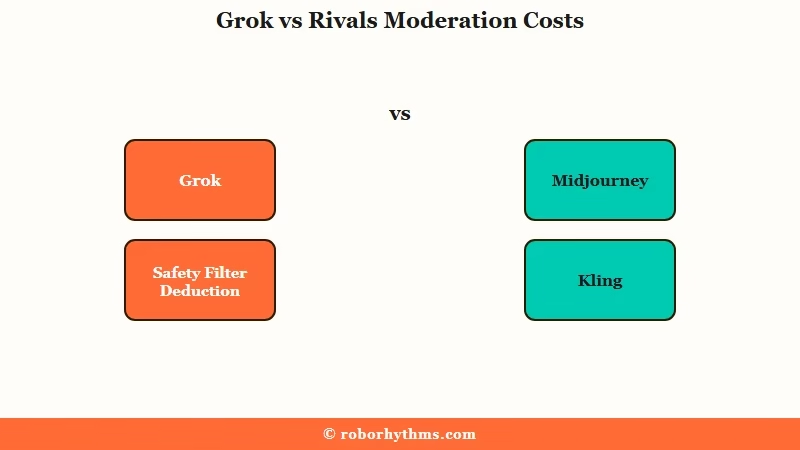
When a prompt trips the safety filter, or a render fails partway through, xAI still counts the attempt against your weekly bucket. You see a refusal, you get no file, and your quota drops anyway. On the paid API the sting is sharper, because a request that violates the usage guidelines carries a 5 cent penalty fee charged in addition to the normal token cost.
That penalty scales badly at volume. A batch of a thousand simple requests that should have cost a cent each can balloon toward 50 dollars if moderation flags them, which turns a content policy into a billing surprise.
The moderation itself got stricter in August 2026, after Minnesota started fining platforms up to 500,000 dollars per image, which is why prompts that used to render now come back refused.
Here is the triage I would run on the most common credit-drain symptoms before they cost you a week of generations.
| Symptom | Likely cause | What to do |
|---|---|---|
| Quota gone far faster than expected | Agent or canvas multi-renders | Generate single images, skip multi-step features |
| Blocked prompt still cost a credit | Moderated attempts are deducted | Test one borderline prompt before batching |
| Locked out after a full day | Rolling window has not reset yet | Wait for older requests to age out |
| No idea what drained the bucket | One pooled counter, no breakdown | Track your own generations manually |
A quick before and after shows how much waste the moderation rule causes.
Before: You queue twenty edgy prompts on a busy night, eight get auto-blocked, and all eight still come off your weekly bucket with nothing saved.
After: You run one borderline prompt first, watch it get flagged, rework the wording until it passes, then spend the rest of your quota only on prompts that deliver a file.
A few habits keep the weekly bucket from draining on nothing:
- Test one borderline prompt before batching a set, so a filter block costs one attempt instead of ten.
- Skip the agent and canvas features for simple images, since each prompt can fire a dozen hidden sub-renders.
- Reword a flagged prompt rather than resubmitting it unchanged, which just burns another attempt.
- Keep your own running count, because the percentage bar will not tell you what drained it.
How Grok Compares to Other Generators on Refunds
Grok is an outlier for charging you for blocked work, because Midjourney and Kling both refund failed or blocked generations while only a few platforms match Grok’s stricter stance.
The contrast is stark once you line them up.
Midjourney states plainly that blocked jobs do not cost credits and that compute is only deducted when you see a result. Kling’s credits policy promises that if a generation fails, the credits are refunded. Against that backdrop, Grok keeping your quota for a refusal looks less like a technical limit and more like a choice.
Grok is not completely alone here, and I would not pretend otherwise. ChatGPT free users report that rejected image prompts still burn their daily allowance with no refund, so the strict camp exists. But among dedicated image and video tools, the refund-on-failure approach is the norm Grok is breaking from.
| Platform | Charges for blocked or failed jobs | Stated policy |
|---|---|---|
| Grok Imagine | Yes, plus API penalty fee | Moderated attempts deducted from quota |
| Midjourney | No | Blocked jobs do not cost credits |
| Kling AI | No | Failed generations are refunded |
| ChatGPT | Yes | Rejected prompts use the daily allowance |
If your main use is animating characters or scenes, the same comparison logic plays out in any text to video AI generator roundup, where billing terms matter as much as output quality.
What Grok and SuperGrok Plans Cost
Grok Imagine access ranges from a restricted free tier up to the $300 a month SuperGrok Heavy plan, and the real generation limits run well below the advertised numbers under load.
Knowing the tiers helps you judge whether the weekly bucket is worth it.
The free tier gives basic image generation, roughly 10 requests every couple of hours, with video largely disabled. SuperGrok Lite at $10 a month adds Grok 4 and a modest Grok Imagine allowance, while standard SuperGrok at $30 a month is the popular pick that advertises around 100 videos or 200 images a day.
What I would flag is the gap between advertised and real. Under normal server load, $30 SuperGrok users routinely get throttled to something closer to 10 to 15 high-resolution images or 15 to 20 720p videos a day, far short of the headline figure.
| Plan | Price per month | Grok Imagine reality |
|---|---|---|
| Free | $0 | Basic images, video mostly disabled |
| SuperGrok Lite | $10 | Grok 4, small capped video allowance |
| SuperGrok | $30 | Advertised 100 videos, often throttled to 15 to 20 |
| X Premium+ | $40 | Same AI as SuperGrok plus ad-free X |
| SuperGrok Heavy | $300 | Max compute, flagship model priority |
To be fair, not everyone hates the weekly model. Some heavy creators love front-loading a single session and pulling close to a thousand images at once without a daily lockout, which is the one genuine upside of the shared bucket.
The best long-video AI generators suit that batch style too if length matters more than chat.
Whether the $30 tier still earns its price after the cut is a separate calculation, and we ran the numbers in our look at whether SuperGrok is still worth it.
What to Use If the Caps and Credits Wear You Down
If you mostly use Grok Imagine for companion and character content, a dedicated AI companion removes the metered bucket and the credit roulette entirely.
That is the honest tradeoff once the limits stop being worth the fight.
I would not drop Grok if you need standalone video clips, since that is a different job. But if your real goal is a consistent character you can talk to and generate images of, Candy AI bundles unlimited conversation with built-in image generation, so there is no shared weekly bar to watch and no charge for a picture the filter refuses.
If the content restrictions are the bigger problem, CrushOn AI leans toward fewer creative limits while keeping a large character library, which makes it the softer landing for roleplay that Grok keeps blocking. Either way you trade raw video horsepower for a system where you keep what you pay for.
For a head to head on the companion side specifically, the Grok Ani alternatives breakdown covers which apps replace the companion experience without the metering.
Frequently Asked Questions
Are Grok Imagine limits daily or weekly now?
Grok Imagine moved to a weekly limit. Images, edits, and videos all draw from one shared compute bucket shown as a percentage, and it refills on a rolling window rather than a fixed daily reset.
Do moderated or blocked Grok generations still cost credits?
Yes. A generation the safety filter blocks still gets deducted from your weekly limit, and on the developer API there is an extra penalty fee for a flagged request. You pay even when you get no file.
Why did Grok lock me out before my limit reset?
The reset runs on a rolling window, so older generations have to age out before the bucket frees up. Under heavy load that window can stretch past 24 hours, which feels like an early lockout.
How many videos can you make on SuperGrok?
SuperGrok advertises around 100 videos a day, but real-world throttling under load often drops that to 15 to 20 720p videos. The new weekly bucket shares that capacity with images and edits.
Does Midjourney charge for blocked images like Grok?
No. Midjourney states that blocked jobs do not cost credits, and Kling refunds failed generations. Grok deducting your quota for a refusal makes it stricter than most dedicated image tools.
Where do I check my Grok weekly limit?
Settings and then Usage, inside the Grok app or web client. It reports the percentage of your weekly pool consumed and the reset date, and that figure overrides any headline number, since the ceiling shifts with server load and your own recent usage.
What is the cheapest way to use Grok Imagine?
SuperGrok Lite at $10 a month is the entry paid tier with Grok 4 and a small Imagine allowance. The free tier allows basic images but mostly blocks video, and both share the same moderation deduction rule.
Quick Takeaways
- Grok Imagine limits are now one weekly compute bucket for images, edits, and videos, shown only as a percentage with no real counter.
- Blocked and failed generations still drain your quota, and the developer API adds a 5 cent penalty fee per flagged request.
- Midjourney and Kling refund blocked or failed jobs, which makes Grok the outlier for charging you anyway.
- SuperGrok at $30 advertises 100 videos a day but is often throttled to 15 to 20 under load.
- If you mostly want companion and character content, an app like Candy AI drops the metered bucket and never charges for a blocked image.
