
What Happened: Grok Imagine raised its clip cap from 10 seconds to 15 seconds in July 2026, along with a 1080p toggle, then pulled both from the interface for many paying users within hours. The 15-second jump is real, but xAI shipped it into a new shared weekly quota that makes each long clip cost a real slice of your week, and the 1080p option is upscaled from 720p rather than a true render.
Grok Imagine 15-second videos showed up for a wave of paying users in mid-July 2026, and then the option quietly disappeared from the interface for many of them within hours.
The searches have not slowed down since, because nobody got a clean answer about where the feature went or who still has it.
Here is the part the rollout hype skipped. The jump from 10-second to 15-second clips is real, but xAI shipped it into a brand new weekly usage system that makes each of those longer clips eat a surprising share of your entire week on the platform.
There was also a 1080p toggle that looked like a resolution upgrade and mostly was not. Once you finish this, you will know what changed, what a 15-second clip costs in quota and dollars, why the button vanished, and whether it is worth chasing at all.
What Changed With Grok Imagine 15-Second Videos?
Grok Imagine Video 1.5 raised its maximum clip length from 10 seconds to 15 seconds in July 2026, but xAI enabled the option server-side in batches and pulled it from the interface for many users within hours.
The engine itself did not get slower or worse. The rollout just got messy.
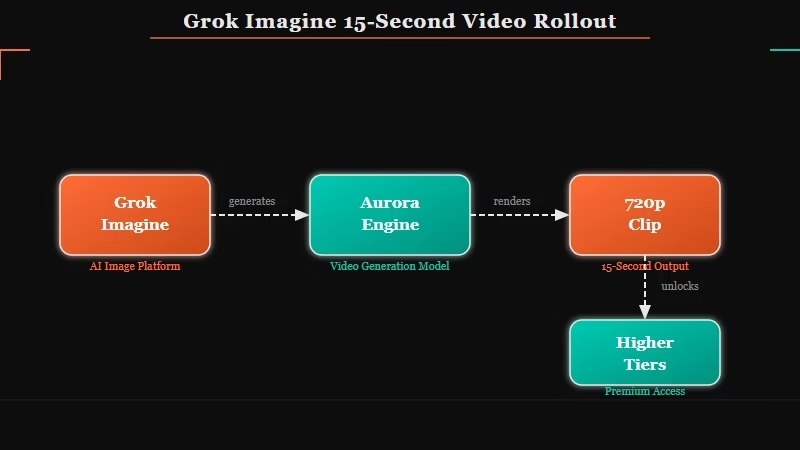
The way I read the timeline, this was a soft server-side flip rather than a clean product launch. Grok Imagine runs on xAI’s Aurora engine, and a standard 720p clip renders in roughly 20 to 30 seconds with synchronized audio baked into the same pass.
That speed is the whole appeal, and it did not change when the length cap moved.
What is the Aurora engine: xAI’s in-house autoregressive mixture-of-experts model that generates Grok Imagine video and its matching audio together in a single pass, rather than stitching sound on afterward.
Not every plan got the same ceiling. The entry SuperGrok Lite plan still caps clips at 6 seconds and 480p, while the longer 15-second option landed on higher tiers first.
When the tool launched, it turned prompts into a 15-second video with native audio for SuperGrok and Premium+ subscribers, as TechCrunch reported at launch, so the 15-second target has been the stated ceiling for a while even as the button came and went.
Why Is the 15-Second Option Missing for Some Users?
The 15-second option is missing because xAI toggles it server-side to manage compute load, so it appears for some accounts and platforms while vanishing from others, and it was never tied cleanly to a single subscription tier.
That is why two people paying the same price see different menus.
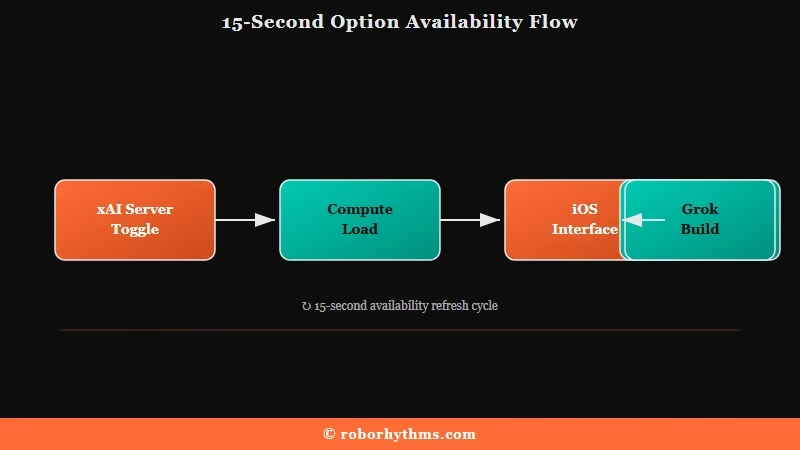
If I had to guess at the logic, xAI is throttling a heavy feature during peak demand and A/B testing who gets it. Users reported keeping the 15-second choice on the iOS app while losing it on web, then watching it reappear on Android a day later.
Some insisted it was a $300 Heavy-tier perk, others confirmed standard SuperGrok accounts had it, so the tier story never held together.
One detail is genuinely useful here. Several users found the feature was only removed from the interface, not the backend, so an old browser tab opened before the rollback could still fire off a 15-second job.
A few also reached it by asking Grok Build to generate the clip directly, though that route draws heavier moderation.
Here is the sequence I would try before assuming it is gone for good:
- Check the iOS app first, since it tends to keep features longest.
- Reopen an older browser tab from before the option vanished and hit generate without refreshing.
- Ask Grok Build to produce a 15-second clip as a fallback path.
- If none of that works, use the extend feature to chain a shorter clip up toward the length you want.
If you are weighing whether the whole platform is worth the hassle, the Grok Imagine alternatives worth a look have gotten stronger this year.
Is Grok Imagine 1080p Real or Upscaled?
Grok Imagine renders natively at 720p and upscales to 1080p, so the 1080p toggle is not a true high-resolution render, and upscaled clips cannot use the extend feature.
The number on the button went up, but the resolution being generated did not.
What I would watch out for is treating that 1080p label as free quality. The native ceiling is 720p at 24 frames per second, with 480p as a faster fallback, and the upscaler stretches existing frames instead of adding real detail.
Professional testers and Topaz Labs both note that a native 720p clip usually looks better than a 480p clip pushed through the internal upscaler, and true 4K still means exporting the 720p file into a separate tool.
There was a nastier side effect during the brief rollout. A bug forced every generation to 1080p regardless of the setting, which quietly melted through people’s new weekly limits before they noticed.
If your clips have been coming out soft lately, the deeper reasons Grok video quality looks soft are worth understanding before you blame your prompt.
What Does 15 Seconds of Grok Video Cost You?
A single 10-second 720p Grok clip consumes about 2 percent of your shared weekly quota, a 15-second clip costs proportionally more, and even rejected or failed clips still burn roughly 1 percent, so a heavy session drains a week fast.
This is the real story behind the length upgrade, and it is the part almost no coverage mentions.
xAI replaced separate daily limits with one shared weekly pool that covers Chat, Imagine, Voice, and Build together, documented in the official Grok usage FAQ.
Users calculated the switch as an 83.8 percent cut in total video capacity, and Grok’s weekly usage limits are where that math bites. In practice a standard SuperGrok member gets around seven high-definition videos per day before the system quietly downgrades new clips to 480p instead of blocking them.
The hidden tax is the failures. A moderated or rejected 720p clip still costs about 1 percent of the week, half the price of a successful one, and a known bug where videos loop and regenerate at 20 percent has burned entire weekly allowances. The way I see it, this quota math is the real limit on 15-second video, far more than any disappearing button.
Before: under the old daily limits, an active SuperGrok user could push out roughly 50 high-definition clips a day and treat generation as disposable.
After: under the shared weekly pool, that same user gets about 7 high-definition clips a day before throttling kicks in, and every failed prompt still counts.
On the developer side the numbers are cleaner. The API bills Grok Imagine Video 1.5 at about $0.08 per second for 480p, $0.14 per second for 720p, and $0.25 per second for 1080p, plus a cent per input image. That puts a single 15-second 720p clip near $2.10 in raw API cost before a single retry.
If you are staring at your subscription wondering about value, the case for whether SuperGrok is worth the price rests almost entirely on how you use this quota. The plan tiers break down like this:
| Plan | Price per month | What you get for video |
|---|---|---|
| Free | $0 | No image or video generation |
| SuperGrok Lite | $10 | 480p output with a 6-second clip cap |
| SuperGrok | $30 | Full video access under the weekly quota |
| X Premium+ | $40 | Full video access plus X platform perks |
| SuperGrok Heavy | $300 | Priority access and the largest quota |
How Does Grok Stack Up Against Sora, Veo, and Kling?
Grok Imagine is the fastest option and the only one generating synchronized audio in the same pass, but it caps at 15 seconds and 720p, while Sora 2 holds coherence up to 60 seconds, Veo 3.1 outputs true 1080p and 4K, and Kling runs longer clips more cheaply per API call.
Each tool wins a different job.
For quick social clips with sound, I would still reach for Grok because nothing else turns a prompt into a captioned, scored 15-second video this fast.
For a longer coherent scene, Sora 2 is the one I would trust, and for anything that has to look broadcast-clean, Veo 3.1 is the obvious pick. Here is how the four compare on the specs that decide the choice:
| Feature | Grok Imagine | Sora 2 | Veo 3.1 | Kling 3.0 |
|---|---|---|---|---|
| Max clip length | 15 seconds, longer via extend | Up to 60 seconds coherent | Short native clips | Longer clips via extend |
| Max resolution | 720p native, 1080p upscaled | High fidelity, physics-accurate | True 1080p and 4K | 1080p on higher tiers |
| Native audio | Yes, in the same pass | Yes | Yes | Limited |
| Best for | Fast social clips with sound | Longer coherent scenes | High-fidelity cinematic shots | Budget longer clips |
Should You Bother Chasing 15-Second Grok Videos?
Chasing the 15-second option is worth it only if you value speed and native audio over resolution and quota headroom, and for anything longer or higher-fidelity, the extend feature or a competitor is the smarter play.
Set your expectations to the product, not the pitch.
The pitch is loud right now. On July 22, 2026, Elon Musk said Grok Imagine would generate a full, historically accurate feature film of Homer’s Odyssey before the end of the year, a claim Esquire covered with the skepticism it earned.
The gap between a two-hour movie and a throttled 720p 15-second clip is where I would keep my feet on the ground.
My read is that Grok Imagine is still one of the best rapid-draft tools in the category, and the 15-second cap is a genuine step up for anyone making short vertical content.
The people who should skip it are creators who need clean 1080p masters, long continuous shots, or a predictable monthly output, because the weekly quota will fight all three. If your work lives in 6 to 15 second bursts with sound, this is worth the occasional disappearing button.
Quick Takeaways
- Grok Imagine’s 15-second clips are real, but the option is toggled server-side and keeps vanishing from the interface for many paying users.
- The 1080p toggle upscales from a native 720p render and blocks the extend feature, so it is not a true resolution upgrade.
- A 10-second 720p clip costs about 2 percent of your shared weekly quota, and failed or moderated clips still burn roughly 1 percent.
- If the option disappears, try the iOS app, an old pre-rollback browser tab, or Grok Build before giving up.
- For long or high-fidelity video, Sora 2 or Veo 3.1 beats Grok, but nothing matches Grok for fast clips with built-in audio.
