
What Happened: Google launched a native Gemini desktop app for Mac on April 15, 2026. It requires macOS Sequoia 15.0 or later and Apple Silicon (M1 or newer). You get a global Option+Space shortcut to call it from anywhere, and it can see your screen to give contextual help.
Google shipped a native Gemini Mac app on April 15, 2026. No browser tab, no web workaround: a real macOS app that lives in your dock and answers when you call it. If you’ve been waiting for a serious AI desktop client from Google, this is it.
The app requires macOS Sequoia 15.0 or later and Apple Silicon (M1 or newer). Intel Macs are locked out entirely. That’s a meaningful constraint worth knowing before you get excited.
What makes this different from just opening gemini.google.com in a browser is the global shortcut. Option+Space summons Gemini from anywhere on your Mac, no matter what app you’re in. You can also share your screen directly, so instead of describing a problem, you can just show it.
What Does the New Gemini Mac App Do?
The Gemini Mac app is a native desktop client that works like a global AI assistant, available free to all Gemini users.
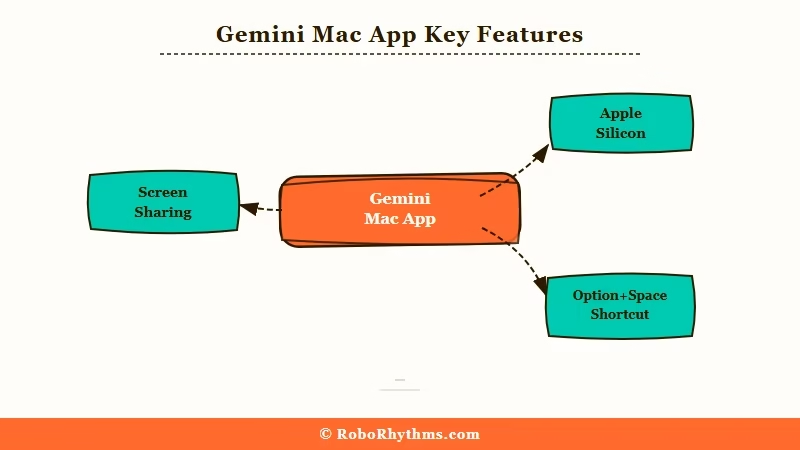
The app is free and available now at gemini.google/mac. Google describes it as the first step toward building a “truly personal, proactive, and powerful desktop assistant.” That’s polished language, and what it means is: there’s more coming.
A few things worth noting about this release. The screen-sharing capability is the most immediately useful part: you can ask Gemini about the actual document you have open or the specific error showing on your terminal. That’s a step up from copying and pasting text into a chat window.
From what I’ve seen in similar tools, the Option+Space shortcut is what will determine whether people use this regularly or forget it exists. The ability to invoke it mid-task without breaking your focus is the real feature. It puts Gemini closer to how Raycast or Spotlight work: ambient, fast, always available.
Why Does a Desktop App Matter More Than It Sounds?
A native desktop app signals that Google is treating Gemini as a platform, not just another web product you open in a tab.
Google’s AI presence has historically lived inside the browser or inside Workspace apps. Gemini in Gmail, Gemini in Docs, the web interface at gemini.google.com: all of these require you to go somewhere specific. A native desktop client reverses that, and Gemini comes to you.
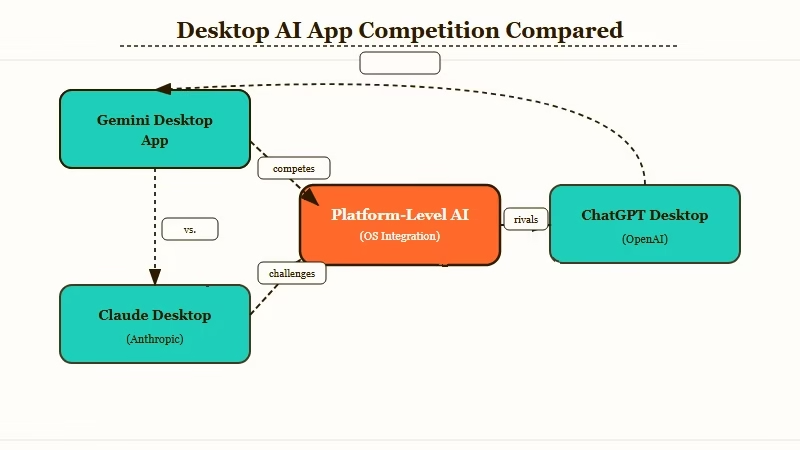
The timing is pointed. Claude has had a desktop app since late 2024, ChatGPT has a Mac app, and Copilot is baked into Windows. Google was the last major AI provider without a native Mac experience. As TechCrunch reported on April 15, this release closes that gap.
What’s worth noticing is how deliberately thin this first release is. Google shipped the foundation: a working app, a global shortcut, screen sharing. They did not ship deep OS integration, calendar access, or local file awareness.
That restraint looks like careful sequencing, not incompleteness. The way I read it, they’re building the infrastructure before adding the capabilities.
Who Should Download the Gemini Mac App Right Now?
The Gemini Mac app is most useful for Google Workspace users who want faster AI access without switching tabs or applications.
If you live in Google Docs, Gmail, and Google Drive, this app shortens the distance between “I need AI help” and getting it. Screen sharing makes it genuinely useful for Workspace tasks that currently require copying and pasting back and forth.
If you’re already on Claude Pro or ChatGPT Plus, there’s less urgency. Both have mature Mac apps with their own shortcut systems. The Gemini app is not obviously better for general use right now, and it’s not a reason to switch products today.
From what I can tell, the clearest use case right now is: Mac user, Google Workspace user, wants faster AI access without losing focus. That’s a specific but large group. Here’s how to get set up in about two minutes:
- Visit gemini.google/mac on your Mac
- Click “Download for Mac” and open the installer
- Sign in with your Google account during setup
- Enable the Option+Space global shortcut when prompted
- Try asking Gemini a question while another app is in focus to test the shortcut
The Apple Silicon requirement is real friction. Any Intel Mac, or any Mac running macOS 14 or earlier, cannot use this app. That’s worth checking before recommending it to someone else.
Example scenario: You’re editing a Google Doc and hit a phrasing problem. Instead of opening a new browser tab, searching for the chat window, and pasting the paragraph, you press Option+Space, say “help me tighten this sentence”, and share the screen. Gemini sees the actual document and responds in context. That’s the friction reduction this app is selling.
| User type | Download now? | Reason |
|---|---|---|
| Google Workspace power user | Yes | Screen sharing and quick invoke cut tab-switching |
| Claude Pro or ChatGPT Plus subscriber | Try it | Free to install, but unlikely to replace your current setup today |
| Intel Mac user | No | Not supported on Intel hardware |
| macOS 14 or earlier | No | Requires macOS Sequoia 15.0+ |
| Casual AI user | Yes | Free, faster than the browser, no cost to try |
What Is Google Planning Next for Gemini on Desktop?
Google has signaled this is a foundation release, with more desktop features coming in the months ahead.
The phrase “more news to share in the coming months” in Google’s launch materials is the kind of language product teams use when they have specific things they cannot announce yet. My read: deeper OS integration, possibly calendar and task access, and some form of persistent context across sessions.
The more interesting question is whether Google will use this app to give Gemini access to local files and installed applications, not just what’s visible on screen. That would push it closer to what Anthropic’s managed agents framework is building toward: AI that can take actions on your behalf across your environment, not just answer questions.
This app is Google catching up to where Claude and ChatGPT have been for several months. The screen sharing and global shortcut make it useful from day one.
The architecture suggests they’re building toward persistent context and deeper OS access. When those features ship, the Gemini Mac app will be worth a second look even for people who don’t live in Google products. Google’s Gemini personal intelligence update pointed in this direction, and this release confirms the trajectory.
The people I’d watch most closely are the ones already using AI tools for knowledge work. For that group, a native desktop client that can see your screen and respond in under a second is a meaningful quality-of-life improvement, not just a feature checkbox.
