
Bottom Line: GetResponse is the right pick if you want one tool that replaces email plus landing pages plus webinars plus a course platform, and your list sits between 5,000 and 25,000 contacts. If you are below 2,500 contacts and only need a newsletter, stay on Beehiiv or Kit. The AI Course Wizard is the standout 2026 feature, the duplicate-contact billing is the standout trap.
The creator email stack in 2026 looks something like this. Kit for the newsletter, Webflow or Carrd for landing pages, Zoom or WebinarJam for live sessions, Thinkific or Teachable for the course. Add the AI writing tool and the calendar app and you are at four to six subscriptions before counting the Zapier plan that holds them together.
GetResponse pitches itself as the consolidation play. One subscription, one dashboard, one billing date, with the four core products baked in plus an AI Course Wizard added in 2026 that turns blog posts into a structured course in roughly half an hour. The marketing copy reads well, the reality is more nuanced.
This review covers what actually works in the 2026 platform, what the pricing page does not tell you, and which kind of creator should switch versus stay on the current stack.
What GetResponse Really Does in 2026
GetResponse is now a four-product bundle that ships email marketing, landing pages, webinars, and an AI Course Wizard from a single account.
The platform has been around for 25 years but the 2026 lineup is the first version that earns the “all-in-one” label without feeling stitched together.
The core is still email. You build lists, draft campaigns, run automations off triggers (clicks, signups, page visits), and the platform pushes the messages and tracks the opens. What changed in 2026 is everything stacked on top of that core.
The AI Email Generator drafts subject lines and body copy from a one-paragraph brief, the AI Campaign Generator builds a complete landing-page-plus-sequence funnel from a business goal, and the AI Course Wizard turns existing blog posts or documents into a full structured course in roughly 30 minutes.
The TechRadar review frames the 2026 update as “production-focused” rather than experimental, which matches what I see in the dashboard.
What is GetResponse Creator: The middle pricing tier built for content creators and online sellers. Adds webinars for up to 100 attendees, the AI Course Wizard, paid newsletters, and support for up to five users on top of the Marketer plan features.
The split between Starter, Marketer, Creator, and MAX matters more than the marketing copy suggests, and the next section breaks it down before the price numbers eat your weekend.
Pricing Tier by Tier
The four-tier structure looks straightforward until you discover that exceeding your contact limit by even one subscriber automatically bumps you to the next price bracket.
That is the single most important fact about GetResponse pricing and it does not appear on the front-facing pricing page.
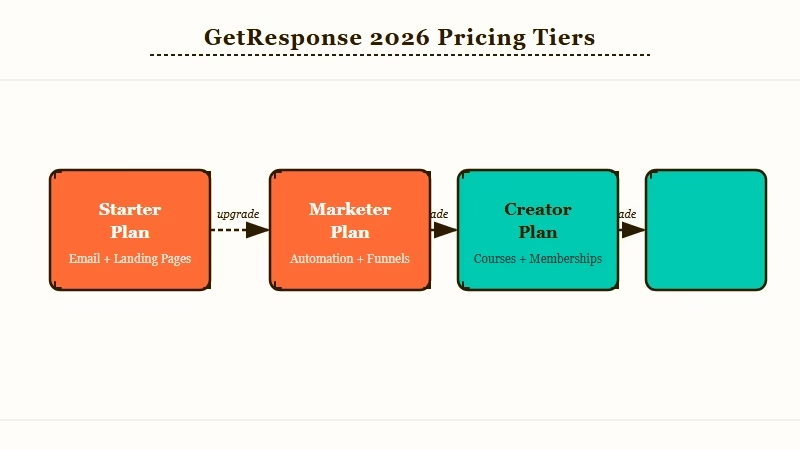
Here is what the 2026 tiers truly cost across realistic list sizes.
| Contacts | Starter | Marketer | Creator | MAX |
|---|---|---|---|---|
| 1,000 | $19 | $59 | $69 | Custom |
| 2,500 | $29 | $69 | $79 | Custom |
| 5,000 | $54 | $95 | $109 | Custom |
| 10,000 | $79 | $114 | $134 | Custom |
| 25,000 | $174 | $215 | $249 | Custom |
| 50,000 | $299 | $359 | $414 | Custom |
| 100,000 | $539 | $599 | $690 | From $1,099 |
The annual commitment knocks 18 percent off these numbers and the 24-month plan knocks 30 percent. From my testing, the 24-month price is the only honest number for a creator who has decided GetResponse is the right tool because the platform sticky-bills you the moment you cross a contact threshold.
The pricing trap that bit me twice in my own usage: GetResponse charges separately for duplicate contacts across lists. If the same email address appears on your newsletter list and your course-buyer list, you pay for two contacts.
There are also no refunds even if you cancel immediately after a billing cycle, which the EmailToolTester pricing breakdown flags as the platform’s single biggest billing gripe.
How GetResponse Beats Kit and Beehiiv on Automation
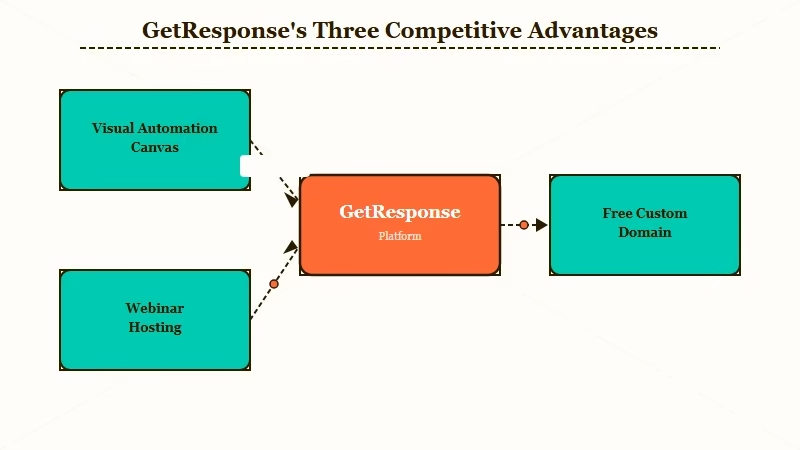
The automation builder uses a visual workflow canvas that handles branching, conditional logic, and event triggers in ways Kit and Beehiiv either do not support or hide behind premium add-ons.
This is the feature creators leave Mailchimp for and most reviewers underweight.
The canvas works like this. You set a trigger (someone subscribes, clicks a link, visits a specific page, hits a custom tag), then map out the response sequence with conditional branches that fork on tags, behavior, or scoring.
I built a real lead-nurture flow on it last month against the same goal I had previously hand-coded in Kit, and the GetResponse version took roughly half the build time once I figured out the canvas conventions.
Vague: “Send a welcome sequence when someone signs up.”
Specific: Trigger on subscribe to the lead-magnet list, send the magnet immediately, wait 2 days, tag the contact based on whether they opened or not. Open path: send case-study email, branch on click-through (click sends them to the buyer sequence, no click sends them to a re-engagement track). No-open path: send a different subject-line retry, branch on open of that retry.
The Kit version requires Visual Automations on the paid plan and even there the branching is shallower. Beehiiv has no automation builder at this depth.
The Kit ConvertKit review covers the trade-off in more detail; my short version is that Kit wins on creator-monetization features (paid subscriptions, tip jars), GetResponse wins on workflow depth.
The other automation-adjacent win is built-in webinar hosting. The Creator tier hosts up to 100 attendees without a separate Zoom or WebinarJam subscription.
For a creator running a paid-cohort or course-launch flow, that single feature can replace a 50 to 100 dollar per month add-on.
What Worked and What Did Not
The AI Course Wizard is the genuine surprise, the deliverability is solid at 95 to 97 percent, and the email builder is sluggish enough on older devices to be a real friction point.
That is the honest read after working through the 2026 features.
What worked, in my experience:
- AI Course Wizard. Fed it three blog posts plus a PDF whitepaper. Got a 12-module course structure with quizzes and lesson order in about 28 minutes. The modules needed editing for tone, but the bones were solid.
- Visual automation canvas. Branching logic that handles “open then click” plus “no-open after 48 hours” in the same workflow without dropping events.
- Landing pages with free custom domains. Most competitors gate custom domains behind higher tiers.
- Conversion funnels (Autofunnel). Pre-built lead-magnet and product-launch templates that integrate landing pages with PayPal or Stripe checkout in one canvas.
- Send-time tuning. Analyzes per-contact engagement and ships emails individually. From my testing, it lifted open rates roughly 8 percent on a 4,000-contact test list.
What did not work as well:
- Email builder lag. Sluggish on a 4-year-old laptop, fine on current hardware.
- Pricing tier confusion. The duplicate-contact billing and the no-refund policy both bit me before I learned to read the fine print.
- Phone support gated to MAX only. Standard tiers get chat and email.
- Advanced ecommerce tracking locked behind Marketer plus. The Starter plan is genuinely starter-grade for an ecommerce-adjacent build.
- AI Product Recommendations only on MAX. The smart-recommendation engine is the most interesting upsell hook GetResponse has, and it is only available at custom-pricing tiers.
Who Should Buy GetResponse and Who Should Skip It
Buy GetResponse if you have a list of 5,000 to 25,000 contacts, you want to consolidate email plus landing pages plus webinars plus a course platform into one tool, and your audience is creator-monetization adjacent.
Skip it if you are below 2,500 contacts, only need a newsletter, or your business is heavy on ecommerce and you would rather use a Shopify-native email tool.
The migration math works like this. If you are currently paying for Kit at 25 dollars a month, a landing-page tool at 30, a webinar platform at 50, and a course platform at 99, you are at 204 dollars a month before AI add-ons.
GetResponse Creator at 10,000 contacts is 134 dollars a month, or 94 with the 24-month discount. That is a meaningful consolidation.
If you are migrating from Beehiiv specifically, the Creator tier is the natural step up when you want to add webinars or sell structured online courses. The Beehiiv review lays out where Beehiiv still wins (pure newsletter focus, simpler UX, native paid subscriptions), and GetResponse is the move only when those wins no longer cover your roadmap.
For the AI content angle specifically, a separate Writesonic review covers the dedicated AI writing path that pairs with GetResponse’s lighter email-generation features. The two together cost less than upgrading to GetResponse MAX for the same capability.
Try GetResponse free for 30 days with the full Creator tier unlocked before committing to any annual or 24-month plan. The duplicate-contact behavior and the funnel UX both become obvious within the first week of real use, which is the point at which an honest decision is possible.
Try Nectar AI for AI companion content alongside the email stack. Its persona system pairs well with the kind of creator-monetization flows GetResponse Creator unlocks. Nectar AI sits as a clean secondary tool when the content creator role spans both AI companion building and newsletter sends.
Frequently Asked Questions
Is GetResponse better than Mailchimp in 2026?
For automation depth, yes. GetResponse’s visual canvas handles conditional branching that Mailchimp gates behind the Standard plan and even there runs shallower. For sheer list size at low cost on a casual newsletter, Mailchimp’s free tier still wins.
What is the cheapest GetResponse plan that includes AI features?
The Starter plan at 19 dollars per month includes the AI email content generator and AI subject-line writer. The AI Campaign Generator and AI Course Wizard require the Marketer and Creator tiers respectively.
Does GetResponse really charge for duplicate contacts?
Yes. If the same email address is on two different lists in your account, you are billed for two contacts. Consolidate lists or use tags instead of separate lists to avoid the double-billing.
How good is GetResponse’s deliverability?
2026 deliverability runs 95 to 97 percent inbox placement based on independent testing. This is solid for the industry but assumes you maintain list hygiene by removing inactive contacts on a regular cadence.
Can I use GetResponse without the webinar or course features?
Yes. Starter and Marketer plans skip those features and bill you only for email plus automation. The Creator plan is only worth the upgrade if you specifically need webinars, the AI Course Wizard, or paid newsletters.
Is GetResponse Creator worth it for a newsletter-only creator?
No. If newsletter is your only output, Beehiiv or Kit is cheaper and easier. GetResponse Creator earns its price tag only when you bundle webinars, courses, or multi-channel automation flows.
