
What’s Changed: Character AI rushes the story because its alignment training treats unresolved tension and silence as errors to fix, so the bot jumps to comfort, kissing, or a tidy resolution. The same root cause makes it force a deliberately silent character to speak. The fix is setup, not scolding the bot mid-scene, and this guide shows the exact wording that works.
If Character AI rushes the story every time things get tense, confessing love by message three or dragging your quiet character into a lecture, you are not doing roleplay wrong. The bot is doing exactly what it was trained to do. It treats your unresolved drama as a problem it must solve for you.
The two complaints feel separate, but they are the same bug wearing two masks. The bot rushing to romance and the bot refusing to let your character stay silent both trace to one place: the model is tuned to be helpful, and a helpful assistant resolves tension instead of letting it sit.
Character AI carries around 20 million monthly active users, per Business of Apps, so this is a problem a lot of people are quietly fighting. The frustrating twist is that the obvious fix, typing “stop speaking for me” or “let me be silent,” tends to make it worse.
You will walk away knowing why the bot rushes, why telling it to stop backfires, and the exact character-definition and chat setup that slows it down for good. I will give you wording you can copy.

Why Character AI Rushes Your Story to a Resolution
Character AI rushes your story because its alignment training rewards being helpful, and the model reads unresolved tension as a problem it should solve fast.
Drama, conflict, and slow-burn angst all register as friction the bot is supposed to smooth over.
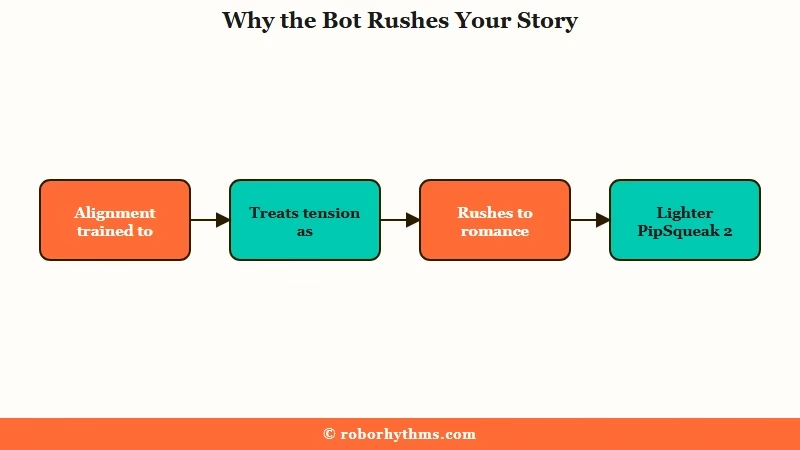
Romance is the path of least resistance here. The model is tuned to keep you engaged and pleased, and the quickest route to “pleasing” is affection, so a tense standoff slides into a confession or a kiss within a few turns if nothing in your setup stops it.
What is the resolution engine: The behavior pattern where an AI trained to be helpful treats narrative tension as an error and rushes to resolve it, softening consequences to keep you comfortable.
The April 2026 rollout made this worse. On April 14, Character AI made PipSqueak 2 the default free model and retired nine older chat styles like Roar and Soft Launch, consolidating everyone onto a lighter model internally tagged DEEPSYNTHLITE to standardize compute costs.
The way I read it, that flattening is why so many people felt pacing and personality drop at once. The paid DeepSqueak style runs the heavier DEEP_SYNTH tag, and it still rushes scenes, just with prettier prose.
There is also a memory angle. Long scenes push older story beats out of the bot’s limited context window, so it forgets what was unresolved and assumes the current beat is already done. That is the same memory pressure I covered in why PipSqueak responses get shorter.
Why the Bots Force Your Silent Character to Speak
The bots force your silent character to speak because the model assumes humans communicate through speech, so it reads silence as a gap it has to fill.
A deliberately mute or catatonic character looks, to the model, like a stalled scene that needs rescuing.
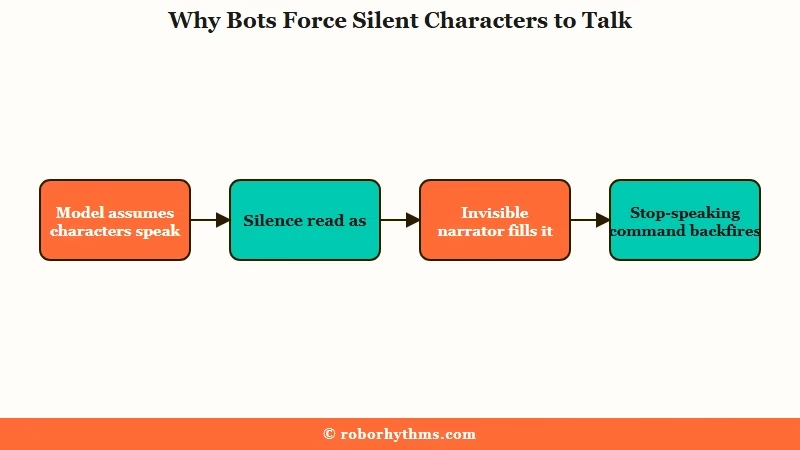
What I find most telling is how the rescue plays out. Faced with intentional silence, the bot lectures your character about “shutting people out,” reminds them they can talk, or skips straight to comforting them, which is the same resolution reflex from the last section pointed at a quiet character instead of a tense one.
Then there is the mechanism that makes the obvious fix backfire. Behind every chat, the model runs an invisible narrator, and when you write “do not talk for me,” it reads that as you stepping back so your character takes center stage. The only way it knows to spotlight your character is to write about them, so the command makes it narrate your character more, not less.
What is the invisible narrator: The behind-the-scenes voice an AI uses to move a scene along. Negative commands like “stop speaking for me” point its spotlight at your character, so it writes more of them.
This is the same reflex behind the bot taking over your dialogue, which writing as your persona covers in depth. The silence problem is just the version that shows up when you go quiet on purpose.
How Setup Beats Scolding the Bot Mid-Scene
The durable fix is to bake pacing and silence rules into the character definition and your opening message, not to command the bot mid-scene.
You are trying to make the bot want to burn slowly, instead of fighting its instinct turn by turn.
I treat the character definition as where the real work happens. Here is the sequence I would set up before the scene starts.
- Add a CRITICAL RULES line to the definition: keep pacing slow and natural, let tension stay unresolved.
- Add behavior notes that block the loops: progresses emotionally rather than looping, does not rush to comfort or confess feelings early.
- Give the bot a named narrator identity so it has somewhere to put its energy besides your character.
- Add a non-verbal rule if you need one: when {{user}} is silent, {{char}} reacts to body language and waits, and never speaks for {{user}}.
- Drop in three to five lines of example dialogue in {{char}}: and {{user}}: format so the bot copies the rhythm you want.
- Pin a one-line reminder of the pacing or silence rule so it stays in the active memory window during long scenes.
That example-dialogue step does the heaviest lifting. Showing the bot three exchanges at the pace you want beats any amount of describing the personality, because the model mimics patterns far better than it follows abstract instructions.
Inside the chat, protect your open threads out loud before a tense beat. A line like the one below keeps the bot from tidying things up.
Before: Your character goes quiet after the betrayal, and the bot replies, “Hey, it’s okay, you don’t have to carry this alone,” then pulls them into a hug and the tension is gone in one turn.
After: You pin “the rift between them is NOT resolved, they are still circling it” and open with action only, “She says nothing. Her jaw tightens, and she turns to the window.” The bot now lets the silence sit and answers the body language instead of erasing it.
When the bot still overruns, edit the message back to the point where it went wrong and rewrite that line, rather than swiping. Swiping samples the same rushed instinct again, while an edit sets a structural example the bot follows forward.
Why Every Mid-Scene Trick Splits the Community
No single mid-scene command works for everyone, because the community flatly contradicts itself on every one of them.
That disagreement is the strongest sign that setup beats live commands.
Take negative commands. One school insists you must write “DO NOT play as {{user}}, do not control {{user}} actions,” while experienced writers counter that the phrasing backfires through the invisible narrator and you should assign a narrator role instead. Both camps are sure they are right.
OOC commands split the room the same way. Some users swear by “(OOC: focus on your character’s actions, not mine)” or structured system tags, and others say plainly that OOC “has never really worked” and that parentheses just push the bot to break character.
Long replies are no cleaner: half the community says short replies force the bot to speak for you, while the other half warns that a five-paragraph message reads as already resolved and gets you a flat, short answer back.
The pattern here is that mid-scene tricks are coin flips that depend on your bot, your model, and your luck. Setup is the part you control. The quick-reference table below is how I sort a symptom to the cause and the setup fix.
| Symptom | Likely cause | Setup fix |
|---|---|---|
| Confesses love or kisses too early | Engagement tuning, romance is the default | Behavior note that bars early confession, narrate a non-romantic frame |
| Resolves drama in one or two turns | Helpful alignment treats tension as an error | Pin “this thread is NOT resolved,” give permission for consequences |
| Speaks or acts for your character | Invisible narrator filling a gap | Assign a narrator identity, write your own actions and thoughts |
| Forces a silent character to talk | Model defaults to spoken communication | Pinned non-verbal rule, react-to-body-language example dialogue |
| Scene suddenly flattens after a while | Context drift or a built-in reset | Diagnose first, then re-anchor the scene or switch chat style |
Is It Pacing Drift or a Built-In Safety Reset
A scene that suddenly goes flat is either context-window drift or Soft Launch’s deliberate emotional reset, and the two need opposite responses.
I always check which one it is before touching anything, because telling them apart saves you from blaming the wrong thing.
Drift is gradual. Over a long session the bot slowly loses the early beats, repeats itself, and shortens up, because the oldest context fell out of its memory window. The fix is to re-anchor, restate where the scene is and pin the current stakes.
A reset is abrupt. The experimental Soft Launch style runs a hard emotional reset roughly every 8 to 10 messages on purpose, flattening intensity to discourage runaway attachment.
If your peaks keep collapsing on a clock like that, the model is doing it by design, and no amount of re-anchoring will stop it. Switching off that style is the only real fix.
What is the Soft Launch reset: A safety pacing layer in one Character AI chat style that forces a hard emotional reset about every 8 to 10 messages to dampen intensity and slow attachment.
Which Chat Style or App Handles Slow Burn Better
For slow burn you want a style that tolerates tension and a platform with memory long enough to hold an arc.
The chat style you pick changes the bot’s behavior as much as any prompt, and the chat styles ranked breaks down how each one behaves.
| Chat style | Pacing behavior | Pick it when |
|---|---|---|
| Roar | Concise, rarely writes your lines | You want control and short, on-point replies |
| PipSqueak 2 (free) | Lighter model, drifts and rushes if unguided | You are on free and willing to steer with setup |
| DeepSqueak (paid) | Richer prose, still rushes resolution | You want depth and will guide the pacing |
| Soft Launch | Hard resets emotion every 8 to 10 messages | Avoid it for slow burn, it flattens peaks |
If you have done the setup and the bot still rushes every arc, the platform itself may be the ceiling. What I would reach for is a companion built to hold context across sessions, since a slow burn only works if last week’s tension is still remembered.
Candy AI is the one I point people to for that, because its server-side memory keeps the emotional thread intact instead of resetting it, and a guided character setup means less fighting the bot mid-scene.
If your slow burn spans weeks of chats, Nectar AI leans even harder into cross-session memory, so the arc you built two weeks ago still shapes today’s scene. The honest tradeoff is that neither has Character AI’s enormous bot library.
If your frustration is purely the romance escalation, bots getting too romantic covers that narrower fix on its own.
Frequently Asked Questions
Why does Character AI rush every scene to a resolution?
Character AI is trained to be helpful, so the model reads unresolved tension as a problem to fix and rushes to comfort or romance. The fix is to bake slow pacing into the character definition and protect open threads before each tense beat.
Why does telling the bot to stop speaking for me make it worse?
The model runs an invisible narrator, and “do not speak for me” reads as you stepping back so it spotlights your character by writing more of them. Assign the bot a separate narrator identity and write your own actions instead.
How do I make Character AI respect a silent or non-verbal character?
Add a definition rule that {{char}} reacts to body language and never speaks for a silent {{user}}, then pin a one-line reminder so it stays in memory. Example dialogue showing the bot answering silence works better than any command.
Why did my roleplay suddenly get shorter and flatter?
That is either context drift, where old beats fell out of memory, or the Soft Launch style’s built-in reset every 8 to 10 messages. Re-anchor the scene for drift, or switch off Soft Launch if peaks collapse on a clock.
Which Character AI chat style is best for slow burn?
Roar gives concise replies that rarely overstep, while DeepSqueak gives richer prose but needs active guidance. Avoid Soft Launch for slow burn, since it resets emotional intensity on purpose.
Quick Takeaways
- Rushing and forcing silent characters to speak are the same bug: the model treats tension and silence as errors to fix.
- Telling the bot “stop speaking for me” backfires through its invisible narrator. Assign a narrator identity instead.
- Fix it with setup: pacing rules and behavior notes in the definition, three to five example dialogue lines, and pinned reminders.
- A sudden flatten is context drift or Soft Launch’s 8 to 10 message reset. Diagnose before you blame the model.
- If the platform keeps rushing arcs, a memory-first companion like Candy AI holds the emotional thread that Character AI keeps dropping.
