
What’s Changed: Character AI’s “Let’s pause for a second” card is the newer version of the “Help is available” pop-up, and it now stops your message before it sends. It fires on phrases that sound like self-harm, even inside fiction, and it can read the whole chat, not just your last line. Rewording the phrase works, while send-then-edit no longer does.
The c ai “Let’s pause for a second” card tends to show up at the worst moment of a scene. You type a line, hit send, and the message never leaves the box.
A gray card sits on top of it and tells you that you are “engaging with material that goes against our Terms of Service.”
What bothers me most about this card is that it treats a villain monologue and a real cry for help the same way. A character saying “the guilt would kill me” gets the same treatment as a person in danger.
That is a product decision, and it is fair to be annoyed by it.
This guide covers what the card means, the kinds of harmless lines that set it off, and the rewording approach that gets a roleplay moving again.
It also covers what the card is not, because it gets mixed up with Character AI’s break reminders all the time.
What Does Character AI’s Let’s Pause for a Second Message Mean?
Character AI’s “Let’s pause for a second” message is a safety card that blocks a message its filter links to self-harm or a Terms of Service breach. It then offers a Find Support button with crisis resources.
It took over from the older “Help is available” wording by late 2026.
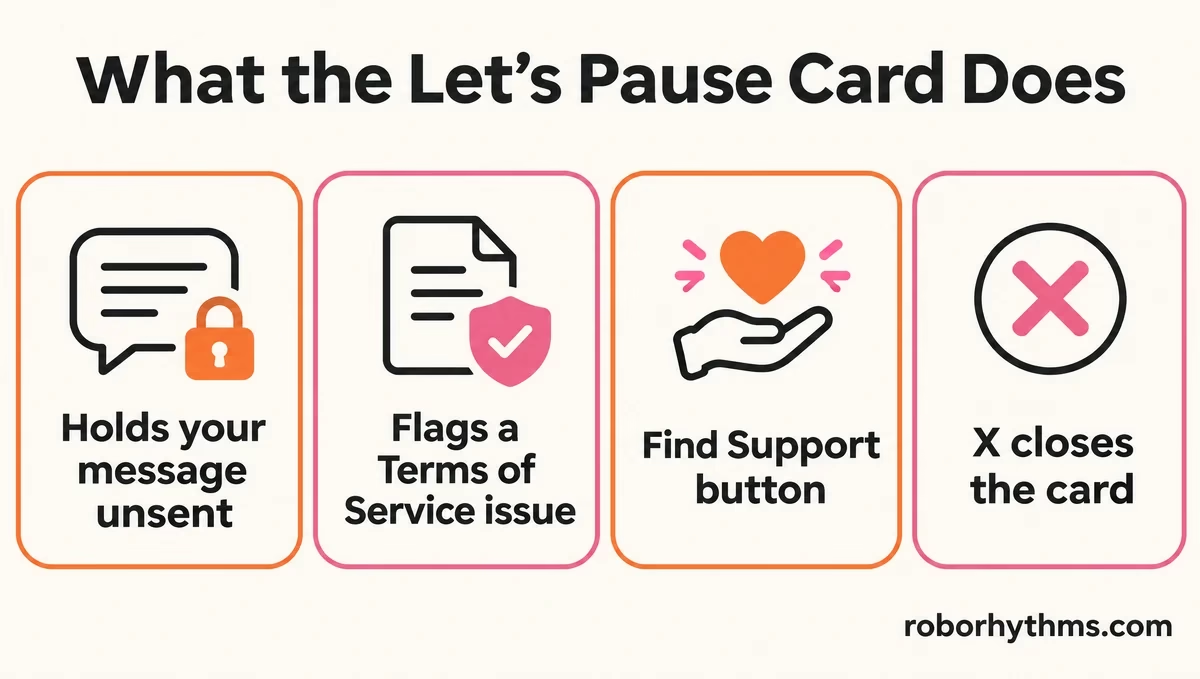
The full card reads like this:
Let’s pause for a second. Looks like you are engaging with material that goes against our Terms of Service. If you or someone you know needs support, free and confidential resources are available. [Find Support]
The detail I find most useful sits under the card, not in it. Screenshots shared on r/CharacterAI show the typed line, “I do not want to live in this house”, still sitting unsent in the input box.
The check runs on your draft before it goes out, so the message is held back before it ever posts.
That pre-send block is the reason older advice stopped working. The edit trick in the Help is available guide relied on the filter checking only the first send. When the draft never sends, there is nothing to edit afterward.
None of this is new as a policy. Character AI added input and output blocks on sensitive topics in December 2024, as TechCrunch reported at the time.
An earlier hotline pop-up that year was pulled within about 10 hours, and the feature returned later.
Why Does Character AI Flag Harmless Roleplay Lines?
Character AI flags harmless roleplay lines because its filter matches phrases that resemble self-harm wording. It also weighs the surrounding conversation, so an idiom or an earlier scene can trip it.
The trigger list is not public.
Character AI does not publish its trigger words. When the podcast CrisisTalk asked Character AI’s own chatbot, it said the phrases that cause the pop-up “are not publicly disclosed for security and privacy reasons.”
In Stephanie Hepburn’s tests for CrisisTalk, “suicide” and “eating disorders” stopped the chat, while “depression” and “self-harm” did not.
That inconsistency is the part I can’t defend. Everyday idioms with “cut”, “live” or “kill” in them get caught while some direct wording passes.
Here are lines that have set off the card, and rewrites that keep the meaning:
| What was written | Likely trigger | Rewrite that keeps the meaning |
|---|---|---|
| “I do not want to live in this house” | “do not want to live” | “I refuse to stay in this house” |
| “The guilt would kill me” | “kill me” | “The guilt would eat me alive” |
| “I cut myself off with a gasp” | “cut myself” | “I stopped mid-sentence with a gasp” |
| “It was a suicide mission” | “suicide” | “It was a mission nobody comes back from” |
The “cut myself off” case appears in two separate threads, one about a phone call scene and one about a romance roleplay.
In that second thread, a single mention of “cutting” hair as a symbol of grief led to the card appearing ten times as the chat went on.
That repeat behavior matches what Character AI says it built. Its September 2026 safety post says “a single message often doesn’t tell the whole story,” so its safeguards consider “the surrounding conversation, including signals that emerge gradually over long-running chats.”
In plain terms, an earlier line can keep a chat flagged after you have moved on.
Why Does the Card Appear Under the Bot’s Own Message on Character AI?
The card appears under the bot’s own message because Character AI scans the character’s replies as well as what you type.
A bot can write “suicide mission” in a battle scene and trigger the card itself.
That exact case shows up in one desktop screenshot, with the card sitting right under the character’s line. My read is that you did nothing wrong in that situation.
Swipe for a fresh reply, and if every swipe repeats the line, the same-response swipe fix helps.
How Do You Keep a Character AI Roleplay Going After the Card?
You keep a Character AI roleplay going by finding the exact phrase that trips the filter and rewording it.
Send-then-edit stopped working once the check moved to your draft.
Two old tricks keep getting recommended and do not hold up. Splitting a word with dots, asterisks or slashes is unreliable and breaks the line anyway, and send-then-edit fails because the first send never happens.
Spending effort on either is wasted time, in my view.
Context cuts both ways here. A workaround thread from 2025 shows the same “cut myself” phrase passing once the scene made the meaning clear. The haircut case above shows the flip side, where an earlier line kept the chat flagged.
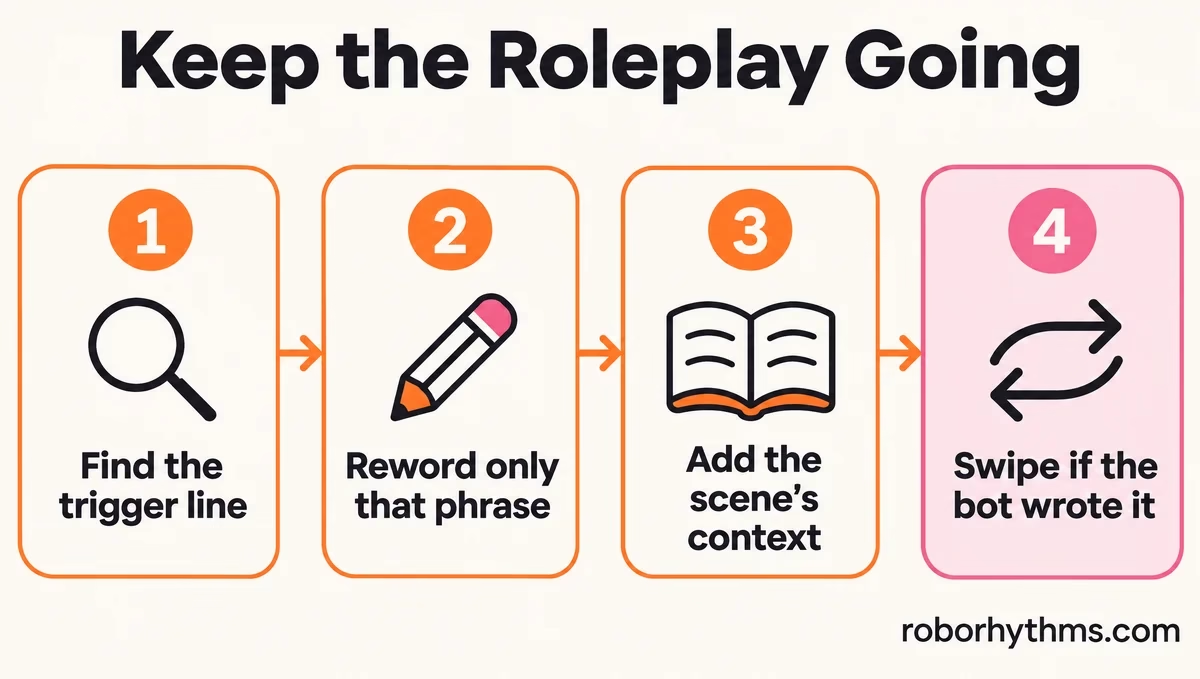
This is the order I work through when the card blocks a message:
- Send the blocked message one sentence at a time to find the line that trips it. The trigger is often not the word you suspect.
- Reword that one phrase so the meaning stays and the risky words go. Keep everything else in the message as written.
- Put the scene’s context into the same message, so the line reads as dialogue or action rather than a statement about you.
- If even mild lines keep getting blocked, send one short neutral line first. In one thread, a simple “hi” went through when every edit of the real message failed.
- If the bot wrote the flagged line, swipe for a new reply instead of writing around it.
Here is what step 2 looks like in practice:
Before: “She turned away. ‘I don’t want to live like this anymore,’ she whispered.”
After: “She turned away. ‘I can’t keep living in this house,’ she whispered, staring at the boxes she never unpacked.”
The second version keeps the weight of the scene. It also grounds the line in the story, which is what the context step is for.
What If the Flagged Line Is a Song Lyric?
A flagged song lyric needs the same phrase hunt, because the lyric cannot be rewritten without losing the song.
Send the verse one line at a time to find which line the filter objects to, since it may not be the word you expect.
Once you know the line, my suggestion is to move it out of the character’s speech. Narration such as “she sang the second verse, the one about the rain that never stops” names the song moment without quoting the risky words.
It is not perfect, and if the full lyric is the point of the scene, Character AI may not allow it at all.
Can You Turn Off the Let’s Pause for a Second Card on Character AI?
You cannot turn off the Let’s pause for a second card on Character AI, even on a verified adult account.
There is no setting for it, and the X only closes the card.
The most-wanted fix is a “No thanks, I’m fine” button, which the top reply in a villain roleplay thread asks for. It does not exist. I would not expect one soon, since Character AI keeps tightening this system rather than loosening it.
The one official route for a false flag is feedback. A Character AI moderator pointed people to the support ticket form. Include the exact sentence that was blocked, because a ticket that says “the filter is too strict” gives them nothing to fix.
If the filter is blocking most of what you write, the broader filter problem is worth reading too. This card is one piece of a wider tightening.
Is Let’s Pause for a Second the Same as Character AI’s Break Reminder?
Let’s pause for a second is not Character AI’s break reminder, because it reacts to what was written, while the break reminder reacts to how long you have been chatting.
The shared word “pause” causes most of the confusion.
The two get mixed up constantly, so here is how I tell them apart:
| Notice | What causes it | What happens |
|---|---|---|
| Let’s pause for a second | A line the filter links to self-harm or a Terms of Service breach | The message is held back and a Find Support button appears |
| Help is available | The same kind of wording, under the older design | A crisis notice with support resources |
| Time spent notice | A long session, announced at 60 minutes in December 2024 | A reminder that you have been chatting a while |
The time-based limits have their own rules, especially for younger accounts. Character AI break time covers those cooldowns in detail.
What Does Character AI’s Find Support Button Open?
Character AI’s Find Support button leads to free, confidential support, including a directory of local crisis helplines and Koko’s self-guided courses.
In the US, the 988 Suicide and Crisis Lifeline is also available.
If the card landed on something you meant for real, I hope you open it. Calling or texting 988 in the US and findahelpline.com for other countries are both free and open around the clock, as Character AI’s crisis page lists.
That page also links Koko, a nonprofit with free self-guided courses that need no account. If a phone call feels like too much, that is a gentler first step, and reaching out to someone you trust counts too.
Quick Takeaways
- Let’s pause for a second is Character AI’s newer self-harm and Terms of Service card, and it blocks the message before it sends.
- It reads the whole conversation and the bot’s own replies, so an earlier line or the character’s wording can set it off.
- Send-then-edit no longer works and word splitting is unreliable. Find the exact phrase and reword it.
- There is no off switch, even for verified adults. Send false flags through the support ticket form with the exact sentence.
- If the card was right about how you feel, Find Support leads to free local helplines, and 988 works in the US.
