
What’s Changed: Nothing about your privacy settings changed, but the view and chat counters on a private bot panic people every week. On a private Janitor AI bot, those numbers almost always come from your own testing sessions, not strangers. Your bots are private by default, though “private” has limits worth understanding.
You set a bot to private, open it a few days later, and the card shows a chat count or a little “people chatting” number. Your stomach drops. Are random strangers reading the roleplay you thought only you could see?
I get why this sends people into a spiral. The question “are Janitor AI private bots private” comes up constantly, and the honest answer has two layers: yes, private bots are hidden from other users, but no, “private” does not mean nobody on the platform could ever access the data. Those are different things, and mixing them up is what fuels the panic.
Here is what surprised me when I dug into how the counters work. On a private or unpublished bot, that view and chat activity is almost always your own footprint, testing sessions, multiple chats, and leftover aggregate numbers from before you flipped the bot to private. It is not a window into strangers reading your content.
This article walks through exactly what those numbers count, who can and cannot see your private bots and chats, the real difference between unlisted and private, how the model you pick changes your privacy, and the concrete steps to lock everything down. You will come away knowing precisely how exposed your content is and what to do about it.
Are Janitor AI Private Bots Private by Default
Janitor AI private bots are private by default and hidden from every other user. A newly created bot stays invisible to the public until you manually publish it. A closed lock icon means private; an open lock means public. No stranger can browse, search, or open a bot you never published.
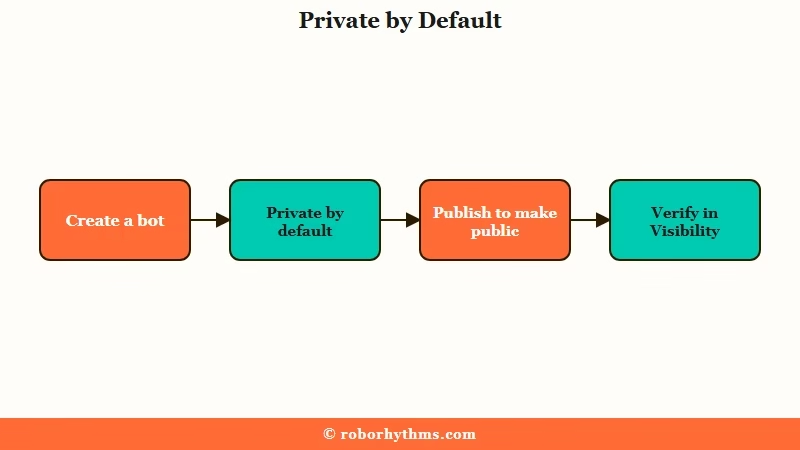
The way I see it, this is the part people get right to worry about but wrong to panic over. The default state protects you. When you build a character, it sits in your account as private, and the only way it becomes visible to others is if you deliberately publish it to the public directory.
What trips people up is assuming the platform works the other way around, that bots are public unless you hide them. It is the reverse. You have to take an action to expose a bot, not to protect it.
That said, “hidden from other users” and “nobody anywhere can ever see it” are not the same promise. The platform’s own infrastructure still stores your bots and chats, which matters later when we get to staff access and the model you choose.
For roleplay you never want near a public bot library, Candy AI is built around a personal companion instead, though like any cloud app it still keeps your chats on its servers.
What the View and Chat Counts on a Private Bot Mean
The view and chat counts on a private Janitor AI bot reflect your own activity, not strangers. They tally your testing sessions, your own multiple chats, and leftover aggregate totals from before the bot was set to private. An active “chatting” number on a private bot does not mean someone bypassed your settings.
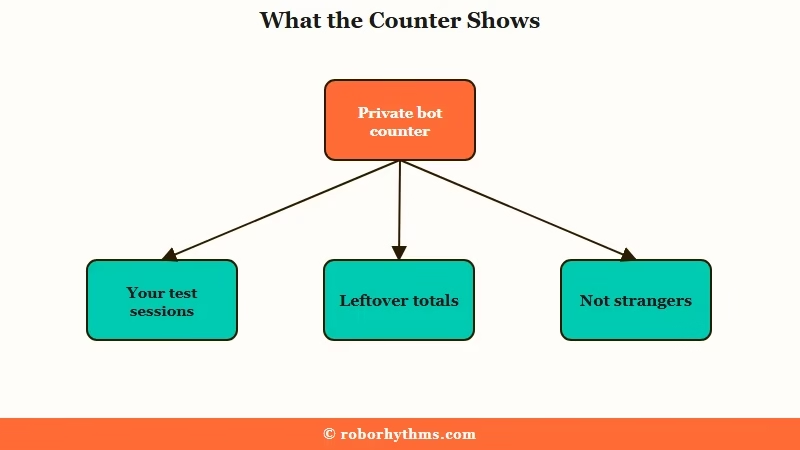
This is the single biggest source of the privacy scare, and almost no guide explains it properly. When you build and refine a bot, every time you open it to test a response, that registers. Run a few sessions tweaking the personality and you have generated a handful of “chats” entirely on your own.
Example scenario: You make a bot, spend an evening testing twelve different opening messages, then set it to private. A week later the card reads “14 chats.” That number is your testing plus a couple of return visits. It is your own history, displayed back to you, not fourteen strangers in your roleplay.
There is also a leftover-aggregate effect. If a bot was briefly public or you toggled visibility while building it, earlier counts can stick around in the display even after you lock it down. The number is a historical tally, not a live feed of people currently reading your private content.
The way I read it, once people understand the counter is a mirror of their own activity, the fear evaporates. The fix for the anxiety is not a settings change, it is understanding what you are looking at.
Who Can Really See Your Private Bots and Chats
Other users cannot see your private bots, but Janitor AI operators and moderators can access chat histories under specific conditions. The platform’s safety policy states that staff can review content to investigate abuse and prevent fraud. Private chats are not actively read by humans unless a bot gets reported or flagged.
Let me be straight about this, because the sugarcoated version helps nobody. Your private chats are stored in a database so the model has context to work with. The platform’s safety documentation explicitly says moderation teams and operators can access chat histories to enforce safety, investigate abuse, and prevent fraud.
What that means in practice: privacy from other users is solid, privacy from the platform itself is conditional. Two very different things. A regular member browsing the site has zero path to your private bots. The company running the servers has a stated, policy-backed path under defined circumstances.
Here is the part most people miss. The automated moderation does the heavy lifting, not humans reading your roleplay for fun. Bans tied to private chats are usually triggered by automated flags on the model side or by your bot’s public definition, not by a staff member scrolling through your sessions. The system is built to flag content programmatically, which is a different kind of exposure than a person snooping.
Can the Creator of a Bot See Your Chats With It?
No. The person who built a public bot cannot read your conversations with it. A creator sees two aggregate numbers on their character card, views and chats, and Janitor AI has no screen that drills from either one into the text of a stranger’s session.
The confusion is easy to understand. A creator publishes a bot, the card starts filling with numbers, and it looks like the front page of a dashboard that must drill into transcripts somewhere. Those two counters are the entire extent of what a creator receives.
Going the other direction, when you chat with someone else’s published bot, your messages and your persona text go to the model rather than to the creator. Their greeting and personality text reaches you. Your side of the conversation stays in your own chat history.
This is the same conditional-privacy reality other platforms carry, which our Character AI chat privacy breakdown walks through in detail. If you want a sense of the data rights you hold, the FTC’s data privacy guidance lays out the baseline expectations companies operate under, and Janitor AI’s own policy recognizes deletion rights under frameworks like GDPR and CCPA.
Unlisted Versus Private and How to Verify Your Settings
Private means only you can access the bot; unlisted means it stays out of search but is reachable by anyone with the direct link. To verify, open My Characters, select the bot, and check Privacy Settings under Character Visibility. The lock icon on the card confirms the status at a glance.
This distinction matters more than people realize. A private bot is sealed. An unlisted bot is hidden from the public directory and search results, but if someone has the direct URL, they can still open it. Treat unlisted as “semi-public by link,” not as a second flavor of private.
I would not rely on memory for which state a bot is in. It takes ten seconds to confirm, and the confirmation is worth it. Here is the sequence I walk through whenever I want to be certain a bot is locked down:
- Open your profile and go to My Characters.
- Tap the specific bot you want to check.
- Look at Privacy Settings under Character Visibility.
- Confirm it reads Private, not Unlisted or Public.
- Glance at the lock icon on the card, closed means private.
If you have been sharing direct links to an unlisted bot thinking it was fully private, that is the gap to close first. Switch it to Private and the link stops working for anyone but you. For a deeper walkthrough of locking down account-level settings, the AI chatbot privacy settings guide covers the broader checklist.
Are Your Janitor AI Personas Private?
A persona never appears in the public character directory, so no other user can browse yours, but it is not hidden from the model or from moderation. Persona text is injected into the prompt on every message, which puts it in the same stored chat record as everything else you type.
Most of the worry here comes from a naming collision. On Janitor AI a persona is the profile you role-play as, your name plus a short description of who you are in the scene, while a character or bot is the thing you talk to. Guides that answer “are personas private” by walking through character visibility settings are answering a different question.
There is no public listing of personas for anyone to find. Treat the description you put in one as data you have handed to the platform, on the same footing as your messages.
JLLM Versus a Third-Party Proxy for Privacy
With the built-in JLLM, your chats pass through Janitor AI’s own servers and no outside AI company sees them. With a third-party proxy, Janitor AI does not see the content but the provider does, under their logging rules. Neither is automatically more private, it depends who you want to shield your data from.
This is where a lot of advice gets it backwards, so here is how I think about it. If your concern is outside AI companies reading your roleplay, JLLM is the more contained option because the data stays inside Janitor AI’s infrastructure. If your concern is Janitor AI itself, a proxy moves the content to an external provider that Janitor AI cannot read.
But proxies carry their own traps. The cheaper an endpoint is, the more likely it logs you. Some providers run a separate low-cost route specifically because it records everything for research.
| Option | Who sees your chats | Privacy note |
|---|---|---|
| JLLM (built in) | Janitor AI servers only | No external AI company gets the content |
| OpenRouter | The chosen provider | Does not train by default, supports a zero-retention filter via a zdr setting |
| Chutes standard | Nobody (not logged) | Standard endpoint does not store prompts or responses |
| Chutes research opt-in | Recorded for research | Cheaper route that logs everything, easy to pick by accident |
Two technical details are worth knowing if you go the proxy route. First, even with your own API key, the key and prompts pass through Janitor AI’s hosting servers to make the connection, so if you delete your account, revoke that key on the provider side too. Second, a model like DeepSeek bakes its restrictions into the weights and can quietly alter or omit content rather than refusing outright, which is a data-integrity risk on top of a privacy one.
One more option people overlook: Janitor AI offers a Local Storage setting for certain models that keeps chat logs on your own device instead of the server, though it is not compatible with every JLLM feature. If keeping your footprint off the central database matters to you, that is the lever to pull. The same memory-versus-privacy tradeoff shows up when chats go missing, which the Janitor AI memory problems guide digs into.
What to Do to Keep Your Bots and Chats Private
To keep Janitor AI content private, confirm each bot is set to Private not Unlisted, avoid sharing direct links, pick your model based on who you want to shield from, and use Local Storage if you want logs off the server. Most of the fear comes from misreading the counters, so start by understanding what is genuinely exposed.
Here is the quick-reference version of the worries I see most and what to do about each one.
| Worry | What is really happening | What to do |
|---|---|---|
| Chat count on a private bot | Your own testing and old aggregate totals | Nothing, it is your footprint, not strangers |
| Unlisted bot feels exposed | Reachable by anyone with the direct link | Switch it to Private in Character Visibility |
| Staff might read my chats | Possible under abuse and fraud policy | Avoid reportable content, use Local Storage |
| Proxy provider logging | Cheap endpoints may record everything | Use the standard endpoint, check for a no-retention setting |
| Deleted account, keys still active | API keys routed through the platform | Revoke keys on the provider side after deleting |
Working through that list top to bottom is what I would do, and it resolves the real risk for almost everyone. The counter worry is a non-issue once you understand it. The unlisted-versus-private gap is the one real exposure most people did not know they had.
If your account itself starts behaving strangely after a privacy change, that can be a separate problem worth checking against the Janitor AI account restricted fixes rather than assuming a privacy breach.
If You Want Privacy as the Default Instead of a Setting
If the whole public-directory model makes you uneasy, a private-by-design companion app removes the exposure question entirely. Platforms built around one-to-one companionship keep your conversations on a personal account with no public bot directory to misconfigure and no view counters to misread.
The honest tradeoff with Janitor AI is that it is a creator-and-sharing platform first. Privacy is a setting you manage, not the core design. That is fine if you like building and sharing bots, but if you mostly want a private companion to talk to, you are managing exposure you never needed in the first place.
For that use case I would point people toward Candy AI, which is built around a private personal companion rather than a public bot library, so there is no directory listing or chat counter to second-guess. If you want strong long-term memory in that private setup, Nectar AI is the other one I would look at, since it keeps the conversation tied to your own account by design.
Neither removes the general truth that any cloud service stores your data somewhere. They just remove the specific Janitor AI failure modes, the misconfigured visibility toggle, the misread counter, and the accidental public bot, that cause most of the privacy scares I see.
Frequently Asked Questions
Can other people see my private Janitor AI bot?
No. Bots are private by default and stay hidden from other users until you manually publish them. A private bot does not appear in search or the public directory, and no regular member can open it without you publishing it first.
Are your Janitor AI chats private?
Your Janitor AI chats are private from other users: no other member can open, search for, or see the chats tied to your account. The one caveat is the platform itself, which stores chat histories and can access them under its abuse-and-fraud policy, so treat your chats as private from people but only conditionally private from Janitor AI.
Why does my private bot show a chat or view count?
Those numbers reflect your own activity, testing sessions and repeat visits, plus leftover aggregate totals from before the bot was private. They are not strangers reading your content. The counter is a historical tally displayed back to you.
Can Janitor AI staff read my private chats?
Technically yes, under policy. Operators and moderation teams can access chat histories to investigate abuse and prevent fraud. In normal use your chats are not actively read by humans unless a bot is reported or automatically flagged.
Is a third-party proxy more private than JLLM?
It depends who you want to shield from. JLLM keeps data inside Janitor AI’s servers with no outside AI company involved. A proxy hides content from Janitor AI but sends it to an external provider with its own logging rules.
What is the difference between unlisted and private?
Private means only you can access the bot. Unlisted keeps it out of search and the public directory, but anyone with the direct link can still open it. Treat unlisted as semi-public by link, not as true privacy.
Can I delete my Janitor AI data?
Yes. Janitor AI’s privacy policy recognizes data rights under frameworks like GDPR and CCPA, including deletion. If you used a third-party API key, revoke it on the provider’s side after deleting your account to fully cut off access.
Can a bot creator see my chats with their bot?
No. Creators see only the aggregate view and chat counters on their character card. Janitor AI provides no way for a creator to open or read an individual user’s conversation.
Are Janitor AI personas private?
Personas are not published anywhere and no other user can browse them. They are still sent to the model as part of every prompt and stored with the chat, so they carry the same conditional privacy as your messages.
Can you get banned for a private bot on Janitor AI?
A private bot is still covered by the content policy, and Janitor AI’s safety terms let staff review content to investigate abuse. In ordinary use the trigger is an automated flag or a report rather than a moderator browsing private characters, a distinction the moderated versus deleted bots breakdown covers in full.
How do you make a bot private on Janitor AI?
New bots are created private already, so in most cases there is nothing to switch on. To change an existing bot, open My Characters, select it, and set it to Private in Privacy Settings under Character Visibility.
The lock icon on the card closes once it applies. Setting a bot from Unlisted to Private also kills any direct link you shared, so anyone holding that URL loses access.
Does Janitor AI moderate private bots?
Yes. Private controls which other users can see a bot, and it does not exempt the bot or your chats with it from the content policy. The automated filter still applies.
Private still stops any other user from browsing, searching for, or opening the bot. If the filter flags something you thought was safe, the Janitor AI automod flagging guide covers why that happens.
Quick Takeaways
- A chat count on a private Janitor AI bot is your own testing footprint, not strangers reading your content.
- Bots are private by default, but unlisted bots stay reachable by direct link, so switch sensitive ones to Private.
- Staff can access chats only under a stated abuse-and-fraud policy, and most flagging is automated, not human snooping.
- JLLM keeps chats on Janitor AI’s servers; proxies move them to outside providers, so pick based on who you want to shield from.
- If managing exposure feels like too much, a private-by-design companion app removes the directory and counter problems entirely.
