
What’s Changed: PolyBuzz’s Take a break screen, which pauses a chat every few messages until you watch ads or subscribe, now shows up even with the AdGuard Private DNS trick switched on. Reports of the change piled up in the first week of November 2026. The only official way to remove the ads is a paid membership, and the web version in an ad-blocking browser cuts most of them for free.
How to get rid of ads on PolyBuzz used to have a two-minute answer: set your phone’s Private DNS to AdGuard and forget about it.
That stopped working for most people in early November 2026, when the Take a break screen started appearing with the DNS still switched on.
Searches still surface the old advice, so plenty of people are stuck repeating a fix that no longer holds.
The anger is easy to measure. Of the 247 one-to-three-star reviews posted on PolyBuzz’s US Google Play listing from November 1 to 10, 109 mention ads, and 12 name the Take a break screen.
The most helpful of them puts it plainly: the break screen forces you “to either watch ads or subscribe”.
What bothers me most is that PolyBuzz still calls itself free while the free tier now stops mid-scene.
This guide covers the routes that still cut the ads, why the DNS trick died, what the break screen is, and what a membership removes.
How Do You Get Rid of Ads on PolyBuzz?
The only official way to get rid of ads on PolyBuzz is a paid membership, which its FAQ says includes ad-free experiences. The free route that still works best is the web version in an ad-blocking browser, though the Take a break pause can still appear there.
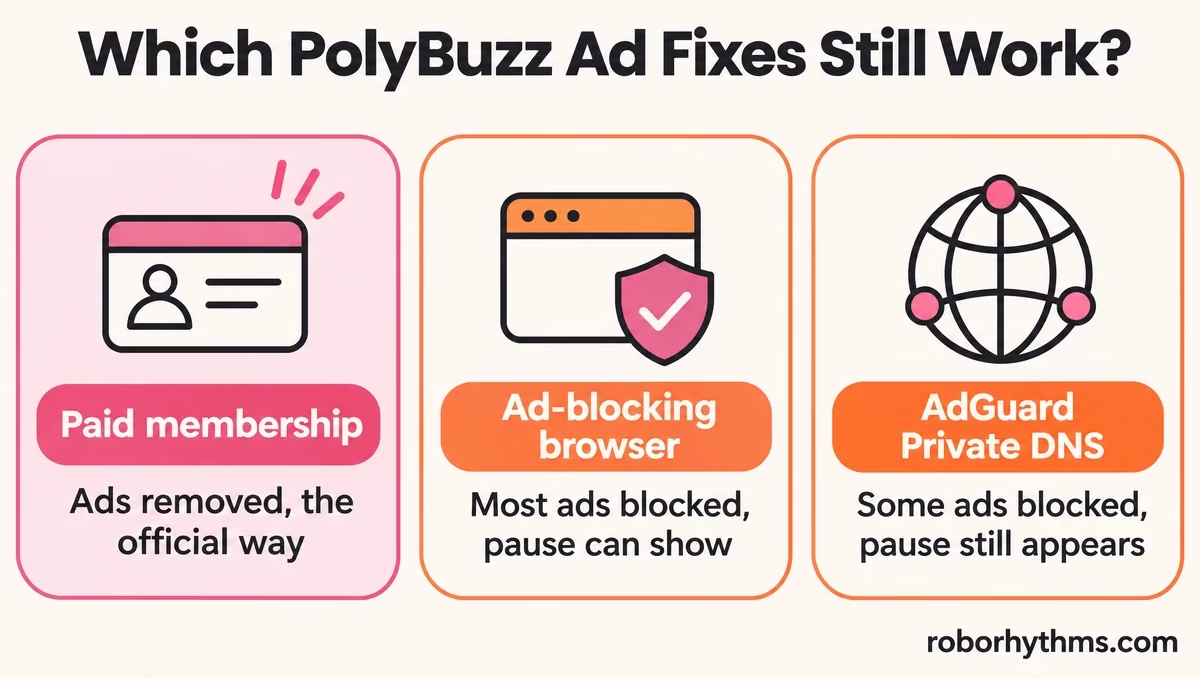
PolyBuzz’s FAQ says both of its memberships include “ad-free experiences”, and its membership page lists Ad-free among the plan benefits.
Every other route is something you set up on your own device, and each one has a catch. What PolyBuzz is covers the app itself if you are new to it.
| Route | What it does now | The catch |
|---|---|---|
| Paid membership | Removes the ads, per PolyBuzz’s FAQ | A recurring bill after a discounted first week |
| Web version in an ad-blocking browser | Stops most ads from loading | The Take a break pause can still show |
| AdGuard Private DNS on Android | Blocks some ad requests | Since early November the pause appears anyway |
| Safari home-screen shortcut on iPhone | Opens the web version like an app | Same ads as the web, unless Safari blocks them |
Routes checked on November 11, 2026, against PolyBuzz’s FAQ and membership page and the November complaint threads on Reddit.
The web version is the route I point free users to first. In one November thread, people who left the app for the web version or the Brave browser describe their ads dropping to zero.
Here is the setup, in order:
- Open polybuzz.ai in a browser that blocks ads, such as Brave, or Firefox with an ad-blocking extension like uBlock Origin.
- Sign in with the same account you use in the app.
- On iPhone, add the page to your Home Screen from Safari’s Share menu so it opens in one tap.
- Expect the Take a break pause to keep appearing, because it is not an ordinary ad.
Before: Chatting in the Android app, with an ad on every chat switch and a Take a break screen every few messages asking for up to three ads.
After: The same account at polybuzz.ai in an ad-blocking browser, where most ads never load, though the Take a break pause can still interrupt.
Why Did the AdGuard DNS Trick Stop Working on PolyBuzz?
The AdGuard DNS trick stopped working because the Take a break pause now appears even when the DNS blocks PolyBuzz’s ads from loading. Reports of the change piled up in the first week of November 2026.
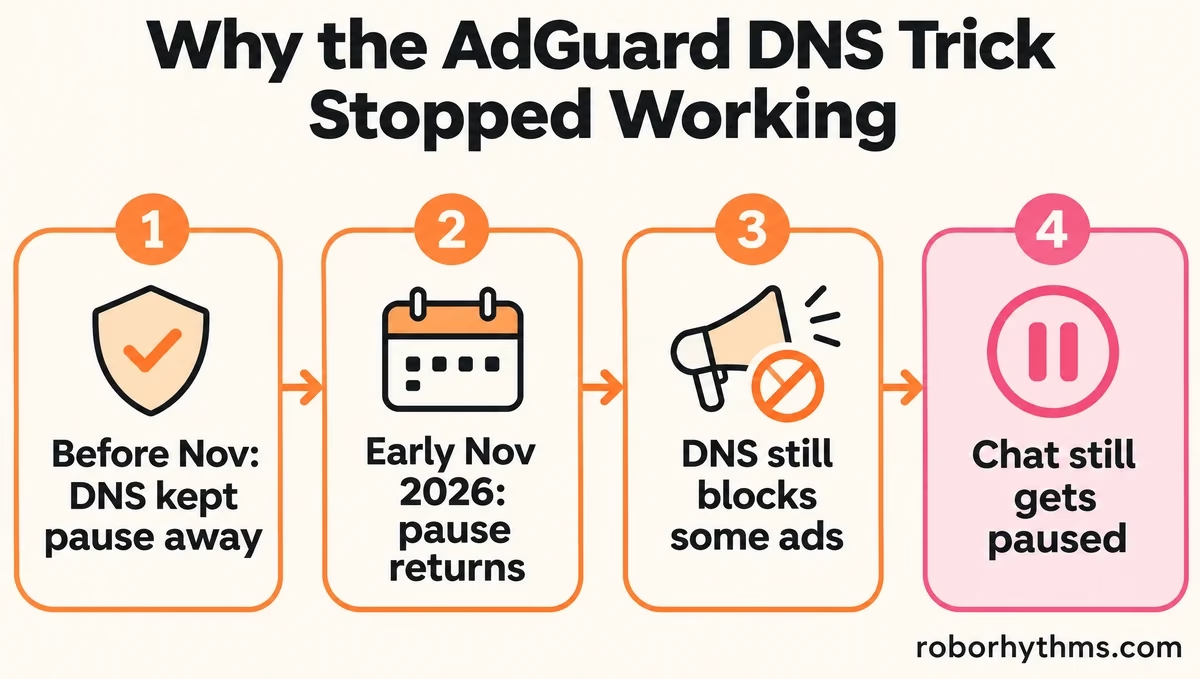
The complaints arrived in a cluster. A November 5 post asks whether anyone else is “getting ads even with dns ad-guard”, and a November 7 post declares that “The Private DNS bypass is dead”.
The “End of DNS” thread from November 8 shows what changed. With the DNS active, the Take a break prompt “keeps showing up”, and one reply there finds the DNS still stops the ads from loading while the prompt appears anyway. A one-star Google Play review from November 7 says the same thing to the developers: “People use an adguard? you bypass it.”
My read is that PolyBuzz’s servers now decide when the pause appears, whether or not an ad can load. It would also explain why toggling the DNS off and on gives mixed results in that thread: it worked for two people, worked only once for another, and failed for a fourth.
The DNS setting still blocks some ad requests, but it no longer gets you an uninterrupted chat, which was the reason to set it up.
| Symptom | Likely cause | Fix |
|---|---|---|
| An ad every time you open, leave or switch a chat | Free-tier ads in the app | A membership, or the web version in an ad-blocking browser |
| Take a break every few messages | A pause PolyBuzz now triggers even when ads are blocked | A membership; it still shows on the web |
| Black screen with a timer, or “ad not ready” | The ad failed to load, often because a blocker stopped it | Let the ad load, or wait and try again later |
| Ads came back after setting AdGuard DNS | The November change to how the pause works | Treat DNS as a partial filter, not a fix |
What Is the Take a Break Screen on PolyBuzz?
PolyBuzz’s Take a break screen is a pause that stops a free chat every few messages until you watch ads or buy a membership. Reviews from November 2026 describe it asking for up to three ads at a time.
The pause itself is older, since the DNS trick existed to dodge it, and it got heavier in November.
The End of DNS thread says ads used to appear only “when leaving or entering a chat”, and now they sit inside the conversation itself. One reply there puts the prompt at “every 5 messages”.
The ad count grew too. A one-star Google Play review from November 5 says the break went to “3 instead of 2” ads, with a chance of more before you can chat again.
The failure mode is worse than the ads. A November 7 review describes the screen showing “just a black screen with the timer counting down” or an error saying the ad is not ready.
Either way, the chat stays locked until an ad plays or you pay. I find that the most frustrating part, because the free user is waiting on an ad that never arrives.
Does a PolyBuzz Membership Remove the Ads?
Yes, a PolyBuzz membership removes the ads, according to PolyBuzz’s own FAQ and membership page. Coins stay a separate currency, which PolyBuzz’s FAQ says you spend on extras such as regenerating character responses.
PolyBuzz’s FAQ is direct about it: both memberships include “stronger memory chat models, unlimited character voice listening, ad-free experiences, and more.”
Its membership page lists Premium and Ultimate plans with Ad-free among the benefits, and it leads with a first-week discount, so check the renewal price before you pay.
I’d only pay if you chat most days, because an ad-free month buys a lot of uninterrupted messages for a heavy user and very little for a casual one.
If the ads are the last straw, these apps like PolyBuzz are sorted by the reason people leave. For the blurred-message filter, which is a different system, PolyBuzz’s compliance policy explainer covers what changes it.
Are PolyBuzz Ads Different on iPhone, Android and the Web?
PolyBuzz shows ads and the Take a break pause in its Android app and on the web. iPhone users are mostly on the web version since the app left the App Store, and there an ad-blocking browser cuts most ads but not the pause.
On Android the app is still on Google Play, with the full ad load and the Take a break pause. The DNS route was mainly an Android trick, because Private DNS is a built-in Android setting.
On iPhone the choice is made for you, and that bothers me less than it sounds, because the web version is the better ad experience anyway.
The iPhone app has been gone from Apple’s App Store since mid-October 2026, and the store still returned no listing for it on November 11. PolyBuzz’s App Store exit covers the details, and the website and the Android app keep working.
On the web, an ad-blocking browser is what makes the difference, and even then the Take a break pause can appear, as a November 7 thread notes.
Why Does PolyBuzz Have So Many Ads Now?
PolyBuzz most likely leans on ads to pay for its free tier, and the Take a break screen itself offers a membership as the way out. In-app ads are a huge market, so free chat apps lean on them hard.
The money behind this is large. Statista puts in-app ad spending at 315 billion US dollars worldwide in 2023, with double-digit growth expected until 2027.
That does not excuse a pause every few messages, in my view. A free tier that interrupts the scene this often stops being free in any useful sense, and the November reviews read like people who had already decided to leave.
Can PolyBuzz Ban You for Blocking Ads?
PolyBuzz’s terms ban interfering with or disrupting the service and reverse engineering the app, and neither clause mentions ad blockers.
PolyBuzz’s Terms of Use, last updated October 27, 2026, ban anyone who would “interfere with or disrupt Web Services or the servers and/or networks connected to Web Services”.
They also ban anyone who would “reverse engineer, disassemble, decompile, or otherwise attempt to discover” the source code. Ad blocking appears nowhere in them.
I would not lose sleep over a normal browser ad blocker. Modified copies of the app are another matter, since making one means decompiling the app, which the terms forbid in so many words.
Quick Takeaways
- A paid membership is the only official way to remove PolyBuzz ads, according to its FAQ.
- The AdGuard Private DNS trick stopped preventing the Take a break pause for most people in early November 2026.
- The web version in an ad-blocking browser cuts most ads for free, but the pause can still appear.
- 109 of 247 low-star US Google Play reviews from November 1 to 10 mention ads.
- PolyBuzz’s terms never mention ad blockers, but they do ban decompiling or reverse engineering the app.
