
What’s Changed: Since September 2026, every Chai message costs at least one piece, the app’s in-app currency. The free way to get more is the daily check-in, 70 pieces since October 6, plus 5 pieces per rewarded ad, but the check-in hides while you hold more than 100. Bought pieces cost about 1.4 cents each in every pack size, so 1,000 pieces cost the same $13.99 as a month of Premium.
Working out how to get more pieces on Chai comes down to one odd rule: the free daily check-in only shows up when you are nearly out.
Chai ended unlimited free messages in September, and every message you send now spends pieces.
The numbers have moved almost every week since. An app update on October 5 set the check-in at 20 pieces plus 5 per ad, and Chai’s founder raised it to 70 the next day.
Some accounts now see a Ruby and Diamond paywall where Premium and Ultra used to be.
A free tier that only pays out when you are almost broke annoys me more than an honest price tag, because it punishes the people who save.
Below is every free source of pieces, why your balance looks different from a friend’s, and the point where paying beats waiting.

How Do You Get More Pieces on Chai Without Paying?
You get more pieces on Chai for free through the daily check-in, worth 70 pieces since October 6, and rewarded ads at 5 pieces each.
Both are built for low balances, so the order you do things in decides how much you collect.
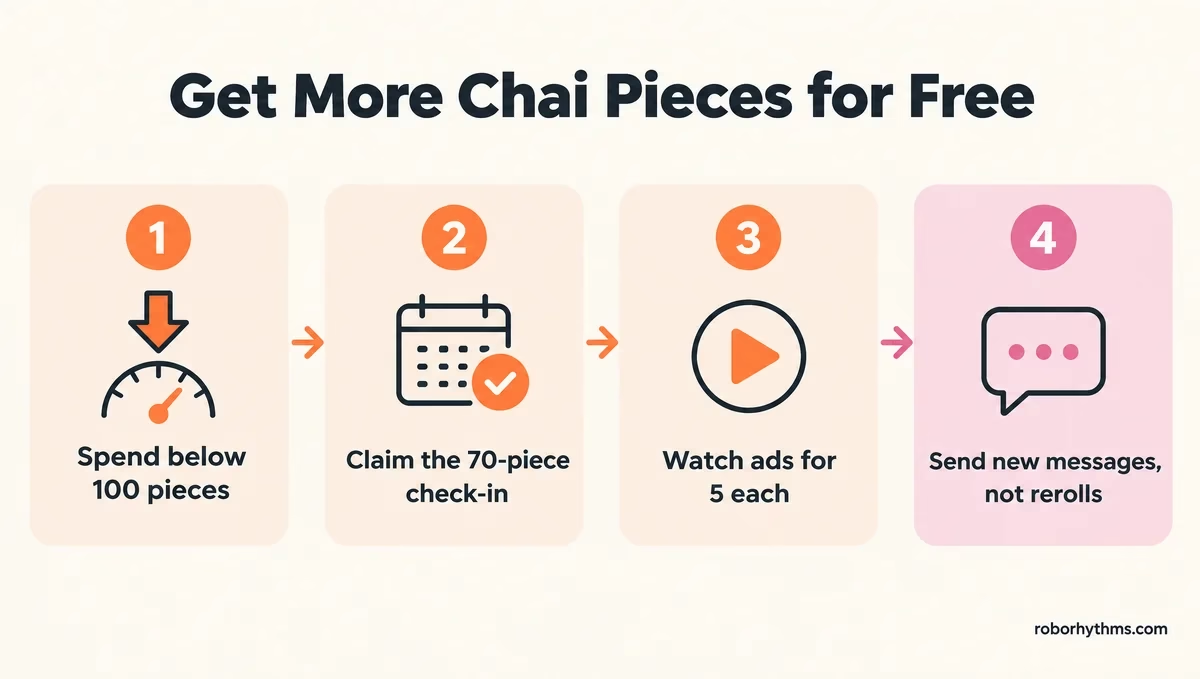
This is the order I use, and it works on any account that still shows a check-in:
- Spend your balance below 100 pieces, because the check-in hides above that line.
- Open your profile, tap Charge next to My Pieces, and scroll down to the daily check-in.
- Claim it for 70 pieces.
- Watch rewarded ads for 5 pieces each while the ad option shows.
- Send new messages before you reroll, since asking for a fresh version of the bot’s last reply costs a piece too.
If you would rather pay a flat price than count pieces, Candy AI is the one I point people to first, because its Premium plan lists unlimited text messages.
Why Did My Chai Daily Check-In Disappear?
Your Chai daily check-in disappears on purpose while you hold more than 100 pieces.
Chai’s founder wrote on September 28 that the rule is there “to stop people hoarding pieces,” and he told one user that “once you’re under 100 it will come back.”
Saving up switches off your free refill, so a careful saver can end up with fewer pieces than a heavy chatter. Here is the same day played two ways, assuming you have not claimed yet today:
Before: You hold 140 pieces for a long story. The check-in is missing, so you assume it is broken and wait, and tomorrow you still hold 140 with no check-in in sight.
After: You spend 41 pieces chatting and drop to 99. The check-in comes back, you claim 70, and you end the day on 169.
If the check-in still will not show, match your symptom here:
| Symptom | Likely cause | Fix |
|---|---|---|
| No check-in, more than 100 pieces | The anti-hoarding rule | Spend below 100, then reopen the pieces screen |
| No check-in, fewer than 100 pieces | A bug or a test setup on your account | Update the app, then send support your user ID, phone type and region |
| No rewarded ad option | Ads are meant for low balances, and ad supply depends on your country | Check again when your balance is low |
| 0 pieces and no free option at all | A bug or a test setup with no free pieces | Wait for tomorrow’s check-in, buy a pack, or switch apps |
The user ID step comes straight from Chai: the founder asks people missing a check-in for their “user-id, android or ios, and what region.”
What Are Pieces on Chai?
Pieces are Chai’s in-app currency, and every message you send costs at least one.
Chai’s founder announced the switch on September 8, 2026, writing that “the price of GPU’s has doubled this year” and that the unlimited model was “no longer sustainable.”
The rollout reached “almost 100% of users” on September 16, according to the founder’s next update. That post says some users were sending thousands of messages with ad blockers on, so “the revenue is 0.” I give Chai credit for saying the money part out loud, even though free users carried the cost.
Pieces pay for more than chat. In a reply on the launch thread, the founder wrote, “You spend the pieces on messages, image and video generation.”
The pieces screen in the founder’s September 8 post spells out three more rules. Bought pieces “are valid for 5 years,” free pieces “will be used first” when you hold both, and refunds go through “the respective store where the purchase was made.”
How Many Pieces Does a Chai Message Cost?
A standard Chai message costs 1 piece, and the better models cost more.
The founder put the floor at “1 piece is the lowest cost,” and his launch post promised “our best AI costing more than the cheapest.”
Here is what each action costs, as of October 16:
| Action | Cost | What to know |
|---|---|---|
| Standard message | 1 piece | The floor for every model |
| Reroll | 1 piece | Every fresh version of a reply is charged |
| Better models | More than 1 piece | The rate depends on the model you pick |
| Images and video | Pieces | Also charged to subscribers |
| Extra memory | Pieces | Charged even on paid plans |
The reroll charge stings most. One reply under the September 17 update reads, “I genuinely lost 10 just from REROLLING.”
Memory works the same way: a CHAI Team email posted by an Ultra subscriber says Ultra’s included memory “costs nothing extra,” while “the extra memory options add the choice to remember more using Pieces.”
Will Chai Go Back to Free Messages?
Chai has not promised to bring back unlimited free messages, though its founder floated a free, unlimited tier on a weaker model on September 30.
That post offered two options: an open-source model people could run on their own devices, or “a tier that is free & unlimited” that “would be less powerful than the AI that is paid for.”
His October 6 post admits 70 pieces “will still be too low for many users” and says Chai is “working to make it even more generous.”
The same day he added that Chai is building “more rewarded tasks, so there will be lots of ways for users to earn pieces.” My read is that any free unlimited option would run on a weaker model, and the better models stay on the pieces meter.
Why Does Chai Give Some Accounts More Pieces Than Others?
Chai runs several versions of its pieces system at once, so two accounts can see different check-ins, ads and plans on the same day.
A user who emailed Chai was told the tests can differ between users, regions and usage.
Where you live shapes the ads in particular. In one reply under his rewarded-ads post, the founder told a user in Iraq that “it seems advertisers don’t spend much in iraq.”
The check-in has moved just as much. One US user’s log shows daily check-ins of 25 to 75 pieces in the first version, then 20 a day, then 70 a day, with the ad reward cut from 10 pieces to 5. The same post lists other accounts reporting 200 to 600 a day.
This is the part of the update I like least, because the same app hands two people two different deals and explains neither.
What Are Red and Blue Pieces on Chai?
Red pieces are the ones you earn or buy, and blue pieces are a weekly allowance that only comes with a subscription.
Chai’s help text, as quoted on r/Chai_Unofficial, describes “red pieces, which can be earned or purchased, and blue pieces, which are refreshed weekly with a subscription. Both types can be used for all models on CHAI.”
So blue pieces only exist for subscribers. If you are not paying for a plan, the red number is the only one that matters.
Can You Get Unlimited Pieces on Chai?
You cannot switch on unlimited free pieces on Chai yourself, and the closest thing, ad farming, does not work on every account.
An r/ChaiApp post from October 15 reports 532 pieces after about an hour of ads, and a reply under it reports getting “up to 1 thousand.”
At 5 pieces an ad, 532 pieces means more than 100 ads if the balance started near zero. Other replies in the same thread say the ad option never appears for them, and one calls the ads too long to be worth 5 pieces.
The farming route may not last either, because Chai has already changed both the check-in and the ad reward since September. Ad farming is fine for a top-up, and I treat it as exactly that, never as a routine.
Some accounts still have unlimited messages, as an October 8 roundup on r/Chai_Unofficial notes, but nobody can opt into that group. The only unlimited plan you can choose is a subscription, and the founder wrote on September 8 that “subscriptions are still unlimited messages”, and the next section covers where that stops being true.
Is It Cheaper to Buy Chai Pieces or Subscribe?
Premium is cheaper than buying pieces once you would buy more than 1,000 a month, because a 1,000-piece pack costs the same $13.99 as a month of Premium.
The US App Store listing sells 200 pieces for $2.79, 500 for $6.99 and 1,000 for $13.99.
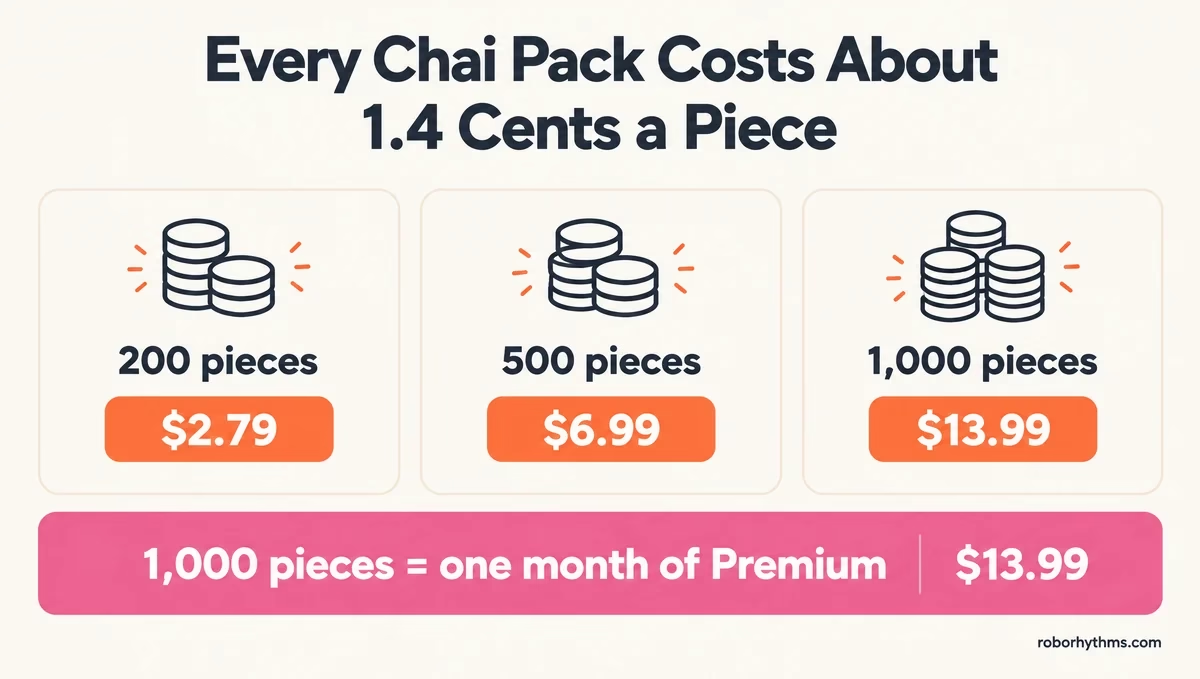
That works out to about 1.4 cents a piece at every size, so a bigger pack saves you nothing.
The larger packs follow the same rate. The pieces screen in the founder’s September 8 screenshot runs up to 10,000 pieces for $139.99, still 1.4 cents a piece.
| Option (US App Store, October 16) | Price | What it works out to |
|---|---|---|
| 200 pieces | $2.79 | About 1.4 cents a piece |
| 500 pieces | $6.99 | About 1.4 cents a piece |
| 1,000 pieces | $13.99 | About 1.4 cents a piece |
| Premium, monthly | $13.99 | Unlimited standard messages |
| Premium, yearly | $134.99 | About $11.25 a month |
| Ultra | $29.99 a month, or $19.99 a week | Unlimited standard messages and the Ultra model |
The free check-in changes the math for light users. Claimed every day, 70 pieces comes to about 2,100 pieces a month, roughly $29 at pack prices, so anyone who sends fewer than 70 messages a day and claims daily may never need to pay.
The founder’s advice to existing subscribers runs the other way. On October 7 he wrote that they “may be better off purchasing pieces as they need it,” which only holds for people who chat lightly.
At these prices Premium is the better buy for anyone who chats every day, and it is the plan I’d pick. The Chai Premium breakdown and the Ultra verdict go deeper on both plans.
If counting pieces is the part you are tired of, Candy AI is the flat-price route. Its free tier is only 5 messages, so treat it as a paid app from day one.
On the web, Chai Pro starts with a 24-hour free trial and then bills $159.99 for a year, per Chai’s pricing page.
The FTC’s advice on free trials is to “make a note on your calendar to remind you to cancel before the trial ends,” and a 24-hour trial leaves no room to forget.
Do Chai Subscribers Still Spend Pieces?
Chai subscribers keep unlimited standard messages on Premium and Ultra, but some newer models, images, video and extra memory can still cost pieces.
Chai’s support team told one subscriber that some advanced models, image and video generation, and extra memory can use pieces even on a paid plan.
Ruby and Diamond work differently. The founder called them “an A/B test,” meaning only some accounts see them, and pitched them to non-subscribers as “a chance to access an ad-free experience with monthly pieces.” On those plans, you spend from a pieces budget.
Chai’s support reply also said the subscriber’s existing Google Play subscription would continue as long as it renews without a break. A running Premium or Ultra plan is not replaced by the new screen.
How Do You Cancel a Chai Subscription?
You cancel a Chai app subscription in the store that bills you, Google Play or Apple, and deleting the app does not cancel it.
That matters more now, because subscribers on r/ChaiApp say the Manage Subscription button from the old paywall is missing on the new Diamond and Ruby screen.
Google’s subscription policy asks apps for “an easy-to-use, online method to cancel,” and it can sit in the app’s account settings rather than on the paywall. I would not wait for the button to come back, since the store route works today.
On Android, per Google’s help page:
- Go to subscriptions in Google Play.
- Select your Chai subscription.
- Tap Cancel subscription and follow the instructions.
On an iPhone, per Apple’s support page:
- Open Settings and tap your name.
- Tap Subscriptions, then tap Chai.
- Tap Cancel Subscription. If there is no Cancel button, the subscription is already canceled.
A plan bought on Chai’s website cancels from your account settings there, and Chai’s FAQ says you keep Pro access until the end of your billing period.
If you cannot cancel at all, the FTC’s advice is to “call your credit card company, and ask them to stop the payments.”
Why Can’t You Text on Chai Anymore?
If Chai will not let you send a message, check your pieces balance first, because an empty balance blocks chat the same way an outage does.
At 0 pieces, your way back is the check-in, an ad, a pack, or a subscription, so I look at the balance before anything else.
Chai’s message limit history covers the April limit and the move from daily messages to pieces, and the regional paywall story explains why some countries lost free access in February.
If you have pieces and still cannot send, the problem is on Chai’s side, and the fix is a support ticket.
In one reply, the founder wrote that a user’s problem “sounds like a bug” and asked for “a screenshot and your user-id,” so send both.
Quick Takeaways
- Every Chai message costs at least 1 piece, and so does every reroll.
- The free check-in pays 70 pieces but hides while you hold more than 100, so spend down before you claim.
- Rewarded ads pay 5 pieces each, and whether you see them depends on your account and your country.
- Every pack costs about 1.4 cents a piece, so 1,000 pieces cost the same $13.99 as a month of Premium.
- Cancel through Google Play or Apple, because the new paywall may not show a Manage Subscription button.
