
What’s Changed: SpicyChat GLAM 5.1 keeps ignoring the actions you type in asterisks, and users noticed it getting worse in mid-July. The short version is that this 744B model works under a tight per-reply word budget and treats echoing your input as wasted words, so it drops your action to advance the scene. You can get the reaction you want back with a few settings tweaks and the right in-chat command.
If you write i sigh as I stand up on SpicyChat GLAM 5.1 and the reply pretends you never sighed, you are not imagining it.
This is one of the most common GLAM 5.1 complaints right now, and it spiked around July 18 when a wave of users said the model started ignoring stated actions and doing its own thing instead.
Here is the part almost nobody explains. SpicyChat caps a standard character response at roughly 120 to 180 tokens, stretched to a maximum of 300 tokens for premium users, per the platform’s own generation documentation. The same generation settings govern image output, and SpicyChat’s best generation settings covers which ones actually move it.
That is a tiny word budget, so when GLAM 5.1 has to choose between re-describing the action you already typed and moving the scene forward, it drops the echo.
The model is not being stubborn. It is triaging a very small number of words, and its training tells it that repeating your input back to you is bad writing.
Once you understand that, the fix stops being a guessing game. Read on and you will know exactly which setting, command, or edit gets GLAM to react to your actions instead of skipping past them.
What is a token: A token is a small chunk of text an AI reads or writes, roughly four characters or three quarters of a word, and every reply is capped at a set number of them.
What Is Happening With GLAM 5.1 and Your Actions
GLAM 5.1 ignoring your actions is a mix of a tight response budget, anti-repetition training, and a mid-July behavior shift that made the model more likely to override stated actions.
It is a real change, not a personal setup problem.
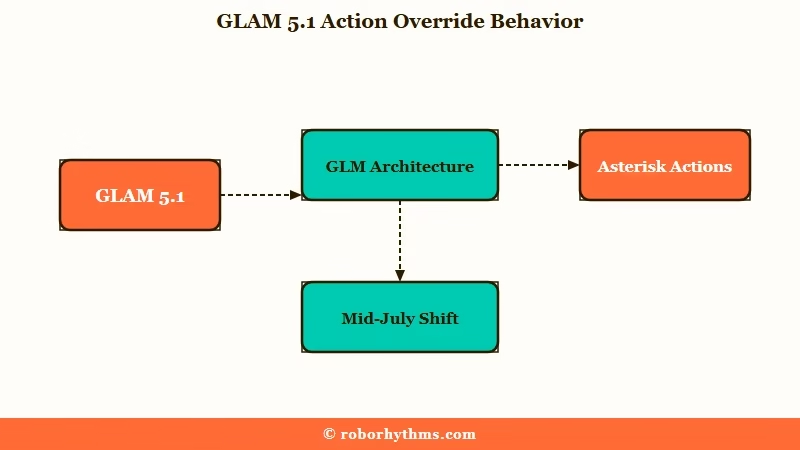
GLAM 5.1 is SpicyChat’s flagship model, a 744B-parameter system on the top premium tier. The GLAM family is built on the GLM architecture from Zhipu AI, and the name stuck after a beta tester started calling it GLAM.
I mention the size because a bigger model has stronger opinions about what counts as good prose, and one of those opinions is that it should not parrot you.
Two things overlap in the current wave of complaints. The long-standing behavior is that GLAM reacts rather than recaps, and the newer wrinkle is a mid-July regression where users report it ignoring directions and substituting different actions, with some accounts also getting routed toward a newer GLM 5.2 build.
SpicyChat sits inside the top 20 AI companion apps by traffic on the a16z Top 100 Gen AI Apps list, so this is not a fringe tool with a handful of affected users.
When a default model changes how it handles actions, a very large number of people feel it at once, and the pushback was immediate.
Why Does GLAM 5.1 Skip the Actions You Type
GLAM 5.1 skips your actions because a 120-to-180-token reply cap leaves no room to echo input, its training penalizes repetition, and a heavy character card can bury your instruction in the context window.
All three push it toward reacting instead of describing.
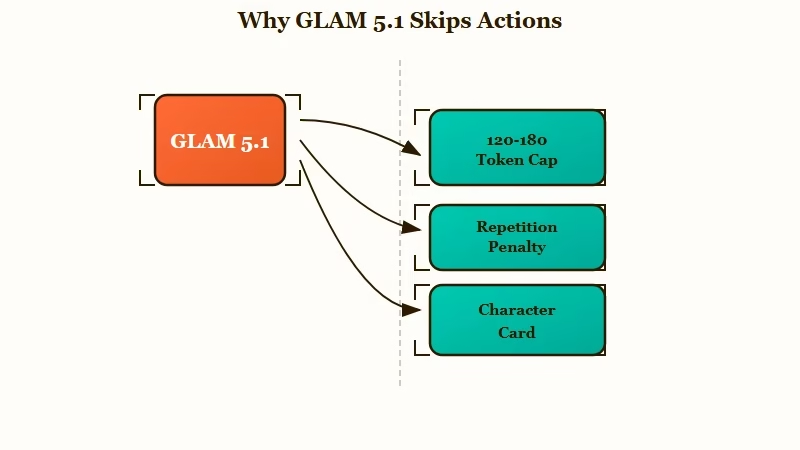
The token budget is the biggest lever, and it is the one I would look at first. If GLAM spent 40 words restating that you sighed and stood up, it would have almost nothing left to respond with, so it treats your typed action as already established and jumps to the consequence.
The bigger and more heavily loaded the scene, the harder that squeeze gets.
The second cause is the internal-versus-external split. GLAM 5.1 loves inner monologue, and it can pour most of a reply into the character’s private thoughts, leaving no tokens for a physical reaction to what you just did. That is why the scene feels self-absorbed even when the writing is good.
The third cause is context drowning. Some character cards run 2,000 to 5,000 tokens of persona, and when your /system or (ooc:) note sits under all that weight, the model can lose it entirely.
If commands that used to work suddenly stop, a bloated card or a very long chat is usually why.
Partner model vs storyteller model: A partner model plays one character and reacts to you, while a storyteller model narrates the whole scene, including your character’s movements and sensations.
Describe, Recap, or Act For You, Which One Do You Want
Most GLAM 5.1 action complaints come from conflating three different things, and the fix depends on which one you really mean.
Describe and react is reasonable, recap is wasteful, and acting for your character is something you usually do not want.
This is the tension I see splitting the community. One group is angry that GLAM stopped describing what their character feels, and adds /system describe in detail what {{user}} feels to every message.
Another group writes commands to stop the model from ever narrating the user, because they hate when it takes liberties with their character.
The same behavior is a bug to one camp and a feature to the other. So before you touch a setting, decide which of these you want:
- React to my action. You want the world and the other character to respond to what you did. This is the legitimate ask, and it is fixable.
- Recap my action. You want the model to restate what you typed. GLAM avoids this on purpose, and under the token cap it genuinely cannot afford it.
- Act for my character. You want it to write your character’s dialogue and choices. Most people hate this, and GLAM resisting it is a good thing.
Once you know you are asking for number one, the prompt gets simple. You are not fighting the model, you are telling it to acknowledge your action and then move the scene, which is a very different instruction from asking it to repeat you.
Before: i flick my wrist and shoot a web, twisting mid-air to dodge
After: i flick my wrist and shoot a web, twisting mid-air to dodge (ooc: react to what {{user}} just did before advancing the scene)
The Before version gives GLAM a finished action with nothing to respond to, so it moves on. The After version tells it to treat your action as a beat that needs a reaction, which is the part you were missing.
How Do I Get GLAM 5.1 to React to My Actions
You fix GLAM 5.1 with a combination of generation settings, an affirmative in-chat instruction, and small edits that re-anchor your action.
No single toggle does it, but the sequence below clears it up for most people.
From my testing, cache and card bloat cause a good chunk of this, so here is the order I would work through:
- Refresh a long or heavy chat first, since a card running thousands of tokens can be swallowing your instruction.
- Open your generation settings and match the goal to the preset in the table below.
- Add an affirmative note in the message itself, like
(ooc: acknowledge and react to what {{user}} did, then advance). Affirmative beats negative here. - If the model still writes your character, add a persona rule such as
{{char}} only acts in character and reacts to {{user}}, never as {{user}}. - If a reply stalls or cuts off, type
+ Continue the scene naturallyto trigger the model’s raw continuation reflex instead of its dialogue reflex. - To stop a runaway scene and reset expectations, send
[pause roleplay]in brackets, then state what you want next.
On the affirmative point, telling GLAM “do not speak for me” can backfire, because negative commands make a model fixate on the thing you named. Say what you want instead of what you fear. “Only describe the environment and your own reactions” works better than “do not control my character.”
Here are the community-tested dial settings I would start from:
| Your goal | Temperature | Top-P | Top-K |
|---|---|---|---|
| Stable action, no looping | 0.65 | 0.80 | 91 |
| More introspective and aware | 0.95 | 0.88 | 68 |
| Output too dry, needs action | raise 1 to 3 points | raise 1 to 3 points | raise 5 to 10 |
| Rushing ahead of you | lower slightly | hold steady | lower 5 to 10 |
One more trick helps when a reply keeps dropping your action. Edit the bot’s last message, add in brackets what your character just did at the very bottom, save it, then hit the suggest or regenerate button so the next reply builds on it.
It is more permanent than a command because it lives in the chat history rather than a single turn. A parallel SpicyChat repetition fix uses the same edit-and-re-anchor idea.
Should You Use /system or /cmd to Force It
Both /system and /cmd exist on SpicyChat, and which one works better genuinely varies by bot and context, so test both rather than trusting one camp.
The community is split on this, and pretending otherwise would set you up to fail.
One detailed guide argues that /system injects text into the model’s highest-authority control layer, while /cmd is a front-end macro that the model often misreads as in-scene dialogue. Other users say the opposite, that /system is not a recognized prompt and /cmd is the high-priority command. I have seen both work and both fail depending on the card.
The way I would handle it is to run a quick test on your own bot. Try /system continue as {{char}} only, react to {{user}} on one swipe, then /cmd react to {{user}} before advancing on another, and keep whichever your bot respects.
If neither sticks, the culprit is usually a bloated card drowning the instruction, which loops back to refreshing the chat. The SpicyChat models breakdown explains how the model tiers differ before you tune them.
If your replies also feel shorter and flatter than they did at launch, that is a related complaint, and the why SpicyChat responses got worse piece covers the quality-drift side of it.
Lorebook priority can compete for the same context space too, which the SpicyChat lorebook priority guide gets into.
Here is a fast symptom-to-fix map so you can jump straight to your case:
| Symptom | Likely cause | Fix |
|---|---|---|
| Ignores your asterisk action | Reply budget spent advancing the scene | Add an in-message note to react before advancing |
| Writes your character’s dialogue | Model drifting into narrative autopilot | Add an affirmative persona rule to stay in character |
| Your command gets ignored | Heavy card eating the context window | Refresh the chat or switch to a lighter bot |
| Replies are short and clipped | Low temperature or short response length | Raise response length and temperature slightly |
| Swaps your action for a different one | Bad regeneration or model routing | Edit the reply, re-anchor your action, regenerate |
When to Switch Instead of Fighting the Settings
If you would rather not tune dials at all, the honest move is either to stay on SpicyChat with the right preset or to try a companion built for immersive scene description out of the box.
Both are valid, and it depends on how much control you want.
For most people the fixes above are enough, and staying on the platform makes sense because your characters and history already live there.
If you want to keep going, SpicyChat is where your bots and settings already are, and the preset table gets GLAM reacting to your actions again in a few minutes.
If you are tired of managing token budgets and just want a companion that describes the scene and reacts to what you do without setup, Candy AI leans that way by default, with stronger memory and a more consistent narrative voice.
I would treat it as the low-effort option when tuning GLAM feels like more work than the roleplay is worth.
Frequently Asked Questions
Why does GLAM 5.1 not describe my actions anymore
GLAM 5.1 works under a 120-to-180-token reply cap and is trained to avoid repeating your input, so it drops the echo to advance the scene. Add an in-message note asking it to react to your action first, and raise your response length setting.
Is GLAM 5.1 broken or is it my settings
It is mostly settings and prompting, with a real mid-July shift where the model started overriding stated actions more often. Refresh a heavy chat, match your generation dials to your goal, and use an affirmative reaction note before assuming the model is broken.
What are the best GLAM 5.1 settings for descriptive action
Start at Temperature 0.65, Top-P 0.80, and Top-K 91 for stable action, or 0.95, 0.88, and 68 for a more introspective tone. If output is too dry, nudge all three up a few points.
How do I stop GLAM 5.1 from acting as my character
Add an affirmative persona rule like “{{char}} only acts in character and reacts to {{user}}, never as {{user}}.” Affirmative phrasing works better than telling it not to speak for you, which can backfire.
Does /system or /cmd work better on SpicyChat
It depends on the bot, so test both. Try /system on one swipe and /cmd on another, keep whichever your card respects, and if neither sticks, refresh the chat to clear a bloated context window.
Quick Takeaways
- GLAM 5.1 drops your typed actions because a 120-to-180-token reply cap leaves no room to echo them, not because it is stubborn.
- Decide whether you want it to react to, recap, or act for your character, since the community’s conflicting advice comes from mixing those three up.
- Start with Temperature 0.65, Top-P 0.80, Top-K 91, and add an affirmative in-message note telling it to react before advancing.
- Test both /system and /cmd on your own bot, and refresh heavy character cards that can drown your instructions.
- If tuning dials is not worth it, stay on SpicyChat with the right preset or switch to a companion built for scene description by default.
