
What’s Happening: Janitor AI empty responses almost never mean the app is broken. In most cases the model generated something and it got hidden, refused, or starved of room to speak. Once you know which of those three is happening, the fix takes about a minute.
Janitor AI empty responses are one of the most frustrating things that can happen mid-chat. The bot bubble pops up, the little dots spin, and then you are staring at nothing. No error, no text, just a blank space where your character was supposed to reply.
What makes it worse is that it usually hits every bot at once, on both the phone app and the desktop site. That pattern sends people hunting for a broken character card, when the real cause is almost always sitting one level up, at the model, the proxy, or a single setting.
I have gone down this rabbit hole enough times to know the blank reply is rarely a crash. The model went quiet on purpose, or something between the model and your screen ate the text.
This guide walks the causes in the order I check them, with the exact fix for each.
Why Janitor AI Sends Empty Responses
A blank Janitor AI reply is the model going silent, not the app failing. The three big reasons are a hidden reasoning block, a silent content refusal, and a token budget with no room left to write.
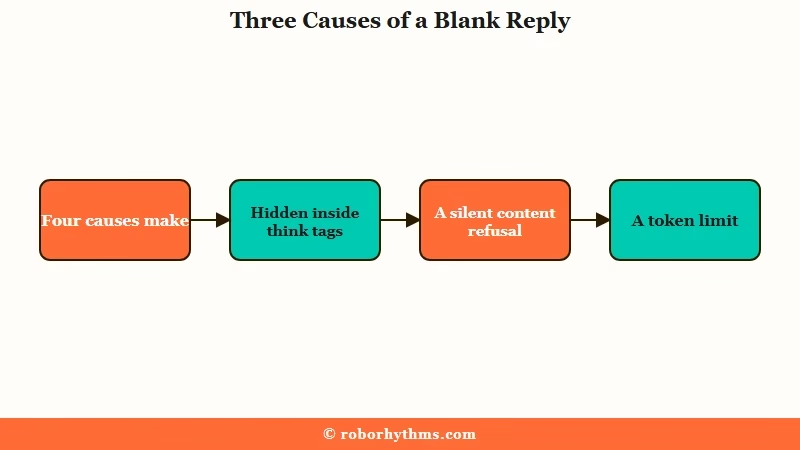
The single most surprising cause is one people trigger themselves. Reasoning models like DeepSeek R1 and GLM 4.6 or 4.7 sometimes stuff their entire answer inside hidden tags. If you have turned off the “show thinking” option to clean up the formatting, the interface hides the tags and the whole reply along with them.
Here is where it gets confusing. One popular tip on the Janitor subreddit says “there is an option to turn off thinking in API settings, you can turn it off there.” Another regular immediately warns that disabling thinking mode will not solve the issue, it may just leave you with an empty reply instead.
The second person is right. Hiding the thinking box does not stop the model from thinking, it just deletes what you can see.
The way I see it, that one contradiction explains half of the blank replies people report. The fix is not to disable thinking. It is to keep it visible, or to edit the message and pull the answer out of the tags.
Is the Reply Truly Blank or Just Hidden
The fastest first test is checking whether text exists behind the blank bubble.
Click the edit button on the empty message. If words appear in the edit box, the reply generated fine and the interface is hiding it, which is a display problem, not a generation failure.
What is a reasoning model: An AI model that writes out its internal “thinking” before the final answer. Popular Janitor picks like DeepSeek R1 and GLM 4.7 do this, and the thinking is meant to stay hidden.
When you hit edit and see a wall of text wrapped in and tags, the model put its real reply inside the reasoning block. Delete the tags and the answer becomes visible again. This is the number one culprit I check on any DeepSeek or GLM chat.
If the edit box is genuinely empty, then nothing generated and you have a real back-end failure. That is when I move on to whether the model is JLLM or a proxy.
Mobile users have one extra trap here, a known app bug that cuts off the end of long replies. Reducing the app font size to 14 or tapping edit reveals the hidden text.
Are You on JLLM or a Custom Proxy
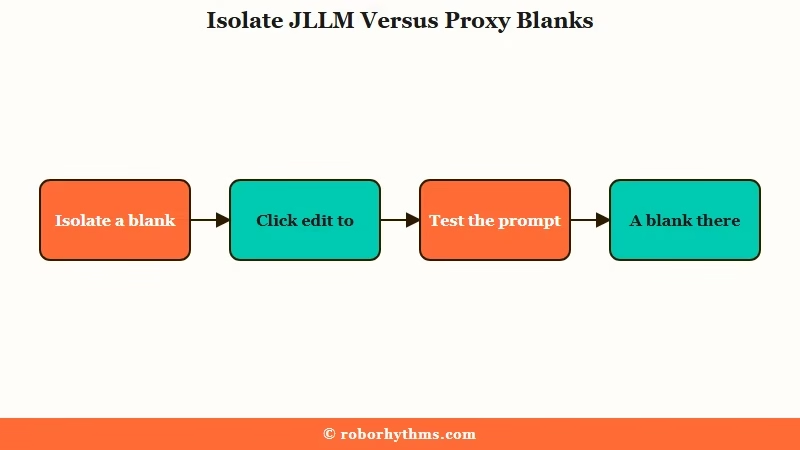
Isolating the cause starts with knowing which model powers your chat. JLLM blanks and proxy blanks have completely different fixes, so this split saves you from trying random tricks that were never going to work.
What is JLLM: Janitor AI’s own built-in language model. It is free, needs no setup, and is the default for most users who never touch the API settings.
What is a proxy: A connection to an outside model like DeepSeek, GLM, or Kimi through a service such as OpenRouter or Chutes. It gives you more power and fewer limits, but it can fail in its own ways.
On JLLM, a sudden run of blank messages usually means the server is under maintenance or hitting a bug. When people see blanks with an “Error reading tokens from LLM” popup, the mod-suggested fix is to clear your cookies and log back in.
If that does not work, it is a backend issue and you wait it out. Three blank JLLM messages in a row is a known pattern, not something you broke.
On a proxy, you can prove where the fault sits. Copy your exact prompt and API key into the provider’s own playground and run it there.
If it comes back blank in the playground too, the problem is the provider or your prompt. If it works there but blanks on Janitor, the issue is your Janitor API configuration.
What Causes Blank Janitor AI Replies
Most blank replies trace back to one of six causes, and each has a clean fix. This table is the quick-reference version I wish existed when I first hit the problem.
| Symptom | Likely cause | Fix |
|---|---|---|
| Blank on DeepSeek or GLM, text hidden in edit | Reply trapped in hidden | Keep thinking visible, or edit out the tags |
| Blank every few messages, no error | Max New Tokens set too low for a reasoning model | Raise Max New Tokens to 3000, or set it to 0 for unlimited |
| Blanks after a long chat with a heavy bot | Permanent tokens crowding out the context window | Trim the persona, scenario, and lorebook |
| Blank only on spicy scenes | Silent content refusal by the model | Test a tame prompt, remove the prefill |
| Blanks with a Proxy 400 or 401 error | Bad proxy URL, wrong model name, or a broken API key | Fix the URL, generate a fresh key |
| Sudden blanks across every bot | JLLM server bug or maintenance | Clear cookies, log back in, or wait |
The token starvation one surprises people the most. On reasoning models, if the output limit is set too low, the model burns its whole budget thinking and has zero tokens left to write the visible reply.
There is a stubborn myth that a “closer your token count is to 1000 the shorter your reply will be,” but it is the opposite. More tokens means more room to answer, and setting Max New Tokens to 0 on Janitor means unlimited.
The permanent-token squeeze is the quiet one. Janitor’s own token documentation explains that a bot loaded with a huge personality, scenario, and lorebook can push its permanent footprint past 1,500 to 2,000 tokens, leaving almost nothing for the live chat. If that sounds like your setup, the Janitor AI chat summary guide has a copy-ready template for getting that number back down.
When that happens, the model does not throw a “memory full” error. It just starts failing silently, blanking or going glitchy, which is the same trap the incomplete and cut-off response problems share.
What Each Proxy Error Code Means
If you run a proxy, the error code behind a blank reply tells you the exact fix. OpenRouter and Chutes surface these numbers, and each one points somewhere specific.
| Error | What it means | The fix |
|---|---|---|
| 400 | Bad request, overloaded context, or an empty-response content flag | Check the proxy URL and model name, trim chat memory, remove the prefill |
| 401 | Invalid or unauthorized API key | Re-paste the key with no trailing spaces, Chutes keys start with cpk_ |
| 402 | Out of credits on a paid model | Add credits, or switch to a free model variant ending in :free |
| 404 | Model retired, misspelled, or blocked by a privacy setting | Fix the model name, turn on Model Training in OpenRouter privacy settings |
| 429 | Rate limit hit, free OpenRouter caps at 50 messages a day | Wait for the reset at midnight UTC, or add 10 dollars in credits |
| 500 to 503 | Provider is overloaded, restarting, or temporarily down | Wait a few minutes, check the model uptime tab, then retry |
One reassurance for anyone nervous about paying for nothing. OpenRouter runs what it calls Zero Completion Token Insurance, so if a model returns an empty response with zero output tokens, you are not charged for it.
There is also a config trap worth knowing, turning on OpenRouter’s “Always Enforce Allowed” setting with an empty provider list makes the API return an instant blank in under a second, which looks exactly like an outage but is really just that toggle.
The First Things I Try When Replies Go Blank
A blank reply gets solved faster with a fixed sequence than with random guessing. The cause is a hidden reasoning block or a token setting about seventy percent of the time, so I start there and work outward.
- Hit edit on the blank message and check for text or
tags. - If it is a reasoning model, turn “show thinking” back on so nothing gets hidden.
- Open API settings and set Max New Tokens to 0, or at least 3000.
- Trim the bot’s persona, scenario, and lorebook if the chat is long.
- Swap to a plain, tame prompt to rule out a silent content refusal.
- On JLLM, clear cookies and log back in, on a proxy, test the key in the provider playground.
A worked example shows how much the prompt setup matters here.
Before: A GLM 4.7 chat on OpenRouter with “show thinking” off and Max New Tokens set to 500. Every third reply comes back blank, no error.
After: Turn thinking back on, raise Max New Tokens to 3000. The model now has room to reason and still writes a full visible reply, and the blanks stop. The setting was starving the output, not the character.
If proxy connection errors are the real blocker, a community workaround routes Chutes through Lorebary by setting your Chat Completion URL to an intermediary endpoint. It is fiddly, and honestly the reason a lot of people eventually get tired of the whole proxy dance in the first place.
When a Blank Reply Is Really a Silent Refusal
Sometimes the model succeeds and still returns nothing on purpose. Certain models answer a sensitive or restricted prompt with a completely empty response instead of a visible refusal, so a blank can be a quiet “no” rather than a bug.
The clean way to test this is to switch to a tame, everyday bot and prompt. If the blank disappears on safe content, you have found stealth moderation rather than a broken connection. On models like GLM 4.7, removing the prefill or changing the scene is often enough to get replies flowing again.
Mobile adds its own layer. The Janitor app ships with a hardcoded Safe Mode to satisfy the app stores, and it silently filters certain content that the desktop site would show.
You can only lift that by toggling the mature-content option from the desktop or browser settings, not inside the app. If your phone blanks where your laptop does not, that gap is usually why.
This sits close to the broader Janitor AI not working question, though the fixes are different. Being precise about which one you are facing matters, since even the thinking-in-response glitch gets lumped in with true blanks.
When You Just Want a Bot That Replies Every Time
If you are tired of proxy keys, token math, and blank screens, a managed companion app removes the whole failure surface.
Janitor AI is fantastic for power users who want deep control, but that control is exactly what breaks.
I will be honest about the tradeoff. Pairing JanitorAI with a good proxy gives you range and customization that a closed app cannot match, and for a lot of people that is worth the occasional blank reply and the DeepSeek setup for unlimited messages. If that is you, keep tuning, the fixes above cover almost every case.
If you have hit your limit with the troubleshooting, Candy AI just replies. There are no API keys, no proxy URLs, and no token settings to starve your output, the model is managed for you and answers every time.
It is the app I point people to when they want to talk without babysitting a setup. For a second option with strong roleplay range, Crushon AI covers similar ground without the setup overhead.
For scale context, AI companion apps like these now rank among the most-visited consumer AI products on the web, according to a16z’s Top Gen AI Apps ranking, so the demand for a reliable one is very real.
Frequently Asked Questions
Why does Janitor AI keep sending blank messages on every bot?
Blanks across every bot point to an account-level cause, not a broken character. The usual suspects are a JLLM server bug, a token setting that is too low, or a proxy key that stopped working. Fix the shared cause and every bot recovers at once.
How do I fix blank replies on DeepSeek or GLM models?
Turn “show thinking” back on in API settings. Reasoning models hide their whole answer inside tags, so disabling the thinking box deletes the visible reply. If a message is already blank, hit edit and remove the tags to reveal the text.
Does setting Max New Tokens too low cause empty responses?
Yes. On reasoning models, a low output limit gets used up during the model’s internal thinking, leaving nothing for the visible reply. Raise Max New Tokens to 3000, or set it to 0 on Janitor for unlimited length.
Is a blank Janitor AI reply the same as the app not loading?
No. A blank reply means the model generated nothing or the text is hidden, while a loading failure means the site or app never opened. Blank replies are usually a model, token, or proxy issue, not a connection outage.
Why do I only get blank responses on certain scenes?
That is often a silent content refusal. Some models return an empty response instead of a visible rejection when a prompt trips their filters. Test a tame prompt, and if it works, adjust or remove the prefill on the sensitive chat.
Quick Takeaways
- Most Janitor AI empty responses are hidden text or a silent refusal, not a crashed app.
- On DeepSeek and GLM, keep “show thinking” on so the reply does not vanish into
tags.
- Set Max New Tokens to 0 or 3000 so reasoning models have room to write the visible reply.
- Trim heavy personas and lorebooks past 2,000 permanent tokens to stop silent context failures.
- If the proxy juggling wears you out, a managed app like Candy AI replies every time with no setup.
