
What’s Changed: The Character AI new UI rebuilt the desktop site to look like the mobile app, and it removed persona pictures, broke rewind and swipe, and scrambled the Enter key. The official toggle to get the old layout back is locked behind the paid c.ai+ tier. Free users can still restore the old look with a browser extension, and the old.character.ai site is permanently dead.
If you loaded Character AI this week and felt like your desktop turned into the phone app, you read it right. The Character AI new UI rebuilt the website to match the mobile layout, and the community turned on it within a day.
The anger is not only about looks. The redesign quietly removed features people used every day, broke the rewind and swipe controls, and even changed what the Enter key does. Then it hid the one setting that brings the old layout back behind a paywall.
I have gone through the change logs, the help threads, and the revert scripts people are sharing. The short version is that you have real options, but the free ones are not where most guides point you.
Here is what changed, whether the revert is really paywalled, how to get the old feel back without paying, and when it is smarter to move somewhere else.
What Changed in the Character AI New UI
The Character AI new UI copied the mobile app onto desktop, stripped out several core chat features, and broke navigation controls people relied on.
This was a functional downgrade dressed up as a fresh coat of paint.
What is c.ai+: c.ai+ is Character AI’s paid subscription, around $9.99 a month, that unlocks faster replies, early features, and now the toggle to revert the chat interface. A cheaper third tier, c.ai Lite, now sits between the free plan and c.ai+ at roughly $4 a month, and it does not include the UI toggle.
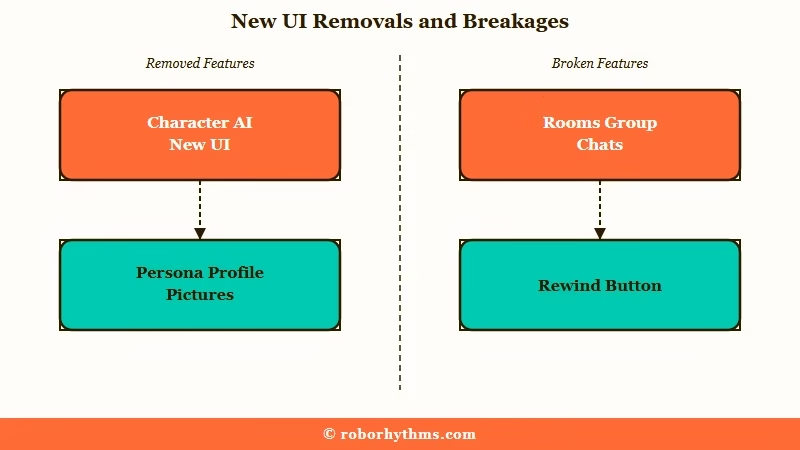
The visual changes hit first. Chat text got squeezed into compact bubbles with wide empty margins, the color scheme went bright blue, and persona profile pictures vanished from the chat stream, which is the complaint I saw most because it guts the roleplay immersion.
The functional cuts hurt more. The redesign removed Rooms group chats, the button to send images in chat, the option to start a new chat with your own opening message, and the ability to scroll all the way back to the start of a long history.
Rewind now often jumps you to the very first message and deletes everything after it, and the swipe control people leaned on got replaced with clunky buttons.
There is also an accessibility cost that deserves more attention than it got. Screen readers hit unlabeled buttons for swiping and sending photos and cannot trigger a new message, and the harsh colors cause real eye strain for light-sensitive users.
If your formatting and line breaks stopped working at the same time, that is part of the same redesign, not a separate glitch.
Is the Old UI Toggle Really Paywalled Behind c.ai+
The toggle to disable the new chat UI is real, but for most free users it is locked behind c.ai+, and even when you get it, it does not restore everything.
That is why half the subreddit swears there is a fix and the other half cannot find it.
Here is the split I keep seeing. Some users say the fix is obvious: go to settings, open Appearance where Light and Dark mode live, and turn off “Enable New Chat UI.” Others reply that the toggle simply is not there for them, and the reason is that it is a c.ai+ perk, so free accounts never see the switch.
Both camps are right, which is the frustrating part. The toggle exists, it is gated to paying subscribers, and several people report it is buggy even when present, flipping back to the new UI on refresh. On top of that, turning it off does not bring back persona pictures in chat, so it is a partial revert at best.
The way I see it, paywalling the escape hatch is what turned ordinary update grumbling into a revolt. Tech outlet 404 Media, in a piece by Jason Koebler, framed the wider pattern as textbook enshittification, with liability-driven safety, more ads, and a cheaper filtered default model.
This is a platform that still ranks among the most-used AI apps in Statista’s 2026 tracking, which is what makes self-inflicted churn like this so striking.
To be fair, not everyone hates it. One widely upvoted analysis argued the new design is better in every way, calling the old margins an “abyss” and the old chat avatars a “cardinal sin” that cluttered the screen.
I get the aesthetic argument, but taste is not the issue for most people, the removed features and the broken accessibility are.
How to Get the Old Character AI Look Back for Free
Free users can restore the old Character AI look with a browser extension or userscript that reskins the current site, since the paid toggle and the dead old-site trick are off the table.
These tools restyle the live page, so they keep working.
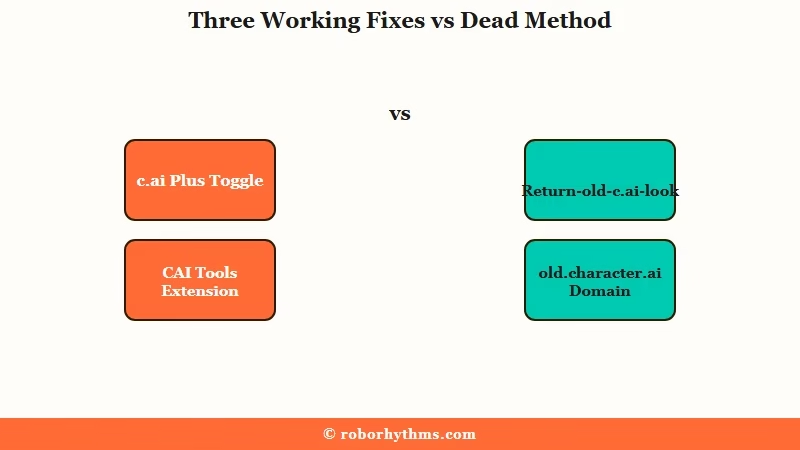
Before anything else, skip the old-URL trick. The old.character.ai domain is permanently shut down, so typing it in or installing a “redirect to old c.ai” extension just bounces you to the new site. Any guide still pushing that method is out of date.
What still works are the reskins. Here is the sequence I would run for the easiest path first.
- Open the Chrome Web Store and search for the “CAI Tools” extension, then add it to your browser.
- Reload character.ai and open the extension’s options to switch on the classic styling and the extra utilities it adds.
- For a deeper reskin, install the Tampermonkey and Stylus extensions first.
- Then add the free “Return-old-c.ai-look” userscript, which injects custom CSS to rebuild the old layout on top of the new site.
- If you only want the oversized elements to shrink, zooming your browser out to about 80% is a quick partial fix.
Here is how the revert methods compare so you can pick the one that fits.
| Method | Cost | What It Restores | Works After Old Site Shutdown |
|---|---|---|---|
| c.ai+ UI toggle | $9.99 a month | Old chat layout, but not persona pictures | Yes, official, if it stays toggled |
| CAI Tools extension | Free | Classic styling plus utilities on the live site | Yes |
| Return-old-c.ai-look userscript | Free | Full old layout via a CSS reskin | Yes |
| Browser zoom | Free | Shrinks oversized elements only | Yes, partial |
| old.character.ai URL | Free | Nothing, the domain is dead | No |
I would start with CAI Tools because it is one click and undoes cleanly. The userscript route is for people who want the layout pixel-close to the classic site and do not mind a two-extension setup.
How to Fix the Enter and Line Break Behavior
The new UI scrambled the Enter key differently on each device, so the fix depends on whether you are on a phone or an iPad.
Once you know which bug you have, the workaround takes seconds.
On most mobile keyboards, the Enter key that used to add a paragraph break now sends the message instead, so half-written replies fire off early. On an iPad running Safari in Desktop Mode with a hardware keyboard, it flips the other way, Enter only adds a line break and refuses to send at all.
The mobile version is the one that ruins long roleplay messages, so here is the cleanest way around it.
Before: you are typing a three-paragraph reply on your phone, you hit Enter to start paragraph two, and the half-finished message sends itself.
After: you write the whole multi-line message in your phone’s notes app first, copy it, then paste it into the chat box in one shot, so Enter never fires early.
On the iPad side, if Enter will not send, just tap the on-screen send button, or turn off Desktop Mode for that tab so the site treats it as mobile again. It is annoying, but it is consistent once you know which side of the bug you are on.
How to Protect Your Chats From the Broken Rewind
Stop using the rewind button until Character AI fixes it, because right now it can delete weeks of a storyline in one tap.
The safest move is to back up any roleplay you care about before you touch that control.
The rewind bug is the one that does real damage. Instead of stepping back to the message you picked, it frequently wipes everything and drops you at the very first line of the chat, and there is no undo. I would treat that button as broken hardware until an update says otherwise.
To protect your history, copy long or important chats into a document, or use a chat-backup extension to export them locally. If you have already lost progress this way, you are not alone, and it is one of the loudest reasons people keep asking about the old Character AI and whether it returns.
Here is the fast reference for matching a symptom to the right fix.
| Symptom | Likely cause | Fix |
|---|---|---|
| Desktop looks like the phone app | New UI forced on free users | Reskin extension or the c.ai+ toggle |
| Old UI toggle is missing | Toggle gated to c.ai+ | Use CAI Tools or the userscript |
| Enter sends instead of a new line | Mobile input change | Compose in a notes app and paste |
| Enter will not send on iPad | Desktop Mode input bug | Tap send or turn off Desktop Mode |
| Rewind wiped my chat | Broken rewind control | Stop using rewind and back chats up |
When It Is Time to Switch Apps
If the redesign broke your workflow and the reskins are not enough, moving to a companion app that keeps its controls stable is the saner long-term fix.
The pick depends on how much setup you want to do.
Power users are heading to open-source options like SillyTavern, which gives you full control and custom layouts but expects you to host and configure your own models. Others are weighing Janitor AI and Character AI for fewer restrictions and more control over responses.
If you just want something polished that works out of the box, remembers you, and will not swap the layout out from under you next month, I would look at a managed companion instead. Candy AI keeps memory, personality, and response controls in one place with no extensions or setup, which is the opposite of what Character AI just did.
For a warmer, more story-first companion, Nectar AI is the one I would point roleplay-heavy users toward. Neither is a knock on Character AI at its best, but stability counts for a lot when your last month of chats is on the line.
Frequently Asked Questions
What changed in the Character AI new UI?
The desktop site was rebuilt to match the mobile app. It removed persona pictures from chat, cut Rooms and in-chat image sending, broke rewind and swipe, changed the Enter key behavior, and switched to a compact blue layout many find harder to read.
Is the old UI toggle really paywalled behind c.ai+?
Mostly yes. The “Enable New Chat UI” toggle under Appearance settings is a c.ai+ perk, so most free users never see it. Even paid users report it is inconsistent and does not restore persona pictures in chat.
How do I get the old Character AI look back for free?
Install a reskin tool that restyles the current site. The CAI Tools Chrome extension is the easiest, and the free “Return-old-c.ai-look” userscript with Tampermonkey and Stylus gives a fuller old-layout match.
Is old.character.ai still up?
No. Character AI permanently shut down the old domain, so typing old.character.ai or using a redirect extension just sends you to the new site. Only tools that reskin the current site still work.
Why does Enter not make a line break now?
The update changed input behavior per device. On mobile, Enter now sends the message; on an iPad in Safari Desktop Mode, Enter only adds a line break and will not send. Compose in a notes app or tap the send button to work around it.
What are people switching to?
Power users move to SillyTavern for full control, while casual users want a polished companion with no setup. Managed options like Candy AI and Nectar AI are common picks for people who want stability over tinkering.
Quick Takeaways
- The Character AI new UI copied the mobile app to desktop and removed persona pictures, Rooms, in-chat images, and reliable rewind and swipe.
- The official old-layout toggle is locked behind c.ai+ at $9.99 a month, and it does not fully restore the old experience.
- Free users can reskin the current site with the CAI Tools extension or the Return-old-c.ai-look userscript, both of which still work.
- Do not bother with old.character.ai, the domain is permanently dead and redirect tricks fail.
- Stop using the broken rewind button and back up important chats, and if you want stability, a managed companion like Candy AI keeps its controls in one place.
