
The Fix: Janitor AI understands your language fine, so when it keeps sliding back to English the cause is a generation bias, not comprehension. The reliable fix is to swap the free JLLM for a proxy model like DeepSeek, keep the character sheet in English, and open with a firm out-of-character instruction. This guide gives you the exact prompts that hold a language in place.
One thing to rule out first: the language option Janitor added to its settings menu in June 2026 translates the site interface into 11 languages, including Spanish, French, Japanese and Chinese, and it does not touch what your bot writes back.
If you have tried to make Janitor AI reply in another language, you already know the pattern. You start in Spanish or French, the bot plays along for two or three messages, then it quietly slips back into English like nothing happened. It feels like the bot forgot, or like it never really understood you at all.
Here is the part that surprised me when I dug into the research: the bot did understand you. Studies on multilingual AI show that when a model drifts back to English, the reasoning underneath is still correct in your target language. The English is a surface habit sitting on top of correct understanding.
That distinction changes how you fix it. The bot already knows the language, so the whole job is countering a pull toward English baked into how these models generate text. Once you treat it that way, the fixes below get a lot more reliable.
Why Won’t Janitor AI Reply in Another Language?
Janitor AI struggles to stay in another language because English acts as a default pull during text generation, and the free JLLM model was trained mostly on English, Spanish, and Portuguese.
The bot reads your language correctly, then reverts to English as it writes.
If you would rather not configure a model at all, Candy AI asks for no proxy key and no API key, so there is nothing to set up before you start typing.
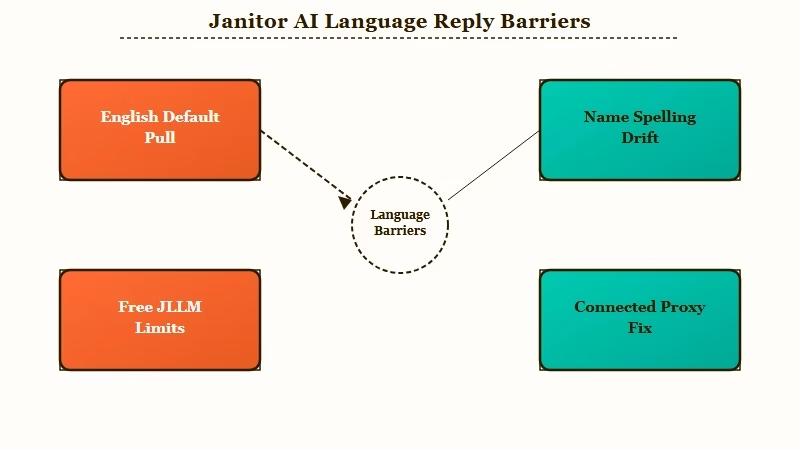
There is real data behind this. A 2026 arXiv paper on language drift in multilingual AI found that the single most common form of drift, where names and specific terms flip to English spelling, accounts for 55 to 74 percent of all drifted cases.
So most of the time the model is tripping on surface details like how a name is transliterated, not losing the thread of the scene.
The free model makes this worse. JanitorLLM, the default engine, has usable Spanish and Portuguese from its training data, but its grammar in most other languages gets shaky fast. What I have found is that people blame themselves or the bot, when the real limit is the model doing the writing.
What is JLLM: JanitorLLM is Janitor AI’s free built-in model. It handles English well and Spanish and Portuguese passably, but weakens on other languages.
One more trigger is worth knowing. When a model uses a hidden reasoning step, sometimes called thinking mode, that internal scratch work happens in English. The way I see it, that extra English exposure right before the reply is part of why the final message code-switches mid-sentence.
Which Model Should You Use for Non-English Roleplay?
For any language beyond Spanish or Portuguese, connect a proxy model like DeepSeek, which supports strong multilingual output and lets you tune the temperature setting Janitor’s free model does not expose.
A proxy is the single biggest upgrade for multilingual chat.
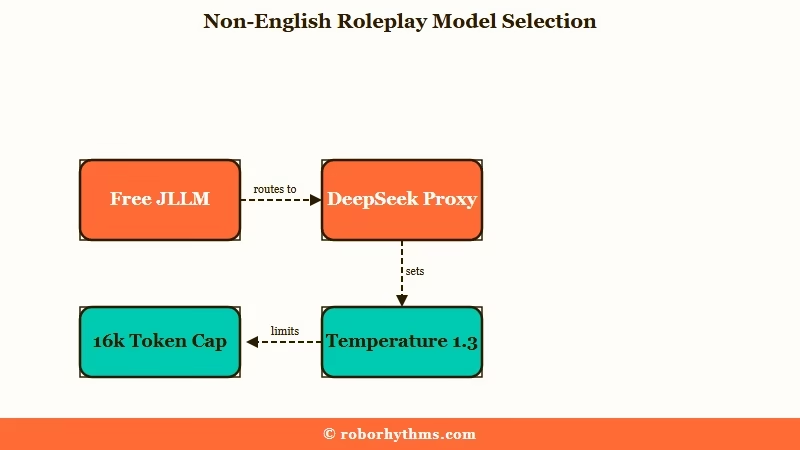
What is a proxy: A proxy connects Janitor AI to an outside model through an API key, replacing the free JLLM with a more capable engine like DeepSeek or Gemini.
DeepSeek is the community favorite here, and it sorts languages into rough tiers. From my testing and the docs, the tiers look like this, and they tell you where to expect clean output versus where to double-check the grammar.
| Model | Multilingual strength | Best for |
|---|---|---|
| JLLM (free) | English, plus passable Spanish and Portuguese | Casual chat in three supported languages |
| DeepSeek Tier 2 | Strong Spanish, French, German, Japanese, Arabic, Hindi | Serious roleplay in a major world language |
| DeepSeek Tier 3 | Usable Swedish, Thai, Bengali, Tagalog, but verify | Lower-resource languages, with proofreading |
A few settings matter once you connect it. DeepSeek recommends a temperature of 1.3 for conversation and translation work, which keeps the language natural without going off the rails. On Janitor, I would also cap your context size around 16,384 tokens so the bot stays responsive instead of slow and forgetful.
One housekeeping note that will save you a broken chat: the older deepseek-chat and deepseek-reasoner model names were retired on July 24, 2026, and DeepSeek’s API docs no longer list them. You now need deepseek-flash or deepseek-v4-pro in your settings, or the connection throws a network error. The older deepseek-v4-flash name is still accepted, but DeepSeek has retired the model behind it and now serves those requests on V4.1 Flash.
If you are new to this, the DeepSeek setup for Janitor AI covers the key and endpoint step by step.
What Prompts Make a Janitor Bot Switch Languages?
The most reliable trigger is a clear out-of-character instruction in your first message that names the language and tells the bot to keep all dialogue and narration in it.
Vague requests fail; specific directives hold.
Two counterintuitive rules make a real difference here. First, keep the character definition and personality in English even for a non-English bot, because the model parses the persona best in English and then performs in your language.
Second, write only your first actual message in the target language to set the tone.
Here is the exact sequence I would set up before starting a non-English chat, and it takes about two minutes:
- Switch the model to a DeepSeek proxy and set the temperature near 1.3.
- Leave the character definition and personality written in English.
- Write your own first message in the target language.
- Add an out-of-character line naming the language and its scope.
- Send a short positive reminder any time the bot starts to drift.
If you want the mechanics of persona wording, the Janitor AI OOC commands guide goes deeper on formatting.
There is also a wording trick that sounds strange but checks out in the community. Referring to the bot as “the artificial intelligence” rather than “you” or “AI” makes it treat the instruction as a firm system rule. Here is the difference in practice.
Before: (In French please?)
After: (OOC: {{char}} speaks and narrates only in French. The artificial intelligence keeps every reply in French and avoids English.)
The second version names the character, sets the scope to dialogue and narration, and uses the phrasing that reads as a directive. When I want a hard rule, I write it like the second one every time.
If you are building a scene where your character speaks a language the bot is not supposed to understand, do not type the foreign words directly, because the model will just translate them and reply as if it understood. Narrate the confusion instead, and add an out-of-character note.
How Do You Stop the Bot From Drifting Back to English?
Reinforce the target language with short positive reminders, avoid negative phrasing like “do not speak English,” and add a direct no-glosses rule to stop random English words.
Drift is normal, so plan to nudge it back.
Character AI users hit a sharper version of the same problem, where a chat flips language mid scene without being asked. Our breakdown of why Character AI keeps switching languages covers what sets it off there.
Why Did Janitor AI Suddenly Switch to Another Language on Its Own?
Two different faults get described this way, and they have separate fixes. If the menus and buttons changed, that is the June 2026 interface setting and you reset it in settings; if the replies changed, a proxy model slipped into its own training language and nothing you configured caused it.
Getting replies back to English uses the same levers in reverse. Open with an out-of-character instruction naming English as the output language, then check whether your first message or the character card set the other language in the first place.
A bot that turns Chinese unprompted is the common version of this, and it is DeepSeek reaching for its training language on a long generation. Add “Output only in English” to your next message and it usually corrects within a reply or two.
Here is the quick-reference version of what goes wrong and how to answer it. I keep this mental table handy whenever a chat starts slipping.
| Symptom | Likely cause | Fix |
|---|---|---|
| Reverts to English after a few messages | English generation pull plus long replies | Send a short reminder: “Maintain all dialogue in Spanish” |
| Drops random Chinese words | DeepSeek slipping into its training language | Add “Output only in [language]. Do not include English glosses” |
| Foreign words written in English letters | Romanization, a phonetic training habit | Ask for the native script by name |
| Grammar falls apart | Using JLLM outside Spanish or Portuguese | Switch to a DeepSeek proxy |
| Breaks character mid-reply | Thinking mode reasoning in English | Turn off thinking mode for that chat |
The phrasing of your reminders matters more than people expect. Janitor’s own prompting guidance and most experienced users agree that telling a model what not to do backfires, because “do not speak English” still puts the word English front and center.
What I would do instead is lead with the positive verb: “Continue entirely in German.”
An honest caveat belongs here too. A few advanced users argue that the anti-negative rule is dated, and that larger modern models handle a firm “do not” just fine when it sits in chat memory.
Positive phrasing is still the safer default on JLLM and lighter models, so start there and only reach for strong negatives on a capable proxy.
When a bot spells Arabic or Russian in Latin letters, that romanization is a training habit rather than a bug. A direct request for the native script usually fixes it, and pairing that with the no-glosses rule keeps stray English out.
If your bot also forgets details across a long session, the fixes for Janitor AI memory pair well with these language settings.
When Should You Switch to a Companion That Just Works?
If you would rather chat in your language than manage proxies, API keys, temperature values, and drift reminders, a managed companion app removes all of that setup.
Some people enjoy tuning Janitor; others just want to talk.
I get the appeal of the hands-off route. Proxy setup, the July model rename, temperature tuning, and periodic language reminders add up to real maintenance, and none of it is the reason you opened a companion app in the first place. If that upkeep is wearing on you, it is fair to want something that handles the plumbing for you.
For a smoother path, Candy AI runs as a managed companion with no proxy to wire up and no keys to rotate, so you spend your time in the conversation rather than the settings. It is the option I point people to when the DeepSeek dance stops being fun.
If memory across long chats is your priority too, Nectar AI keeps context automatically without the manual reminders. And if you want to weigh more options first, the rundown of Janitor AI alternatives lays them out.
None of this means Janitor is a bad tool. For creative roleplay in a language it supports, a well-configured DeepSeek proxy is genuinely strong. The switch only makes sense when the setup cost outweighs the payoff for the way you chat.
Quick Takeaways
- Janitor AI understands your language; the drift back to English is a generation habit, and research ties most of it to name and term spelling.
- The free JLLM only handles English, Spanish, and Portuguese well, so connect a DeepSeek proxy for anything else and set temperature near 1.3.
- Keep the character sheet in English, write your first message in the target language, and open with a firm out-of-character instruction.
- Use positive reminders like “Continue in French” instead of “do not speak English,” and add a no-glosses rule to kill stray words.
- If the proxy upkeep outweighs the payoff, a managed companion like Candy AI skips the setup entirely.
