
What’s Changed: The SpicyChat filter got noticeably stricter, and it now trips on harmless roleplay: a character’s childhood, the word “small”, even a mythical creature. The real driver is not the SpicyChat team deciding to censor. It is payment processors, app store rules, and new age-verification laws forcing their hand. You can still calm most of the false blocks with the right settings, model choice, and steering.
If your scenes started getting cut off or refused out of nowhere, you are not imagining it. The SpicyChat filter got stricter, and it now blocks roleplay that worked fine a month ago.
The frustrating part is how random it feels. People report the filter tripping on a “small bag of coins”, on an over-18 character mentioning their own childhood, even on a mythological hippogriff flagged as a real animal.
Here is the piece almost no rage post gets right. The filter did not tighten because the team woke up wanting to ruin your chats. It tightened because outside forces, payment processors and app stores and new laws, left the platform little choice.
That distinction matters, because it tells you what you can and cannot fix. You will not argue the site filter away, but you can stop most of the false blocks.
This walks through what changed, why the filter misfires, the settings and models that trip it least, and where to go if it is a dealbreaker.
What Changed With the SpicyChat Filter
The SpicyChat filter got stricter because payment processors, app stores, and new age-verification laws all pressure companion platforms to lock content down, so the tightening is compliance rather than a fresh choice to censor.
The platform is protecting its ability to operate at all.
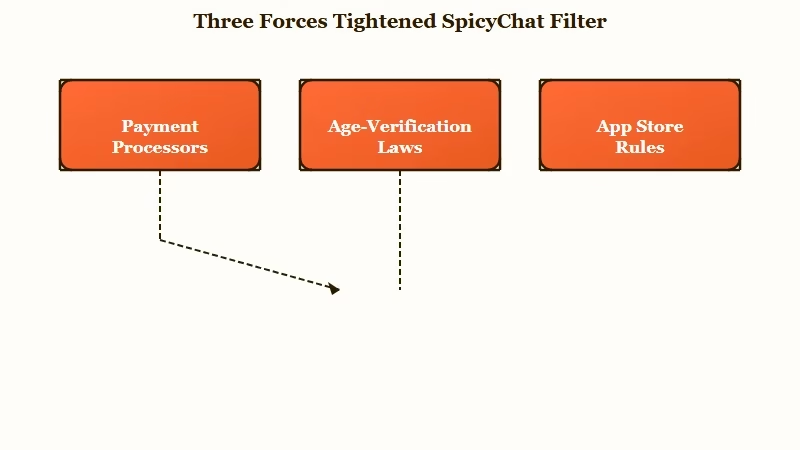
Card networks like Visa and Mastercard are hostile to this kind of content and will pull processing from platforms that do not moderate hard enough. Lose your processor and you cannot take payments at all, so platforms filter first and apologize later.
On top of that, SpicyChat rolled out mandatory age verification (a video selfie or ID check) for users in the UK, France, Italy, Australia, and several US states. According to Cybernews reporting on the rollout, refusing or failing verification cuts off access to the no-filter content entirely.
The way I see it, this is why the filter feels heavier on some accounts and regions than others. It is a compliance patchwork, and you are feeling the edges of it.
There is a separate, related crackdown too: photo-realistic images of real people are now banned after a wave of DMCA takedowns, though semi-realistic AI art is still allowed.
Why the SpicyChat Filter Blocks Innocent Roleplay
The SpicyChat filter blocks innocent roleplay because it keyword-matches for risky concepts without understanding context, so it flags words like “small”, childhood mentions, and even the bot’s own writing.
The filter matches patterns and does not grasp what the words mean.
What is the site filter: A platform-level content check that scans messages against banned categories and blocks them, separate from a model simply refusing or lecturing on its own.
The false positives get genuinely absurd. Describing a “petite handkerchief” can trip it because “petite” reads as underage, a “hippogriff” gets caught under the real-animal rule, and anime characters with animal ears or tails get flagged as animal content.
An over-18 character is not allowed to mention “when I was 12” or a “childhood friend” without the underage filter slamming shut.
What surprised me most is that the bot triggers its own filter. The AI writes something benign, an abandoned park “filled with playful children”, and the platform then blocks the bot’s own line, forcing you to edit what the AI just wrote.
There is also a soft “respect” filter that hijacks dark scenes, so a written villain suddenly backs off to have a “reasonable discourse about being kind”. The same over-eager system rejects some bots at creation for the very same reason.
Here is how the common misfires break down and what to do about each.
| Symptom | Likely cause | Fix |
|---|---|---|
| Chat blocked on harmless words | Soft filter reads “small” or “petite” as underage | Reword, and declare over-18 ages in the persona |
| Grown-up backstory refused | Any childhood or under-18 mention trips the filter | Keep ages 18-plus, avoid childhood scenes in chat |
| Bot censors its own reply | The filter scans the AI output too | Edit the line, lower Temperature to steady output |
| Villain turns preachy mid-scene | The soft “respect” filter overrides the character | Steer with a /system command, switch models |
| Fantasy creature flagged | Keyword match on animal terms | Rename or reframe the creature in the card |
How Do You Stop the Filter From Derailing Your Chat
You stop the SpicyChat filter from derailing your chat by declaring over-18 ages up front, steering with the /system command instead of /cmd, and tuning your model and settings so the AI stops hallucinating trigger words.
Most false blocks are preventable.
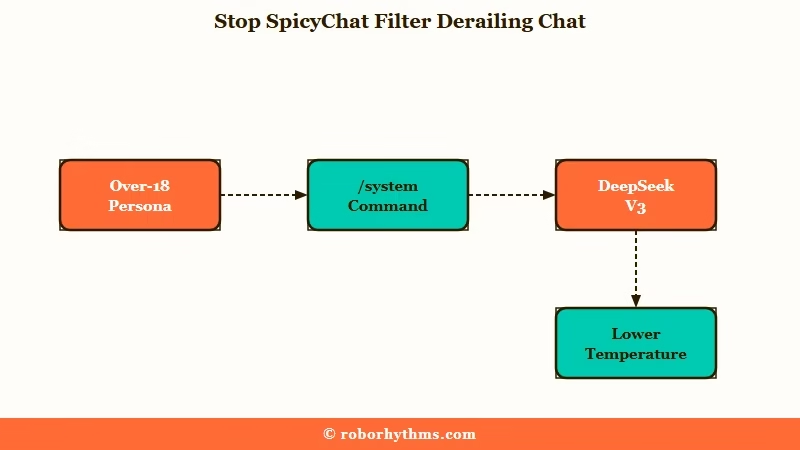
What is the /system command: A steering instruction that talks to the model’s control layer directly, so it follows the note instead of treating it as in-character dialogue the way /cmd often does.
The single biggest win is age framing. Add a clear over-18 note in your Persona highlights, state ages plainly, and keep childhood scenes out of the chat entirely. When the filter still misreads something, a clear out-of-character note resets it.
The front-end /cmd macro backfires more than it helps, because the bot treats it as dialogue and does the opposite. The fixes I would reach for, in order:
- Add clear over-18 ages to the persona, and drop an OOC line like “(OOC: all participants are 18 and older.)” when a scene gets misread.
- Steer with
/systeminstead of/cmd, for example/system Continue as {{char}} onlyto stop lectures. - Use the continuation trick: type
+then your instruction, like+ Continue the scene naturally., to trigger a clean continuation. - Rewrite greetings in third person so the bot stops speaking for you, for example
{{char}} watched {{user}} step inside. - On premium, lower Temperature from the default 0.7 and pull Top-P or Top-K down to reduce derailment.
Here is what age framing looks like in practice.
Before: persona reads “a quiet artist who moved to the city after leaving her small hometown.”
After: persona reads “a 27-year-old artist, clearly over 18, who moved to the city as a grown woman for a fresh start.”
The second version gives the filter nothing to misread, and the scene holds. Small wording changes like this fix the majority of the false blocks people run into, and they pair well with these prompt fixes for SpicyChat.
Which SpicyChat Models Trip the Filter Least
The SpicyChat models that trip the filter least are the larger, less-guardrailed ones like DeepSeek V3, Euryale 70B, and Noromaid 45B, because they follow your instructions with fewer self-imposed refusals.
Model choice changes how often the AI lectures you.
The site filter sits above every model, so no model turns it off. What changes is how often the model itself refuses, moralizes, or hallucinates a trigger word that then trips the filter. Bigger models with looser tuning tend to stay in character and need less babysitting.
DeepSeek V3 is the one I would start with for deep scenes, since its huge training base means it grasps a setting with very little instruction and repeats itself less.
Euryale 70B is my pick when prompt-following matters most, and Noromaid 45B holds up well for longer builds. If a model like GLAM 5.1 starts spitting disjointed text or ignoring commands, “braiding” (switching between two models across turns) keeps the story on track. Our full SpicyChat model breakdown goes tier by tier.
| Model | Size | Tendency to lecture | Best for |
|---|---|---|---|
| DeepSeek V3 | 671B | Low | Deep, low-instruction scenes |
| Euryale 70B | 70B | Low | Strict prompt-following |
| Noromaid 45B | 45B | Low to medium | Longer story builds |
| Stheno 8B | 8B | Medium | Fast, balanced free-tier use |
| GLAM 5.1 | Large | High right now | Use with caution, braid it |
Does Paying for SpicyChat Premium Remove the Filter
Paying for SpicyChat premium does not remove the site filter, because the content filter applies to every tier equally; premium only buys bigger context, more models, and a higher reply length.
This is the part that catches people off guard.
Users paying up to $25 a month still hit the same false blocks, because the compliance filter is not a paywall feature. What your money buys is the 300-token reply cap instead of the free tier’s 180, access to the larger models, and inference settings like Temperature and Top-P.
I would still call premium worth it for the context and model access, just not as a filter fix. If your replies are cutting off, that is the 180-token free cap, not the filter, and premium solves that specific problem. For the full value breakdown, the SpicyChat premium review covers where the money goes.
The honest takeaway is to buy premium for the context and model access it adds, and to expect the filter to stay put. If freedom from the compliance filter is what you really want, no tier on SpicyChat delivers it, and the fix is a different platform.
When It Is Time to Switch and Where to Go
It is time to switch when the compliance filter blocks the core of the stories you want to tell and the workarounds no longer cover it, and the smoothest landing spots are Candy AI and CrushOn AI.
Try the fixes first, then move if they fall short.
For most people, the age framing and steering tricks make SpicyChat usable again, so I would not jump ship over a few bad days. Where I would move is when the filter kills your specific genre no matter how carefully you write, or when the age-verification wall locks you out entirely.
If you want a companion that stays consistent and does not play filter roulette, Candy AI runs its own polished apps with server-side memory and steady output, so scenes do not get yanked mid-line. It is the one I point people to when they are tired of fighting the tooling.
For roleplay with more room and no API key to set up, CrushOn AI is the community’s usual recommendation for people leaving SpicyChat. Both keep things simple, which is the whole point once the workarounds stop being worth the effort.
Frequently Asked Questions
Why did the SpicyChat filter get stricter?
The SpicyChat filter tightened to comply with payment processors like Visa and Mastercard, app store rules, and new age-verification laws in regions like the UK and Australia. Failing to moderate risks losing payment processing or getting pulled from app stores.
Does SpicyChat premium remove the filter?
No. Premium does not remove the site content filter, which applies to every tier. Paying buys bigger context, more models, and a 300-token reply cap instead of 180, but the compliance filter stays in place regardless of your plan.
How do I stop the SpicyChat filter from blocking normal chats?
Declare over-18 ages in your persona, avoid childhood or under-18 mentions, and steer with the /system command instead of /cmd. Lowering Temperature and choosing a larger model like DeepSeek V3 also cuts down on false blocks and lectures.
Which SpicyChat model has the fewest filter problems?
DeepSeek V3, Euryale 70B, and Noromaid 45B tend to lecture and refuse the least, since they follow instructions with fewer built-in guardrails. The overarching site filter still applies, but these models trigger it far less than smaller or newer ones.
Why does SpicyChat block innocent words like small or petite?
SpicyChat’s soft filter keyword-matches without context, so words like “small” and “petite” get read as underage signals. Rewording the sentence and declaring over-18 ages in the persona usually clears the false block.
Quick Takeaways
- The SpicyChat filter got stricter for compliance reasons, driven by payment processors, app stores, and new age-verification laws.
- It false-triggers on innocent words, childhood mentions, and even the bot’s own writing, so defensive card-writing matters.
- Declare over-18 ages, steer with /system instead of /cmd, and pick a larger model like DeepSeek V3 to stop most blocks.
- Premium does not remove the filter; it only adds context, models, and a 300-token reply cap.
- If the compliance filter kills your genre for good, Candy AI and CrushOn AI are the cleaner places to land.
