
What’s Changed: Janitor AI now has an official free app on the iOS App Store and Google Play, after years of being web only. The catch is that the app opens locked in a restricted Safe Mode, and a wave of copycat apps and sites is feeding off the confusion. Here is how to grab the real one and skip the traps.
For the longest time, the answer to “is there a Janitor AI app” was a flat no, and every listing claiming to be one was a scam. That advice was right for years. It just stopped being true.
Janitor AI shipped a real, free official app for both iPhone and Android. The old warning has not caught up, so plenty of people either miss the genuine app or tap a fake that looks close enough to fool them.
There is a second twist that trips people up. The official app looks censored the second you open it, which sends users back to the copycats thinking they grabbed a dud. The safety questions around Janitor AI got a lot more real once an app existed for scammers to imitate.
You will finish this knowing which app is the real one, how to unlock it, how to run Janitor on your phone with no app at all, and how to spot a fake before it costs you money.
Is There an Official Janitor AI App Now
Yes, there is now an official Janitor AI app, free on both the Apple App Store and Google Play, published by the real company behind janitorai.com.
For years the platform ran only in a browser, so the switch is recent enough that most guides still say no app exists.
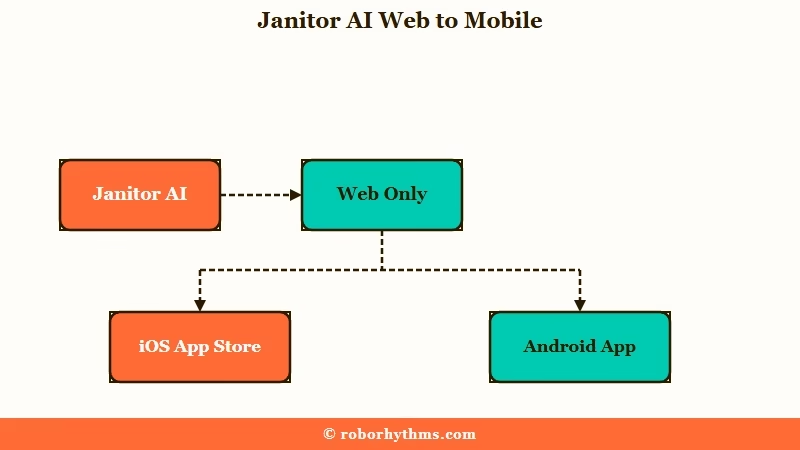
Here are the details I would check before trusting any listing. The iOS version sits under App Store ID 6692609366, from developer “JanitorAI, INC”, weighs about 105.8 MB, and carries an 18+ rating. The Android version uses the package name com.janitor.ai, has passed one million downloads, and is rated 16+.
The reason the app exists is not the one most people assumed. When the team announced it, a lot of users braced for a corporate cash grab wrapped in fresh censorship.
What the developers said instead is that roughly 80% of their users are on mobile, and mobile browsers are slow, drop your session when you switch tabs, and cannot handle push notifications or real-time community features.
So the app is a fix for browser pain, and not the lockdown people feared. It adds haptics and notifications, though it is still in beta and occasionally runs slower than the browser shortcut it replaced. It can also hit the same load errors as the site does when the servers are busy.
Where Do You Download the Real Janitor AI App
The only safe way to download the Janitor AI app is from a link on janitorai.com, which points to the official App Store and Google Play pages.
Searching the store directly works too, but it drops you into a pile of lookalikes, so I would start from the website every time.
The core app is completely free, and the base platform stays free. If a listing demands payment just to open the app, that alone tells you it is fake, because the real one never charges at the door.
Here is the habit that keeps you safe, shown as a quick before and after.
Before: you type “janitor ai” into the App Store and install the first result with a familiar looking icon.
After: you open janitorai.com in your browser, tap through to the store from the site, and confirm the developer reads “JanitorAI, INC” before you install anything.
That one change moves you from trusting a search result to trusting the source. It takes ten extra seconds and skips almost every fake.
Why Does the Janitor AI App Look Censored
The Janitor AI app opens in a restricted Safe Mode because Apple and Google store rules force no-filter content to be hidden by default, and you unlock it from the website, not from inside the app.
This surprises people who expect the app to behave like the site on day one.
What is Safe Mode: The Janitor AI app’s default state, where no-filter bots are hidden from discovery, the model is tuned to keep replies clean, certain words are blocked, and only approved links are clickable.
The part worth understanding is why the unlock switch lives on the website instead of in the app. Google Play’s rules allow only incidental no-filter content, and any filter that hides it must take at least two separate user actions to fully turn off.
A single in-app toggle would break that policy outright, so Janitor moved the control to the web. You can read the Google Play content policy that drives this if you want the exact wording.
Most people never find the toggle because they keep hunting inside the app. Here is the sequence I walk people through.
- Open a normal web browser like Chrome or Safari and log in at janitorai.com.
- Go to your profile Settings and open the Privacy and Display tab.
- Turn on the switch that unlocks the full unrestricted experience on mobile.
- Fully close the mobile app by swiping it away from recent apps.
- Reopen the app so it pulls your updated setting.
Once that syncs, the app matches the website. Skip the restart and it will look locked no matter how many times you flip the switch.
How Do You Use Janitor AI Without the App Store
You can install Janitor AI as a web app by opening janitorai.com in your phone browser and tapping Add to Home Screen, which skips the app stores completely.
This was the go-to method before the official app, and it is still the one I would recommend to anyone nervous about fakes.
What is a PWA: A progressive web app is a website you save to your home screen so it opens full screen like a normal app, without going through an app store.
To set it up, open janitorai.com in your mobile browser, open the browser menu or the iOS Share sheet, and choose “Add to Home Screen” or “Install App”. You get an icon that launches Janitor in a clean full-screen window, with no store moderation layered on top and no beta bugs.
Here is how the three ways to run Janitor on a phone stack up.
| What matters | Official app | Home screen web app | Plain browser |
|---|---|---|---|
| Content filter | Safe Mode on until you toggle it on the web | Matches the website, no extra filter | Matches the website, no extra filter |
| Push notifications | Yes, plus haptics | Limited | No |
| Speed today | Good, but still beta | Often the fastest | Breaks on tab switching |
| Fake app risk | Real only if verified | None, it is the real site | None, it is the real site |
If your main worry is grabbing something fake, the home screen web app sidesteps the whole problem, because there is no download to get wrong.
Which Fake Janitor AI Apps and Sites Should You Avoid
The most common fakes are copycat websites like chatjanitor.com and unofficial store apps that carry malware or bill you for a service that is free.
The genuine platform lives at one address only, janitorai.com, and everything else is worth a hard look.
The copycats are getting slicker because the tools to build them are trivial now. Security reporting from Mashable on leaky AI apps found that 72% of analyzed AI apps on Google Play hardcode secrets like API keys straight into their code, and phishing kits can clone a brand’s site pixel for pixel in under five minutes. Being in an official store does not prove an app is clean.
Here are the traps I see most, and what each one is really after.
| Fake type | How it hooks you | What it wants | What to do |
|---|---|---|---|
| chatjanitor.com copycat | Keyword-stuffed lookalike that catches typos | Funnels you into a crypto “earn USDT” referral scheme | Close the tab, only use janitorai.com |
| janitorai.chat / janitoraichat.com | Near-identical domain, email magic-link login | Harvests your email and account data | Never log in outside janitorai.com |
| Unofficial store app | Looks official, sometimes charges a fee | Malware or unauthorized subscription billing | Delete it, dispute any charge |
| API-key phishing page | Fake setup guide asking for your proxy key | Your paid LLM key tied to your card | Revoke the key immediately |
The last one is the sharpest risk for anyone using an external model, and it is the angle most warnings skip. A fake Janitor page or app can quietly scrape the API key you paste in on mobile, and that key is linked to your credit card, so the charges are real. Treat any key you type into a non-janitorai.com surface as already compromised.
How Do You Verify You Have the Real Janitor AI App
You verify the real app by checking the developer reads JanitorAI, INC, the iOS ID ends in 6692609366, the Android package is com.janitor.ai, and you reached the listing from janitorai.com.
I run this checklist before installing, and it takes under a minute.
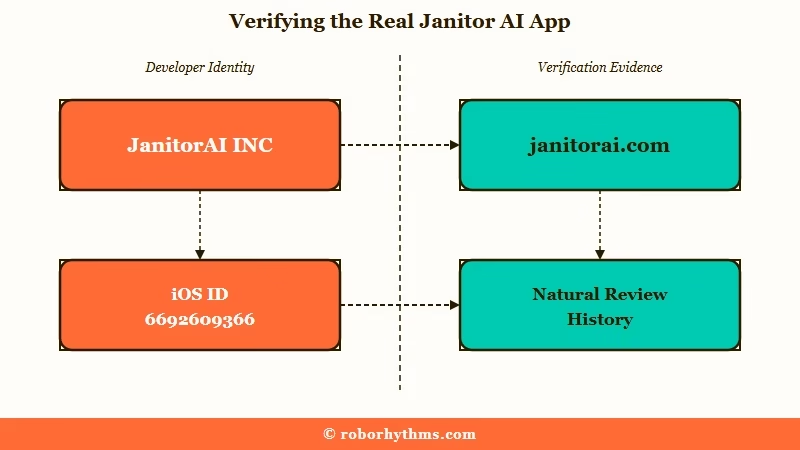
- Confirm the developer name is exactly “JanitorAI, INC”, not a close variation.
- Check the iOS App Store ID is 6692609366, or the Android package is
com.janitor.ai. - Make sure you arrived from a link on janitorai.com, not a raw store search.
- Scan the reviews for a natural history, not a sudden burst of five-star reviews that all read the same.
- Walk away from any app that asks for payment to open a free service or pushes an odd “sign in with Google” redirect.
If a listing fails even one of those, I would close it and start again from the website. The genuine app has nothing to hide, so none of these checks cost you anything.
What If You Already Installed a Fake One
If you already installed a fake, delete it now, rotate any API key you entered, change your password, and check your accounts for charges you did not make.
Moving fast matters here, because the damage from a leaked key or password grows the longer it sits.
- Delete the app or close the copycat site and clear its data.
- If you entered an external LLM key, revoke and regenerate it on the provider dashboard right away.
- Check that provider’s usage and billing for calls you did not make.
- Change your Janitor password, and any other account that shared it.
- Review your Google or Apple account for unknown subscriptions, and run a mobile malware scan.
If things still feel off after that, deleting the Janitor account and starting clean is the reset I would reach for. Most people will not need to go that far if they catch it early.
When Switching Beats Fighting the App
If juggling Safe Mode toggles, beta bugs, and fake app landmines is wearing you down, a companion with a polished official app is the simpler path.
Janitor is powerful and free, so I would not tell anyone to drop it lightly, but the mobile experience clearly asks more patience than some people want to give.
If you would rather open one trusted app that just works, Candy AI runs its own official apps with server-side memory, so there is no proxy key to expose and no web toggle to hunt for. It remembers your conversations without the setup grind that Janitor puts on you.
For a second option built around memory that carries across sessions, Nectar AI is the one I would look at. Both keep the whole thing on one platform, which sidesteps the fake app problem entirely, because there is nothing extra to download and get wrong.
Frequently Asked Questions
Is the Janitor AI app free?
The official Janitor AI app is free to download and use on both iOS and Android, and the core platform stays free. If any app asks you to pay just to open it, that is a sign it is fake, since the real one never charges upfront.
Is there a Janitor AI app for iPhone?
Yes, there is an official iOS app under App Store ID 6692609366 from developer JanitorAI, INC. Reach it from a link on janitorai.com rather than a store search so you avoid the lookalikes.
Why is content restricted on the Janitor AI app?
The app ships in Safe Mode to meet Apple and Google store rules. You unlock the full experience by logging into janitorai.com in a browser, enabling the mobile content toggle in Privacy and Display, then restarting the app.
Is the Janitor AI app safe to download?
The official app is safe when you verify the developer and ID first. The danger comes from copycat apps and sites that carry malware or steal API keys, so only install from a link on janitorai.com.
Can I use Janitor AI without downloading anything?
Yes. Open janitorai.com in your phone browser and choose Add to Home Screen to install it as a web app. It runs full screen like a native app, skips the app stores, and often loads faster than the beta app.
Quick Takeaways
- Janitor AI now has a real free app on iOS and Android, so the old “there is no app” advice is out of date.
- Verify the developer is JanitorAI, INC and the iOS ID is 6692609366 before you install anything.
- The app looks locked on purpose, unlock it from the website in Privacy and Display, then restart the app.
- Skip downloads entirely by saving janitorai.com to your home screen as a web app.
- If you touched a fake, rotate your API key and change your password before anything else.
