
What’s Changed: Grok moved Imagine onto a single shared weekly usage pool, so every video spends the same quota your images and chat depend on, and blocked generations still cost you. The best Grok Imagine alternatives split by what you used it for. WAN and Kling cover pure video, while Candy AI and Crushon AI cover an AI companion that also makes images.
If you are hunting for Grok alternatives, and Grok Imagine alternatives in particular, you have probably hit the wall where a run of short videos quietly eats most of your week. Grok now meters video, images and chat from one shared weekly bucket.
The moderation tax is the worst of it. When Grok’s filter blocks a generation, you are still charged for it, so a rejected clip burns quota and hands you nothing back.
I want to set expectations up front, because most roundups will not. Nothing on the market fully replaces Grok Imagine at thirty dollars a month for the same mix of speed, built-in audio, and loose creative boundaries. What you can do is pick the alternative that nails the specific thing you used Grok for.
This guide forks by use case. If you wanted Grok for raw video, I will point you at the closest video models. If you wanted it for an AI companion that also generates images, that is a different tool entirely, and I will cover both.
Why People Want Grok Imagine Alternatives
People want Grok Imagine alternatives because the June 2026 switch to a shared weekly compute pool means video, image, and chat all drain the same meter, and moderated generations still burn quota.
From what I have seen, the limits are what push people to look elsewhere.
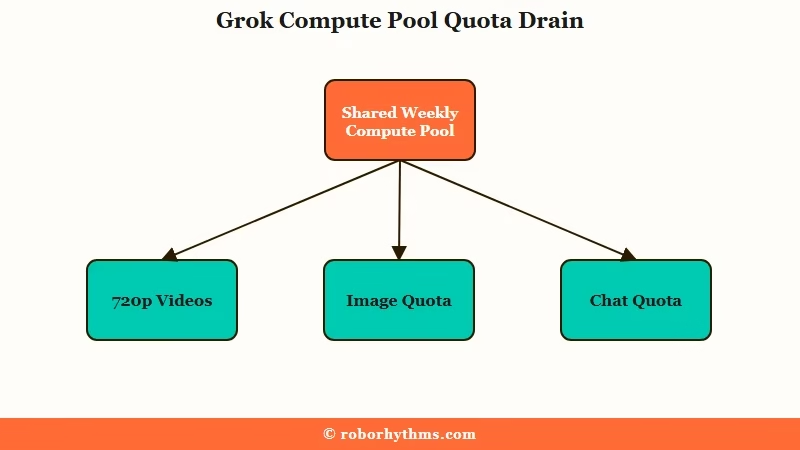
What is the weekly compute pool: A single shared usage budget that every Grok feature pulls from, so generating a few videos can use up the credits you wanted for images or chat.
Grok reached about 64 million monthly users by the end of 2025 according to Business of Apps, so a limit change frustrates a huge base at once.
On SuperGrok at about thirty dollars a month, a 10-second 720p clip costs about 2 percent of the weekly pool, so spending the whole pool on 720p video buys around 50 clips a week.
Our breakdown of the Grok Imagine limits goes deeper on how the bucket drains.
The other quiet drain is resolution. A single 720p ten-second clip uses about the same backend compute as nine 480p six-second clips, so one habit of always generating at max quality can empty your week by Wednesday.
The full mechanics live in our piece on the Grok weekly usage limits.
The Honest Truth About Replacing Grok Imagine
No single tool fully replaces Grok Imagine, because its combination of fast image-to-video, free built-in audio, and loose creative limits at thirty dollars is genuinely hard to match.
The loose creative limits are doing a lot of that work, so it helps to know how far Grok’s spicy mode actually goes before you judge whether a rival is really missing the feature or just drawing the line somewhere else.
Grok Imagine 1.0 topped blind quality tests and shipped a conversational editing feature that lets you tweak an existing video by just describing the change. Most rivals cannot do that yet, and the heavy users on forums broadly agree that for sheer quality per dollar, Grok is still ahead.
What is image-to-video: Feeding a still image to an AI model and having it animate that exact image into a short video clip, rather than generating motion from a text prompt alone.
So start from what you used Grok for, and sort yourself into one of two camps before you spend a cent.
One camp wants a pure video generator with cinematic control. The other wants an AI companion that also creates images and stays in character. If you mostly used Grok as an everyday assistant for answers and research, you want ChatGPT, Claude, Gemini or Perplexity instead, and our Perplexity vs ChatGPT comparison is the place to start.
Picking the wrong camp is how people end up paying for a video studio when they wanted a companion, or the reverse. The next two sections handle each camp on its own terms.
Best Grok Imagine Alternatives for Video
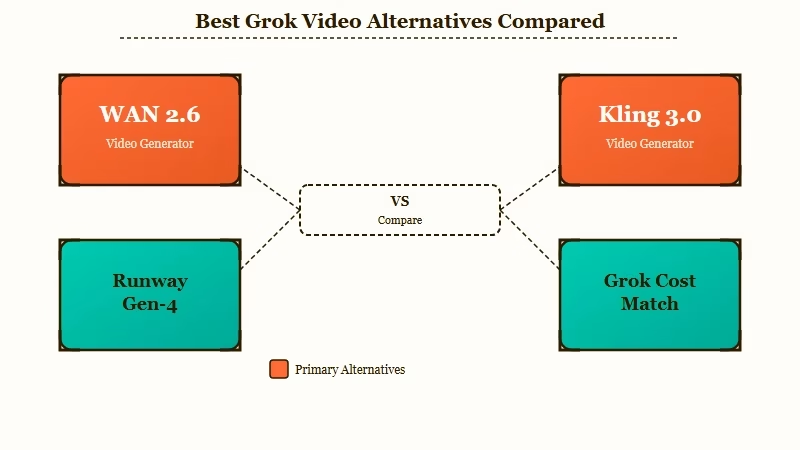
For pure video, WAN is the closest match on cost and creative freedom, Kling 3.0 is the best value for audio and lip-sync, and Runway Gen-4 wins on character consistency.
I would start with WAN if your main frustration was Grok’s moderation tax.
WAN 2.6, the version Alibaba sells through its API, bills by the second for video with native audio, the same way xAI prices Grok’s own video API.
That API screens every prompt and finished clip, so 2.6 is still filtered. The closest uncensored Grok Imagine alternative is the open-weights WAN 2.2 running on your own GPU, which has no content filter layer and wastes no generations on false rejections, though its clips come without sound.
Kling 3.0 is the friendliest on price, from $6.99 a month, with one of the most generous free tiers around at 66 daily credits. It generates up to 15-second clips with native multilingual audio and lip-sync in a single pass, which Grok does not match for dialogue scenes.
Runway Gen-4 sits at the premium end near $12 to $15 a month. It caps clips at 16 seconds and lacks native audio, but its reference-image system locks a character’s face across different shots and lighting better than anything else, and the Aleph editor lets you change a finished clip without regenerating it.
| Tool | Cost | Native audio | Best for |
|---|---|---|---|
| WAN 2.6 | Billed per second | Yes | Per-second billing like Grok’s API, with audio |
| Kling 3.0 | From $6.99 per month | Yes, with lip-sync | Dialogue scenes on a budget |
| Runway Gen-4 | $12 to $15 per month | No | Character consistency, editing |
The moderation waste is the number nobody puts in a pricing table, so here is what it does to a real week.
Example scenario: Say you run 30 image-to-video prompts on SuperGrok in a week and 8 trip the safety filter. Every blocked prompt still spends pool, so you pay for 30 generations, keep 22 clips, and use more than half your week at 720p. On the open-weights WAN 2.2 running on your own GPU, those 8 prompts just render, so nothing is wasted.
Best Grok Alternatives for Companion Chat With Images
If you used Grok for a character to talk to that also sends images, a dedicated AI companion is the right tool, and Candy AI and Crushon AI are the two I would compare first.
This is the camp most Grok refugees in the companion space belong to. If the Grok you miss is Ani or the other companions rather than Imagine, our guide to Grok Ani alternatives covers that side.
A video model cannot hold a conversation or remember you, so swapping Grok for Kling here would be the wrong move. A companion platform generates in-character images on demand and keeps a running memory, with no weekly compute pool to run dry mid-chat.
Candy AI pairs a companion with built-in image generation for $13.99 a month, or $47.88 billed yearly. Text chat is unlimited on its paid plans, while images draw on a monthly token allowance, so pictures are metered on their own budget and a long chat never eats into them.
It is the closest thing to “Grok but as a companion” for most people, and our Candy AI versus Grok Ani comparison digs into the differences.
Crushon AI leans toward a huge custom-character library and fewer content restrictions. Its plans run on monthly message credits, starting with a free tier that has 8K memory.
I would point anyone who wants to start free here and send anyone who wants the cleanest image quality to Candy AI.
Which Grok Imagine Alternative Should You Pick
Pick by the one job you used Grok for most, because the best alternative for video is a terrible alternative for companionship and the reverse is just as true.
Match the tool to your main use in the table below.
| Your main use | Best pick | Why |
|---|---|---|
| Pure video, fewest restrictions | WAN 2.2 (open weights) | No filter layer when you run it yourself, no audio |
| Video with dialogue on a budget | Kling 3.0 | Cheap, native audio and lip-sync, generous free tier |
| Cinematic video, character consistency | Runway Gen-4 | Reference-image locking and in-clip editing |
| AI companion plus images, best quality | Candy AI | Built-in image gen, unlimited text chat on paid plans, no weekly pool |
| AI companion plus images, free to start | Crushon AI | Large library, a free tier, monthly message credits |
If you genuinely need everything Grok does at once, the honest answer is to keep it and manage the limits deliberately, after checking whether SuperGrok still earns its $30. Three habits stretch a weekly pool the furthest:
- Draft at 480p to block out a shot, then regenerate only the keeper at 720p, since one 720p clip costs about nine smaller ones.
- Keep prompts clear of the terms that trip the safety filter, because every block is still charged.
- Batch your image generation into its own session so a run of videos does not cannibalize your picture quota.
For everyone else, one of these alternatives does your specific job better and without the weekly pool draining behind your back. Our guide to text-to-video AI generators covers the broader field if you want more options.
Quick Takeaways
- Grok’s shared weekly pool means videos spend the same quota as your images and chat, and blocked generations are still charged.
- No single tool fully replaces Grok Imagine, so pick by the one job you used it for most.
- For pure video, WAN 2.6 bills by the second like Grok’s API, the open-weights WAN 2.2 avoids filter waste, Kling 3.0 wins on cheap audio, and Runway Gen-4 wins on consistency.
- For an AI companion that also makes images, Candy AI gives the best quality and Crushon AI has a free tier, and neither uses a weekly pool.
- If you need everything Grok does at once, keep it and manage limits by drafting low-resolution and finalizing high.
