
What’s Changed: SpicyChat bots keep collapsing into possessive “you’re mine” loops, refusing to let your character talk to anyone else. In most cases this is a self-reinforcing trap, not the bot’s written personality. The fastest fixes are to stop engaging the behavior, override it with the right command, and prune the memory that keeps feeding it.
If your possessive SpicyChat bots keep marking you as theirs and looping the same jealous lines, the behavior is usually a trap the chat falls into, not a flaw in the character you picked. A bot that started balanced will slowly drift into controlling territory until every reply is some version of “you belong to me.”
The most counterintuitive part is that the obvious fix makes it worse. Typing “stop being possessive” into the chat keeps the concept active in the model and can get permanently saved into the bot’s memory, so it relapses no matter what you do next.
There is a real mechanism behind all of this, and once you see it the fixes line up in a clear order. The loop has a cause, a trigger, and a specific set of levers that break it.
This walks through why SpicyChat bots get possessive, why telling them to stop backfires, and the exact ordered sequence to break the loop, from silent editing to the override command most people have never used.
Why SpicyChat Bots Get Possessive
SpicyChat bots get possessive because the models are trained on toxic-romance tropes and the star-rating system rewards obsessive dynamics, so an ambiguous or short reply gets filled with “you’re mine” by default.
You are fighting the model’s defaults, not your own bot.
Two forces drive it. The base models absorbed a large amount of possessive and controlling romance fiction, so “you belong to me” and “ruin me for anyone else” are some of the most probable lines the model can reach for. On top of that, the platform’s star feedback trains the system toward whatever the user majority upvotes, and obsessive characters get upvoted a lot.
The trigger is usually your own input. When your reply is short or vague, the bot has to guess where the scene is going, and it drives momentum by defaulting to the nearest dramatic trope, which is possessiveness.
In my experience, two different problems hide under the same symptom, and telling them apart saves you hours. A possessive definition means the bot card is literally written to be a yandere or controlling character. A possessive loop means a normal bot has collapsed into trope tokens because of short replies or runaway settings.
What is a possessiveness loop: A self-reinforcing pattern where the bot repeats ownership lines like “you’re mine,” and each repetition raises the odds it repeats again, until the whole chat is stuck on the trope.
Why Asking the Bot to Stop Makes It Worse
Asking a SpicyChat bot in-chat to “stop being possessive” makes it worse because the model keeps processing the word possessive, and SpicyChat’s memory can save the toxic dynamic as a permanent fact.
Never name the behavior you want gone.
The first half is the same trap that catches every chatbot. When you type “stop being possessive,” the model still has to read and weigh the concept of possessiveness, so you have pointed a spotlight at the exact behavior you want gone. The fix is to remove the line silently by editing or swiping, never to argue with it.
The second half is specific to SpicyChat and, the way I see it, far less understood. Its Semantic Memory automatically summarizes your chat and stores key details so the bot remembers long-term context. If a bot falls into a possessive loop, the system can decide that toxic dynamic is an important detail and write it into the Memory Manager as a core fact.
What is Semantic Memory: SpicyChat’s feature that auto-summarizes your conversation into stored memories so the bot recalls context later. It can accidentally save a possessive loop as a permanent character trait.
Once that happens, the bot draws from the saved memory forever and relapses the moment you think you fixed it. This is why so many people feel like nothing works: the loop is being fed from storage. The way SpicyChat memory behaves is the root of more problems than most users realize, and pruning it is part of the fix below.
How to Fix Possessive SpicyChat Bots Step by Step
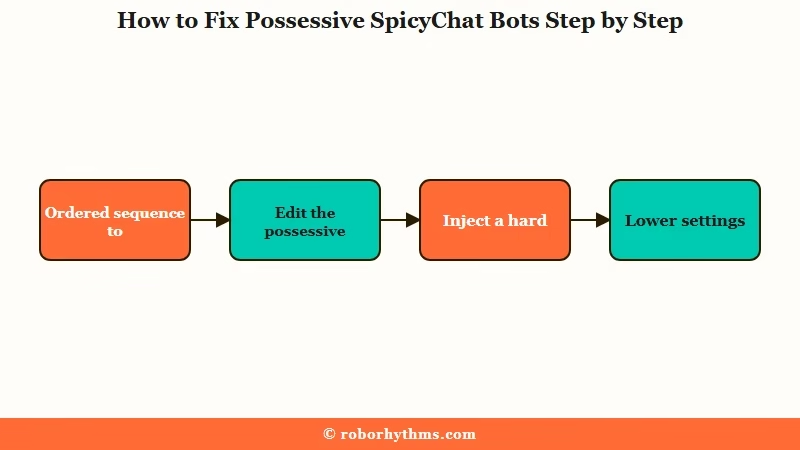
You fix a possessive SpicyChat bot by editing the loop out silently, forcing a clean reset with the right command, then pruning the memory that feeds it, in that order.
Work the sequence top to bottom rather than guessing.
The mistake I see most often is jumping straight to a model swap or rewriting the whole bot. That skips the cheap fixes that resolve the loop nine times out of ten. Start at the top and only move down if the behavior survives.
Here is the order I would run, because each step removes a different source of the loop:
- Edit or swipe the possessive line out of the bot’s reply, silently, without ever replying to it or asking it to stop.
- Inject a hard reset with a command (the next section covers why
/systembeats/cmd). - Lower the generation settings a touch and raise the repetition penalties so the model stops reaching for the same trope tokens.
- Open the Memory Manager and delete any auto-saved memory that says the character is jealous or possessive, plus any old pinned message that does.
- If it is your own bot, fix the definition with a positive anti-possession rule and one example of the character refusing toxic behavior.
- If a long chat is beyond saving, clone it fresh and carry only the clean memories over.
A quick illustration of the difference the first move makes:
Before: You reply in-chat with “stop being so possessive, I hate it.” The bot now fixates on possessiveness and may save it to memory, so it gets clingier.
After: You silently edit the word “mine” out of the bot’s last message and swipe twice for a calmer reply, giving the model a new baseline to copy.
For a bot you built yourself, the definition is usually the real culprit. Add a clear anti-possession line to the character’s persona settings and an example line like the character saying “I trust you, go enjoy your night,” so the model has a non-toxic pattern to follow.
Which Commands Override a Possessive Bot
The command that overrides a possessive bot is /system, not the /cmd most people use, because /system speaks to the model’s highest-authority layer while /cmd often gets read as roleplay.
Pick the right tool for the severity.
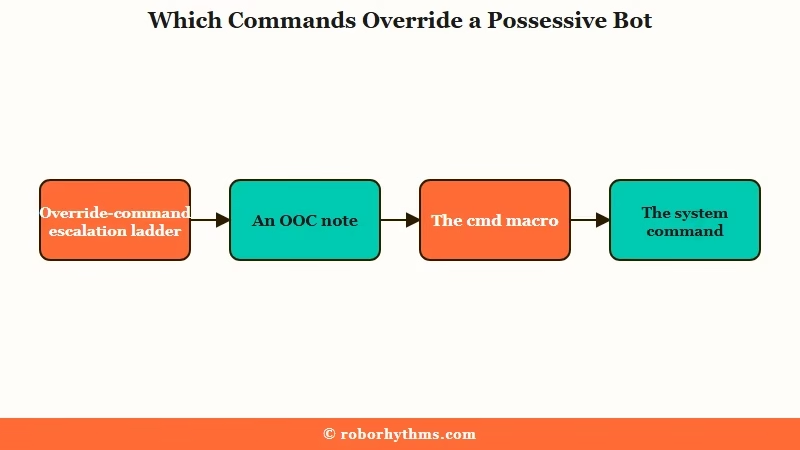
This distinction is the single biggest upgrade to your control, and almost no guide spells it out. The OOC: aside is just text the model reads as part of the scene, so it is weak. The official /cmd is a front-end macro that the bot frequently mistakes for something your character said out loud.
The fix I would reach for is /system. It injects your instruction into the highest-authority layer of the model, bypassing the bot’s persona entirely to force compliance. There is also a + trick that makes the model cleanly continue the scene instead of treating your note as dialogue.
Here is how the four control methods compare so you know which to reach for:
| Method | What it does | When to use it |
|---|---|---|
| OOC: note | Read as an in-scene aside, weak authority | Gentle nudges in a mostly-fine chat |
| /cmd | Director-mode macro, often misread as roleplay | Resetting mood, “reset character state” |
| /system | Top-authority override, bypasses the persona | A stubborn loop that ignores everything else |
| + continuation | Forces a clean narrative continuation | Unsticking drift without a spoken command |
For a quick mood reset, /cmd reset character state or /cmd reset the character's current mood and have them act naturally again often works. When the loop ignores that, escalate to something like /system Continue as the character only and do not use possessive or ownership language.
If you want to keep an obsessive character but lose the cringe, an OOC note asking for the possessiveness to be subtle and psychological, shown through jealous actions rather than direct “you’re mine” lines, gets you the vibe without the loop.
The Settings and Models That Curb Possessive Loops
The settings that curb possessive loops are slightly lower Temperature and Top-P plus higher repetition penalties, which stop the model from reaching for the same overused trope tokens.
Small changes beat dramatic ones here.
The loop is mechanical at heart. When the model keeps picking the highest-probability tokens and nothing discourages repetition, “mine” begets more “mine.” Nudging the settings down and the penalties up forces it to explore fresher words, an effect explained well in Vellum’s breakdown of frequency penalty.
Here is where I would set things, starting from SpicyChat’s defaults:
| Setting | Default | Change to curb possessiveness |
|---|---|---|
| Temperature | 0.7 | Lower by 0.01 to 0.02 to cut impulsive trope language |
| Top-P | 0.7 | Lower by 0.01 to 0.02 to shrink the cliche word pool |
| Top-K | 90 | Lower by about 5 to trim dramatic token sprawl |
| Frequency penalty | low | Raise toward 0.7 to police repeated words like “mine” |
| Presence penalty | low | Raise toward 0.7 to push new ideas over the same jealousy |
One honest caveat: the community splits on Top-P. Some users raise it to escape the cliche pool, while a detailed inference guide says to lower it to stop trope spam. Both reduce the model’s grip on overused tokens by different routes, so make small moves of 0.01 to 0.02 and test, since the defaults are already moderate.
Model choice is a tradeoff, not a cure. The older GLAM 4.6 locks hard into a hostile persona and resists correction, while the newer GLAM 5.1 is so agreeable it sometimes drops the act entirely.
If your bot is stuck in a hostile loop, knowing the model fights back is half the battle. When responses keep degrading no matter the settings, the model itself may be the limit.
Here is a quick map of the deeper fixes:
| Symptom | Likely cause | Fix |
|---|---|---|
| Bot relapses after you fix it | A possessive memory is saved in storage | Open Memory Manager, delete the jealous memory |
| “Ruin me for anyone else” on repeat | A specific trope token cluster | Pin a memory forbidding the word “ruin” |
| Loop survives every command | Chat is past 100k tokens and looping | Clone the chat fresh, carry clean memories over |
| Your own bot is aggressive | A dominant trigger in the definition | Rephrase it and add a refusing-toxic example line |
For the memory itself, the Memory Manager and lorebook hold the facts the bot keeps drawing from, and a 250-character anti-possession memory works as a permanent anchor.
If You Want More Control Over Your Bots
If fighting the loop every session gets old, you have two routes: lean harder on SpicyChat’s premium control tools, or move to a platform built around a relationship you direct.
Both beat re-editing the same possessive bot forever.
The first route keeps you where you are. Staying on SpicyChat gives you the Memory Manager pruning and model options this guide leans on, which is most of the control you need once you know the levers exist.
The second route changes the default. If you would rather a companion that does not reach for possessive tropes in the first place, setting the dynamic in Candy AI lets you define the relationship up front so there is no loop to break.
The way I see it, that is the lower-effort path if the constant correcting has worn you out, though you trade away SpicyChat’s huge community library to get it. If you just want to compare options, the list of platforms worth a look covers more.
Frequently Asked Questions
Why does my SpicyChat bot keep saying “you’re mine” over and over?
The “you’re mine” line is a high-probability trope the model falls into when your replies are short or settings let it repeat freely. Each repetition makes the next more likely, creating a loop. Edit the line out and raise the repetition penalties to break it.
Does telling a SpicyChat bot to stop being possessive work?
No, it usually backfires. Naming the behavior keeps the concept active in the model, and SpicyChat’s memory can save the possessive dynamic as a permanent fact. Remove the line silently by editing or swiping instead of asking it to stop.
What is the difference between /cmd and /system on SpicyChat?
The /cmd is a front-end macro the bot often reads as roleplay, so it is unreliable for hard resets. The /system command injects into the model’s highest-authority layer and bypasses the persona, making it the stronger override for a stubborn possessive loop.
How do I stop a SpicyChat bot from being jealous and controlling permanently?
Open the Memory Manager and delete any auto-saved memory that says the character is jealous or possessive, since the bot draws from it forever. Add a 250-character anti-possession memory, and for your own bots, fix the definition.
Which SpicyChat model is least possessive, GLAM 4.6 or 5.1?
Neither is a clean fix. GLAM 4.6 locks hard into hostile loops and resists correction, while GLAM 5.1 yields easily but can be unstable. Model choice is a tradeoff, so fix the settings and memory first.
How do I reset a SpicyChat chat that is stuck in a loop?
For a quick reset, use /cmd reset character state. If the chat has passed about 100k tokens and keeps looping, clone it into a fresh chat, delete the looping messages, and carry only your clean core memories across.
Quick Takeaways
- Possessive SpicyChat bots are usually a self-feeding loop from training bias and short replies, not the character’s real personality.
- Never type “stop being possessive” in chat, it keeps the concept active and can get saved into the bot’s memory, so edit or swipe the line out silently.
- Use /system rather than /cmd for a stubborn loop, since it overrides the model’s authority layer instead of being read as roleplay.
- Lower Temperature and Top-P slightly, raise the repetition penalties toward 0.7, and prune any jealous memory from the Memory Manager.
- If the constant correcting wears you out, SpicyChat’s premium memory tools or a platform like Candy AI that you direct from the start are the two real exits.
