
What’s Changed: Janitor AI just removed the per-account persona limit, yet a wave of users still can’t create a persona. In almost every case the block is a front-end bug, a content-filter trip, or a Cloudflare hiccup, not a real cap. The single most reliable fix is switching the device you create on.
If you can’t create a persona on Janitor AI right now, you are not imagining it and you almost certainly did not hit a limit. The platform pushed a new persona interface this week, removed the old persona cap entirely, and broke the create flow for a chunk of users in the process.
Here is the part most threads miss. “Can’t create a persona” is not one problem. It is at least five different problems that all look identical from your side of the screen, and the fix for each one is completely different.
The most counterintuitive fix here is almost too simple to believe: when the Create button is dead on your computer, it often works on your phone, and when an avatar refuses to upload on your phone, it usually works on your computer. Most guides never tell you which device to switch to, so this walks through the whole decision tree in order.
We will rule out the fast stuff first (network, the limit myth), then the device and interface bugs, then the avatar trap, and finally the “I made it and it vanished” server desync. Once we are done you will know exactly which of the five failures you have and the specific move that clears it.
Why You Can’t Create a Persona on Janitor AI
You can’t create a persona on Janitor AI usually because a recent interface update grayed out or froze the Create button, not because you reached a cap.
The per-account persona limit was removed, so any “limit reached” message you see now is a leftover bug, not a real wall.
The limit history is worth knowing because it kills the most common piece of stale advice. Janitor’s persona cap moved over time from 4, to 10, to 50, to 100, and then the team removed it. Plenty of users now sit on 200, 300, even 500-plus personas with no issue.
So when an old forum reply tells you to delete personas to make room, ignore it. If you specifically see a “maximum of 100 personas allowed” error, that is a known glitch that has popped up and been patched within hours before. Do not start deleting your work over it.
What stops creation falls into a short list I keep coming back to: a broken or grayed-out Create button after the redesign, a network or Cloudflare block, the avatar content filter rejecting your image, a browser extension silently eating the click, or a server desync that makes a finished persona disappear.
The persona-not-saving problem is a separate issue with its own fixes, so if your persona saves and then disappears later, start there instead.
What is a persona on Janitor AI: A reusable profile describing who you are in a chat (name, traits, context) that the bot reads so it responds to you consistently across different characters.
The Fastest Checks Before You Blame the Limit
Before touching anything else, confirm the site can reach its servers, because a Cloudflare or session block looks exactly like a broken Create button.
These take under a minute and clear a surprising share of cases.
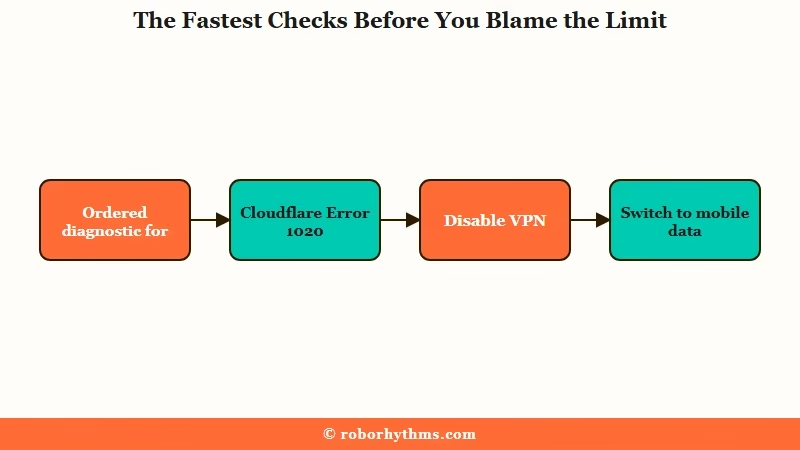
Network and session errors are the quiet culprit far more often than people expect, because they throw no obvious persona error at all. The button just sits there or the page bounces to an error screen.
Janitor surfaces a few specific codes when this happens, and each one points to a different fix:
| Symptom | Likely cause | Fix |
|---|---|---|
| Page bounces to “Access Denied” or a verification loop | Cloudflare Error 1020 from a VPN or flagged IP | Turn the VPN or proxy off, switch Wi-Fi to mobile data, reload |
| Create or edit action does nothing, then logs you out | Error 401, your login session went stale | Log out fully and log back in, then retry |
| “Error updating character” or a spinning save | Error 502, temporary server-side issue | Wait it out, the fix is on Janitor’s end not yours |
| Button works on mobile but not desktop (or vice versa) | Front-end interface bug from the redesign | Switch devices, covered in the next section |
Here is the sequence I would walk through first, because it goes cheapest-fix to most-involved:
- Turn off any VPN or proxy.
- Switch from Wi-Fi to mobile data (or the reverse) to get a fresh IP.
- Hard refresh with Ctrl+Shift+R on desktop.
- Log out and back in to refresh your session.
- Only then move on to the device and interface checks below.
If the whole site looks down, not just persona creation, that is the 502 path and no amount of clicking will help until the servers recover.
Why Switching Devices Fixes the Grayed-Out Create Button
If the Create or Add Persona button is grayed out or unresponsive on your computer, the redesign broke it on that interface, and creating the persona on your phone usually works.
The inverse is true for images, which I will get to.
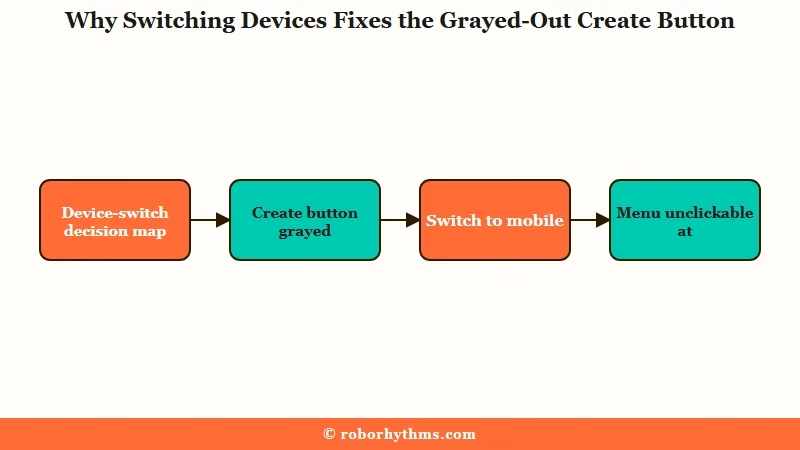
This is the counterintuitive core of the whole problem. The new persona section shipped with desktop-specific breakage: users report the create button fully grayed out on PC while the exact same account creates personas fine in the mobile browser or app.
Side-scrolling through persona groups also broke on desktop, which makes it look like your personas are gone when they are just off-screen.
The bugs run the other direction too. On some phones, including the Samsung S24 Ultra, the redesigned menu sits so close to the bottom edge of the screen that the persona controls become unclickable. And if input boxes refuse to keep your typing, losing focus after a single keystroke, that is a front-end framework bug from a broken update, not anything you did wrong.
The way I see it, you should treat the device as a variable you can flip. Here is the quick map I use when the interface itself is the problem:
| What is breaking | Where it breaks | Switch to this |
|---|---|---|
| Create button grayed out or dead | Desktop browser | Mobile browser or the app |
| Menu unclickable at screen bottom | Some phones (Samsung) | A desktop browser |
| Avatar upload spins then goes blank | Mobile site or widget | A desktop computer |
One more obscure one that wasted a lot of people’s time: a screen-translation extension like Google Translate running on the page can silently block the save or upload click with no error at all. If you run one, turn it off for janitorai.com before you try again.
Why Your Avatar Keeps Getting Rejected
Your persona avatar gets rejected because Janitor’s filter blocks photo-realistic human faces, and the workaround is to make the image look less like a photo.
Good news first though: the avatar is not even required.
This is the fact that quietly resolves a lot of failed creations, and I wish more guides led with it. You can save a persona with the image field left completely blank, and if an upload glitches out, the persona still creates without it. If you are stuck only because the picture won’t take, just skip it and add one later.
If you do want an avatar and you keep hitting a wall, you are probably tripping the content filter. It fires on real photos, including actors and other real people, to protect actual identities.
The exact error reads: Error publishing character: Character avatar violates content policy. Detected: "Realistic face of random person". Please upload a different image.
The community workaround is reliable: edit the image so the system no longer reads it as a photograph. A black-and-white, watercolor, painting, or anime-style filter over the same image clears the check in most cases.
Before: uploading a sharp color photo of a real person as the avatar, getting the “Realistic face of random person” rejection every time.
After: running that same photo through a black-and-white or watercolor filter first, then uploading, so the checker reads it as stylized art and lets it through.
If image uploads fail across the board rather than getting filtered, that is the broader image-upload bug worth troubleshooting on its own, and switching from mobile to desktop is the first move.
When You Made the Persona but It Vanished
If creation seems to succeed but the persona disappears from your list, that is a server desync, and resubmitting the create action a few times usually forces it to register.
This is a backend failure, the opposite of the front-end button problem.
I want to draw a clear line here, because mixing these two up sends people down the wrong path. A button that is grayed out and won’t click is a front-end or limit problem.
A persona that you successfully created and then watched vanish is a backend server problem. They feel the same in the moment and they are not.
For the vanishing case, the workaround that keeps coming up is brute force: submit the creation around four times in a row. Under server lag the request silently drops, and repeating it gets one through. It feels wrong, but it works often enough to try before anything drastic.
If personas you already had are the ones missing, that points back toward the saving and display side of things rather than creation. The memory and persistence behavior is a related rabbit hole if your setups keep slipping away mid-chat.
What is a server desync: When the app shows one thing (your new persona) but the server never saved it, so the item appears, then disappears on refresh because the two were never in sync.
Clearing Corrupted Cache the Right Way
If the persona page keeps redirecting to an error screen, old cached data is fighting the new interface, and a targeted cache reset fixes it without nuking your other logins.
You do not need to wipe your whole browser.
On a computer, the light touch usually works first. A hard refresh with Ctrl+Shift+R, or a full log out and back in, clears most of the stale-cache redirects on its own.
On Android Chrome, there is a precise path that resets only Janitor’s data and leaves every other site’s logins intact: open Chrome Settings, go to Site settings, then All sites, search for janitorai.com, and tap the garbage bin to delete and reset its data. Refresh afterward and the new interface loads clean.
What I would avoid is clearing all browsing data across every site just to fix one platform. You will log yourself out of everything for no reason when the targeted reset does the same job.
For scale context, Janitor pulls well over 100 million visits a month according to Similarweb traffic data, so when an update breaks something this widely, you are rarely alone and a fix or rollback tends to follow quickly.
A Quick Note on Persona Length and Account Standing
Two non-obvious things can block creation: an oversized persona description, and account-level content rules.
Neither shows up as an obvious “persona” error, so they are easy to miss.
There is a hard ceiling of 100,000 characters (roughly 20,000 to 23,000 tokens) on a single persona’s description. If you are pasting a giant backstory and it refuses to save, trim it. Honestly, shorter is better anyway for how the bot reads it.
The guidance here genuinely splits, and I will be straight about it. Official help and most community guides push short personas, often under a few hundred tokens, arguing more detail does not mean a better experience and can make the bot forget things.
Yet some power users happily run 80,000-plus character personas. My read is that short and clear is the safer default for reliability, and you only go long if you have a specific reason.
The other blocker is account standing. Janitor enforces a strict no-minors policy, and writing “18+” in the title or intro message does not reliably stick, so the character’s age has to be defined in the personality or scenario fields.
This is more about avoiding account restrictions and content flags than a creation bug, but a flagged account behaves like a broken one.
If Persona Setup Keeps Fighting You, a Hosted Option Sidesteps It
If you are tired of fighting a creation interface that breaks every update, a hosted companion app keeps your persona and memory server-side so there is no fragile setup flow to break.
Janitor is worth keeping for its enormous character library, but it is not your only option for the actual companion experience.
The way I see it, most of these failures trace back to one root: Janitor runs a complex front-end that ships frequent updates, and persona state lives partly in your browser.
A hosted platform moves that whole burden to the server, so there is no grayed-out button, no local cache to corrupt, no upload widget to glitch.
If that appeals, setting up a companion in Candy AI is the smoothest path I would point most people to, because your persona and history persist on their side and just load every time.
For people who care most about long-term memory holding across sessions, Nectar AI leans hard into persistent recall. Neither replaces Janitor’s library, but either one removes the persona-setup headache entirely.
Frequently Asked Questions
Why is the Add Persona button grayed out on Janitor AI?
The button usually grays out after an interface update or during server downtime, not because you hit a limit. The most reliable fix is switching devices, since the bug is often desktop-only. Try creating the persona in the mobile browser or app instead.
Did Janitor AI bring back the 100 persona limit?
No, the per-account persona limit was removed and many users now hold several hundred. If you see a “maximum of 100 personas allowed” error, it is a known temporary bug that has been patched quickly before. Do not delete personas to fix it.
Do I have to add an avatar image to create a persona?
No, the avatar is optional. You can save a persona with the image field left blank, and if an upload glitches, the persona still creates without it. Skip the image if it is the only thing blocking you and add one later.
How do I fix the “Realistic face of random person” error?
Apply a black-and-white, watercolor, painting, or anime-style filter to the image before uploading. The filter blocks photo-realistic human faces, so making the image look stylized lets it pass the check.
My new persona disappeared right after I created it. What happened?
That is a server desync where the request dropped under load. The common workaround is to submit the creation around four times in a row until it registers. This is different from a persona that saves and then vanishes later.
Why can’t I type into the persona creation boxes?
Input fields losing focus after one keystroke is a front-end framework bug from a broken update, not user error. Try a hard refresh, switch devices, or disable any screen-translation extension running on the page.
Quick Takeaways
- The persona limit is gone, so a “limit reached” message now is a leftover bug, not a real cap, and you should not delete personas over it.
- The single highest-value fix is switching devices: a dead Create button on desktop often works on mobile, and a failed avatar upload on mobile often works on desktop.
- The avatar is optional, and the “Realistic face” rejection clears if you apply a black-and-white or watercolor filter to the image first.
- A persona that vanishes right after creating is a server desync, so resubmit the create action about four times to force it through.
- If the setup flow keeps breaking on every update, a hosted option like Candy AI keeps personas server-side and removes the failure mode entirely.
