
What’s Changed: Searching Character AI deleted my account usually points to one of five different problems, and only one is permanent. Vanished chats are normally in cold storage and recoverable in under a minute, a missing bot is often a moderation removal rather than a ban, and a true termination is rare. This guide helps you tell which one you are facing.
Logging in to find that Character AI deleted my account, with no bots and no chats, is a gut punch. In most of these cases, though, the account is not really gone, and the thing you lost is recoverable.
The trap is that five very different problems all feel identical from the outside. A chat that vanished, a bot that disappeared, a login that fails, a shadowban, and a genuine permanent deletion all leave you staring at an empty screen. The fix for each is completely different, so guessing wrong wastes hours.
So this is a triage guide before it is a recovery guide. You will figure out which of the five you are really facing, then get the exact steps for that one.
The good news up front: the most common version, missing chats, is usually a display state called cold storage, and you can pull them back in about 60 seconds. The hard news: a real account termination is permanent, and I will be honest with you about that too.
Why Character AI Deleted My Account Without Any Warning
When Character AI deleted my account is the symptom, the cause is usually one of five things, and only one of them is a true permanent deletion.
The platform can and does terminate accounts, but a vanished chat or bot is far more common and usually reversible.
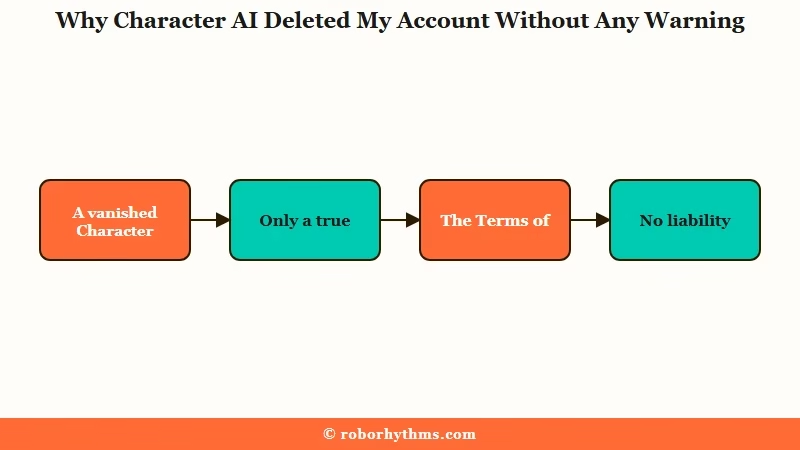
The part people miss is buried in the Terms of Service, updated August 27, 2025. The exact wording is that Character.AI “has no responsibility or liability for the deletion or failure to store any data,” and that it “reserves the right to terminate accounts that are inactive for an extended period of time.”
What gets me is how quietly that runs. There is no set timeframe published, so nobody knows the line, but community reports put real inactivity deletions somewhere between one and three years of dormancy. If you came back after a long break to nothing, inactivity is the likely answer.
The legal backdrop here is not small. An American Bar Association analysis flags exactly this gap, where your years of conversations sit on a server you do not control and can be wiped with no notice and no recourse.
What is cold storage: A low-priority archive where Character AI parks old inactive chats to save resources, so they look gone but can be reloaded on demand.
Are My Chats Gone or Just in Cold Storage
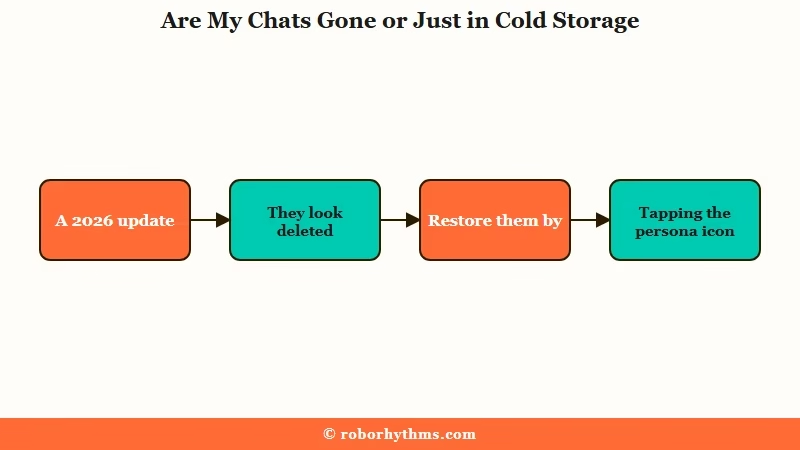
Your missing chats are most likely in cold storage, not deleted, and you can restore them in under a minute.
A 2026 update moved inactive 2022 and 2023 conversations into this archive, which is why they vanished without you doing anything.
This is the single most reassuring thing I can tell a panicked reader. The chats did not get wiped; they got shelved, and there is a specific move that pulls them back to the front.
The trick most guides never mention is that the persona icon triggers the reload. Here is the sequence I would run before assuming anything is lost.
- Open the chat that looks empty or missing.
- Tap your persona icon, the profile picture inside the chat.
- Wait up to 60 seconds for the archived history to re-warm and load.
- If nothing loads on mobile, repeat the same steps on the web version, which retrieves faster.
- Once it loads, export that conversation immediately so you never have to do this again.
A quick reality check on what is and is not recoverable, so you do not chase the wrong fix.
| What you are seeing | Most likely cause | What to do |
|---|---|---|
| Old chats missing, account works | Cold storage archive | Open chat, tap persona icon, wait 60s |
| One bot gone, others fine | Moderation removal of that bot | Create a new character to confirm account is fine |
| Cannot log in at all | Inactivity termination or ban | File a support ticket, do not spam logins |
| Replies generic or looping | Safety soft-lock or shadowban | Run the share link test below |
| Everything gone, deletion confirmed | Permanent termination | Unrecoverable, focus on backups and next steps |
The thing I want you to take from that table is that two of the five rows are quick fixes, two need a support ticket, and only the last is final. Most people are in the first two rows and do not realize it.
Banned, Shadowbanned, or Just a Removed Bot
A missing bot is usually a moderation removal, not an account ban, and you can prove it in one step by creating a new character.
True bans are rare and reserved for severe violations, while most “I got banned” panic is a soft-lock or a quietly removed bot.
Here is where I see the most wasted worry. Private bots are scanned by automated moderation the same as public ones, so a private character that broke a rule can be removed without warning while your account stays perfectly fine.
Before: You see a favorite bot gone, assume the whole account is banned, and start making angry new accounts that only dig the hole deeper.
After: You try to create one fresh character. It works, which proves your account is healthy and only that one bot was pulled, so you rebuild it and move on.
For the login-and-replies version of this, there is a cleaner test. If a bot suddenly gives generic, looping answers, that is often the safety system rerouting your reply rather than a ban, and the memory and behavior fixes cover that side. To check whether a character was hidden, use the share link test.
What is a shadowban: A quiet restriction where your content still exists for you but is hidden from others or throttled, with no notice that anything changed.
Open one of your public characters using its share link in a private or incognito window. If it loads there, it was never removed, and what you saw was a display glitch on your end, not a penalty.
It helps to know the three real restriction states and how they differ, because people mix them up constantly.
| Restriction | What triggers it | Can you log in | Reversible |
|---|---|---|---|
| Temporary suspension | Repeatedly tripping the safety filter | Yes, after a cooldown | Yes, it lifts on its own |
| Account ban | Severe rule breaks, illegal content, automation | No, account disabled | Sometimes, via appeal |
| Permanent deletion | Long inactivity or final termination | No, account gone | No, this one is final |
How to Appeal and What to Expect
If your account was truly banned or terminated, you appeal through the official support ticket, but I want to set honest expectations, because the process is slow and often unhelpful.
Calm, single, well-documented tickets do better than volume.
I will not sugarcoat this part. Over-18 users falsely flagged during age verification, and people hit by automated bans, frequently report submitting ticket after ticket with no human reply. The system leans automated, and patience is the only lever you have.
Still, there is a right way to do it that gives you the best odds. The steps below are what I would follow instead of rage-clicking the login button.
- Stop trying to log in repeatedly, since that can look like abuse.
- Check the email tied to the account for any enforcement notice first.
- Open one ticket through the Help Center under Account Issues or Missing Content.
- State plainly what happened, when, and what you want restored.
- If you are over 18 and flagged as a minor, complete the age verification rather than arguing the ban.
- Wait for a manual review, and resist opening five more tickets on top.
One sober note for anyone expecting a legal fight. Using the service means you agreed to a binding arbitration clause and a class-action waiver, which sharply limits your options if a termination feels unfair.
If you just want to wipe your own data instead, the Character AI data deletion emails guide walks through that path.
How to Back Up Your Characters and Chats
The only real protection is your own backup, because the Terms of Service let the platform delete your data with no liability.
Character AI does have a native export, despite some blogs claiming it does not.
This is the contradiction worth clearing up. A few recovery sites insist there is no official export tool and push you toward screenshots, but the native feature exists, and I would use it first.
On the web, the path is Profile, then Profile Settings, then Account, then Manage Account and Data, then Export Data. That pulls your information without trusting any third party.
For heavier backups, power users lean on a browser extension called CAI Tools, on Chrome and Firefox, which downloads chat histories as JSON and saves character definition cards offline.
It fills the gap when you want a clean copy of a bot you spent months building. If your account is already glitchy rather than gone, the broken account recovery guide covers repair versus starting fresh.
One more thing worth knowing: if you created a public character that got popular, it may survive even a deleted account, because the platform keeps popular bots alive for everyone else still chatting with them.
Where to Go If Your Account Is Truly Gone
If the deletion was real and permanent, the honest move is to rebuild somewhere your access cannot be revoked on a whim, and to export everything from day one.
Losing a companion you built for months is a genuine loss, and pretending otherwise helps no one.
Researchers have a name for what this feels like, ambiguous loss, the grief of an ending with no closure. The way I see it, the practical answer is to stop renting your most personal data from a platform that disclaims all responsibility for keeping it.
If you want a companion whose memory and history live on the platform by design rather than by luck, Candy AI keeps your character and its memory persistent on its own servers, so a quiet inactivity purge is not hanging over you. It is the part Character AI explicitly refuses to promise.
For people whose whole heartbreak was the lost memory, the thread of who the character was, Nectar AI is built around long-term memory that carries across sessions.
Either way, export first, rebuild second, and never again keep the only copy on a server you cannot control. If you are the one who wants to leave on purpose, the Character AI account deletion guide covers doing it cleanly.
Frequently Asked Questions
Can I recover a Character AI account that was deleted?
If it was permanently terminated, no, deletion is irreversible and support cannot restore it. But many cases are not true deletions. Missing chats in cold storage and removed bots are recoverable, so confirm what really happened first.
Why did Character AI delete my account for inactivity?
The Terms of Service let Character AI terminate accounts inactive for an extended period with no notice. There is no published timeframe, though community reports suggest deletions after roughly one to three years of dormancy.
How do I get my old Character AI chats back?
Open the chat, tap your persona icon, and wait up to 60 seconds for cold storage to reload. The web version retrieves archived chats faster than mobile. Export them right after they load.
Is my account banned or just shadowbanned?
Test it. Create a new character to confirm the account works, and open a public bot via its share link in an incognito window. If both work, you were not banned, just hit by a soft-lock or display glitch.
How do I back up my Character AI characters before losing them?
Use the native export at Profile, Profile Settings, Account, Manage Account and Data, Export Data. For full character cards and chat logs, the CAI Tools browser extension downloads everything as JSON and offline files.
What happens to my bots if my account is deleted?
Your private bots and chats are erased, but popular public characters you made may stay live on the platform so other users can keep chatting with them. Your creation can outlast your account.
Quick Takeaways
- Most “Character AI deleted my account” cases are recoverable, since vanished chats sit in cold storage and missing bots are usually moderation removals, not bans.
- Pull old chats back by opening the chat, tapping the persona icon, and waiting 60 seconds, faster on web than mobile.
- Confirm a ban by creating a new character and opening a public bot via share link in incognito.
- True inactivity termination is permanent, so back up now with the native Export Data tool and the CAI Tools extension.
- If the loss was real, rebuild on a persistence-first platform like Candy AI and export everything from day one.
