
What’s Changed: Character AI bots on the PipSqueak 2 and Deepsqueak chat styles now tack an out-of-character (OOC) note in parentheses onto nearly every message. It is not a person and it is not random. The model learned the habit from human roleplayers in its training data, and the fix is to edit the first instance out, not to tell the bot to stop.
If your Character AI bot keeps ending replies with a little parenthetical aside, you are not imagining it. The Character AI OOC every message problem hit hard once the PipSqueak 2 and Deepsqueak chat styles rolled out, and the parentheses now show up after almost every reply.
The first time it happened to me, the bot wrote a full scene and then added “(hope that was okay, let me know if you want me to continue)” at the end. Immersion gone in one line.
Here is the part most people get wrong. The instinct is to type back “stop doing that,” and that single move makes it worse, not better.
I will walk through why the OOC comments happen, why telling the bot to quit backfires, and the exact steps that clear them for good. You will also know which chat style to switch to if the parentheses will not stop.
Why Character AI Adds OOC Comments to Every Message
Character AI adds OOC comments because the model is mimicking human roleplayers, who used parentheses to talk out of character in the forum text the AI was trained on. There is no real person behind the note.
The bot is just predicting the pattern it saw most.
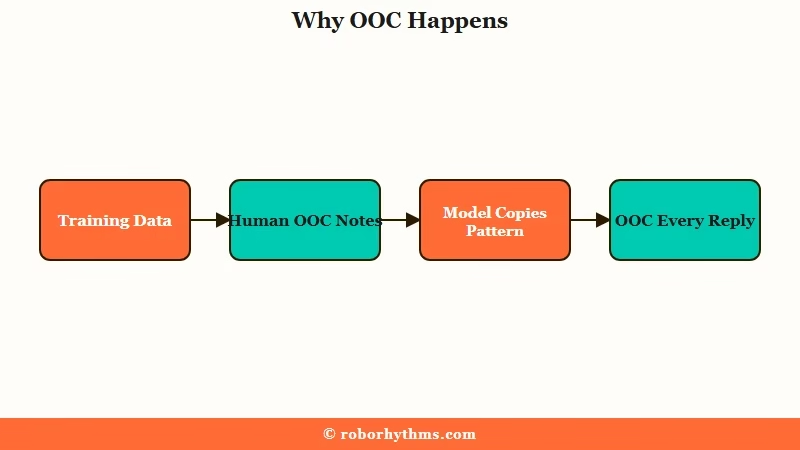
A lot of users panic the first time a bot breaks the fourth wall to say it has to “go do chores” or that a moment was “really cute.” It feels like someone is watching. The way I see it, that fear is misplaced: the AI saw thousands of human roleplay logs where people used parentheses for side chat, so it copies the format.
What is OOC: Out of character. A roleplay term for stepping outside the story to talk about it, usually written in parentheses or brackets.
PipSqueak 2 and Deepsqueak made this louder than older styles. Both lean on aggressive pattern-matching, so once a parenthetical appears, the model treats it as part of the expected format and repeats it on every turn.
Network analysis ties Deepsqueak to an internal high-fidelity tag and PipSqueak to a lighter one, which is part of why their output styles differ so much.
OOC commands work the same way across most roleplay AI platforms, so the habits you build here carry over.
Why the OOC Parentheses Break Your Roleplay
The parentheses matter because they collapse immersion and, on PipSqueak 2, often hijack the plot by dumping your private instructions straight into the story.
A note meant for you ends up narrated to the character.
What frustrates me most is how PipSqueak 2 handles an OOC instruction. Tell it “(OOC: the other character does not know I am a vampire)” and instead of keeping the secret, it writes the secret into the narration on the next line. The mystery you were building dies instantly.
Then there is the muted-words behavior, which deserves its own section because it is the strangest part of all this. The short version is that the feature meant to hide words ends up spotlighting them.
Character AI is one of the most-used consumer AI apps in the world, with engagement catching up to ChatGPT, so this is a problem hitting millions of active roleplayers, not a niche bug.
The Muted Words Trap That Makes It Worse
Muting a word does not make the bot avoid it quietly. It gives the word weight in the context window, so the model announces its own compliance in parentheses instead.
The filter creates the noise it was meant to remove.
This is the part that surprised me most. Users who mute a word report the bot writing lines like “His golden brown eyes (not hazel cause that is banned oops)” at the end of a reply, or a stiff compliance note announcing that it avoided the banned term.
The mute did not silence the word. It made the bot self-conscious about it.
The mechanism is simple once you see it. Putting a word on the muted list places it in the model’s active instructions, and the model treats that instruction as something to acknowledge out loud.
If muted words are filling your chat with compliance notes, the cleanest move is to clear the muted list entirely and edit unwanted words out by hand instead.
You can read more on how muted words on Character AI misfire if you rely on them heavily.
How To Stop Character AI From Adding OOC Comments
The fix that works is to edit the first instance of the OOC note out of the bot’s message, not to argue with the bot or swipe for a new reply.
Editing the earliest occurrence collapses the loop at its root.
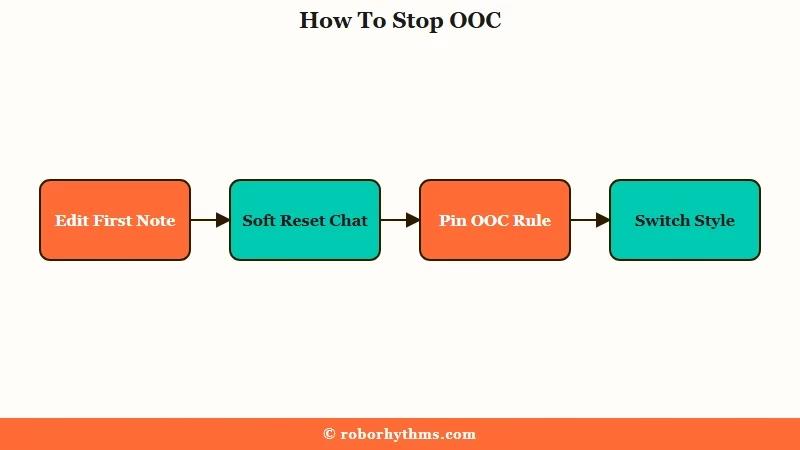
Here is the sequence I use, in order. The first two steps clear most cases on their own.
- Scroll back to the earliest message where the parentheses started. Tap the edit (pencil) icon and delete the OOC note from that message, then save.
- Delete the two to five messages right before the loop began. This soft reset clears the polluted context the bot keeps copying.
- Do not reply with “stop doing that.” Responding to the behavior feeds the OOC tokens back into context and locks the pattern in harder.
- Pin a short, blunt command. Something like “(OOC: no parentheses, stay in narrative)” pinned to memory holds far longer than a one-off correction.
- If it still persists, switch your chat style. Older styles and the Stable setting handle OOC requests more reliably than the Yap variant.
What is a token probability lock: When a phrase repeats, the model’s own recent output makes that phrase the most likely next choice, so it keeps generating it until you remove the earlier examples.
Here is the difference between the move that fails and the one that works.
Before: You type “Hey, could you please stop adding those notes in parentheses after every message? It kind of ruins the mood.” The bot reads this as dialogue, apologizes in parentheses, and keeps going.
After: You edit the bot’s earliest parenthetical out of its message directly, then pin “(OOC: no meta-commentary).” The pattern has nothing to copy and the notes stop.
Use this quick reference when you are not sure which cause you are dealing with.
| Symptom | Likely cause | Fix |
|---|---|---|
| Parentheses after every reply | Model copying human roleplay format | Edit the first instance out |
| “(avoided forbidden word)” notes | Muted word given weight in context | Clear muted words, edit by hand |
| Bot ignores your OOC command | PipSqueak 2 or Yap weak OOC handling | Use a short pinned bracket command |
| Loop worsens after you complain | Context pollution from your reply | Delete your message and its reply |
For broader output problems on the newer model, the guide on improving PipSqueak responses covers the dialogue-versus-narration balance in depth.
What Most Fix Guides Get Wrong
The popular advice to politely ask the bot to stop, or to swipe for a new reply, fails on PipSqueak 2 and often deepens the loop.
The guides contradict each other, and the difference matters.
Some guides insist you should be polite and encouraging because the model trained on human conversation. Others say the opposite: politeness reads as in-character dialogue, so your command gets absorbed into the roleplay and ignored. From my testing, blunt and bracketed wins for commands, while warmth is fine for actual story beats.
The swipe button is another trap. Swiping samples from the same probability basin, so the bot snaps right back to the same OOC trajectory because nothing in the context competes with it. Thumbs up and down do even less in the moment, since ratings feed an offline training process, not your live chat.
The way I see it, the only reliable lever is removing the pattern from context yourself. Edit it out at the source, reset a few messages, and stop giving the loop something to echo.
If you would rather switch styles than babysit one bot, here is how the current options handle OOC.
| Chat style | How it handles OOC | Best move |
|---|---|---|
| Deepsqueak | Adds OOC and compliance notes, premium tier | Edit the first note out, then enable Stable |
| PipSqueak 2 | Bakes OOC into narration, ignores commands | Pin a short bracket command |
| PipSqueak 2 Yap | Cannot reliably break character at all | Switch off Yap when you need OOC control |
| Stable mode | More consistent output, fewer loops | Enable it in chat settings |
When You Want a Companion That Stays in Character
If fighting the parentheses on every reply has worn you down, a hosted companion app that does not expose chat styles or muted-word filters removes the whole problem.
There is no model roulette and no compliance-note behavior to manage.
I still enjoy Character AI for its character library. When I just want a companion that stays in character without me editing every third message, Candy AI runs a single tuned model that keeps replies in the scene, so the OOC parenthetical habit never shows up.
The tradeoff is a smaller cast of community-made bots in exchange for steadier output.
If memory across sessions matters more to you, Nectar AI holds context between chats so you are not resetting the scene every time.
Both are worth a look if the reason you roleplay is the story, not the troubleshooting. For switching between Character AI’s own styles, the Character AI chat styles guide shows where to find the setting.
Frequently Asked Questions
Is there a real person writing the OOC comments in parentheses?
No. The OOC notes come from the model imitating human roleplayers who used parentheses for side chat in its training data. No human is monitoring your conversation.
How do I stop Character AI from adding parentheses to every message?
Edit the earliest message where the parentheses started and delete the note, then delete the few messages before the loop began. Avoid replying “stop,” which reinforces it.
Why does PipSqueak 2 ignore my OOC commands?
PipSqueak 2 and its Yap variant handle OOC poorly and often bake your instruction into the narration. Keep commands short and bracketed, pin them to memory, or switch to a more stable chat style.
Do muted words stop the bot from using them?
Often no. Muting a word can make the bot announce that it avoided the word in parentheses, like “(avoided forbidden word).” Clearing the muted list and editing manually is usually cleaner.
Does swiping fix the OOC loop?
No. Swiping samples from the same probability range, so the bot returns to the same OOC pattern. Editing the first instance out of context is the reliable fix.
Quick Takeaways
- The OOC parentheses come from the model copying human roleplayers in its training data, not a real person.
- Telling the bot to stop backfires because your complaint feeds the pattern back into context.
- Edit the earliest OOC note out of the message and soft-reset a few messages to break the loop.
- Muted words can trigger compliance notes, so clear the list and edit by hand instead.
- If the parentheses never quit, a hosted app like Candy AI sidesteps chat styles and filters entirely.
