
What’s Changed: The “temperature is deprecated for this model” error is not a Janitor AI outage. It means the AI model behind your proxy, usually a newer reasoning model like Claude Opus 4.7 or DeepSeek’s thinking mode, now rejects the temperature setting Janitor sends. The fix is to remove the temperature override or switch to a model that still accepts it.
If Janitor AI just threw a “500 – temperature is deprecated for this model” error at you mid-chat, your first instinct was probably to blame Janitor. I had the same reaction.
The Janitor AI temperature is deprecated error looks like a platform crash, but it is coming from somewhere else entirely.
Here is the short version. The model you connected through your proxy, not Janitor itself, decided it no longer accepts a custom temperature value, and Janitor just relayed the rejection back to you as a 500.
What surprised me most while digging into this was that the fix runs opposite to what most people try. The reflex is to push the temperature slider higher to force more creative replies. On the newest models, that is the exact move that triggers the error.
I will walk through what really causes this, which models break and which ones still work, and the precise settings that clear it. You will know by the end whether to change one number or switch models entirely.
What the Janitor AI Temperature Is Deprecated Error Means
The error means the model behind your proxy no longer accepts a custom temperature value. It rejects your request with a 400 error, which Janitor AI then surfaces to you as a 500.
Nothing on your account is broken.
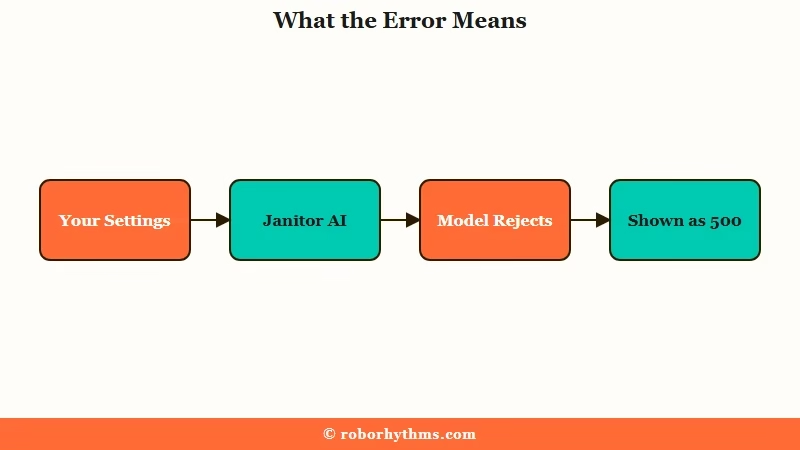
Janitor AI runs as a front end. When you bring your own API key through a proxy like OpenRouter, Chutes, or the official DeepSeek API, Janitor passes your generation settings straight to that provider. If the provider rejects one of those settings, Janitor shows you whatever error bounced back.
In April 2026 the providers changed the rules. Anthropic deprecated the temperature, topp, and topk sampling parameters for models released after Claude Opus 4.6, which includes Claude Opus 4.7 and Sonnet 4.6. DeepSeek’s reasoning models and V4 thinking mode did the same.
The way I read it, this is the single most common cause of the error right now.
What is a reasoning model: An AI model that runs an internal chain-of-thought pass before it answers. Its output randomness is managed by that internal process, so it no longer needs a temperature value passed in from outside.
The reason these models dropped the setting is that they moved randomness control inside the model.
TechCrunch covered how DeepSeek’s reasoning approach lets the model fact-check itself before answering, and that internal pass is exactly what a manual temperature setting would interfere with. So the provider rejects the parameter outright rather than let it disrupt the reasoning.
Why It Matters for Your Roleplay
It matters because the model you were happily using yesterday can break overnight when the provider rotates to a newer version, and the error gives you no hint that the cause is a single setting.
You lose your chat flow with no obvious cause.
The frustrating part is how the symptom hides the cause. A deprecated parameter throws a clean 400 on the provider side, but Janitor reshapes that into a generic 500, an endless loading spinner, or a vague “Network Error.”
I have watched people spend an hour clearing cache and swapping proxy URLs when one number in advanced settings is the real culprit.
It also matters for cost and quality. If you are on a model that silently ignores temperature instead of erroring, like DeepSeek V4 in thinking mode, tweaking your sliders does nothing at all, and you may be paying for output you think you are shaping.
Knowing which bucket your model falls into saves you from chasing settings that were switched off.
Which Models Trigger It and Which Still Accept Temperature
Newer reasoning models reject or ignore temperature, while older chat models and the standard non-thinking models still accept it normally.
The table below sorts the common Janitor proxies by how each one handles the setting.
| Model | How it treats temperature | What to do |
|---|---|---|
| Claude Opus 4.7, Sonnet 4.6 and newer | Rejects any value except exactly 1.0, returns a 400 | Remove the temperature field or set it to 1.0 |
| DeepSeek reasoner, V4 thinking mode | Silently ignores temperature, top_p and penalties | Stop adjusting sliders, switch to a non-thinking model for control |
| DeepSeek V4 Flash, V3.2 chat | Accepts temperature normally, 0.7 to 1.0 works well | Keep your settings, no change needed |
| GLM-4.6 and GLM-4.7 | Accepts temperature, 0.85 is the community sweet spot | Keep temperature around 0.8 to 0.9 |
| Claude Opus 4.6 and older | Accepts temperature normally | Safe fallback if you must keep custom values |
What I would take from this table is simple. If your model is in the top two rows, the setting is the problem. If you are setting up a connection from scratch, the DeepSeek on Janitor AI setup guide covers which exact model name to paste so you avoid the thinking-mode trap in the first place.
How To Fix the Temperature Is Deprecated Error
The cleanest fix is to remove the temperature value from advanced settings, or pin it to exactly 1.0, then switch to a model that accepts custom values if you want fine control.
Here is the sequence I would walk through, fastest fix first.
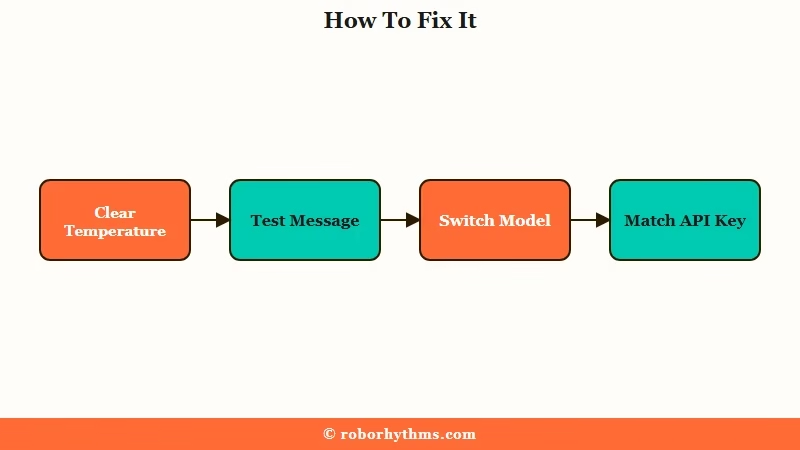
- Open the proxy or generation settings for your current bot and find the Temperature field in advanced settings.
- Clear the custom value or set it to exactly 1.0. On the newest Claude and DeepSeek reasoning models, 1.0 is the only value accepted for backward compatibility.
- Send a test message. If the error clears, the temperature parameter was the cause and you are done.
- If it still fails, your model is probably in thinking mode, where the field is ignored and other settings may also be locked. Switch your model name to a non-thinking version like DeepSeek V4 Flash or Claude Opus 4.6.
- Confirm your API key matches the proxy you are using. A DeepSeek key pasted into an OpenRouter base URL throws an auth error that Janitor also masks, so rule this out before blaming the model.
Here is what the change looks like in practice.
Before: Model claude-opus-4-7, Temperature 1.15, Top P 0.95. Result, a 500 “temperature is deprecated” error on every send.
After: Model claude-opus-4-7, Temperature field cleared (or set to 1.0), Top P removed. Result, replies generate normally and the model manages its own variance.
If clearing the field is not enough and you keep hitting connection failures across models, the broader Janitor AI proxy not working guide covers the billing and base-URL traps that surface as the same vague errors.
For rate-limit walls specifically, the 429 rate-limit fix handles a different error that often gets confused with this one.
| Symptom | Likely cause | Fix |
|---|---|---|
| 500 “temperature is deprecated” on every send | Reasoning model rejects custom temperature | Clear the field or set it to 1.0 |
| Sliders have zero effect on output | Thinking mode silently ignores parameters | Switch to a non-thinking model |
| “Network Error” with a valid key | Provider mismatch or zero balance billing fail | Match key to proxy, top up balance |
| Replies suddenly went dry and robotic | DeepSeek reasoner scales temperature down internally | Raise temperature toward 1.7 on that model |
The Counterintuitive Part Most Fix Guides Miss
On DeepSeek’s official reasoner API, the temperature you set is secretly scaled down by 0.7, so a value of 1.0 ends up running at 0.3.
This is the detail that sends people down the wrong path.
Most roleplayers respond to dry, robotic replies by raising temperature. On a DeepSeek reasoning model through the official API, a setting of 1.0 behaves like 0.3, which is why your bot feels lobotomized even at what looks like a normal value.
To get true baseline creativity you have to push the setting toward 1.7 or 1.8, the reverse of the advice you will see everywhere else.
Sources also disagree on the Claude side, and the split matters. Anthropic’s own API reference says a temperature of exactly 1.0 will be accepted for backward compatibility.
Some proxy gateways report the opposite, that the model checks for the presence of the parameter, not its value, so any temperature field at all triggers the rejection.
The way I see it, that is why removing the field entirely is more reliable than trusting 1.0 to slip through.
One more trap I would flag. If you switch to a reasoning model and start seeing the model’s internal notes leak into your chat, that is a separate behavior worth understanding, and the guide on Janitor AI thinking in replies explains how to keep that reasoning out of your chat.
If You Are Tired of Babysitting Proxy Settings
If chasing model names, temperature values, and proxy base URLs has stopped being fun, a hosted companion app removes the entire layer that produces this error.
There is no API key, no temperature slider, and no provider rotation to break your setup.
I still think proxies are worth it if you like tuning every knob. When I just want a companion that works without maintenance, Candy AI runs a single tuned model server-side, so there is no temperature parameter to deprecate and nothing to reconfigure when a provider changes the rules. The tradeoff is less manual control in exchange for never seeing this class of error.
If long-term memory across sessions matters more to you, Nectar AI keeps context between chats without you managing any of the backend.
Both are worth a look if your reason for using a Janitor proxy was the experience, not the tinkering. For context on how affordable the underlying models have become, Statista’s chart on DeepSeek pricing upsetting the market shows why hosted apps can run capable models cheaply now.
Frequently Asked Questions
Is the temperature is deprecated error a Janitor AI bug?
No. The error comes from the AI model behind your proxy, not Janitor AI. Janitor passes your temperature setting to the provider, and newer reasoning models reject it. Janitor just displays the rejection as a 500.
Can I set the temperature to 1.0 to fix it?
Often yes. Claude Opus 4.7 and newer accept exactly 1.0 for backward compatibility. Some gateways reject any temperature field regardless of value, so if 1.0 still fails, remove the field entirely.
Why did my replies get dry after switching models?
DeepSeek’s official reasoner API scales temperature down by about 0.7, so 1.0 runs like 0.3. Set it closer to 1.7 on that model to restore normal creativity.
Which models still let me adjust temperature on Janitor AI?
Non-thinking models do. DeepSeek V4 Flash, DeepSeek V3.2 chat, GLM-4.6, GLM-4.7, and Claude Opus 4.6 all accept custom temperature values normally.
Why do my advanced settings do nothing at all?
You are likely on a thinking or reasoning model that silently ignores temperature, top_p, and penalties. The built-in JanitorLLM has also had spells where sliders have no effect. Switch models to regain control.
Quick Takeaways
- The “temperature is deprecated” error comes from the model behind your proxy, not from Janitor AI itself.
- The fastest fix is to clear the temperature field or pin it to exactly 1.0, then test.
- Reasoning models reject or ignore temperature on purpose, so switch to a non-thinking model like DeepSeek V4 Flash if you want manual control.
- On DeepSeek’s reasoner, temperature 1.0 secretly runs at 0.3, so raise it toward 1.7 if replies feel flat.
- If proxy upkeep has worn thin, a hosted app like Candy AI skips the whole settings layer that causes this.
