
What’s Changed: SpicyChat bots repeat your words because the model is mimicking your writing style and slipping into an active-listening loop, not because the character is broken. Asking it to stop in one message rarely works. A permanent persona rule plus Director Mode breaks the loop for good.
You tell your character something, and it hands the same thing right back to you. You explain a detail, and the bot summarizes it, then expands on it like it is teaching you your own life. One user put it perfectly: the bot keeps trying to mansplain their own message back to them.
If you want to stop SpicyChat repeating your words, the first thing to know is that this is not a bug in your character and it is not just one bad model. People report the exact same echoing on Deepseek, Glam, and every other model on the platform, even after typing out three separate commands telling it to quit.
The reason it happens is baked into how these models work, and that is also why the obvious fix backfires. Here is what causes the echo, why telling the bot to stop makes it dig in, and the sequence of fixes that finally breaks the loop.
Why SpicyChat Bots Repeat Your Words
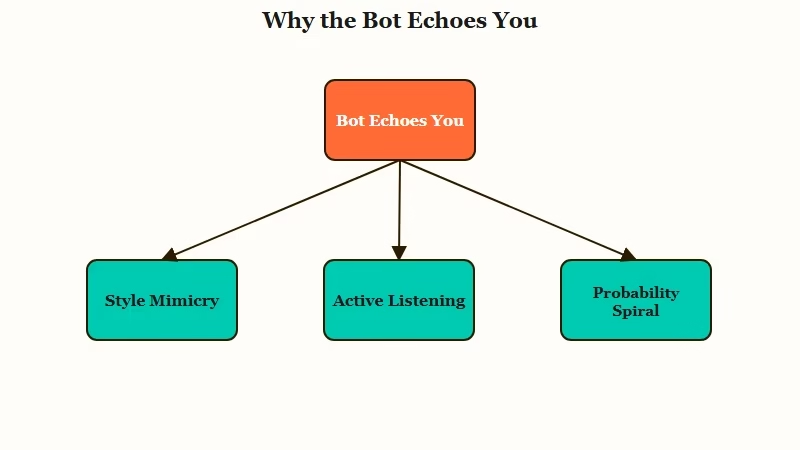
A SpicyChat bot repeats your words because the model both mimics your writing style and falls into an active-listening pattern, reflecting your message back before it adds anything new.
Two forces stack on top of each other.
What is active-listening mode: A trained habit where the model validates and restates what you said, the way a therapist reflects your words back, before moving the conversation forward.
The first force is style mimicry. Large language models are built to match the voice they are talking to, so when you write a detailed message, the bot eagerly grabs your exact phrases and feeds them back.
The second is empathy training. Academic work on emotional-support dialogue shows these models are trained to reflect and validate, which is why the echoing gets worse the moment you share something personal or emotional.
There is also a mechanical reason the loop locks in. When the model is unsure of the best next word, it defaults to the most probable one, which is often a word already sitting in the chat. Once a phrase repeats once, the probability of it repeating again climbs fast, so a single echo snowballs into a pattern.
That stacking is why I treat repetition as a structural quirk, not a character flaw. The same root cause shows up across platforms, with companion guides for when Janitor AI keeps repeating and when Character AI repeats itself too.
Why Telling It to Stop Makes It Worse
Telling a bot to stop repeating usually fails because the instruction fades from its short context and because naming the behavior makes the model focus on it more.
That second part is the pink-elephant effect.
When you type “stop repeating yourself,” you have just put the word “repeating” into the context the model reads most closely. The model does not reliably parse that as a negative command. It often reads it as a topic to attend to, so it keeps the behavior front of mind.
The other half of the problem is that one-off commands are temporary. A single instruction works for a message or two, then scrolls out of the active window and the bot reverts. People notice the fix holds for two replies and then the echoing comes right back.
What I would take from this is to stop fighting the loop one message at a time. The model is following plain probability plus a fading instruction, with no stubbornness to argue out of. The fixes that stick either live permanently in the character or hit the loop with a harder reset.
How to Stop SpicyChat From Repeating Your Words
The reliable fix is to put a permanent anti-echo rule in the persona and use Director Mode to break an active loop, instead of asking the bot politely in one message.
Combine a standing rule with an on-demand reset.
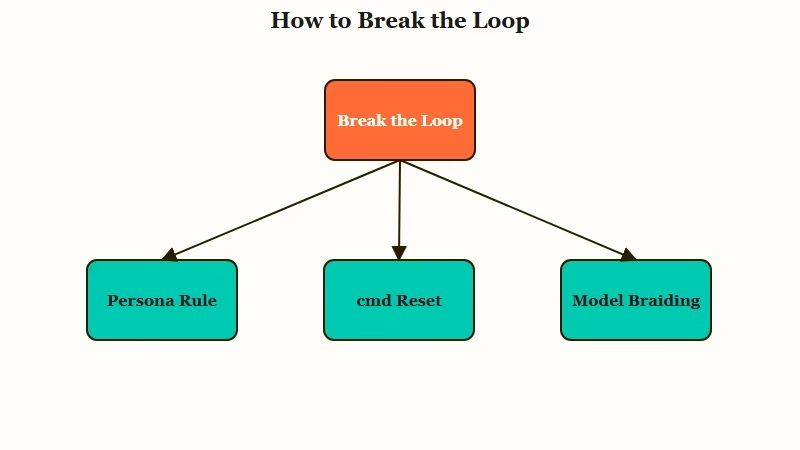
The persona field is the highest-priority text the bot reads, so that is where the no-echo rule belongs. Treat the first lines of the persona as style demands, not backstory, and the model weights them heavily.
Starting from a stronger opening also helps, so our scene starters and persona prompts bake this kind of style direction in from the first message.
Before: “Maya is a 24-year-old barista who loves indie music and rainy days.”
After: “Write in a sharp, lean style. Do not echo or rephrase the user’s last message, respond to its meaning with new actions and dialogue. Maya is a 24-year-old barista who loves indie music and rainy days.”
That one change prevents most of the echoing before it starts. For a loop that has already set in mid-chat, here is the sequence I would run, in order:
- Drop a Director Mode reset by typing
/cmd break out of the loop and stop repeatingon its own line. - If it is a tone problem rather than a plot problem, use an OOC note instead, like (OOC: respond with new thoughts, not my words).
- If the loop persists, delete the chat back to the first echoed reply, not just the latest one, then regenerate. The seed of the repetition is usually buried deeper than the last message.
- Braid models by switching the AI model mid-chat, which forces the context through different weights and breaks the pattern.
- Reload the anti-echo rule into the persona if you started the chat before adding it.
What is Director Mode: SpicyChat’s slash-command system, where a line starting with /cmd sends a direct instruction to the model that is not treated as character dialogue.
Director Mode and OOC are not interchangeable, and I see people mix them up constantly. Use /cmd to change the course of events or hard-break a loop, and use OOC to adjust the style or tone of a reply.
The Settings That Break the Repetition Loop
Raising temperature and Top-P above the 0.7 default, plus a small repetition penalty, widens the bot’s word choices so it stops defaulting to your own phrasing.
The generation settings are the lever most people never touch.
Both temperature and Top-P ship at a default of 0.7 on SpicyChat. Because repetition is a probability problem, nudging these values up gives the model more room to pick a less obvious word instead of grabbing the one already in the chat.
I would change them gradually and test, since pushing too high makes the bot incoherent. If your pictures came out wrong too, why SpicyChat images look bad traces that to a separate set of toggles. The command cheat sheet below covers the in-chat tools, and the settings table covers the dials.
| Tool | What it fixes | How to use it |
|---|---|---|
| Persona rule | Echoing for the whole chat | Add the anti-echo line at the top of the persona |
| Director Mode | An active loop right now | Type /cmd break out of the loop and stop repeating |
| OOC note | Tone and style of a reply | (OOC: respond with new actions, not my words) |
| Edit to first repeat | A buried loop seed | Delete back to the first echoed reply, regenerate |
| Model braiding | A stuck single model | Switch the AI model mid-chat |
Here is how I would adjust the generation settings when the persona rule alone is not enough.
| Setting | Default | Try | What it does |
|---|---|---|---|
| Temperature | 0.7 | 0.9 to 1.1 | More adventurous word choices |
| Top-P | 0.7 | 0.9 or higher | Wider pool of candidate words |
| Repetition penalty | Low | Slight increase | Pushes the model off reused words |
If the repetition only started recently and your settings have not changed, it may be a model issue rather than yours, which is closer to SpicyChat responses getting worse across the board.
Tightening your persona setup still helps either way.
If You Want a Companion That Stops Echoing You
If the echoing never fully clears, a companion platform with more polished models or easy model-switching holds a varied conversation better than fighting one model’s loop.
Sometimes the cleaner answer is a different engine.
I still get plenty out of SpicyChat once the persona rule is in place, and the settings tweaks go a long way. The honest catch is that echoing is a trait of the underlying models, so a platform tuned for smoother dialogue can sidestep the problem instead of patching it.
On Candy AI, the companion tends to respond to what you mean and carry the thread forward rather than parroting your line back, which is the exact behavior the persona rule is chasing.
If your fix of choice is swapping engines, Crushon AI ships several models you can switch between, so model braiding is built in instead of a manual chore. Either way, you spend less time policing the loop and more time in the scene.
Frequently Asked Questions
Why does my SpicyChat bot keep repeating what I say?
Your bot repeats you because the model mimics your writing style and slips into an active-listening pattern that reflects your words back. The behavior gets stronger on emotional or personal topics, which the model is trained to validate.
Why does typing stop repeating not work?
Saying stop repeating puts the behavior front of mind for the model, the pink-elephant effect, and one-off commands fade from its short memory after a message or two. A permanent persona rule works better than a single request.
What is the difference between /cmd and OOC on SpicyChat?
Director Mode /cmd sends a direct instruction to the model and is best for breaking loops or changing the course of events. OOC notes are better for adjusting the tone or style of a reply. Use the right one for the job.
Which settings stop the repetition?
Raise temperature and Top-P above their 0.7 default and add a slight repetition penalty. These widen the model’s word choices so it stops defaulting to phrases already in the chat. Change them gradually so the bot stays coherent.
Does switching models stop the echoing?
Switching helps but does not fully cure it, since the echo shows up across models. The stronger move is model braiding, switching engines mid-chat so the context runs through different weights and breaks the pattern.
Quick Takeaways
- SpicyChat bots echo you because the model mimics your style and falls into a trained active-listening loop, made worse on personal topics.
- Telling it to stop backfires through the pink-elephant effect and fades fast, so put the rule in the persona instead.
- Add an anti-echo line at the top of the persona and break active loops with /cmd break out of the loop and stop repeating.
- When a loop is stuck, delete back to the first echoed reply and regenerate, then raise temperature and Top-P above 0.7.
- If the echoing keeps returning, a platform with smoother models or built-in model switching sidesteps the loop entirely.
