
What’s Changed: Most Character AI formatting breaks are device or browser problems, not platform bugs. Literal asterisks on mobile usually mean your custom system font has no italic face, and a recent update auto-pairs quotation marks until you turn the setting off. The fixes below take a minute each.
If Character AI formatting is not working, the most common version is asterisks showing up as raw text instead of turning your actions into italics. The reflex is to blame Character AI, but on the mobile app this is almost never the platform’s fault.
It is usually your phone’s system font. If you set a custom font that has no italic version, the app cannot render the slant and falls back to printing the symbol. Switch your device font back to the default and the styling starts working again.
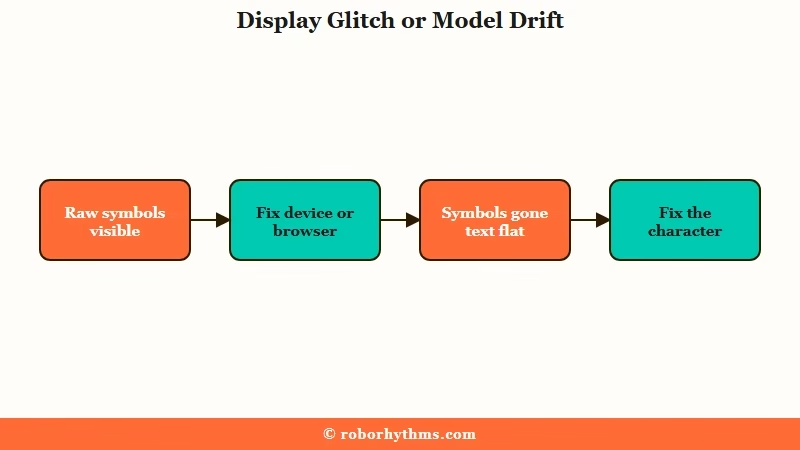
The other trap is telling a display glitch apart from the model going plain. If the symbols sit there as visible text, your browser or app is failing to render markdown. If they vanish but every reply reads as flat narration, the bot has stopped using markdown, and you fix that on the character side, not in settings.
Below I will cover the full markdown reference, the auto-quotation-mark toggle people hunt for, the Firefox italics fix, and how to stop a bot from dropping formatting halfway through a long chat.
Why Character AI Formatting Is Not Working
Character AI formatting breaks for two different reasons that need different fixes: a display failure where your device or browser cannot render the markdown, or a model drift where the bot itself stops using it.
Telling them apart saves you from changing settings when the real problem is the character.
What is formatting drift: When a bot gradually stops wrapping actions in asterisks or speech in quotes over a long chat, sliding into one flat block of plain text.
The display failures are the quick ones. They come from a phone system font with no italic face, a Firefox font setting overriding the site, or a temporary render hiccup that a refresh clears. The platform sent the formatting correctly, your screen just did not show it.
The model-side failures changed character in 2026. After the Pipsqueak 2 rollout, a lot of bots began over-narrating in asterisks and barely speaking in quotation marks, which reads as broken even though the markdown is technically working.
The way I see it, that is a steering problem, and our guide on improving Pipsqueak responses covers the wider version of it.
What is PSQ2: Pipsqueak 2, the Character AI model that replaced the original Pipsqueak in the April 2026 update, known for heavier narration and a different writing style.
Here is how the symptoms map to causes so you can jump to the right fix.
| Symptom | Likely cause | Fix |
|---|---|---|
| Asterisks show as plain text on mobile | Custom system font has no italic face | Switch device font back to default |
| Bold works but italics do not on Firefox | Browser font setting overriding the site | Uncheck “Allow pages to choose their own fonts” |
| Quotation marks keep doubling | Auto-pair setting turned on | Disable it in Chat customization |
| Bot narrates everything, barely speaks | Pipsqueak 2 narration drift | Add sample dialogue and positive constraints |
| Raw symbols appear, then fine after refresh | Temporary display render glitch | Refresh or swipe for a new response |
Why Your Asterisks Show as Plain Text
Literal asterisks on the mobile app come from a system font that lacks an italic style, so the app prints the raw symbol instead of slanting the text.
This is a device setting, not a Character AI server bug, which is why no amount of swiping fixes it.
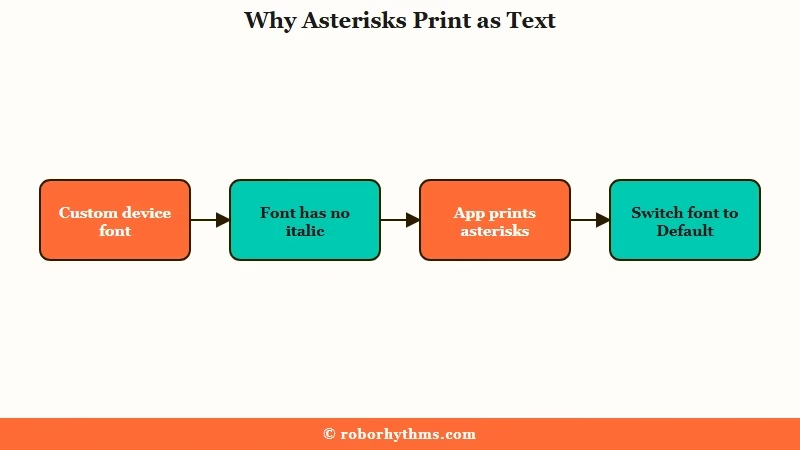
On Android and iOS, a lot of people install a custom or decorative system font. Many of those fonts ship without a true italic face, and Character AI needs that face to render action as italics. With no italic to fall back on, the app shows the asterisks as plain characters.
The fix is to set your device font back to Default in your phone settings, then reopen the app. I would test it with a single italic line before assuming anything else is wrong, since this one setting explains most of the mobile reports.
Firefox has its own version of this. After a site-wide font change, italics can stop rendering in the browser even when bold still works.
Open Settings, then General, then Fonts, click Advanced, and uncheck “Allow pages to choose their own fonts,” then pick a default like Arial that includes an italic face. Our broader Character AI tips guide keeps a running list of these browser quirks.
How to Fix Character AI Formatting
The fastest fixes are a refresh to rule out a glitch, the auto-quote toggle in Chat customization, and the device or browser font change, in that order. Most people solve it before they ever reach the character settings. If a reply arrives with no text in it at all rather than the wrong formatting, that is a different fault, and Character AI sending blank messages covers it.
I would start with the cheapest test and work down only if it persists. Here is the order I run:
- Refresh the page or swipe for a new response. If the symbols render correctly on the fresh message, it was a display glitch, nothing more.
- Turn off auto-pairing quotation marks. Open the Options menu outside the chat, go to Chat customization, and toggle off the automatic quotation mark setting.
- On mobile, switch your device system font back to Default if italics are printing as asterisks.
- On Firefox, uncheck “Allow pages to choose their own fonts” under Fonts, Advanced, and select a font with an italic face.
- If the bot itself dropped formatting, fix the character definition with sample dialogue and positive constraints, covered in the next section.
The auto-quote setting is the one people waste the most time on, because it lives in the customization menu outside the active chat rather than in the in-chat controls. Once it is off, your single quotation marks stop doubling on you. Reaching that setting depends on the in-chat controls opening in the first place, and a message menu that will not open is a separate bug with its own workarounds.
For reference, here is what each markdown symbol does on Character AI so you can format on purpose instead of guessing.
| Symbol | Result | Best used for |
|---|---|---|
text or text | Italics | Actions, narration, internal thoughts |
text | Bold | Emphasis or shouting |
text | Bold italics | High-drama emphasis |
| Quotation marks | Spoken text | Standard dialogue |
~~text~~ | Strikethrough | Sarcasm or corrected thoughts |
How to Stop Formatting Drift in Long Chats
Formatting drift happens when the character definition lacks examples, so the bot imitates flat text and abandons asterisks and quotes after 15 to 20 messages. The fix lives in the definition, not the chat window.
The model copies the patterns it sees. If your definition never shows the bot a clean action followed by "speech", it has nothing to anchor to and slides toward plain narration as the chat grows. Adding three to five short sample exchanges in the correct format is the single most effective thing I have found for holding the style, and our definition template guide gives you a structure to drop them into.
The other half is how you phrase your constraints. Negations fail because the model latches onto the keyword and ignores the “not,” so a rule like “do not narrate for me” often produces more narration. Write the positive version instead.
Before: “Do not write in plain text and do not narrate my actions for me.”
After: “Always wrap actions in asterisks and speech in quotation marks. You speak and act only for your own character.”
That positive framing, paired with sample dialogue, is what keeps a bot formatting cleanly deep into a chat. If your bot’s whole writing style shifted after an update, our piece on the Character AI writing style change explains what the model updates altered.
If the Over-Narration Pushed You Out
If Pipsqueak 2’s wall of narration and the constant formatting upkeep wore you down, a platform with steadier defaults can be a calmer daily experience, though you trade away some of Character AI’s deep control.
I would be honest about that tradeoff before you switch.
The appeal of moving is less manual correction. Candy AI uses a guided, form-based character builder that keeps personalities consistent without you hand-tuning a definition box every session. The tradeoff is real though, since that guided setup gives you less raw markdown control than Character AI’s open definition field.
For the drift problem specifically, memory is the lever. Nectar AI holds context across long sessions, which is the exact gap that makes a Character AI bot forget how it was supposed to format.
Character AI still pulls in roughly 20 million monthly users according to Business of Apps, so plenty of people stay and just learn to steer it. The right call depends on whether you would rather fix the formatting or stop fighting it.
Frequently Asked Questions
Why are my Character AI asterisks showing as plain text?
On mobile, this is almost always a system font with no italic face. The app cannot slant the text, so it prints the raw asterisks. Switch your device font back to Default and the italics return.
How do I turn off the automatic quotation marks on Character AI?
Open the Options menu outside the active chat, go to Chat customization, and toggle off the automatic quotation mark setting. The toggle lives there rather than in the in-chat controls, which is why it is easy to miss.
Why does my Character AI bot stop using italics and quotes mid-chat?
This is formatting drift. The bot copies the patterns in its definition, and with no sample dialogue it slides into plain text after 15 to 20 messages. Add three to five formatted example exchanges to hold the style.
How do I fix italics not working on Character AI in Firefox?
Go to Firefox Settings, then General, then Fonts, click Advanced, and uncheck “Allow pages to choose their own fonts.” Pick a default font like Arial that includes an italic face, then reload the chat.
What is the correct markdown for actions and speech on Character AI?
Use single asterisks for actions and narration, like an italic line, and quotation marks for spoken dialogue. Keeping actions in italics and speech in quotes is what stops the bot from blending them into one flat block.
Quick Takeaways
- Literal asterisks on mobile mean your device font lacks an italic face, so switch it back to Default.
- A display glitch shows raw symbols and clears on refresh; a model drift drops formatting entirely and needs a character fix.
- The auto-quotation-mark toggle sits in Chat customization outside the chat, not in the in-chat settings.
- Stop drift with three to five sample dialogue exchanges and positive constraints, never negations.
- If the narration and upkeep got old, a guided builder like Candy AI trades deep control for steadier defaults.
