
What’s Changed: Character AI’s daily swipe, go-on and voice memo limits all reset at 00:00 UTC, which three Character AI community moderators confirmed on Reddit in August and September 2026. This page previously described a rolling 24-hour timer, and that advice has been corrected below.
If your Character AI swipe limit is not resetting when you expect, the most likely reason is the clock it runs on. Your daily swipes, go-ons and voice memos all refill at 00:00 UTC, which is 8 PM in New York during US daylight saving time and 5:30 in the morning in India.
In most cases nothing is wrong with your account. You are either waiting on a reset that lands at an odd local hour or looking at a display bug that a refresh fixes.
Users also report that the limit pop-up no longer shows a countdown, and a Character AI moderator said on 11 September 2026 that the timer will be back soon. Until it returns, the reset time is the only way to tell when you can swipe again. Below is that time for the main time zones, plus the fixes for a limit that stays locked after the reset has passed.
Why Your Character AI Swipe Limit Is Not Resetting
A Character AI swipe limit that is not resetting usually means 00:00 UTC has not passed yet where you are, since every account resets on that one global clock. If it has passed and the cap is still there, a cached glitch is showing a limit you have not really hit, and a refresh clears it.
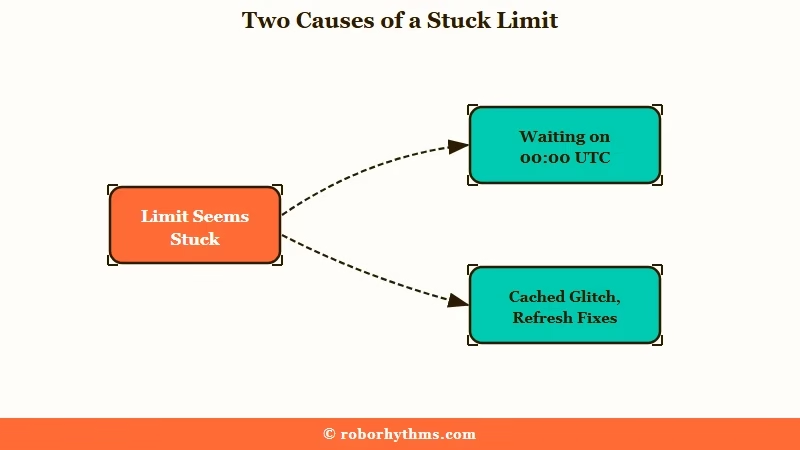
The first cause catches almost everyone. Swipes, go-ons and voice memos all refill at one fixed moment, 00:00 UTC, whatever time you started chatting, so for most of the world the reset lands in the evening or the early morning.
A Character AI community moderator answered the question directly on Reddit in September 2026: “Your daily limits for Swipes, Go-ons, and Voice Memos reset every day at 12:00 AM UTC.” That 12:00 AM is the same moment as 00:00 UTC.
The pop-up that replaced the countdown adds to the confusion, because it offers only c.ai+ and c.ai Lite and says nothing about the limit or when it lifts. Users have started asking whether swipes regenerate at all, and another moderator answered on 11 September that “Metering resets every 12AM UTC.”
The second cause is a straight bug. People have reported the limit lifting on schedule, then a single swipe re-triggering it straight away, which points to server lag or a cached limit state. One user who hit exactly this loop said it fixed itself after a couple of minutes, and a Character AI community moderator replied that the limits “may take a few extra minutes” to reset and that refreshing the app can help.
This hits a lot of people because the platform is huge. Character AI had 45 million active users in September 2025 according to Business of Apps data, and heavy daily use is exactly when you slam into the cap.
The way I see it, the limit feels broken mostly because the reset lands at an hour nobody expects.
When the swipe counter is what keeps breaking up your chats, Candy AI covers unlimited text messages on its paid plan, with no midnight reset to wait for.
What Time the Character AI Swipe Limit Resets
The Character AI (c.ai) swipe limit resets at 00:00 UTC every day, the same moment for every account. That is 8 PM in New York and 5 PM in Los Angeles while US daylight saving time runs, 1 AM in London during British Summer Time, and 5:30 AM in India.
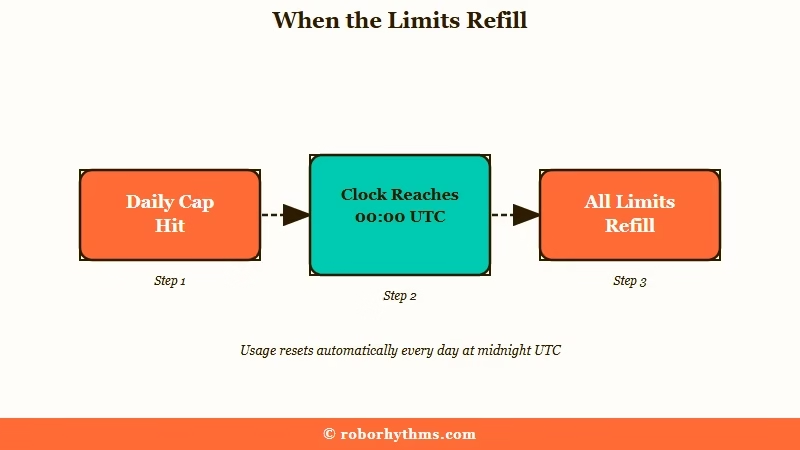
What 00:00 UTC means: Midnight in Coordinated Universal Time, one moment shared by the whole world. Your local reset hour is that moment converted to your time zone, and it shifts by an hour when your clocks change for daylight saving.
Because the reset is one global moment, where you live decides how awkward it feels. One user whose reset lands at 5:30 AM pointed out that hitting the cap at 3 PM means waiting until the next morning, while someone who runs out at 4:30 AM waits a single hour. A community moderator replied in that thread that “the timer resets every 24 hours at midnight UTC.”
Converted to local time, 00:00 UTC lands at these hours.
| Where you are | Local reset time in September 2026 | After the clocks change |
|---|---|---|
| New York, Toronto | 8:00 PM | 7:00 PM after clocks go back on 1 November |
| Los Angeles, Vancouver | 5:00 PM | 4:00 PM after clocks go back on 1 November |
| London | 1:00 AM | Midnight after clocks go back on 25 October |
| Paris, Berlin | 2:00 AM | 1:00 AM after clocks go back on 25 October |
| India | 5:30 AM | No change |
| Manila, Singapore | 8:00 AM | No change |
| Sydney | 10:00 AM | 11:00 AM after clocks go forward on 4 October |
One detail trips up the bot-hoppers. The limit is account-wide, not per character, so swiping on one bot drains the same budget for every other character you talk to. You cannot rotate to a fresh bot to keep going, which is the most common workaround people try first and the one that never works.
In my experience the fastest way to tell a real limit from a fake one is the refresh test. A genuine cap survives a reload, while a cached or hallucinated limit, where the model claims you are capped when you are not, usually vanishes the second the page reloads. The deeper mechanics of how the swipe limit works and the related go-on limit explained cover the counting rules in more depth.
Here is the quick way to tell which version you are dealing with.
| What you see | Likely cause | First move |
|---|---|---|
| Limit returns right after it lifted | Cached or display glitch from server lag | Refresh the page, then relog if it persists |
| Limit still locked at your local midnight | The reset is 00:00 UTC, which is rarely midnight where you are | Convert 00:00 UTC to your time zone and wait for that hour |
| Cap holds through a full refresh and relog | A real limit you have genuinely hit | Wait for the next 00:00 UTC reset or upgrade for more |
How to Fix the Swipe Limit Not Resetting
First check that 00:00 UTC has actually passed where you are. If it has and the cap is still there, refresh, then log out and back in, then clear the app cache, which together clear most fake limits.
In my experience most “not resetting” reports clear within the first two steps below, because the bulk of them are a reset that has not arrived yet or a cached display glitch. Here is the order I would work through.
- Convert 00:00 UTC to your local time and check that the reset has actually passed.
- Refresh the page or pull to reload the app.
- Log out and back in to force a fresh sync of your limit state.
- Clear the app cache or try a private browser window to rule out stale data.
- For go-on caps, type a manual message like “Continue from where you left off” instead, since typed messages have no daily cap on the free plan.
Writing the continuation yourself sidesteps the go-on limit entirely. Typed messages have no daily cap, and Character AI’s own FAQ confirms the free plan keeps unlimited messaging, though free accounts can still drop into slow mode at peak times, when replies take longer to arrive.
Step one pays off every day once you know your local reset hour. Because the refill lands at the same moment daily, you can spend your swipes in the hour before it and get a full allowance straight after, instead of running dry at a time that leaves you locked out all evening.
Before: You tap go-on, hit the cap, and get an upgrade pop-up with no hint of when the limit lifts.
After: You type “Continue the scene from his last line, same tone” and the story keeps moving, because typed messages have no daily cap.
If the cap survives every fix above, it is a real limit, and the honest answer is waiting for the next 00:00 UTC reset. Typed chat is handled separately, as the breakdown of message limits and slowdowns explains.
Is c.ai+ Worth It for Unlimited Swipes
c.ai+ costs $9.99 a month or $94.99 a year and raises swipe, go-on, and memo caps to their highest level, but a per-reply swipe cap still exists and the 2026 cuts have made the upgrade less appealing than it sounds.
The subscription pushes back the everyday swipe and go-on walls and unlocks the newer model tier, which is the main reason heavy users buy it. The annual plan on Character AI’s subscription page works out to about $7.92 a month, though it bills the full year upfront. Character AI also offers a cheaper c.ai Lite plan from $4.99 a month, but its FAQ covers premium-model messages, fewer ads and better memory and never mentions swipes.
Here is how the tiers stack up at a glance.
| Plan | What you get | Cost |
|---|---|---|
| Free | Daily swipe, go-on and voice memo caps that reset at 00:00 UTC | $0 |
| c.ai Lite | A daily allowance of premium-model messages, fewer ads and 30 memory pins; its FAQ does not say whether swipe, go-on or voice memo caps change | From $4.99/mo, varies by region |
| c.ai+ monthly | Highest daily limits, newer model | $9.99 |
| c.ai+ annual | Same perks, billed once a year upfront | $94.99 ($7.92/mo) |
Subscribers report a cap of about 100 swipes on a single reply, against 30 on the free tier, so unlimited is not truly unlimited. The way I see it, $9.99 is fair if you chat daily and just want the limits gone, but it is not the no-strings deal the label implies.
You would be paying to raise daily caps on swipes and go-ons that did not exist before the 2026 limits rollout, which landed in the same round of cuts covered in the rundown on removed swipes and playbacks.
Where to Go If You Want Truly Unlimited Chat
If the limits and the awkward UTC reset are the dealbreaker, a purpose-built companion platform without a daily swipe cap removes the problem entirely.
Character AI’s whole limit system exists because it is a free product carrying enormous load. If you are tired of rationing swipes around a reset that lands at an awkward hour, a platform without a daily swipe counter is the cleaner path.
Candy AI is the one I recommend most here, since its paid plan skips the swipe-roulette model and lets you keep a text conversation going without a daily wall.
If memory across long story arcs matters more to you, Nectar AI holds character continuity well from session to session. Either way you stop managing a counter and get back to the chat itself.
Frequently Asked Questions
How do you check how many swipes you have left on Character AI?
There is no live counter in the app, and users report the limit pop-up no longer shows a countdown, though a Character AI moderator says it will be added back. Character AI gives you little or no warning before you run out. What you can rely on is the reset time, because swipes, go-ons and voice memos all refill at 00:00 UTC.Why does my Character AI swipe limit reset then come back after one swipe?
That is usually a cached or server-lag glitch showing a limit you have not really hit. Refresh the page first, then log out and back in. It often clears on its own within a few minutes.
What time does the Character AI swipe limit reset?
At 00:00 UTC every day, for swipes, go-ons and voice memos alike. That is 8 PM in New York during US daylight saving time and 5:30 AM in India. Three Character AI community moderators confirmed the UTC reset on Reddit in August and September 2026.
Is the Character AI swipe limit per bot or account-wide?
It is account-wide. Swipes used on one character drain the same budget for every other bot, so switching characters will not give you more swipes.
How do I get more swipes on Character AI for free?
Refresh to clear any fake limit, type your own message instead of tapping go-on to save that counter, and use your swipes in the hour before 00:00 UTC so a full allowance lands straight after. Charms will not help here, since the official Charms FAQ lists extra Imagine images or chats, skipping slow mode and bypassing ads as their only uses.
Does c.ai+ give truly unlimited swipes?
Mostly, but not entirely. c.ai+ at $9.99 a month raises the everyday caps, yet subscribers still report a cap of about 100 swipes on a single reply.
Will clearing my cache fix the swipe limit not resetting?
Often yes. Clearing the app cache or using a private browser window removes stale limit data, which resolves the hallucinated caps that survive a simple refresh.
Quick Takeaways
- A swipe limit that resets then re-triggers is usually a cached display glitch; a refresh or relog clears it.
- Swipes, go-ons and voice memos reset at 00:00 UTC every day, so convert that to your time zone before assuming the limit is stuck.
- The limit is account-wide, so hopping between bots never buys you more swipes.
- Type “Continue from where you left off” to dodge the small go-on counter, since typed messages have no daily cap.
- c.ai+ at $9.99 raises the daily caps but keeps a per-reply swipe cap; a paid Candy AI plan removes the daily wall entirely.
