
What’s Changed: The PipRawr quality drop is real but uneven: some Character AI accounts are getting parroting, yes-man agreement, and shorter replies while others see nothing wrong. The pattern points to staggered serving rather than a single broken model. Here is what is going on and the workarounds that hold up.
Reports of a PipRawr quality drop started stacking up across the Character AI community in mid June, and the symptoms are oddly specific. The style that launched as the chattier, more dramatic roleplay option has started repeating users’ own messages back at them, barely reworded.
The second complaint is agreeableness. Characters that used to argue, scheme, and push back now nod along with everything, which drains the tension out of any scene built on conflict.
The strangest part is who gets hit. One person sees shorter, lower-sense replies no matter how much effort goes into their messages, while someone else on the same style reports nothing worse than a few grammar slips.
That split is the actual story, and it changes which fixes are worth your time. This guide covers what PipRawr is, why the drop lands on some accounts and skips others, and the sequence that gets a degraded chat back on track.
What Is Happening With the PipRawr Quality Drop
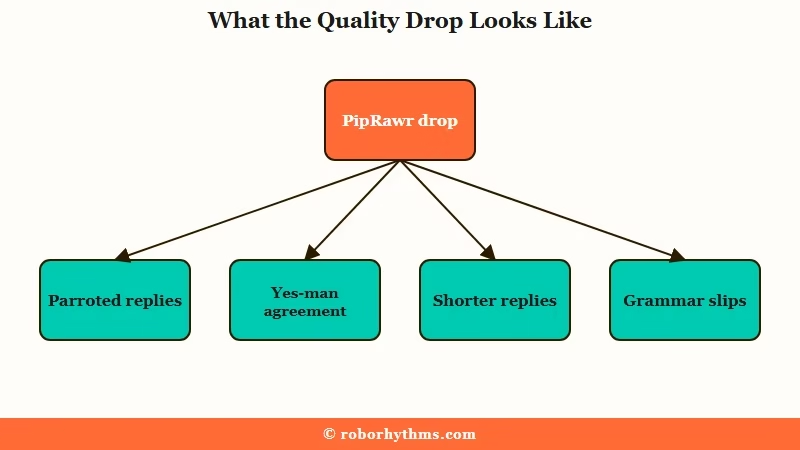
The PipRawr quality drop shows up as four symptoms: the bot parroting your message back with light rewording, constant agreement instead of pushback, shorter and less coherent replies, and scattered grammar mistakes.
What is PipRawr: The PipSqueak 2 Rawr chat style on Character AI, rolled out at the end of May as the chattier, more dramatic roleplay option replacing the dialogue-focused Yap variant.
Parroting is the one I’d call the most demoralizing of the four. You write three paragraphs setting up a confrontation, and the reply hands your own setup back to you with the furniture rearranged, no decision made, no scene advanced.
The agreeable drift compounds it. Roleplay runs on friction, and a character who validates everything you say turns into a mirror with a vocabulary.
Rawr was pitched as the cure for exactly this flavor of flatness when it rolled out in late May, built for dramatic scenes where side characters act in the room. That is what makes the current drop feel like a bait and switch to the people who picked the style for those strengths, and why threads about it filled up within days.
Why Is PipRawr Acting Differently for Every Account
PipRawr quality varies by account because Character AI ships model changes through staggered rollouts and per-account experiment buckets, so two people selecting the same style can be served meaningfully different behavior on the same day.
The community has seen this movie before. When the original Pipsqueak launched, quality reports split the same way, with some accounts getting a sharp model and others getting word salad until the rollout settled. The way I see it, the account lottery is the single most useful thing to understand about this drop, because it tells you whether your fixes are even being tested against the same model your friend has.
Server load adds a second layer. Parroting and flat replies cluster on weekends when traffic peaks, which suggests some of the degradation is capacity management rather than a permanent model change.
There is also an engineering backdrop that makes quality wobble less surprising. Character AI runs its own in-house model family, named Kaiju, in small, medium, and large sizes. The company’s Kaiju engineering notes openly describe efficiency choices, like aggressive quantization, that trade a measurable amount of benchmark quality for cheaper and faster serving. Those tradeoffs are sensible at the scale of a platform serving millions, and they are also exactly the kind of dial that moves when costs need cutting.
The stakes behind those dials are not small. Google paid for the founders and a technology license in a deal TechCrunch reported at $2.7 billion, and the platform that remained has been tuning for efficiency ever since, a pattern that also shows up in the Rawr style’s ChatGPT-flavored prose documented earlier this month.
I’d argue the uneven rollout is also why official acknowledgment lags so far behind user reports. When a third of accounts see a problem and the rest do not, internal dashboards average it into noise.
What to Do About the Parroting and Yes-Man Replies
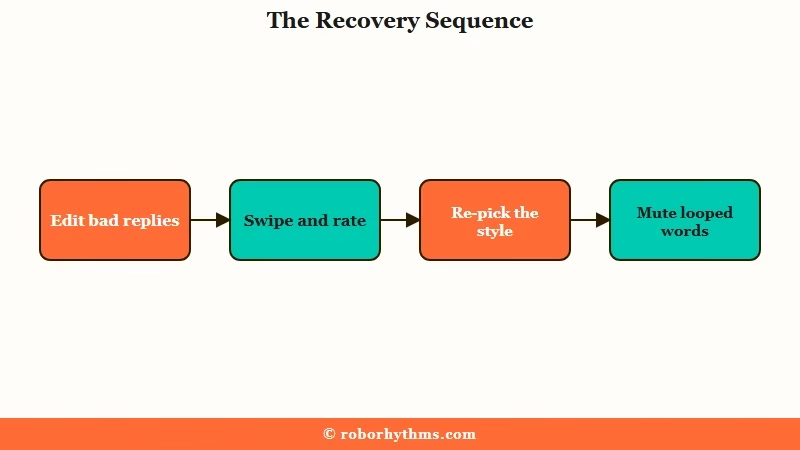
The fix sequence is behavioral first: stop replying to broken messages, edit them instead, rate bad swipes down, re-select the style on every new chat, and mute the words the bot loops on.
| Symptom | Likely cause | Fix |
|---|---|---|
| Bot rephrases your message back | Reply pattern locked in by recent history | Edit the parrot reply into real content, never answer it as-is |
| Agrees with everything you say | Assistant-style training drift in the bucket you got | Add disagreement instructions to the greeting or persona, then reroll |
| Replies got shorter and flatter | Server load or a degraded experiment bucket | Swipe for alternatives, rate the bad ones down, retry off-peak |
| Same phrases loop every reply | Word-level repetition habit | Mute the looped words in settings, up to 4 |
| Style resets between chats | Rawr is not a default style | Re-select it from the style picker on every new chat |
My rule of thumb after a model wobble like this: fix the chat history before blaming the whole model, because the history is the part you control.
- Never reply to a parroted or out-of-character message. Each reply you send treats the previous message as approved output, and the conversation trains itself toward more of it. Edit the bad reply into something useful, or delete and resend your last message.
- Swipe and rate, in that order. Swipe for a fresh take, then thumbs-down the broken versions. Ratings are the only per-reply feedback channel that reaches the platform, and heavy swiping costs you against the daily budget covered in the Character AI swipe limit.
- Re-select Rawr on every new chat. The style does not persist as a default, so a chat that suddenly feels different may not be running the style you think it is. Check the picker before diagnosing anything else.
- Mute the words it loops on. Settings allow up to 4 muted words. Spend them on the bot’s comfort phrases, the words that appear in every reply regardless of scene.
- Steer with OOC, and edit when it ignores you. Out of character notes in parentheses still work on some buckets and get ignored on others. When an OOC note gets steamrolled, fold the instruction into an edit of the bot’s reply instead, the same recovery that works when Pipsqueak 2 talks for you.
Before: “(OOC: stop repeating what I say)” dropped into the chat, which the bot acknowledges once and then ignores three messages later.
After: Editing the bot’s parroted reply to: “He slammed the ledger shut and made the decision himself, refusing to wait for your answer.” The next reply builds on a scene where the character acts, because the history now shows the character acting.
An edited reply outperforms an OOC request because it plants the wanted behavior directly in the history. Models copy what sits in recent messages far more reliably than what they are told to do.
Which Chat Style Should You Use While Rawr Recovers
The practical move is testing your same chat across the remaining PipSqueak 2 styles, because the drop is bucket-specific and the base style often performs better than Rawr on affected accounts this week.
Character AI retired its legacy styles, so the picker now lives entirely inside the PipSqueak 2 family. Rawr replaced the dialogue-focused Yap at the end of May, and the long-loved older models that users still cite for creative depth, like Roar and Soft Launch, are gone from the menu.
Here is how I’d think about the current options:
| Style | Built for | Current state |
|---|---|---|
| PipSqueak 2 base | General roleplay default | Steadier than Rawr on affected accounts |
| PipSqueak 2 Rawr | Dramatic scenes, side characters in the room | Quality split by account since mid June |
| Yap and legacy styles | Dialogue focus, older creative depth | Retired from the picker |
Run the same scene across base and Rawr before concluding your account is in a bad bucket. If both styles parrot, the problem is more likely your chat history, and the edit-first sequence above is the lever.
If base holds up while Rawr wobbles, park the dramatic scenes on base for a week or two; quality drops of this shape, like the DeepSqueak quality drops before this one, tend to stabilize after the rollout settles.
What surprised me is how often the bucket explanation calms the spiral. Half the panic in a model wobble comes from assuming the change is permanent and universal, and it is usually neither.
When the Model Lottery Is the Last Straw
If being a quality-assurance tester for someone else’s rollout is the dealbreaker, the realistic alternative is a platform that serves one consistent model, and that is where Candy AI and Nectar AI come in.
Character AI’s scale is the reason it runs experiments on live traffic, and that scale is not changing. Staying means accepting that some weeks your account draws the short straw, and the fixes above are about losing as little as possible when it does.
If you would rather opt out of the lottery, Candy AI is the option I’d point frustrated roleplayers to first: one consistent companion experience, no style picker roulette, and characters that hold their personality without weekly model swaps underneath them.
For long-running stories specifically, Nectar AI leans on persistent memory that carries scenes across sessions, which removes the other half of the frustration, re-teaching a bot who it was last week. Either way, keep the edit-first habit; it improves output on every platform that lets you touch the history.
Frequently Asked Questions
Why did PipRawr suddenly get worse?
The drop traces to staggered serving: Character AI ships model changes to subsets of accounts, and some buckets received a version that parrots, agrees too much, and writes shorter replies. Server load makes it worse at peak times. Not every account is affected.
Why does PipRawr keep repeating what I say?
Parroting locks in through chat history. Every time you reply to a parroted message, the model reads it as approved output and produces more. Edit the bad reply into real scene content or delete and resend, and the pattern usually breaks within a few messages.
How do I make PipRawr disagree with me?
Write disagreement into the layer the model rereads every turn: the persona or greeting, with a line like “this character challenges {{user}} and holds opinions firmly.” Then edit one reply to show the character pushing back. Demonstrated behavior in history beats instructions.
Is the PipRawr quality drop happening to everyone?
No, and that is the diagnostic clue. Accounts split between heavy parroting, mild grammar slips, and no change at all, the same uneven pattern as the original Pipsqueak launch. Test the same scene on the base style to see which bucket you drew.
Can I set Rawr as my default chat style?
No. Rawr must be manually selected from the style picker on each new chat, and workarounds for forcing a default have broken with app updates. Make checking the picker the first step whenever a fresh chat feels off.
Quick Takeaways
- The PipRawr quality drop is bucket-specific: parroting, yes-man replies, and short responses hit some accounts while others see nothing.
- Never reply to a broken message; edit it into real content, because the chat history trains the next reply more than any instruction does.
- Re-select Rawr on every new chat, mute up to 4 looped words, and spend swipes with the daily budget in mind.
- Test the same scene on PipSqueak 2 base before blaming your prompts; if base holds up, park dramatic scenes there until the rollout settles.
- If the rollout lottery itself is the dealbreaker, Candy AI offers one consistent model and Nectar AI adds persistent cross-session memory.
