
The Verdict: HeyGen wins for talking-head video with realistic avatars, voice cloning, and 40+ language lip-synced translation; Pictory wins for blog-to-video and podcast-to-clip repurposing with automatic stock B-roll. Pick HeyGen if you need a face on screen. Pick Pictory if you need volume without filming. Both start around $29 per month.
If you have been looking at AI video tools for solo creator work, HeyGen and Pictory are the two names that show up on every comparison list. The thing is, they barely compete with each other once you look closely.
They sit on opposite ends of the AI video market, and most of the head-to-head reviews you find on page one read identically because they all describe the same functional split without telling you what the split actually means for your week.
What I want to do here is walk through the parts that decide the choice for a solo operator: where each tool genuinely wins, where the credit and minute economics start to bite, and how to pick when your shortlist is just these two.
From my reading of the 2026 benchmark data, the wrong pick costs you roughly one month of subscription and a weekend of redoing the same work in the right tool.
This comparison is grounded in the public 2026 pricing pages, the AI Visibility benchmarks Trakkr published this year, and the workflow-test data from the indie creators who have actually shipped clips with both tools.
If you already use HeyGen for avatar generation and you are adding a content repurposing layer, or you read our Pictory review and want to see whether HeyGen replaces the long-form blog-to-video step, this is the framework I would use.
What HeyGen Wins and Where It Falls Short
HeyGen wins on photorealistic avatars, voice cloning, and frame-accurate lip-synced translation across 40+ languages; it loses on built-in stock B-roll, blog-to-video automation, and credit-per-minute pricing once volume scales.
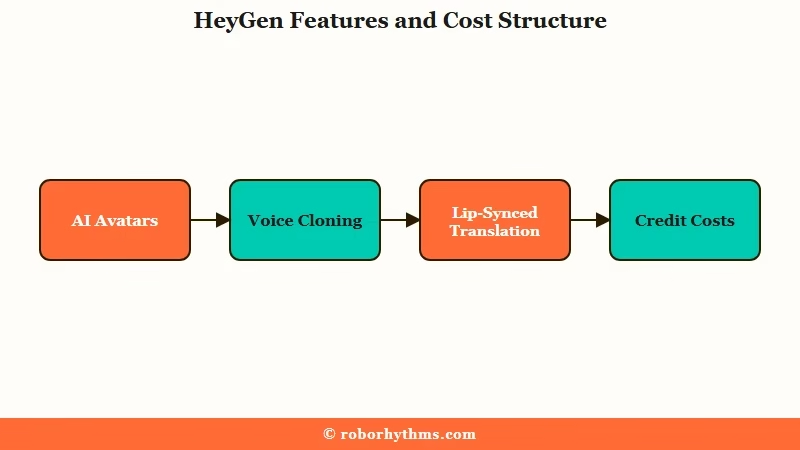
The category HeyGen owns in 2026 is talking-head video without a camera. Trakkr’s AI Visibility Score puts HeyGen at 98 of 100 for avatar realism against Pictory’s 10. That gap is real and stays real even when you run them side by side on the same script.
The features worth paying for if HeyGen is your tool:
- Photorealistic digital twins. Custom-trained avatar of you or a brand spokesperson, with facial muscle movement and natural head tilts that get noticeably hard to flag as AI past the 5-second mark.
- Voice cloning at 175+ languages on Creator and above. Upload a short audio sample, generate matching speech in dozens of voices and dialects.
- Lip-synced video translation across 40+ languages. This is the headline differentiator. Take one English recording, get an output where the avatar’s mouth actually matches the new language, not just dubbed audio over original lip movement.
- CRM integrations for personalized sales outreach. HubSpot and Salesforce connectors that let you generate per-prospect video at scale, which is the use case HeyGen quietly built itself around.
- High-fidelity 1080p output with 700+ stock digital twins on Creator. You do not need to train a custom avatar to ship the first video.
The trade-offs that show up after week one:
The built-in stock B-roll library is thin. Where Pictory pulls from Getty Images and Storyblocks automatically, HeyGen leaves you uploading footage manually or making do with avatar-only shots. For a talking-head video that is fine; for an explainer with cutaways, you end up paying for stock elsewhere.
The custom-avatar setup takes a 24-hour processing wall on a “steeper on-ramp” the first time. You record the training video, submit it, and wait. Most reviews skip this but it matters when you are trying to ship a launch video the same day you signed up.
Credit-based pricing means a fixed monthly bill turns variable as soon as you start re-rendering. From what I have seen, indie operators routinely burn 30 to 40 percent of their HeyGen credits on regenerations of the same clip with slightly different scripts. That cost is not visible at signup.
What Pictory Wins and Where It Falls Short
Pictory wins on blog-to-video automation, automatic stock B-roll matching from Getty and Storyblocks, and minute-based pricing that scales cleanly with volume; it loses on avatar realism, voice cloning, and brand presence on screen.
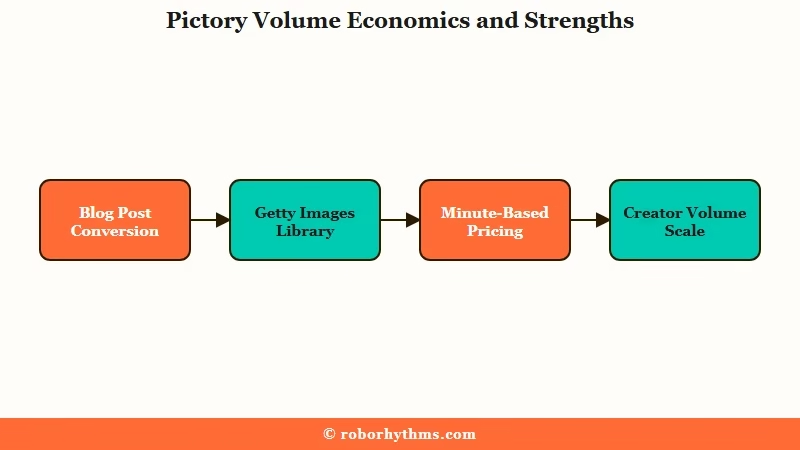
Pictory’s category is faceless content repurposing at scale. Drop in a 2,000-word blog post and the tool produces a 90-second video with auto-generated captions, narration, and B-roll matched to the script text. Trakkr’s 2026 workflow benchmark logged a 2,100-word blog converted to a 1:32 video in 7 minutes end-to-end.
Where Pictory genuinely wins:
- Automatic script-to-video matching. Pictory reads your text, picks relevant stock clips from a deep Getty plus Storyblocks library, syncs cuts to narration beats, and applies branded captions. Most other tools require you to drop in B-roll manually.
- Long-form to short-form conversion. Paste a YouTube URL or upload an MP3, get back highlight clips with captions. This is the workflow YouTube automation channels and podcast operators actually run.
- Auto-captions that read well. The captioning engine handles speaker identification, paragraph breaks, and stylistic punctuation cleaner than most competitors. For social-first content where captions ARE the video, this matters.
- Minute-based pricing. Starter offers 200 minutes of video per month at around $25 annual. You buy throughput, not credits that disappear on a failed render.
- Storyblocks and Getty stock baked in. No separate license, no Pexels-quality drift. Real production-grade B-roll.
The trade-offs:
Avatars are basic. The Trakkr score of 10 of 100 for avatar realism is brutal but earned. Stiff facial movement, limited expression range, and lip-sync that visibly misses on consonants.
If your video needs a credible on-screen presence, Pictory is the wrong tool.
No real voice cloning. You get a library of AI voices and they are functionally fine, but you cannot create a voice that sounds like you. For brand consistency on a personal channel, that gap forces you back to ElevenLabs or Murf for voice work and Pictory only for the video layer.
No native video translation. Pictory can read scripts in multiple languages but it does not do lip-synced dubbing. If multilingual reach is a real growth lever, this is where the comparison ends.
Output can feel generic. The Trakkr workflow notes call it “stocky” without heavy customization. The default look is recognizably AI-generated stock-clip video, which is fine for explainers and risky for brand-led content where every other competitor is shipping the same look.
Pricing, Credits, and the Real Cost Per Finished Minute
HeyGen starts at $29 per month on Creator with a credit model that ends up costing more per finished minute than Pictory’s $25 per month Starter once you account for failed-render waste.
Both tools advertise similar entry prices and they describe themselves very differently once you read the metering page. Here is the head-to-head:
| Plan tier | HeyGen | Pictory |
|---|---|---|
| Entry monthly | $29 / mo Creator | $25 / mo Starter (annual) |
| Entry volume | 30 video min, credit-based | 200 video min |
| Voice cloning | Yes, 175+ languages | No |
| Video translation | 40+ languages with lip-sync | None |
| Stock B-roll | Limited built-in, manual upload | Getty + Storyblocks auto-matched |
| Mid tier | $99 / mo Pro, 1080p unlimited avatar | $59 / mo Professional, 600 min |
| Custom avatar | 24-hour setup, one digital twin | Avatars not the focus |
| Best use case | Talking-head, sales outreach, multilingual | Blog-to-video, podcast clip, faceless |
Here is the operator-grade math the other reviews skip.
Example scenario: You want to ship four 90-second videos per week, all explainer-style with a person on screen and some stock cutaways. That is roughly six finished minutes weekly, 24 minutes monthly.
On HeyGen Creator: 24 minutes fits inside the 30-minute Creator credit pool, so the subscription holds at $29 monthly. But assume a typical 30 percent regeneration rate (re-recording when a script tweak forces a fresh render); you are at 31 minutes of generation against a 30-minute cap.
You either pay overage or upgrade to Pro at $99 monthly. Real cost per finished minute lands at roughly $4 to $9 depending on regeneration discipline.
On Pictory Starter: 24 minutes is 12 percent of the 200-minute Starter pool. Regenerations are cheap because you are spending against a minute pool, not credits.
Real cost per finished minute lands at roughly $1 to $1.50. The catch: those Pictory videos are faceless and use stock B-roll, so they are not the same product as the HeyGen output even if both run 90 seconds.
The pricing reality is that the credit-versus-minute split matters more than the headline number. HeyGen punishes iteration, Pictory rewards volume. Neither is a flaw; both are deliberate design choices that match the use case each tool is built for.
Statista projects the AI video generation market at $12 billion by 2027, so both tools are riding the same demand wave. The differentiation is going to keep widening rather than collapsing.
Who Should Choose HeyGen
Choose HeyGen if you need a credible face on screen, multilingual reach via lip-synced translation, personalized sales outreach, or a brand-consistent digital twin that runs across LinkedIn, sales emails, and product walkthroughs.
The HeyGen reader profile, concretely:
You are running a personal brand or a thought-leadership LinkedIn presence and you want your face on every short video without booking a studio. You sell B2B and want to send a 60-second per-prospect personalized intro that addresses the recipient by name and company.
You run a course or coaching business and want your lessons translated into Spanish, Portuguese, and French without re-recording. You work corporate or training and need talking-head explainers at scale with consistent on-camera presence.
If any of those sound like you, HeyGen is worth the credit math. The voice cloning and digital twin combination is genuinely hard to replicate elsewhere, and the lip-synced translation feature outperforms Synthesia at lower latency per the 2026 benchmark data.
You can claim the HeyGen Creator plan and start with the 30-minute pool to test before committing to Pro. The on-ramp friction is real (24-hour custom avatar wait), so I would budget the first week as a setup phase, not a production phase.
Who Should Choose Pictory
Choose Pictory if your primary product is written content you want to convert to video, you run YouTube automation or a podcast clip pipeline, you do not want or need to be on camera, or you ship volume where the per-minute economics matter more than the per-clip polish.
The Pictory reader profile, concretely:
You write a blog or newsletter and want every long-form post to become a 90-second video for LinkedIn, X, and Instagram. You run a podcast and need automated highlight clips with captions for social.
You operate a YouTube automation channel where faceless content is the model and consistent on-screen presence is not required. You are a content marketer turning case studies, customer stories, or product launch notes into shareable assets.
Pictory’s minute-based pricing scales cleanly, the Getty plus Storyblocks library means no separate stock licensing, and the captioning quality is one of the genuine differentiators in the category. The trade-off is the AI-generated look, which is fine for information-heavy content and limiting for brand-led storytelling.
Pictory is currently on our affiliate research list (20 to 50 percent tiered recurring, video generation tool category) so this recommendation is editorial; the partnership is not yet live and this article earns nothing from clicks to pictory.ai.
Final Verdict
HeyGen wins for talking-head video and multilingual reach; Pictory wins for content repurposing at volume; the two tools answer different questions and most solo operators end up paying for both once their content stack matures.
The shorter version: pick the tool that matches your video shape, not your favorite feature list.
If you are still on the fence, the decision tree I would use in five steps:
- Is your face on screen non-negotiable? Yes → HeyGen. No → continue.
- Are you converting written or audio content into video? Yes → Pictory. No → continue.
- Do you need multilingual reach with lip-synced output? Yes → HeyGen. No → continue.
- Is the cost per finished minute more important than the per-clip polish? Yes → Pictory. No → HeyGen.
- Default if none of the above clears it: Pictory for the first month while you figure out workflow, then layer HeyGen if a face-on-screen need surfaces.
For a creator stack that already includes Beacons AI for monetisation and a course platform on the back end, Pictory plugs in as the repurposing layer first because it removes more manual work per dollar. HeyGen earns its line item later when personalized outreach or multilingual expansion becomes a deliberate growth play.
My read is that this is one of the rare AI-tool comparisons where “use both” is the honest answer for anyone past a certain content volume. The category split is wide enough that neither tool will collapse into the other for at least the next year, and the per-minute economics keep the combined bill manageable on Creator and Starter tiers respectively.
Frequently Asked Questions
Is HeyGen better than Pictory in 2026?
For talking-head video, multilingual translation, and avatar realism, yes. For blog-to-video and podcast-to-clip repurposing at volume, no. The tools serve different workflows; a head-to-head winner depends on whether you need a face on screen or content automation at scale.
Can I use HeyGen and Pictory together?
Yes, and many solo operators do. The typical stack: Pictory handles blog-to-video and podcast-to-clip repurposing at volume, HeyGen handles the smaller number of talking-head videos that need a credible on-screen presence. Combined entry-tier cost lands around $50 to $55 per month.
Which one has better pricing for solo creators?
Pictory is cheaper per finished minute thanks to the minute-based pool (200 minutes on Starter for $25). HeyGen Creator at $29 holds a 30-minute credit pool that gets eaten by regenerations during script tweaks. Choose Pictory if volume matters; choose HeyGen if the output requires a face on screen.
Does Pictory have AI avatars?
Yes, but they score 10 of 100 on the Trakkr 2026 avatar realism benchmark against HeyGen’s 98. Pictory’s avatars are functional for placeholder use; they are not credible for brand-led content where viewers expect a real-looking presenter. If you need realistic avatars, pick HeyGen.
Which is better for multilingual content?
HeyGen, decisively. It supports 175+ languages and dialects with frame-accurate lip-synced translation across 40+ languages. Pictory supports multiple voiceover languages but cannot lip-sync an avatar to a translated track, which is the differentiator for global content reach.
What is the real cost per finished minute on each tool?
On HeyGen Creator at $29 monthly, the real cost lands at roughly $4 to $9 per finished minute once you account for the 30-percent regeneration waste typical for indie operators. On Pictory Starter at $25 monthly, the real cost lands at roughly $1 to $1.50 per finished minute. The gap reflects the credit-vs-minute pricing model difference, not output quality at the same level.
