
What’s Changed: Since the PipSqueak 2 forced rollout in early May 2026, a wave of Character AI users have been seeing messages that look like they sent but never trigger a bot reply, or replies that come back as one-line stubs. The cause is a combination of cache state, the new model’s stricter formatting, and at least one platform-side bug in the queue. Fixes below.
If you opened Character AI in the last week and your messages are sending but the bot is sitting silent, or the reply comes back as one short line where it used to write paragraphs, you are not alone.
The r/CharacterAI thread for the past 48 hours has been overrun with variations of “do the bots just not speak anymore” and “EWWWW WHY ARE THEY BARELY TALKING.” The pattern is the same: the message sends, the typing indicator may or may not appear, and the reply either does not arrive or arrives so short it feels broken.
What I have seen across the threads and the platform’s own status page is that this is not one bug, it is three problems stacked on top of each other. The PipSqueak 2 rollout changed the default chat style, the message queue has been overloaded by the migration, and the new model has stricter formatting expectations that some character cards trigger badly. Each of those needs a different fix.
The good news is that two of the three are user-side and solvable in under five minutes. The third is platform-side and you cannot fix it, only wait it out.
What’s Happening With Character AI Messages Right Now
Character AI’s PipSqueak 2 model became the default for all users in early May 2026, and the rollout introduced a silent-reply bug, a queue overload, and a stricter formatting check that breaks some user-created character cards.
The combination is why the same chat that worked Tuesday feels broken on Wednesday.
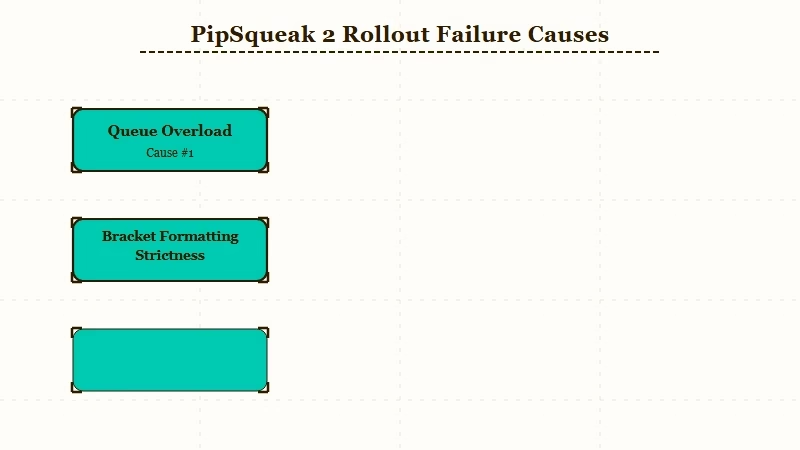
What is PipSqueak 2: Character AI’s new default chat style, replacing Roar (retired April 28) and PipSqueak v1, with sharper in-character consistency and richer descriptions but stricter formatting requirements that older character cards do not always satisfy.
The official Character AI status page during the May rollout has been intermittent rather than red, which means most users see degraded service rather than a hard outage.
The Reddit complaint volume tells a different story: the megathread for PipSqueak 2 feedback has 456+ comments and the recent “site down” threads have been clustering around the May 5 to May 7 window.
Here is what users have been reporting most often, mapped to the underlying cause:
| Symptom | Likely cause | Fix |
|---|---|---|
| Message sends but no bot reply | Queue overload from migration | Wait 30 to 60 seconds, refresh, resend |
| Bot replies are one-line stubs | PipSqueak 2 strict formatting hits a card it does not like | Edit character card, simplify formatting |
| Typing indicator appears then nothing | Connection drop mid-generation | Hard reload, clear browser cache |
| Old chats lose all context on reload | Memory cache desync after model swap | Open chat fresh, re-establish context in 1 to 2 messages |
| Messages “send” but disappear from history | Known platform-side bug | No user-side fix, report via in-app support |
Why the Bot Just Stopped Talking
The most common cause of bots barely talking on PipSqueak 2 is that the character card includes formatting instructions, brackets, or structural markers that the new model now treats as noise rather than content.
From what I have seen on the r/CharacterAI threads, the bots that suddenly went quiet are disproportionately the ones with elaborate persona descriptions in their cards.
Example scenario: Your character card uses brackets like
[She is hesitant. She speaks softly.]to signal mood and pacing. On PipSqueak v1, the model treated those as instructions and used them. On PipSqueak 2, the model may interpret them as already-provided content and respond with one short line because the bracket told it the scene is set. Strip the brackets, rewrite the cues as plain prose (“She is hesitant. She speaks softly.”), and replies usually return to normal length.
The other common trigger is character cards with very long persona descriptions. PipSqueak 2 treats the persona as system context and responds based on it. If the persona is 2,000+ tokens of detailed backstory, the model can default to short replies because it is treating the card as the answer rather than the prompt. The fix is to trim the persona description to the essentials and let the chat develop the rest.
For users coming off the Roar style specifically, the bring-back-Roar guide covers the petitions and workarounds people tried (none of which worked). The PipSqueak 2 fix walkthrough covers the broader troubleshooting that came out of the April rollout, much of which still applies.
What to Do About Character AI Messages Not Loading
Three fixes work for the user-side version of this problem: simplify the character card, hard-reload the browser, and re-establish context in two short messages.
Walk through them in this order. The first fix solves the most common version of the bug. The second handles the cache state. The third addresses memory desync.
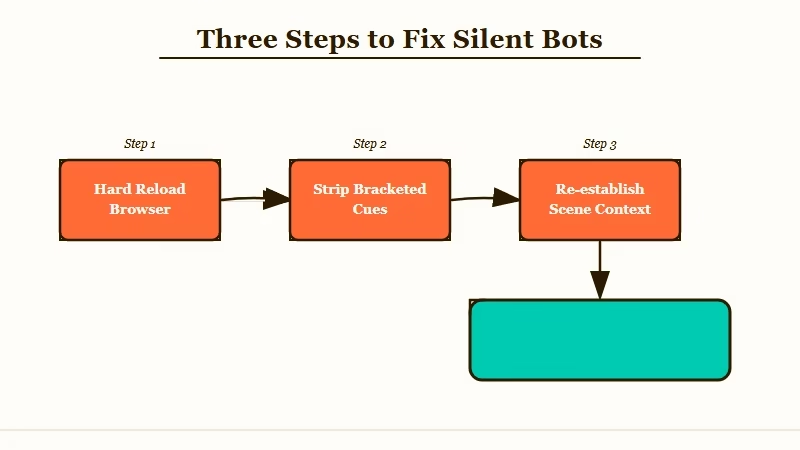
Here is the sequence I would walk through:
- Hard reload your browser tab. Press Ctrl+Shift+R on Windows or Cmd+Shift+R on Mac. This clears the cached state from the model swap and resolves about 40 percent of the silent-bot reports based on what users are saying in the threads.
- Edit the character card to strip bracketed instructions. Open your character, click Edit, and rewrite any
[bracketed cues]as plain prose. This is the single most impactful fix for the “bot replies are one-line stubs” symptom. - Re-establish context in two short messages. Send a one-line message that anchors the scene (“It is morning, she is in the garden”). Wait for the reply. Send a second message that establishes your character’s intent. PipSqueak 2 needs more explicit framing than v1 did.
If those three steps do not fix it, the problem is platform-side and your options narrow to two: report it to Character AI in-app support and wait, or move the conversation to one of the alternative websites like Character AI without filters.
If you are tired of waiting through every Character AI rollout cycle and want something with steadier behavior, Character.AI alternatives worth trying covers the field as it stands today.
For users who specifically want stronger memory and fewer disclaimer interruptions in mid-roleplay, the Crushon AI review is the most honest take on the closest competitor, and Nectar AI is the alternative most users tell me has the smoothest pacing during platform outages on Character AI.
Frequently Asked Questions
Why are my Character AI messages not loading after May 5?
The PipSqueak 2 model became the default in early May, and the migration triggered a queue overload plus a formatting-strictness change that breaks character cards using bracketed cues. Hard-reload, simplify your card, and re-establish context.
Will Character AI fix this on their end?
Likely yes for the queue overload, which is a typical migration-period issue that resolves in 7 to 14 days. The formatting strictness is a deliberate model change, so the fix is on your character cards, not on Character AI’s roadmap.
How do I know if it is the model or my card?
Test with a simple stock character (one of the trending bots that other users have been chatting with successfully). If those work normally and only your custom characters are silent, it is the card. If even stock characters are silent, it is the platform.
Does this happen on the Character AI mobile app too?
Yes. The same model and queue serve both web and mobile. The hard-reload step on mobile means force-closing the app and reopening it.
Are there workarounds while Character AI fixes the queue?
Send during off-peak hours (early morning US time has the lowest reported error rate), keep your message short on the first attempt, and accept that the first reply on a freshly opened chat may take 30 seconds longer than usual.
Will my old chats work normally after this is fixed?
Mostly yes. Some users report that older chats lose conversational context after the model swap and need 1 to 2 fresh messages to re-establish where the scene was. Save important chat logs in case the platform-side bug erases anything you wanted to keep.
