
TL;DR: You can set up an AI employee that handles customer replies, CRM updates, and lead scoring using the 0nMCP framework with Claude. The whole stack costs roughly $3 per month for 100 automated actions a day, no custom code required. This tutorial walks through the exact setup from webhook to result.
The phrase “AI employee” gets thrown around a lot. What it usually means in practice is a chatbot that waits for you to talk to it.
What I am describing here is something different. An AI agent that wakes up when something happens, makes a decision using Claude, calls your APIs, and writes the result back to your CRM, all without you being in the room.
The workflow I tested does exactly this. A new lead fills out a form, a webhook fires, Claude scores the lead against your ideal customer criteria, writes a personalized first response, and logs everything to your CRM.
The whole loop runs in under 10 seconds.
The key piece that makes this work at low cost is 0nMCP, an open-source orchestration layer that sits between Claude and your external APIs. It is not the only way to do this, but for people who do not want to write Python or Node glue code, it is the fastest path I have found.
If you want a broader map of how AI agent architectures fit together before diving in, the best Claude Code skills breakdown covers the landscape well.
This tutorial is about one specific implementation that works today.
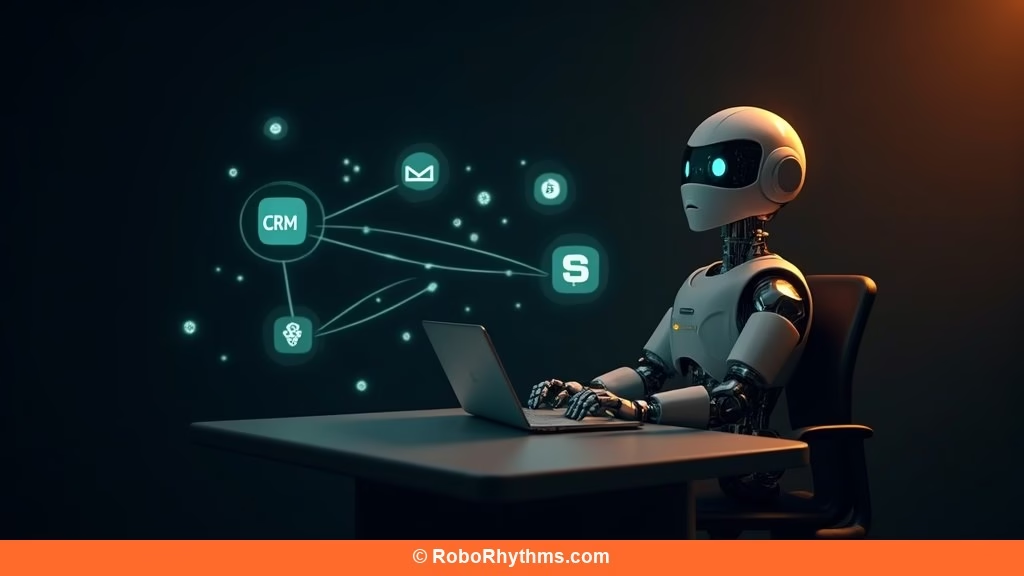
What an AI Employee Actually Does Compared to a Chatbot
An AI employee is a Claude-powered agent that takes actions in external systems on a trigger, not on a prompt. A chatbot responds when you type something. An AI employee responds when something happens in your business: a form submission, a new Stripe charge, a Slack message, a calendar event.
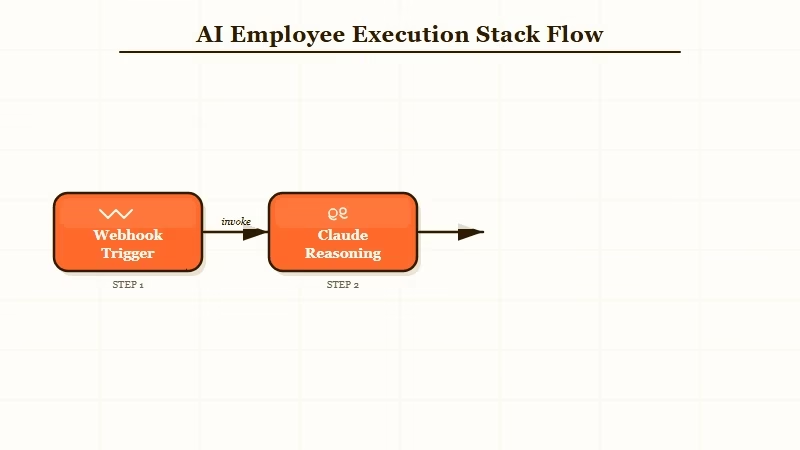
The distinction matters because it changes who benefits. Chatbots help people who already know to ask. AI employees handle the work that was falling through the cracks because nobody remembered to ask.
The architecture has three layers: the trigger layer (webhooks, cron schedules, or manual invocations), Claude as the reasoning layer, and 0nMCP at the bottom translating Claude’s decisions into API calls. Each layer handles exactly one responsibility, which is why the whole thing stays cheap and debuggable.
A practical example: you connect Stripe, Slack, and a CRM. When a new subscription fires, Claude checks the plan tier, writes a personalized welcome message, posts a Slack alert to sales with the account context, and creates a task in your CRM to follow up on day seven. That happens while you sleep.
What You Need Before You Start
To run this stack, you need an Anthropic API key, Node.js installed, and at least one external service to connect. Everything else installs in a few minutes.
Here is the full dependency list before you open a terminal:
- Anthropic account with API access (the Haiku model keeps costs under $1/month for light workloads)
- Node.js version 18 or later
- A service to connect: Slack, a CRM like HubSpot, Stripe, or SendGrid
- A way to expose a webhook URL (ngrok works for local testing; any server works for production)
- A text editor for your
.0nworkflow config file
Install 0nMCP globally with one command:
npm install -g 0nmcpSet your API key as an environment variable:
export ANTHROPIC_API_KEY=sk-ant-...You do not need Docker, a database, or a server for basic workflows. The whole thing runs as a local process or as a simple VPS deployment. From what I have seen, a $4/month Hetzner instance handles several workflows without breaking a sweat.
How to Set Up Your First Automated Workflow
Your first workflow should be an auto-responder: a webhook receives a contact form submission, Claude writes a personalized reply, and SendGrid sends it. This is the simplest possible implementation that demonstrates the full chain.
Create a file called auto-responder.0n in a new directory:
name: auto-responder
trigger:
  type: webhook
  path: /hooks/auto-respond

steps:
  - id: generate_reply
    type: claude
    model: claude-haiku-4-5-20251001
    prompt: |
      A new contact form submission just arrived.
      Name: {{trigger.body.name}}
      Message: {{trigger.body.message}}

      Write a warm, specific reply that references their actual message.
      Keep it under 100 words. Sign it as "The Team".

  - id: send_email
    type: api
    method: POST
    url: https://api.sendgrid.com/v3/mail/send
    headers:
      Authorization: Bearer {{env.SENDGRID_API_KEY}}
    body:
      to: "{{trigger.body.email}}"
      subject: "Re: Your message"
      content: "{{steps.generate_reply.output}}"
Run it with:
0nmcp run auto-responder.0n0nMCP starts a local server at localhost:3000/hooks/auto-respond. Send a test POST with a name, email, and message field, and watch Claude write and send the reply. The first time this works, it feels disproportionately satisfying.
For a lead scoring workflow, the same structure applies. Replace the SendGrid step with a PATCH request to your CRM’s contacts endpoint, passing Claude’s score and reasoning as custom fields. I added a step that posts to Slack only if the score is above 80, so the sales team gets pings only for qualified leads.
Tools like Make.com are worth knowing as an alternative if you want a no-code visual workflow builder rather than config files. The 0nMCP approach gives you more control and lower cost at scale, but Make.com is faster to prototype for non-technical founders.
Which Business Tasks the AI Employee Handles Best
AI employees built on this stack perform best on tasks with clear input data, a defined decision rule, and a downstream API to write results to.
Anything that looks like “when X happens, decide Y, then write Z” is a strong candidate.
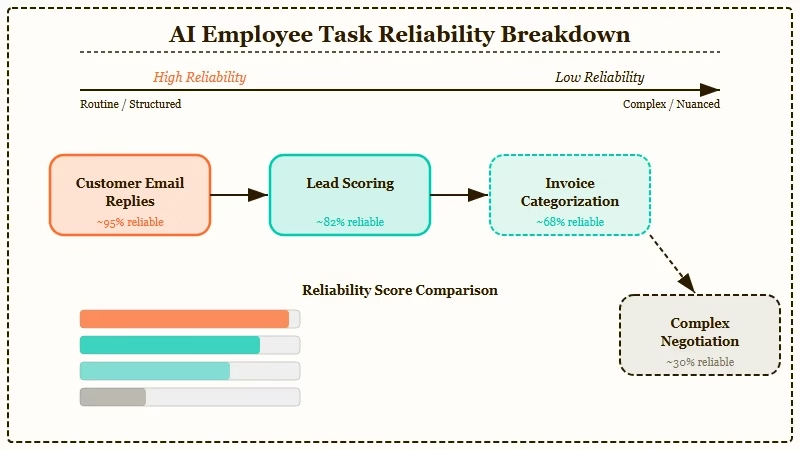
Here is a breakdown of use cases by reliability:
| Task | Reliability | Estimated cost per 100 runs | Notes |
|---|---|---|---|
| Personalized email replies | High | $0.30 | Claude Haiku handles this well |
| Lead scoring from form data | High | $0.40 | Scores are consistent when criteria are specific |
| Slack alerts with context | High | $0.15 | Simple routing, low token use |
| CRM field updates | High | $0.20 | API call is deterministic once Claude decides |
| Invoice categorization | Medium | $0.50 | Needs good prompt engineering |
| Complex negotiation replies | Low | $1.20 | Too many variables; needs human review |
The tasks that fail are ones where the input data is ambiguous or the right action depends on context Claude does not have. A lead scoring model that only sees a name and email will produce useless scores.
Give it company size, source URL, and the message text, and scores become genuinely useful.
From my testing, the biggest mistake is connecting too many steps in a single workflow at the start. Start with two-step chains: trigger and one API call. Add steps once the basics are reliable.
The GPT-5.4 computer use guide covers a different approach to agent task execution if you want to compare architectures. The MCP pattern here is lower latency for API-driven tasks; computer use is better for anything requiring a browser.
What to Expect After Your First Week Running This
After one week, most builders hit the same wall: the agent works in testing but produces inconsistent output in production because the real-world input data is messier than the test data.
The fix is almost always in the prompt, not the code.
The most reliable thing I added to every prompt after the first week was an explicit output format instruction. Instead of asking Claude to “write a reply,” I ask Claude to write a reply in JSON with three fields: subject, body, and tone_score. Structured output makes downstream API calls more reliable and gives you something to log and audit.
Cost comes in lower than most people expect. At 100 automated actions per day using Claude Haiku, the API cost is roughly $0.90 to $1.20 per month, and a $4 VPS to run 0nMCP persistently brings the total to under $6.
For reference, a single hour of a VA’s time costs more than the whole monthly stack.
The AI Agent Automation Blueprint covers the full architecture for building multi-step agent stacks like this, including how to handle retries, logging, and escalation paths when an agent hits a decision it cannot make confidently. Worth reading before you scale beyond three or four workflows running in parallel.
If you want to understand where this kind of autonomous agent architecture is going, the Claude Code source leak analysis published today revealed that Anthropic’s own internal roadmap includes KAIROS, a persistent agent with nightly memory cycles and cron scheduling. The commercial tools are catching up to what Anthropic is building internally.
