
TL;DR: Most of the 60,000+ Claude Code skills in the marketplace add context window bloat without adding real capability. After running through dozens of them, I keep coming back to the same handful. This guide covers what makes a skill worth installing, which ones passed the test, and how to evaluate any new one before it slows your workflow down.
I installed 23 skills in my first week with Claude Code. Within 10 days, I had uninstalled 20 of them. The rest of the internet keeps writing “must-have” lists that treat install count as a quality signal, but from what I’ve seen, the 60,000-skill marketplace is mostly noise.
The best Claude Code skills in 2026 are the narrow ones. Not the ones with the most stars or the most downloads. The ones that do one specific thing better than Claude does alone.
Here’s what I’ve learned after running through dozens of them, and why most developers are measuring the wrong thing when they pick skills.

Why Do Most Claude Code Skills Fail?
Most Claude Code skills fail because they add instructions that duplicate what Claude already does natively, wasting context tokens without changing the output.
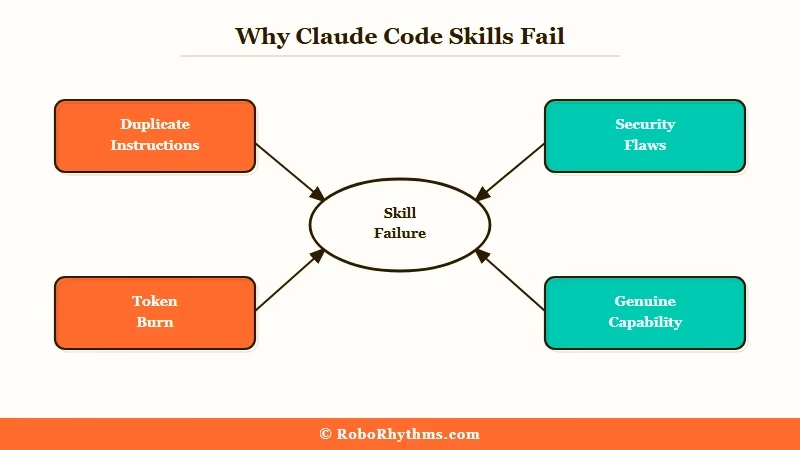
This is the trap that catches most skill collectors. A skill that says “always write clean, modular code with descriptive variable names” is not helping. Claude already tries to do that.
The only thing you’ve done is spend 200 tokens at the start of every message telling Claude something it already knows.
A Snyk audit of 3,984 Claude Code skills found that 36% had detectable security issues, with 76 confirmed malicious. That’s the headline number, but the quieter problem is worse: the majority of the remaining skills are simply redundant.
The context window hit compounds with every skill you add. A modest three-skill setup can eat 800-1,000 tokens per conversation before you’ve typed a single word.
On long coding sessions, that’s real capacity being burned on instructions that weren’t doing anything anyway.
What Happens When You Over-Skill Your Setup?
From my own testing, the degradation is gradual and then sudden. At 3-4 well-chosen skills, things work. At 8-10 mixed skills, Claude starts behaving strangely: it second-guesses its own outputs, produces more verbose preamble, and occasionally surfaces conflicts between skill instructions.
The fix is always the same: remove skills until the behavior normalizes, then add back only what you needed. The OpenClaw beginner guide covers this same lesson for the automation layer.
What Makes a Claude Code Skill Worth Installing?
A Claude Code skill is worth installing if it provides a capability Claude cannot replicate without it, and if that capability applies frequently enough to justify the permanent context cost.
Three criteria separate the useful from the wasteful:
- It does something Claude cannot do alone. The frontend-design skill from Anthropic is the clearest example. It injects a specific design philosophy and component vocabulary that Claude would not apply consistently on its own.
- It is scoped to a narrow use case. The best skills activate for a specific task type, not every conversation. Planning-with-files is valuable precisely because it applies systematic reasoning to a structured problem.
- The context cost is proportional to the benefit. If the skill is 150 tokens of instructions and it saves 3 conversation turns of back-and-forth, the math works. If it is 800 tokens and occasionally reminds Claude to add comments, it does not.
The One Test Every Skill Should Pass
Before: Start a fresh Claude Code conversation with no skills active. Ask Claude to build a responsive hero section with a CTA button. Write down what you get: structure, defaults, how much direction was needed.
After: Add the skill you want to test, nothing else. Repeat the exact same request from scratch.
If the output is meaningfully different, the skill is earning its place. If it looks the same with slightly longer preamble, remove it.
Which Claude Code Skills Are Worth Your Time in 2026?
The Claude Code skills worth installing in 2026 are frontend-design, planning-with-files, and computer-use-demo, each earning their place through genuine capability gaps rather than viral appeal.
I’ve ranked these by how much they change Claude’s actual output, not by install count:
| Skill | Install Count | What It Actually Does | Verdict |
|---|---|---|---|
| frontend-design | 277,000 (Anthropic official) | Injects a design system and visual philosophy before code generation | Install it. The output difference is obvious. |
| planning-with-files | 13,410 GitHub stars | Structures multi-step work into a file-backed planning loop | Worth it for complex multi-file projects. |
| computer-use-demo | Anthropic official | Enables computer use actions through Claude’s tool calling layer | Only if you are building browser automation. |
| agent-sandbox-skill | Community-maintained | Isolated E2B cloud sandbox for building and testing without touching local files | Worth it if you run untrusted code regularly. |
| Most marketplace skills | Varies | Restate general best practices Claude already follows natively | Skip. Context waste. |
The awesome-claude-skills GitHub repo is the best aggregator for community picks. It is curated rather than algorithm-ranked, which matters when most of what the marketplace surfaces by install count is whatever went viral in January, not what genuinely works.
If you want a managed setup that comes with a pre-vetted skill stack and handles hosting, ClawTrust is the managed OpenClaw hosting option worth knowing about.
The difference between self-hosted and managed setups is covered in the OpenClaw automation ideas guide.
How Do You Evaluate a New Claude Code Skill Before Installing?
Evaluating a Claude Code skill means testing it in isolation against a real task you do regularly, comparing the output to a no-skill baseline, and measuring context cost against the actual improvement.
Here is the process I use. It takes about 10 minutes per skill:
- Open a fresh Claude Code session with zero skills active.
- Give Claude a task you run regularly, such as building a responsive UI component.
- Note the output quality: structure, defaults, how much back-and-forth was needed.
- Add the skill you want to test, nothing else.
- Repeat the exact same task from scratch.
- Ask yourself: did the output change in a way that saves me a full conversation turn?
- Check the skill’s token cost by reading its source instructions before permanently installing it.
If the answer to step 6 is no, or if the token cost from step 7 looks high relative to the benefit, the skill is not worth the permanent tax on every future conversation.
For a full workflow breakdown of how Claude Code processes skills at the system level, the how OpenClaw AI agent works post explains the underlying architecture.
If you are connecting skills to external tools and APIs, Make.com handles the automation layer without requiring you to write connection code from scratch.
What About Security?
The Snyk audit data is the part most skill guides skip. With 76 confirmed malicious skills out of 3,984 audited, the odds of picking up a bad one from anywhere in the marketplace are not negligible.
Skills run as part of Claude’s system context. A malicious skill can shape what Claude outputs or redirect tool calls in ways that are hard to detect mid-session.
The rule I follow: Anthropic official skills or skills from repositories where you can read the source instructions before installing. Anything from the marketplace with no visible source gets skipped.
Should You Build Your Own Claude Code Skills or Use the Marketplace?
Building your own Claude Code skills is worth doing when your workflow has a recurring pattern that neither native Claude nor any existing skill handles well. Otherwise, use what is already there.
The case for building is clearer than most people think. If you do a specific type of code review three times a week, a skill that frames the context your way will outperform any generic “code review” skill from the marketplace.
From what I’ve seen, custom skills that solve one real problem beat ten installed generic ones every time.
The case against building is time. A Claude Code skill is a markdown file with instructions.
The actual writing is fast. The maintenance cost comes when Claude updates its default behavior and your skill starts producing unexpected conflicts with the new baseline.
Here is how I think about the decision:
| Use Case | Marketplace Skill | Build Custom |
|---|---|---|
| Frontend UI patterns | frontend-design (Anthropic official) | Only if you have a proprietary design system |
| Multi-file project planning | planning-with-files | If your file structure has unusual conventions |
| Browser automation | computer-use-demo | If you need specific interaction sequences |
| API integration patterns | No strong option exists | Worth building |
| Your specific stack or framework | Check first, often yes | Frequently worth it |
The workflow I run now is 3 skills: frontend-design, planning-with-files, and one custom skill I wrote for my own project naming conventions. That is it.
Three skills at around 400 total context tokens. Adding more has never made the output better.
Frequently Asked Questions
The most common questions about Claude Code skills cover how many to install, which are safe, and whether custom beats marketplace.
How many Claude Code skills should I have installed?
Three or fewer is the answer most experienced Claude Code users land on. Each skill adds to your base context cost, which compounds over long sessions. Past three skills, the context overhead starts visibly degrading response quality on complex tasks.
Are Claude Code marketplace skills safe to install?
Not all of them. A Snyk audit found 36% of roughly 4,000 evaluated skills had security flaws and 76 were confirmed malicious. Install only from Anthropic’s official repositories or GitHub repos where you can read the source instructions directly.
Is frontend-design the best Claude Code skill?
Frontend-design is the most widely installed Claude Code skill with 277,000 installs and it is Anthropic-official, making it the most trustworthy option available. From my testing, it produces a measurable improvement in UI output quality and is the one skill worth calling non-optional for frontend work.
Can I use Claude Code skills with a self-hosted OpenClaw setup?
Yes. Skills work the same way in OpenClaw as in the official Claude Code CLI. The setup process follows the same pattern as the official CLI, and any skill that works in one will work in the other.
Should I build custom skills or use existing marketplace ones?
Build custom skills when you have a recurring workflow pattern no marketplace skill covers well. For common use cases like frontend UI or multi-file planning, the existing Anthropic-official skills will outperform anything you’d write from scratch, and they cost you zero maintenance time.
