
There is a moment every small business owner hits with Zapier. Everything is working, traffic is picking up, forms are flowing in, and then the billing email lands.
You are doing 900 tasks a month, which sounds modest, until you realize you just graduated to the $49 plan with almost no warning.
That is what happened to me. My setup was not complicated: a form connected to a Google Sheet, which triggered an email. Three steps. The kind of workflow Zapier was built for.
The free tier ran out, the starter plan felt too thin, and the jump to the next tier felt punishing for something this simple.
So I spent a few weeks testing the main Zapier alternatives to see what was worth switching to. The short version: Make.com replaced Zapier for me on day seven, and I have not gone back. But the right answer genuinely depends on what you are building, so here is everything I found.
What is Make.com: A visual automation platform (formerly Integromat) that connects apps and services through a drag-and-drop scenario builder, charging per operation rather than per task.
Why Zapier’s Pricing Becomes a Problem at Scale
Zapier’s pricing model is built around tasks, and every individual step in a workflow counts as one, meaning costs scale with workflow complexity as much as with usage volume.
The Math That Surprises People
The starter plan at $19.99 per month gives you 750 tasks and 20 Zaps. That sounds like a lot until you factor in that a five-step workflow uses five tasks per run. Run it 200 times a month, and you have used all 1,000 tasks on a single automation.
Upgrade to the $49 plan, and you get 2,000 tasks, which disappears at the same rate.
What makes this sting more is that Zapier counts error retries as tasks too. If your API connection is flaky and Zapier retries three times before succeeding, you are charged for all four attempts. You are paying to fail.
I have seen estimates of 10 to 15 percent of monthly task counts going to retries on active connections, not successful runs.
Why the Model Made Sense Once
The pricing structure was not designed to be punishing. It was built for a world of simple, reliable trigger-action automations where each step costs a predictable amount.
The way I see it, the model made complete sense in 2018 when most people were connecting two apps with a single step. The problem is that most workflows today are not simple, and as your business grows, you are not rewarded for using the tool well.
The cost scales with your success, not your output. If you run an e-commerce operation and traffic spikes during a sale, your automation costs spike right alongside it.
This is the core issue people run into when they start building AI automation workflows at any meaningful scale. The per-task model is structurally bad for growth.
The Real Cost Difference Between Make.com and Zapier

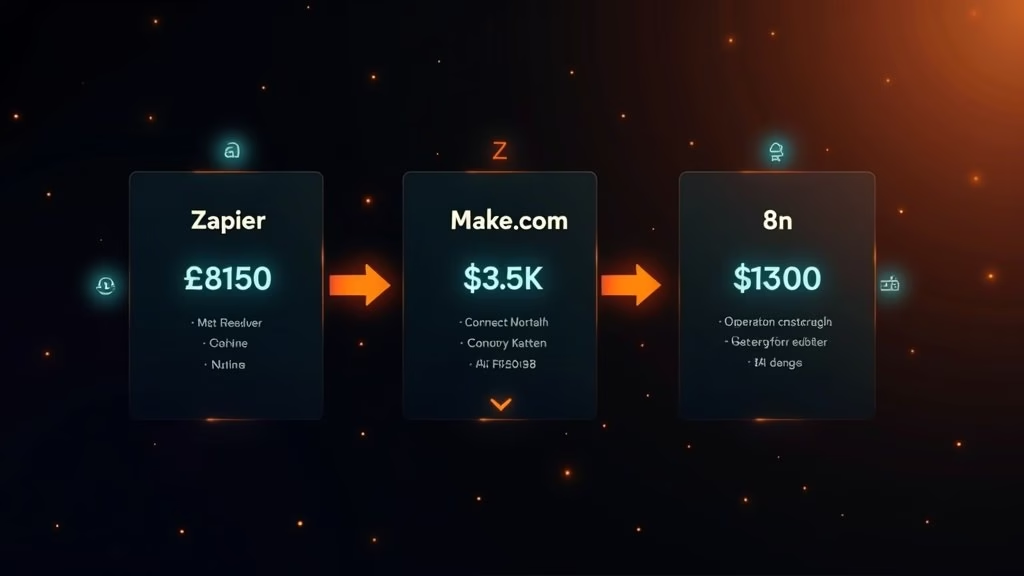
The cost difference between Make.com and Zapier is significant from the first paid tier: Make offers 10,000 operations for $9 per month while Zapier charges $19.99 for just 750 tasks.
Here is how I think about the pricing across all three tools worth considering:
| Feature | Zapier | Make.com | n8n Cloud |
|---|---|---|---|
| Entry price | $19.99/month | $9/month | $22/month |
| Volume included | 750 tasks | 10,000 operations | 2,500 executions |
| Free tier | 100 tasks, 5 Zaps | 1,000 operations/month | Self-hosted only (unlimited) |
| Workflow logic | Linear trigger-to-action only | Branches, loops, parallel paths | Full node-based logic with code |
| App connectors | 6,000+ | 1,500+ | 1,000+ native, unlimited via HTTP |
| G2 user rating | 4.5/5 | 4.7/5 | 4.9/5 |
| Best for | Quick setups, simple automations | Affordable, visual, complex flows | Developers, high volume, self-hosted |
According to G2’s comparison data, Make.com holds a 4.7 out of 5 rating against Zapier’s 4.5, with reviewers consistently praising Make’s flexibility and pricing.
The user ratings tell a small part of the story though. The bigger factor is the operation count math.
What the Operation Count Really Means
Make’s “operation” is counted differently from Zapier’s “task.” In Make, each module execution counts as one operation regardless of whether it is a trigger, action, or filter. A three-module scenario running 300 times costs 900 operations. That sounds similar to Zapier.
The difference is that Make’s 10,000-operation plan costs $9 versus Zapier’s 750-task plan at $19.99. You get comparable math at a fraction of the price, and the ceiling before your next upgrade is far higher.
I set up a free Make.com account and rebuilt my original three-step workflow in about 20 minutes. The 1,000 free operations covered my whole monthly load for the first two weeks.
Where Make.com Wins and Where It Falls Short
Make.com outperforms Zapier on workflow complexity, pricing, and visual design, but Zapier has a larger app library and a faster setup path for total beginners.
Where Make Has a Clear Edge
The visual canvas is the biggest difference day-to-day. Zapier is linear: you pick a trigger, then add actions one after another in a straight line.
Make shows you the whole scenario as a diagram, with modules branching off in different directions. That layout makes troubleshooting faster, especially when something breaks at step nine of a twelve-step flow.
Conditional logic is also cleaner in Make. You can set up a router that splits your workflow down different paths based on conditions, which in Zapier requires workarounds or separate Zaps that each eat into your task count.
Make handles this natively and does not charge extra for the branching.
Error handling is where Make earns its reputation. You can build a scenario that watches for a failed API call and automatically pauses, logs the error, and sends a Slack notification.
In Zapier, “error handling” means turning on a setting that emails you. That is the full extent of it.
Example scenario: You run an e-commerce flow that syncs new orders to your CRM and fires a Slack notification when the order value exceeds $500. In Zapier, that conditional requires either two separate Zaps or a premium Filter step, both of which consume tasks. In Make, you add a Router module and set the condition once. The branching costs one additional operation, not an entirely separate Zap with its own task count.
Where Zapier Still Wins
The app library gap is real. Zapier supports over 6,000 app connectors while Make sits around 1,500. For most common tools like Gmail, Google Sheets, Slack, Notion, and HubSpot, both platforms have solid coverage. But if you work with a niche industry tool or a regional SaaS that most people have not heard of, Zapier is more likely to have a pre-built connector.
Setup speed also favors Zapier for simple flows. If you want to connect two apps with no conditions and no transformations, Zapier gets you there faster.
Make’s visual canvas adds value when complexity is involved, but it adds friction when the task is genuinely straightforward.
Support response time is another legitimate complaint about Make. I have seen reports of tickets taking several days to get a response, which matters if something breaks in a business-critical workflow on a Friday afternoon.
What About n8n and Self-Hosting
n8n is the best option if you need high volume or full data control, but it requires technical comfort that most small business owners do not have the time to invest in.
Who n8n Is Really For
n8n’s self-hosted version is free with no usage limits, which sounds compelling until you factor in that someone has to install it, keep it running, and handle server issues.
For a solo operator or small team without technical staff, that maintenance burden is not worth the savings. The cloud version starts at $22 per month for 2,500 workflow executions, which is not dramatically cheaper than Zapier’s entry plans.
Where n8n genuinely pulls ahead is at higher volumes and when workflows need real computation, not just data shuffling between apps. It supports JavaScript and Python directly inside nodes.
The teams I have seen migrate to n8n typically come to it after outgrowing Make, not as a starting point.
If building automations that include native AI agents interests you, n8n has nearly 70 LangChain-dedicated nodes for that purpose. Make integrates with OpenAI and similar services, but n8n treats AI as a first-class workflow component.
For a look at what that looks like in practice, this piece on AI automation mistakes agencies keep making is worth reading before you commit to any platform.
The workflow I replaced, form to sheet to email, would take longer to set up in n8n and offer no meaningful advantage over Make at that scale.
It is a tool for a specific kind of operator with specific requirements.
Which Zapier Alternative Should You Pick in 2026

The right Zapier alternative depends on your technical comfort, workflow complexity, and monthly volume, not brand reputation or which tool has the most blog posts written about it.
The Decision Framework I Would Use
Here is the quick-reference guide I wish I had found before spending two weeks testing:
| Your situation | Best pick | Why |
|---|---|---|
| New to automation, want simple flows | Zapier | Fastest setup, best beginner documentation |
| Outgrowing Zapier’s price, non-technical | Make.com | 10,000 ops for $9, visual canvas, no server setup |
| Running 50,000+ operations per month | n8n self-hosted | Fixed infrastructure cost beats per-execution pricing |
| Need advanced AI agent workflows | n8n | 70+ LangChain nodes, full code access |
| Working in a regulated industry | n8n self-hosted | Full data sovereignty, nothing leaves your server |
| Mixed team of technical and non-technical users | Make.com | Visual enough for non-technical, deep enough for developers |
For most people landing on this article, the answer is Make.com. It handles the use cases that drive most small business owners to Zapier in the first place, it costs less, and it does not require a server.
The free plan includes 1,000 operations per month with no credit card required. You can start a free Make.com account here and rebuild your first workflow before your next Zapier bill lands.
How to Switch Without Breaking Anything
The main thing to know before switching is that you cannot import Zaps directly into Make. The platforms use different architectures, so migration is a manual rebuild.
For simple flows, that means around 20 minutes per workflow.
The approach I would recommend:
- List every active Zap you are running and the monthly task count for each one.
- Identify your three highest-volume Zaps and rebuild those in Make first.
- Run both platforms in parallel for one billing cycle to confirm the Make versions work correctly.
- Cancel Zapier once all your critical flows have been verified and stable for 30 days.
Example rebuild: A Zapier flow of Typeform to Google Sheets to Gmail (three steps, 3 tasks per run) becomes a Make scenario with three modules in the same order. Open a new Make scenario, add the Typeform trigger module, connect it to a Google Sheets module, then add Gmail as the final module. Click “Run once” with a live test submission to confirm each module passes data correctly before you switch the scenario on permanently.
This phased approach means you are never in a position where your business operations are broken because you moved too fast.
It is the same logic that applies to any tool migration, whether you are switching automation platforms or deciding which AI tools are worth keeping for small business growth.
The short version: Zapier got us all started. Make.com is where most of us should be running now.
Quick Takeaways
- Zapier charges $19.99/month for 750 tasks. Make.com charges $9/month for 10,000 operations. That gap is not close.
- Make.com’s visual canvas and native conditional logic make it the better tool for multi-step workflows with branching logic.
- Zapier still leads on app library size (6,000+ vs Make’s 1,500+) and is faster to set up for simple automations.
- n8n is the right choice for high-volume or developer-led teams. It is not the right starting point for most small business owners.
- Migration from Zapier to Make is manual but straightforward. Rebuild your top three Zaps first, run both in parallel, then cancel.
