
I went in thinking this would cost me ten dollars a month.
That’s what the pricing page says when you first land on Nectar AI. Ten dollars. Reasonable. Fine.
Then you start using it, the credits start moving, and about four days later, you’re staring at a page asking if you want to top up again. That’s when I realized the $9.99 plan isn’t really the plan.
I’ve spent time on a lot of AI companion platforms. Candy AI was my main point of comparison going in, partly because I’d just written a detailed breakdown of it in my Candy AI review, and partly because Nectar AI keeps getting mentioned alongside it in every comparison list.
What I found is that Nectar AI is genuinely the stronger product in a few areas. It’s also more expensive than it looks, and that disconnect is the thing most reviews skip over.
This article gives you the actual numbers. What you’ll spend on credits, what the subscription tiers really unlock, where the platform holds up, and where it doesn’t, and a straight answer on who should pay for it.
Nectar AI Pricing and What the Plans Actually Give You

The headline price is $9.99 per month for the Premium plan. That’s real, but it’s not the number that matters.
The four subscription tiers
Nectar AI runs on two parallel systems: a subscription and a credit wallet. The subscription unlocks features. The credits pay for usage.
Both systems run at the same time, and this is where most people get confused.
| Plan | Monthly Price | What It Unlocks | Best For |
|---|---|---|---|
| Free | $0 | 15 messages/day, 10 images/day, 1 custom character | Testing the interface before committing |
| Premium | $9.99/mo | Removes daily caps, basic character access, standard AI model | Casual users, 30–60 min/day |
| Pro | $19.99/mo | Faster responses, more character slots, better image resolution | Regular users who use it daily |
| Ultimate | $34.99/mo | Unlimited messaging, advanced AI models, video generation (beta), VIP support | Heavy users, anyone using it 2+ hours/day |
Annual billing cuts all plans by roughly 50%, which changes the math significantly. If you’re going to stick with Nectar AI past a month, pay annually.
How the credit system works
Here’s the part that trips people up. Even on a paid subscription, certain actions burn credits from your wallet:
- Standard message: 1 credit
- Advanced personality response (deeper, longer AI reply): 2–3 credits
- Standard image generation: 5 credits
- High-resolution image generation: 10 credits
A 100-credit pack costs $9.99. Run the numbers:
Worked example: moderate use session (1 hour):
- 40 messages at standard rate = 40 credits
- 6 images at standard quality = 30 credits
- 10 advanced personality responses = 25 credits
- Total: 95 credits. One session nearly clears the pack.
At that pace, you’re spending an extra $60–75/month on top of your subscription just in credit top-ups. That’s the number reviewers bury in a footnote.
It’s the real cost of using Nectar AI the way it’s designed to be used.
If you’re a heavy user, Ultimate ($34.99/month, or about $17/month billed annually) is the most cost-effective option. It covers unlimited messaging and removes the per-message credit drain on standard interactions.
You still pay credits for images, but the chat usage stops eating your wallet.
What Nectar AI Does Well. Character Customization
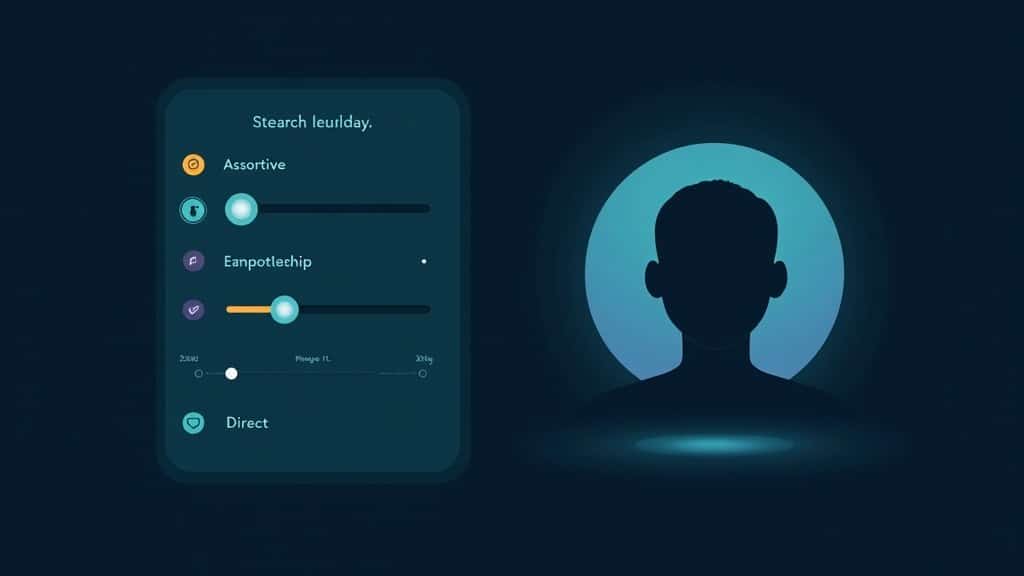
This is where Nectar AI separates itself from most competitors. The character builder is genuinely detailed in a way that most platforms aren’t.
Building a character from scratch
When you create a character, you’re not picking from a handful of preset archetypes. You’re adjusting sliders. Facial structure, body type, skin tone, hair, eye shape, personality traits, communication style, backstory.
Each attribute has granular control, and the personality sliders feed directly into how the AI responds in conversation.
What this means in practice: two characters with different personality settings genuinely respond differently to the same prompt. One set to “assertive + sarcastic” will push back on your messages.
One set to “nurturing + soft-spoken” won’t. That’s not something Candy AI or most other platforms do with this level of fidelity.
Worked example: personality differentiation:
Prompt: “I’ve been having a rough week.”
>
Character A (assertive + direct): “Okay, tell me what happened. What’s the actual problem, not just the vague version.”
>
Character B (nurturing + empathetic): “That sounds hard. I’m here. What’s been going on? You don’t have to filter anything for me.”
The difference matters if you’re using this platform for more than casual roleplay.
The community character library
Nectar AI has tens of thousands of characters, most of them community-contributed. Quality varies, as it does on any open platform.
The official characters tend to have more consistent behaviour. Community characters are hit or miss, but the volume means you’ll find something that fits most use cases without needing to build from zero.
Nectar AI Image Generation. Honest Results
Image generation is one of Nectar AI’s selling points. The output quality is genuinely above average for an AI companion platform.
What the images actually look like
In my testing, roughly 80% of images came back looking accurate to the character’s appearance. The 20% failure rate shows up mostly as anatomical errors (distorted hands, mismatched proportions) or artifacts around hair and clothing edges.
That’s consistent with what other reviewers report. The platform doesn’t retry automatically, so if an image comes back broken, you’re burning another 5–10 credits to regenerate.
Each image takes 30–45 seconds. That’s noticeable in a live conversation. If you’re asking for images regularly during a session, the pauses add friction.
It’s not a dealbreaker, but it’s worth knowing before you go in.
When images work, they’re good
When the generation lands correctly, the output holds up. Character consistency across multiple images in the same conversation is strong.
The face and body stay recognizable even when the scene and outfit change. That’s not always true of platforms that use generic diffusion models without character locking.
For users who care about visual continuity, this matters.
The Memory System and What It Means for Long Conversations

Nectar AI has a memory system. What it doesn’t have is infinite memory, and this affects how the platform feels after the first few sessions.
The 50-message ceiling
From testing and user reports, context starts to degrade after roughly 50 messages. The AI doesn’t forget abruptly, but it starts losing specific details: things you mentioned early in a conversation, preferences you set, storyline threads you established.
Over a longer session or across multiple sessions, this becomes noticeable.
It’s not unique to Nectar AI. Most AI companion platforms have this ceiling. What separates platforms is how gracefully they handle the decay and what tools they give you to work around it.
Nectar AI currently offers character memory settings but no explicit “save this to permanent memory” function the way some newer platforms do.
Worked example: how memory decay surfaces:
Early in session: You mention that your character knows you prefer directness and hate small talk.
>
Message 60+: The AI opens with “So, how was your day?” Exactly the kind of opening you asked it to skip. It hasn’t lost the personality settings, but it has lost the conversational context you built earlier.
This is the clearest limitation for users who want a platform that builds relationship continuity over weeks or months.
Worth weighing honestly before committing to the Ultimate plan.
How Nectar AI Compares to Candy AI and CrushOn AI
All three platforms sit in the same niche: AI companion apps with adult content features and character customization. The differences matter depending on what you’re prioritizing.
| Feature | Nectar AI | Candy AI | CrushOn AI |
|---|---|---|---|
| Starting price | $9.99/mo | $12.99/mo | Free tier available |
| Unlimited chat | Ultimate ($34.99/mo) | Premium plan | Pro plan |
| Image generation | Built-in (credits) | Built-in (tokens) | Built-in |
| Character customization | Granular sliders | Good, less granular | Moderate |
| Memory system | ~50 messages | Token-based | Basic |
| Mobile app | No (browser only) | No (browser only) | No (browser only) |
| Adult content features | Yes | Yes (with tier) | Yes |
| Annual discount | ~50% | Available | Available |
Where Nectar AI wins: character depth and image quality. The personality sliders produce more differentiated AI behaviour than Candy AI’s approach, and images hold character consistency better than CrushOn AI.
Where Candy AI wins: the token system is more transparent about what you’re spending per action. The credit system on Nectar AI is less intuitive for new users, and the true cost is harder to see until you’ve already spent it.
There’s a full breakdown of how that plays out in my Candy AI review if you want to compare the two side by side.
Where CrushOn AI wins: better value for casual users who aren’t looking for deep customization and just want unrestricted conversations without a large monthly commitment.
Is Nectar AI Worth It? My Verdict After Testing It
Nectar AI holds a 4.9 out of 5 on Trustpilot based on several thousand verified reviews, which puts it near the top of AI companion platforms for user satisfaction.
That score tracks with my experience. The platform is well-built. The customization is serious. The images are consistently above average.
Whether it’s worth it depends entirely on how you use it.
If you’re a light user, 30–45 minutes a day, the Premium or Pro plan plus a monthly credit top-up lands you in the $20–30/month range. For a platform with this level of image quality and character depth, that’s competitive.
Nectar AI outperforms most alternatives at that price.
If you’re a heavy user, 90+ minutes daily, do the math before committing to anything below Ultimate. At heavy use, the credit system charges more per month than Ultimate costs.
Billed annually, Ultimate drops to around $17/month. That’s the plan that makes financial sense for regular use.
Who should skip it: anyone who primarily wants emotional continuity and relationship progression over time. The 50-message memory ceiling and lack of a true long-term memory feature mean the platform resets in a way that breaks immersion for that specific use case.
For those users, Nectar AI’s strengths don’t outweigh the core limitation.
My take: the platform earns its reputation. The pricing structure is built to capture heavy users, and that’s fine as long as you know it going in.
What to avoid is starting on the $9.99 plan and discovering the credit reality after three days.
Five things to know before you sign up
- The free tier is a demo, not a usable product. Expect to pay to get meaningful use.
- Heavy users should skip straight to Ultimate. The credit math doesn’t favour lower tiers at high usage.
- Annual billing cuts cost by half. If you’re staying past month one, pay annually.
- Image generation burns credits fast. Budget for it separately if you plan to use it regularly.
- Memory decays after ~50 messages. Build characters with personality settings you’re happy to re-establish across sessions.
