
Quick Reference:
| What to Know | Details |
|---|---|
| Peak hours to avoid | 3pm to 10pm EST, especially Friday and Saturday evenings |
| Fastest fix | Switch browsers or use incognito mode for a clean session |
| App vs web | Web version holds sessions longer and reconnects faster |
| Free workaround | Keep a browser tab open between sessions to hold your place |
| Best time to use | Before 10am local time or weekend mornings before noon |
| Paid option | Character AI+ at $9.99/mo gives queue priority and faster responses |
| When nothing works | Check status.character.ai before troubleshooting your own connection |
If you’ve ever stared at a Character AI queue screen telling you your wait time is “more than 9E+244 hours,” you already know the feeling.
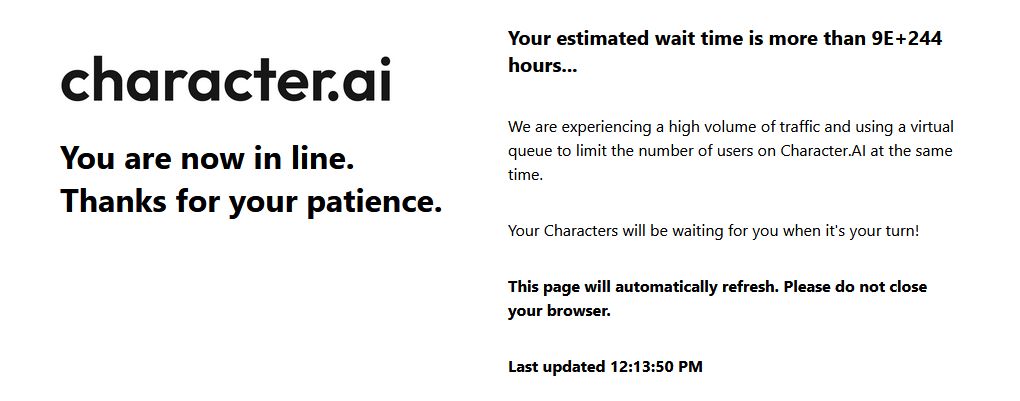
That’s not a typo. That’s a real error users have been screenshotting and sharing across Reddit for months, and it tells you everything about where the platform is right now.
The wait time problem isn’t new, but it’s gotten worse. Character AI uses a virtual queue system to manage server load during peak traffic, which sounds reasonable on paper. In practice, it means you can open the app ready to chat and get redirected to a lobby with no clear timeline and no way to skip the line.
Some users report waits of 30 to 45 minutes on a bad day. Others get stuck in loops where the page refreshes, but the timer never moves.
What’s frustrating is that there are real things you can do to get around this, or at least get back into a conversation faster. Some fixes are on the technical side.
Others are just about knowing how the queue system actually behaves and working with it instead of against it. This article covers both.
We’ll also be straight with you: if the platform keeps pushing you out, there are a couple of alternatives worth knowing about.
But the focus here is on getting you back into Character AI with as little friction as possible.

How the Character AI Queue System Works
Most people assume the wait time is random. It’s not, but the way it behaves can make it feel that way. Character AI’s queue system is a virtual waiting room that activates when server load crosses a certain threshold.
When too many users are active at the same time, the platform starts routing new sessions into a line instead of letting them straight in.
The timer you see is supposed to reflect your real position in that queue, but the system has a known bug where estimated times display as astronomical numbers like 9E+244 hours instead of a normal figure.
That’s a display error, not an actual wait time, but it tells you the queue system is under serious strain when it happens.
Peak hours are the core issue. Character AI’s user base skews heavily toward school-age users, which means traffic spikes hard in the late afternoon and evening in North American time zones, roughly 3pm to 10pm EST.
If you’re consistently hitting the queue during those windows, you’re not unlucky. You’re just online at the same time as a significant chunk of the platform’s most active users.
Data pulled from community reports on Reddit’s r/CharacterAI shows that server downtime complaints cluster almost exclusively around those hours, with Friday and Saturday evenings being the worst.
The queue also behaves differently depending on whether you’re on the app or the web version.
Several users have reported that switching between the two mid-queue can actually reset your position, which is the opposite of what you want. If you’re in line, stay in one place and let the page refresh on its own.
Closing and reopening the app is one of the most common mistakes people make, and it likely bumps you back to the end of the queue.
The Fastest Fixes When You’re Stuck in the Queue
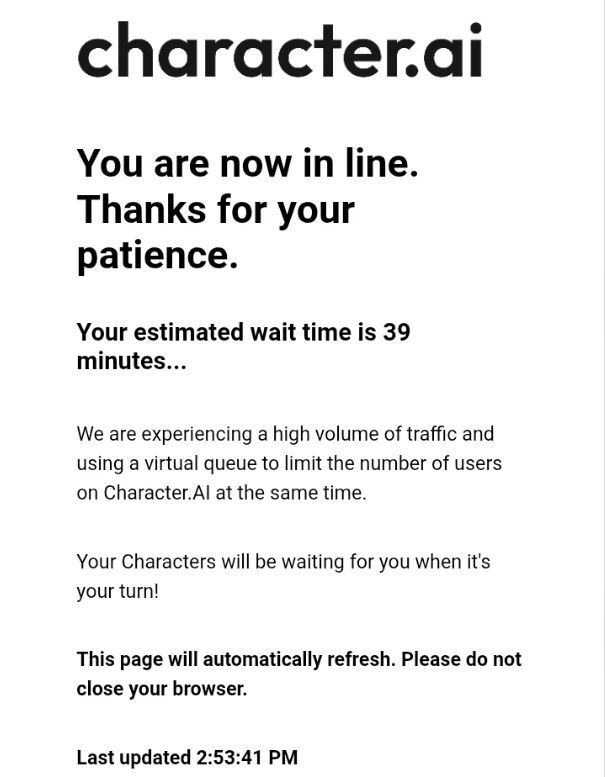
Before anything else, check whether the issue is actually the queue or just a connection problem on your end. A quick way to tell is to open Character AI’s status page or search “Character AI down” on X (formerly Twitter).
If you’re seeing fresh posts from the last 10 minutes from other users reporting the same thing, it’s a platform-wide issue, and no amount of refreshing will help. Sit tight or move on temporarily.
If the platform is up and it’s just your session stuck, here’s what’s worked consistently based on community reports and my own experience:
- Clear your browser cache and cookies before trying to reload. A corrupted session token can lock you into a broken queue state even when there are open slots.
- Switch browsers. Chrome and the Character AI app tend to get congested during peak hours. Firefox or Edge sometimes bypasses the queue entirely because fewer users are hitting those entry points at the same time.
- Try the web version if you’re on the app, or vice versa. These run through slightly different routing, and one may have shorter queue positions than the other at any given moment.
- Use incognito or private mode. This creates a clean session with no cached data, which occasionally sidesteps the virtual queue altogether. It doesn’t work every time, but it works often enough to be worth trying before you give up.
One thing worth knowing: Character AI+ subscribers get priority access during high-traffic periods. The subscription runs $9.99 a month, and queue skipping is one of its more practical benefits if you’re a heavy user.
It doesn’t guarantee instant access, but anecdotal reports from the community suggest paid users spend significantly less time in the waiting room during peak hours compared to free users.
If you’re not ready to pay and the queue is genuinely unbearable on a given night, Candy AI and Nectar AI are two alternatives worth bookmarking for those moments. Neither requires a queue to start chatting.
Why Character AI Keeps Going Down and What That Means for You
Character AI crossed 20 million daily active users in 2024, making it one of the fastest-growing AI platforms ever built. That kind of growth is exactly what breaks infrastructure.
The servers were not built to handle that volume, and the team has been playing catch-up ever since. What you’re experiencing as a queue or a crash is a symptom of a platform that scaled its user base far faster than its backend could follow.
The frustrating part is that this has been a known issue for a long time. Posts on r/CharacterAI complaining about server downtime go back to late 2022, and the complaints haven’t slowed down.
If anything, the community has gotten louder about it because the problem keeps recurring while new features like voice calls and memory updates keep shipping.
Users have been clear: they would rather have stable servers than new features, and the gap between what the platform delivers and what the community actually wants has become a real point of tension.
What this means practically is that the queue problem is unlikely to disappear overnight. The infrastructure improvements that would actually fix it take time and significant engineering work.
That’s not an excuse for the platform, but it is context worth having so you stop troubleshooting something that isn’t on your end.
On those nights when nothing works, the problem is almost always at the server level, not your device, your browser, or your connection.
One pattern worth tracking on your own is which days and times consistently work well for you. I’ve found that early mornings, specifically before 10 am in your local time zone, are almost always queue-free.
Weekend mornings before noon are also reliably stable. If you have any flexibility in when you use the platform, shifting your sessions earlier in the day makes a noticeable difference.
What To Do If the Queue Problem Keeps Pushing You Out
At some point the question shifts from “how do I fix this tonight” to “is there a smarter way to use this platform going forward.”
There are a few habits that make the experience significantly more stable over time, and they’re worth building now rather than waiting for Character AI to sort out its infrastructure on its own timeline.
The first is to keep a tab open rather than closing the app between sessions. Character AI’s queue system prioritizes active sessions over new connection attempts.
If you leave a browser tab open in the background, even with the screen idle, you’re much less likely to be dropped into the queue when you come back compared to someone who closed the app entirely and is now trying to reconnect during peak traffic.
The second is to use the web version on desktop as your primary access point during high-traffic periods.
The mobile app has additional overhead from push notifications, background refresh cycles, and OS-level memory management, all of which can interrupt your session in ways the browser version avoids.
Several users on RoboRhythms.com have noted this as a consistent pattern: the web version holds sessions longer and reconnects faster when there’s a brief outage.
Third, if you’re a frequent user, the math on Character AI+ is worth running honestly. At $9.99 a month, you’re paying roughly 33 cents a day for priority queue access, faster response times, and the ability to set a custom AI persona.
If you’re losing 30 to 45 minutes multiple nights a week sitting in a queue, that time has a real cost.
The table below breaks down what each tier actually gives you:
| Feature | Free Plan | Character AI+ ($9.99/mo) |
|---|---|---|
| Queue priority | No | Yes |
| Response speed | Standard | Faster |
| Custom AI persona | No | Yes |
| Advanced memory | Limited | Expanded |
| Access during peak hours | Inconsistent | More reliable |
| Early access to new features | No | Yes |
The last thing worth saying is that the platform is still worth using despite the frustration. The character variety and the depth of roleplay available on Character AI is genuinely hard to find elsewhere at the same scale and for free.
The queue is a real problem, but it’s a solvable one at the user level if you know which levers to pull.
The fixes in this article won’t make the platform’s infrastructure better, but they will get you back into a conversation faster on most nights.
