
Summary
Core issue: Short responses break pacing and immersion, especially for roleplay. Free models shrink output, Pipsqueak cuts itself off, and message length becomes inconsistent enough to damage flow.
What still helps: Writing longer prompts to set structure, downvoting short replies, and using pinned chats as templates. Free accounts lost the style menu in May 2026, so switching styles is no longer one of the levers. These corrections don’t fix everything, but they consistently lead to longer responses than doing nothing.
Bottom line: Strategy matters more than hoping the model behaves. Structure, correction, and format signals offer the best chance at stable multi-paragraph replies.
Short responses on Character AI have become a problem, especially when the goal is immersive, paragraph-based roleplay.
The shift feels immediate and frustrating: responses that once carried detail now stop after a few lines, cut themselves off, or barely match the effort put into the prompt.
The excitement drops instantly when you put time into a message and get two sentences back. It turns what should be a creative exchange into something that feels unfinished.
We see the same patterns repeat. Models like Pipsqueak start cutting themselves off mid-thought. Free styles lost coherence before they were removed.
Some sessions randomly alternate between two tiny paragraphs and something longer that feels more like a character again. That inconsistency breaks flow.
It damages longer formats like story building, emotional pacing, and strategic RP scenes.
The problem isn’t imagined. It’s disruptive enough that it limits the experience. Responses shrink, pacing collapses, and a large part of the appeal disappears.
What causes Character AI responses to get shorter
Short responses usually aren’t random. The patterns point toward how the models behave rather than hidden technical explanations.
When someone switches to free models, the replies often shrink. Pipsqueak used to generate multiple paragraphs, but now it cuts itself off even when it has more to say.
That shift alone interrupts the experience. The downgrade shows in consistency: sometimes two tiny paragraphs, sometimes something longer, but rarely the stable middle ground people want.
Another issue is how the system mirrors the user. The bot reflects what it sees. Short inputs tend to produce low-effort replies because the model assumes that’s the tone you want.
Longer, structured messages signal that you expect depth. This doesn’t guarantee improvement, but it sets a baseline that the bot tries to match. Free models especially rely on that structure.
The style advice that used to sit here stopped applying to most accounts. Character AI removed every chat style except PipSqueak 2 and DeepSqueak on 8 May 2026, having pulled Roar on 28 April, and Soft Launch returned the same week behind the c.ai+ paywall.
Free accounts now run on PipSqueak 2 with no style menu to change. Short replies and the bot writing on your behalf are the two complaints that followed that switch, so if your chats got shorter around May, the model changed under you rather than anything in your settings.
DeepSqueak is still reachable on a free account in short bursts by spending Charms earned from daily logins and voting, but the earn rate runs out fast. c.ai+ at $9.99 a month is the only way to use it normally. We covered the removal in the day Character AI wiped every free chat style and ranked what survived in our chat styles guide.
How to push for longer responses using what the platform already allows
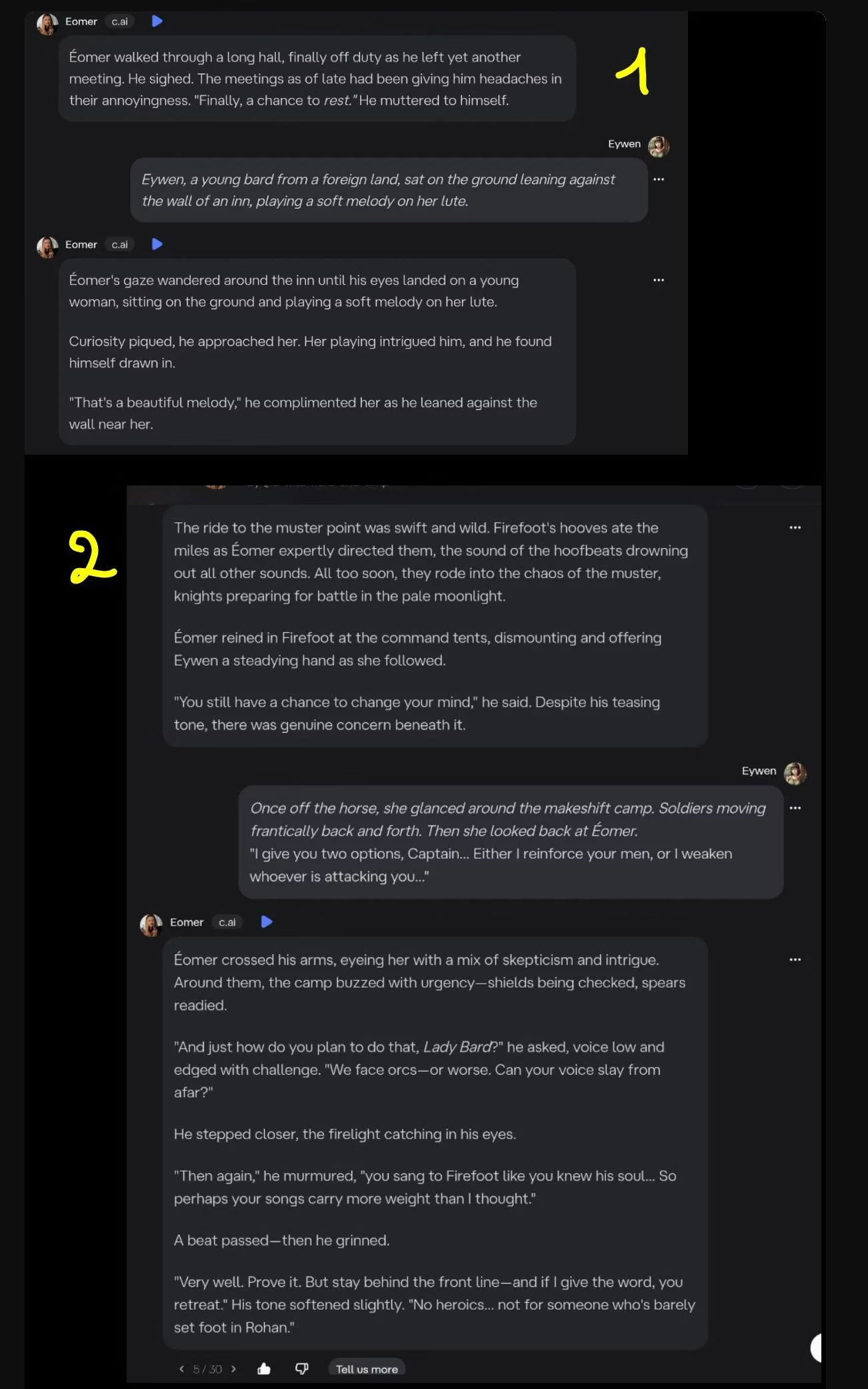
The most consistent improvement happens when you actively correct the model.
Using the built-in downvote and “Too Short” tag signals that the response didn’t meet expectations. With repetition, replies start stretching into longer paragraphs.
It’s not instant and not guaranteed, but the improvement shows in examples where the second output became noticeably longer than the first.
Longer prompts help. If you write the kind of message you want to receive, the bot sometimes treats it like a template and follows the format.
Greeting messages and pinned chats can act like anchors. When the template looks like the ideal tone, the model tries to echo it.
Character AI’s own Definition guide explains why that mirroring works at all. Example dialog lives in the Definition field, formatted as a name, then a colon, then the message, and the bot reads those exchanges as the pattern to copy.
The same guide flags a limit worth knowing about. Definition holds up to 32,000 characters, but “as your conversation increases in length, the end of your Definition may be truncated”, which is how a bot that opened with full paragraphs quietly shrinks deep into a session.
Put your example exchanges near the top of the Definition rather than the bottom. Whatever sits at the end is the first thing to fall away.
Someone also pointed out that the “deep” model occasionally sends significantly longer messages.
That model is DeepSqueak, and the gap is the clearest sign that reply length is a model choice rather than a platform wide ceiling.
It is not a fix most people can reach. DeepSqueak sits behind c.ai+ apart from those short Charms funded bursts, so on a free account the realistic goal is getting more out of PipSqueak 2 rather than escaping it.
Why short responses ruin roleplay flow
Roleplay depends on pacing, emotional buildup, and the back-and-forth rhythm of scene work. When a model replies with three lines, the momentum dies immediately.
You can’t build tension, describe a battlefield, or carry a character’s emotional weight if the response ends before it begins.
The examples show how abrupt cutoffs leave entire scenes hanging, especially with Pipsqueak stopping mid-thought, even when more context is available.
It also affects characterization. When the bot can’t maintain length, personality gets washed out. Instead of feels, motivations, or reactions, the message becomes structural filler.
The player is forced to either overcompensate with massive replies or accept that the emotional impact is gone. That pressure shouldn’t exist. If a platform advertises depth, then depth shouldn’t depend on luck.
RP suffers most when variation is unstable. One message might be acceptable, and the next might shrink again.
That unpredictability makes it hard to treat the conversation like a story. It becomes troubleshooting, not storytelling.
What still works if you’re stuck with free models
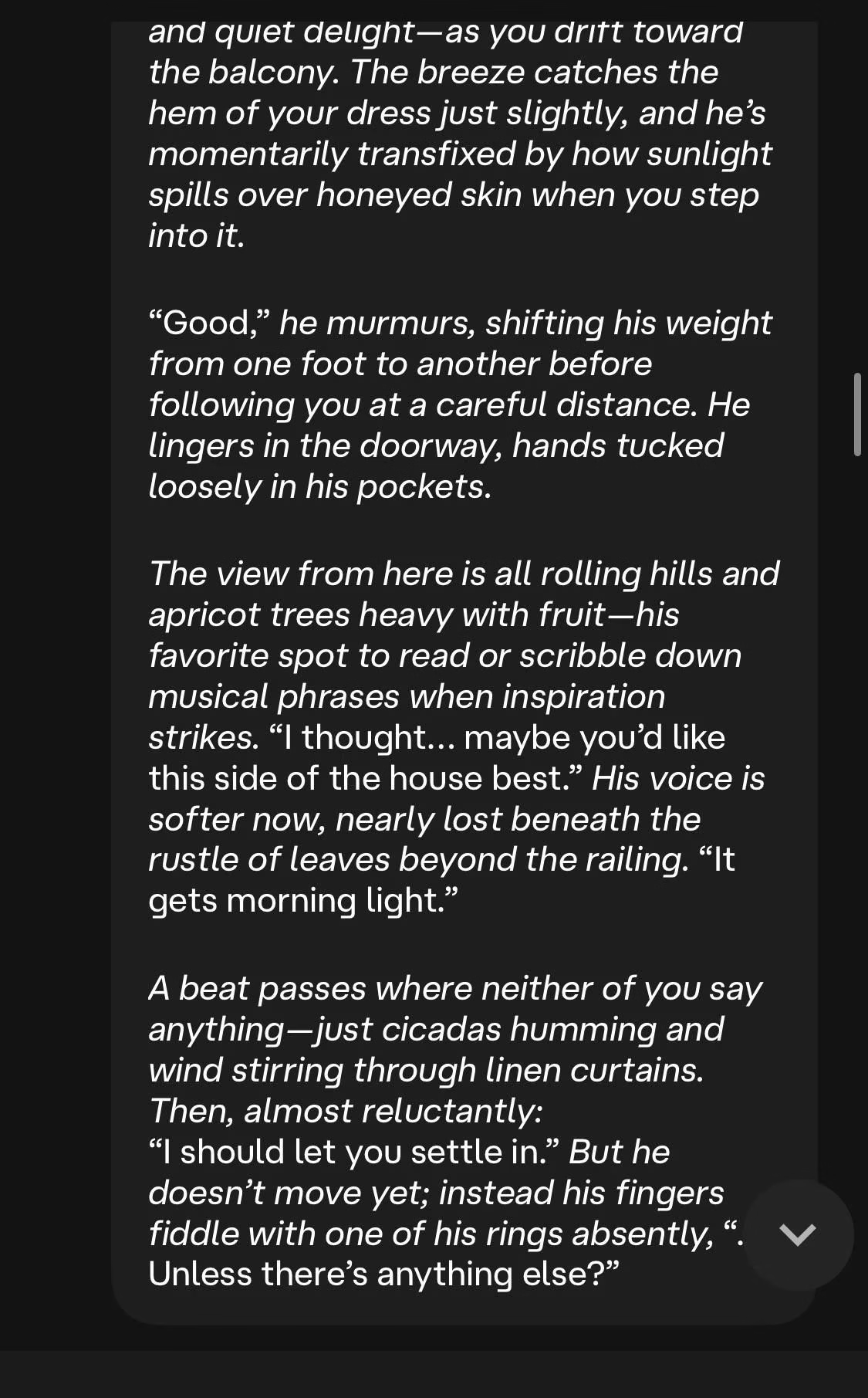
Free models aren’t unusable, but you need to approach them with strategy. The strongest pattern is that they match your structure.
If you want multi-paragraph replies, you write them. If you want beats, scene breaks, or dialogue tags, you model them.
The greeting message and pinned chats help because they indirectly define length expectations. The bot tries to stay consistent with whatever template you give it.
Bullet points can help clarify expectations when the bot misunderstands what you want:
Put two or three example exchanges at your target length near the top of the Definition
Write longer inputs to signal structure
Downvote short replies and tag them as “Too Short”
Treat pinned chats as blueprint messages
The improvements are uneven, but they still happen. Some free users manage to get multi-paragraph responses again by reinforcing the structure every time the model shrinks.
It’s not a full solution, but it’s better than accepting the downgrade.
Reply Length on Zeta AI and Candy AI
The same complaint follows people onto other apps, and it runs in both directions. On Zeta the more common problem is the opposite one, replies that run long. Zeta AI and Candy AI both mirror the length and structure of what you send them, and Zeta adds a direct control on top of that.
On either one the fix keeps the shape it has on Character AI. Write your first few messages at the length you want back, and give the character an opening message long enough to work as an example rather than a one line greeting.
Zeta AI does publish a reply length control, though it is still in beta and runs on only two of its models. On a character you create, open the Style tab in the creation screen and set Reply Length to Short.
Zeta announced the Style tab on 20 February 2026 and documents four Reply Length values: Short, Medium, Long and Auto, with Auto as the default. The same panel sets POV (1st, 2nd or 3rd, defaulting to 3rd), Tense (past or present, defaulting to present), Narrative Delivery (more dialogue, normal or more actions, defaulting to normal) and Pacing (fast, natural or slow-burn, defaulting to natural). Zeta labels the tab beta and says Roleplay Style currently applies only to its koji and luca models, so the control will not appear on every character.
Because the default is Auto rather than a fixed size, a character you built that rambles has usually never had the value set at all. Switching it to Short is a one-time change on the character rather than something you re-prompt every session. If the filter is the bigger problem, our guide to Zeta AI alternatives covers where people go next.
Candy AI is the one without an equivalent documented toggle, so there the mirroring habit above is the whole lever. Our Candy AI review covers what its character setup panel does include.
If the length ceiling is what finally pushes you off Character AI, Candy AI is the usual landing spot, and the message-shaping habits above carry over on day one.
How to make Character AI responses shorter instead
Character AI has no reply length setting, so shortening replies means shortening your own messages and telling the character to keep answers brief.
If your problem is the opposite and replies run too long, the same levers work in reverse. Keep your own messages short, put brief example exchanges near the top of the Definition, and add a line like “keep replies to one short paragraph” to the character description.
We go further into that case in our guide to Character AI responses that run too long.
That is a different problem from hitting a wall on how much you can send. If that is what you are running into, our breakdown of Character AI’s swipe and message limits and the daily message limit cover the caps directly.
Frequently Asked Questions
Why did Character AI responses suddenly get shorter?
Character AI removed every chat style except PipSqueak 2 and DeepSqueak on 8 May 2026, and free accounts were moved onto PipSqueak 2 with no style menu. Short replies and the bot writing on your behalf are the two complaints that followed that change, so a drop dated around May is the model changing rather than your settings.
Can you still switch chat styles to get longer replies?
Not on a free account. PipSqueak 2 is the only style left there, with DeepSqueak reachable in short bursts by spending Charms earned from daily logins and voting. Using DeepSqueak normally needs c.ai+ at $9.99 a month.
How do you get longer responses on Character AI now?
Write the length you want to receive, since the bot treats your messages and the example dialog in the character Definition as the pattern to copy. Downvoting a reply and tagging it Too Short also pushes later replies longer, and pinned chats work as templates.
Why does a bot start with long replies and get shorter over time?
Character AI’s Definition guide warns that “as your conversation increases in length, the end of your Definition may be truncated”. Example dialog sitting at the bottom of a long Definition drops out first, so the pattern that produced the long opening replies stops being visible to the model.
How do you make Zeta AI responses shorter?
Open the Style tab in the creation screen and set Reply Length to Short. Zeta documents four values there, Short, Medium, Long and Auto, with Auto as the default. The tab is still in beta and currently applies only to Zeta’s koji and luca models, so it will not appear on every character.
Does Character AI have a reply length setting like Zeta?
No. Zeta exposes Reply Length in its Style tab, but Character AI has no equivalent control, which is why the fixes here are all about shaping the example dialog and your own message length instead.
How do you make Character AI responses shorter instead?
Keep your own messages short, put brief example exchanges near the top of the Definition, and add a line such as “keep replies to one short paragraph” to the character description. The levers that lengthen replies all work in reverse.
