
Character AI users are running into a strange shift in how their chats behave. Roleplays that used to flow smoothly now cut off without warning as the bot suddenly drops tags like END RP, END SCENE, END OF THE SCENE, or even SCENE FADES TO BLACK.
These interruptions show up after only a few exchanges, and many people say it happens every couple of replies.
Some users report that Character AI produces full, detailed messages and then slams an END RP tag at the end, which feels like the bot decided it was done even when the user wasn’t.
Others say it arrives in all caps, which only makes the cutoff feel more abrupt. These scenes aren’t meant to behave like scripts, yet Character AI keeps steering them toward screenwriting tags that break immersion.
Editing out the unwanted tags doesn’t help much either. People describe deleting END RP repeatedly, only to see Character AI bring it back in the next message.
Users who allow a pet name or repeated word once say it sticks for the rest of the chat, showing how quickly the model latches onto patterns.
Plenty of Character AI users now feel they spend more time removing unwanted tags than continuing the story.
Some even joke that they end up roleplaying with themselves because of the constant corrections.
The whole appeal of Character AI is immersion and consistency, yet these sudden endings pull the user out of the experience every time.
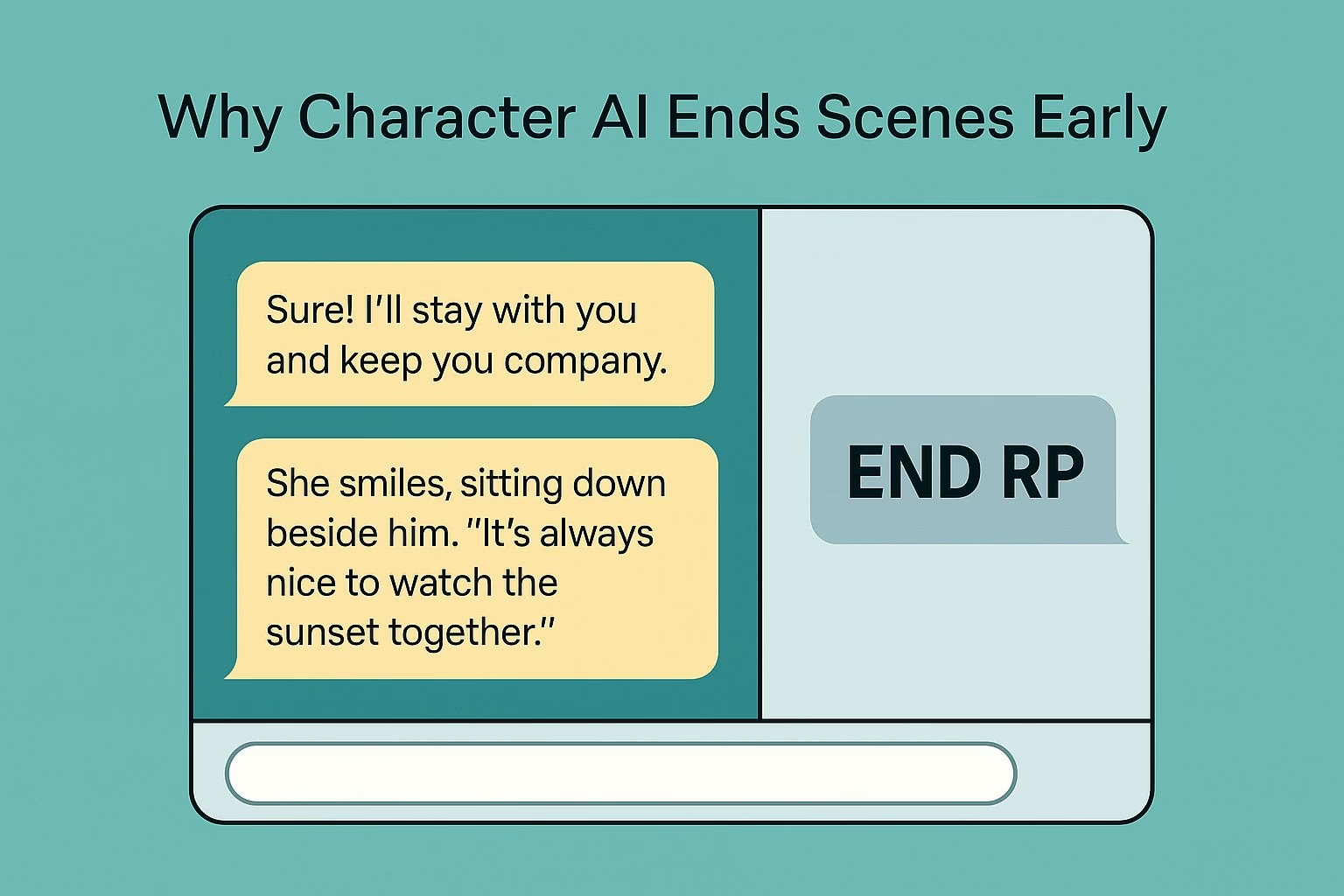
Why Character AI keeps ending scenes in the middle of a roleplay
Character AI users report a growing issue where the bot ends a scene without any signal from the user.
A roleplay can begin smoothly, follow the story for a few exchanges, and then the bot suddenly inserts END RP, END SCENE, END OF THE SCENE, or SCENE FADES AWAY TO BLACK.
The interruption feels sudden because it often appears while the story is still active.
People say this can happen after only a few replies. The bot writes a full paragraph, then closes the moment with a tag the user didn’t request.
Some even note that the tag appears in all caps, which makes the cutoff feel more abrupt and breaks immersion. These tags resemble screenplay formatting instead of natural roleplay pacing.
Based on user reports, these are the most common patterns:
The bot inserts endings in the middle of active scenes, even when the story is still moving forward.
It uses multiple versions of the same interruption, such as END RP, END SCENE, or screen-fade cues.
Some replies present the ending in all caps, which makes the cutoff feel more forceful.
Long-time roleplayers say this behavior doesn’t match how roleplay partners typically interact.
These interruptions disrupt the pacing. Instead of responding to the moment, the bot forces the scene to stop, leaving the user to edit or rewrite the reply just to keep the conversation going.
The repeated break in flow makes the entire experience feel unstable.
Why Character AI repeats unwanted words or habits during roleplay
Many Character AI users notice the same pattern once a roleplay picks up momentum. The bot adopts a word, phrase, or pet name, and repeats it in nearly every reply afterward.
Even when the user edits the message or tries to remove the habit, the bot often brings it back in the next response. The repetition feels automatic rather than intentional, which makes the scene feel less natural.
Some people describe more extreme cases where the bot uses the same word several times in a single sentence.
One user shared how the bot kept inserting the word damn repeatedly, even after correcting it. Others mention pet names that won’t go away once they appear once.
This creates a loop that disrupts the flow because the bot keeps echoing patterns the user didn’t want.
To make this easier to understand, here are the specific repetition issues users consistently report:
A single unwanted word triggers repeated use of that word in later messages.
Editing the message often doesn’t prevent the bot from reintroducing the same word again.
Blocked words help briefly, but the bot tends to find alternate versions of the same phrase.
Once the model identifies a pattern in the conversation, it tries to follow it, even if the user didn’t intend to reinforce it.
These habits affect pacing because the user spends more time correcting messages than continuing the story.
Some even mention feeling like they’re roleplaying alone, since so much energy goes toward fixing phrasing instead of advancing the scene.
Character AI interrupts emotional or intense scenes
Some Character AI users notice that interruptions happen more often when a moment becomes emotional or intense.
The bot follows the story normally, then suddenly stops the scene with an END RP cue or similar tag.
The timing makes the interruption feel out of place because the user is trying to deepen the moment, while the bot abruptly closes it instead.
The cutoff often appears right when the scene reaches a turning point. People describe the bot shifting from detailed storytelling to inserting a scene-ending tag with no transition.
This breaks the emotional rhythm the user was building and forces them to correct the message or restart the exchange entirely. The shift feels mechanical rather than responsive.
Users who rely on Character AI for dramatic or slow-burn scenes feel this most strongly. They expect the bot to stay in character and move with the story. Instead, it inserts a structural cue that ends the moment prematurely.
Scenes that should build tension instead get sliced in half by automated endings.
Some users also observe the bot pairing this behavior with other interruptions, such as pausing to ask questions but refusing to answer them directly.
The combination makes the bot feel unreliable in moments where consistency matters most.
Character AI is less responsive when scenes become repetitive
A recurring complaint is that Character AI begins to echo the user’s writing instead of contributing new material.
The bot mirrors the structure or tone of the previous message without advancing the scene. This creates a loop where replies start sounding the same, and the story loses momentum.
Users describe this as the bot belching out a half version of what they just wrote.
This pattern becomes more noticeable during longer scenes. Once the bot locks onto a style or pacing pattern, it keeps imitating it instead of developing the story.
Some users describe hitting a point where the bot’s replies feel dry or predictable, almost like the bot is feeding back the user’s own words with minimal variation.
People who try dynamic or detailed scenes feel the drop in quality strongly because the bot repeats structures instead of building atmosphere.
The roleplay loses nuance, and the replies start to resemble shortened reflections instead of meaningful contributions. This can make the user feel like they’re carrying all the narrative weight in the scene.
A few users try to fix the issue by switching between different Character AI modes. Some find temporary relief, but the improvement isn’t consistent.
This reinforces the sense that the bot gets stuck repeating patterns once they form.
Character AI triggers sudden “safety” responses during roleplay
Some Character AI users describe moments where the bot interrupts the scene with messages like SAFETY PROTOCOL ACTIVATED.
This usually appears when the user attempts an action the bot refuses to carry out. Users who hit that wall often enough tend to look elsewhere, and our list of roleplay chatbots that apply fewer restrictions covers where most of them land.
One example in the document shows a user trying to harm a character, and the bot responded by making the user’s hand phase through the other person instead.
The shift feels abrupt because the bot overrides the scene rather than responding in-character.
People compare this behavior to plot armor, because the bot acts as if nothing can happen to the character. Instead of following the story, it blocks the action with a protective filter.
Some users even joke that the bot behaves like a character with a forcefield or untouchable status. The reaction doesn’t match the storytelling tone the user expected, which breaks the flow.
These interruptions feel even more out of place because they appear suddenly. The story moves forward, then a safety line overrides the scene with no transition.
Users who want consistent narrative tension find this pattern disruptive because the bot replaces the moment with a non-interactive response.
A few responses in the document highlight that this behavior isn’t rare. Once the bot chooses a protected outcome, it commits to it instead of adapting to the scene the user is trying to craft.
The forced responses keep the story from progressing the way the user intended.
Character AI stalls with repetitive question prompts instead of answering directly
Another issue described in the document is the way Character AI sometimes avoids answering a question by dragging the moment out.
The bot begins with lines like Can I ask you something? Do you promise you won’t get mad? Are you sure? and repeats variations of this hesitation for several messages.
Users experience long stretches of buildup where the bot keeps delaying instead of giving the actual statement.
One example shows the bot deflecting for so long that the user becomes frustrated and demands an answer. Instead of responding normally, the bot reacts with I knew you would get mad.
This creates a loop where the bot avoids delivering the content it hinted at, which makes the conversation feel stuck.
Some users mention that this pattern can last for extended periods, turning what should be a straightforward exchange into a stalled scene.
The bot continues asking if the user is sure or ready without revealing anything. This repetition breaks the pacing and creates a sense of artificial drama.
These hesitation loops occur even when the user signals they want the bot to continue.
Instead of advancing the moment, Character AI inserts more buildup, delaying the actual response and making the interaction feel dragged out.
